


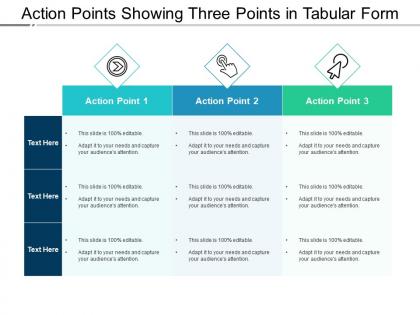
Action points showing three points in tabular form





Try Before you Buy Download Free Sample Product
 Impress Your
 Audience
 100%
100% Editable
 Save Hours
 of Time


Increase the degree of attraction with our Action Points Showing Three Points In Tabular Form. It helps court your customers.
People who downloaded this PowerPoint presentation also viewed the following :
Action points showing three points in tabular form with all 5 slides:
Get folks to indulge in beneficial discussions with our Action Points Showing Three Points In Tabular Form. End any idle jabber.

FAQs for Action points showing three points
Three things you gotta nail: who's doing what, when it's due, and what exactly they need to do. Start each action with someone's name - trust me, this saves so much confusion later. Skip the vague "follow up on X" nonsense and be specific about the actual task. Realistic deadlines are key too. Oh, and if something references earlier discussion, throw in a quick context note so people aren't scratching their heads next week. Format it so it's easy to scan - nobody wants to hunt through paragraphs for their assignments.
Oh, definitely use bold colored boxes for your action items - make them pop! I always stick mine at the bottom or side so people know what's next. Numbered lists hit different than bullets somehow, feel more urgent? Each action needs an owner and deadline right there - nobody wants to play the guessing game later. Make the text big enough for back-row people to actually see. Icons or checkboxes help too since people scan fast. Honestly, your audience should be able to screenshot just that section and they're good to go.
Okay so I've tried a bunch of ways to tackle this. The impact vs effort thing works pretty well - just map out which tasks will make the biggest difference against how hard they'll be. Go for the easy wins first obviously. Another trick is giving everyone 3 votes to spend on whatever they think matters most. Gets people invested, you know? But honestly? Sometimes I just ask "what happens if we ignore this completely?" That question cuts through so much BS. Main thing is making sure your team actually agrees on what counts as urgent right now.
Honestly, spell everything out like you're talking to a 5-year-old. People won't connect the dots themselves - trust me on this one. Instead of "follow up on proposals," write "Sarah emails revised proposal to client by Friday." Super specific with names and deadlines. Put the action items up on screen while you're presenting, then shoot everyone a follow-up email after. I learned this the hard way when half my team just... didn't do anything because they "weren't sure" what I meant. Short sentences work better too. People's attention spans are shot these days anyway.
Dude, vague action points are the worst - they just waste everyone's time. You need to spell out exactly who's doing what and when it's due. Like, don't write "improve user experience" when you could say "redesign checkout flow to cut cart abandonment 15% by March 15th." Way more useful, right? I've watched so many projects die because people had to keep asking "wait, what did you mean by this?" Short version: write it so clearly that anyone could pick it up and actually know what to do.
Add time estimates and deadlines to each task - like "Review Q4 budget (30 mins) - due Friday" instead of just "review budget." We're all garbage at estimating time at first, but you'll get better. Try the urgent/important matrix thing to figure out what to tackle first. Honestly, the biggest game-changer is being specific about both what you're doing AND when it needs to happen. Time yourself on random tasks this week - I know it sounds annoying, but it'll help you nail those estimates going forward.
Dude, project management tools like Asana or Monday.com are total game-changers for this stuff. Set up automated reminders, track everything in real-time, and your whole team can update their progress instantly. Way better than those messy spreadsheets we all used to hate! Dashboard views show you what's actually moving vs what's completely stalled. The integration thing is clutch too - your calendar, email, and task lists all sync up automatically. Oh, and don't go crazy trying to use every feature at once. Just pick something simple that everyone will actually stick with.
The worst thing you can do is write vague action items like "improve communication" - what does that even mean?? Be super specific instead. Who's doing what and by when? Also don't dump 10 tasks on people because honestly, nothing will get done. Stick to 3-5 max. Each one needs to tie back to your actual goals too, not just random busywork. Here's what I do: write them while prepping and ask "could someone start this tomorrow?" Works every time.
Here's what actually works - after each presentation, write down specific stuff you'd do differently next time. Like "slow down on slide 3" or "have backup examples ready." I'm terrible at remembering this when I'm rushing off to another meeting, but honestly? It's the best part. Treat these notes like real action items - make them measurable, assign who's responsible. Stick them in a shared doc or your presentation template. That way you'll actually look at them before your next big presentation instead of making the same mistakes again. Turns every disaster into something useful.
You know what I learned the hard way? Always check if your tasks actually connect to the main project goal. Seriously saves so much wasted effort. When everything you're doing feeds into the bigger picture, deadlines become way more manageable and you're actually creating value instead of just staying busy. Makes prioritizing dead simple too - you can instantly tell which stuff matters most. I've watched entire teams spin their wheels on random tasks that looked important but didn't move anything forward. Super frustrating to watch, honestly. Before jumping into any task, just ask yourself: "Will this actually help us get where we need to go?" That one question prevents tons of pointless work.
Honestly, spell out the consequences before stuff hits the fan. Don't wait until after. Like when you're handing out tasks, be super specific about what breaks if they don't deliver - missed deadlines, budget chaos, the whole team gets stuck. Too many people just zone out in meetings, you know? Give them real examples: "Miss Friday's client approval and we're pushed to Q2, which kills our holiday sales." Short version - connect their little task to the big disaster that follows. Oh, and always ask what might stop them from hitting the deadline. Saves headaches later.
Honestly, the trick is making people actually own their stuff. Give each action item to ONE person with a real deadline - not some wishy-washy "we'll figure it out" nonsense. I always start the next meeting by going through what people were supposed to do. Awkward? Maybe, but it works. Set up check-ins before things are due, not after when it's too late. A shared doc where everyone can see who's slacking helps too. The whole point is flipping the script - make it harder to blow things off than to just do them.
Oh man, this stuff gets tricky fast. Japanese and German audiences want ALL the context and background info, but other cultures just want you to cut to the chase. Also, deadlines are weird - some places treat them like gospel, others more like... suggestions? Latin American teams especially tend to be way more flexible about timing. Honestly, I'd just ask tons of questions during your presentation. Then circle back with the important people one-on-one afterward to make sure nobody's confused about what needs to happen when.
Honestly, just shoot out a recap email within 24 hours - list who's doing what and when. That's like 90% of good follow-up right there. If stuff's really complex, maybe hop on a quick call to make sure everyone's on the same page. I'm obsessed with shared docs or Trello for ongoing things because you can actually see progress happening. Slack works too for those "hey how's it going" check-ins. The main thing? Pick whatever method won't make you want to procrastinate and stick with it. Don't be that person whose great ideas just vanish after the meeting ends.
Dude, try turning your action points into little stories instead of boring bullet points. Like instead of "improve customer response time," tell them about Sarah who waited 3 days for support and almost bailed on her subscription. Our brains just eat up stories way better than lists - it's weird but true. Structure it like problem-solution-outcome each time. What broke, how we'll fix it, what awesome thing happens after. Honestly, I started doing this in meetings and people actually stay awake now. You'll be surprised how much more everyone pays attention.
-
Much better than the original! Thanks for the quick turnaround.
-
Excellent Designs.