





 0 Comment
 Customer Reviews

What would’ve happened if Google hadn't believed in the concept of cross-functional team building? The company wouldn't have been able to introduce revolutionary products such as Google Maps, Gmail, and Android to the world. Due to the power of different teams working together, including engineers, designers, marketers, and strategists, Google has continued to maintain the world's number-one tag for its products.
However, what is the secret sauce of the company in coordinating the team members from different departments all over the world? It is simple! The company's goals are aligned, communication with various departments is streamlined, and everyone is working towards the same organization's objectives due to collaboration, creativity, and responsibility.
Consider your own company now. Do you want to bring different teams on the same page so that there are less conflicts and more productivity? This is where SlideTeam’s cross-functional team templates can have an important impact. These customizable PowerPoint Slides will help bind your several departments under one roof. Explore our complete blog to find out the most relevant presentation layouts that adhere to your requirements.
Let’s start!
Template 1: Cross Functional Team PowerPoint Deck
Team collaboration is a vital virtue that can take organizations to new heights. However, it can be achieved when proper strategies are prepared for it. Therefore, use our PowerPoint Deck to provide your teams with effective tactics for constructing and overseeing successful teams.
There are numerous presentation slides available in this bundle on important methods, top approaches, and answers to encourage teamwork, synchronize objectives, and introduce automation.
You can build strategies for resolving conflicts, understanding leadership dynamics, and working toward team efficiency.
Now, you can focus on decision-making due to the combination of role-specific duties and a thorough comparison of top management software options.
Additionally, some proper charts and diagrams enable straightforward application of insights to your projects. Download this PowerPoint Deck from the link below to build a powerful team synergy.
[product_image id=913809]
Template 2: Key Practices for Developing Cross-functional Team PowerPoint Theme
Companies should adhere to knowledge sharing among different departments. Therefore, explore our PowerPoint Layout to develop cross-functional teams that lead to efficient teamwork and increased efficiency.
You can create a cohesive team identity, establish specific roles and leadership, encourage frequent communication, and many more.
Through all these key practices, your teams will be encouraged to build trust, robust communication, and mutual responsibility. Additionally, they all will remain in sync with project goals.
Moreover, this presentation slide will help you show various practical strategies for overcoming typical team-building obstacles.
Focus on team alignment by downloading this PowerPoint Template from the link below.

Template 3: Best Practices to Form Cross-functional Teams PowerPoint Layout
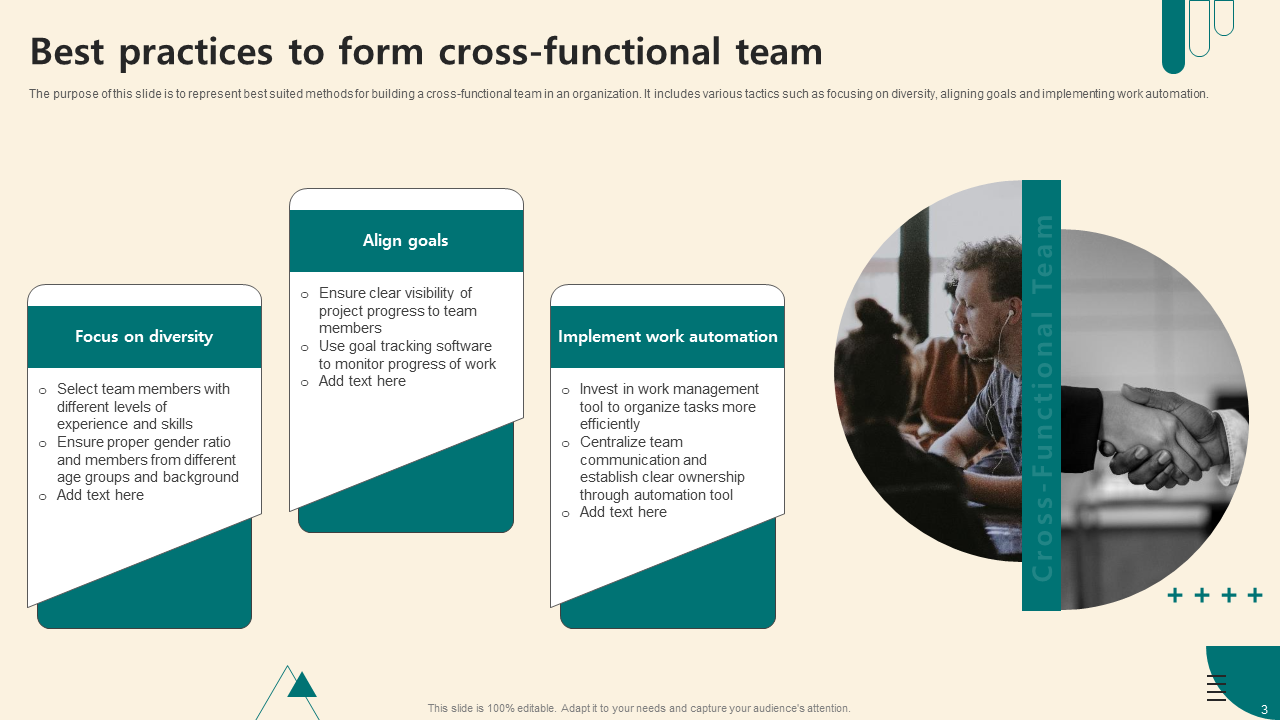
Do you want to show the best plans to develop cross-functional teams to impart diverse skill sets among them? Use our PowerPoint Theme to build a cross-functional team environment. You can keep an eye on various attributes, such as diversity, goal alignment, and the use of work automation.
By using powerful strategies in this presentation layout, you can choose team members with diverse experiences and ensure a mix of skills.
Additionally, you can show practical measures to ensure that goals stay aligned with the help of visibility and goal-tracking tools.
Furthermore, you can include a part of this tool to promote the use of automation and make task management more efficient. So, work toward shared goals by downloading this PowerPoint Preset from the link below.
Template 4: Key Tactics for Cross-functional Team Management PowerPoint Slide
Do you want to develop pertinent tactics for cross-functional team management to improve interdepartmental communication? Well, we have a solution for you, i.e., our PowerPoint Template.
Now, you will have the freedom to generate various types of strategies, such as hosting kick-off meetings, getting department heads involved, setting up team bonding activities, and organizing frequent check-in meetings.
You can highlight the setting of clear goals, working together as leaders, and promoting team unity with consistent communication and feedback.
Furthermore, this presentation slide can help you help all team members stay motivated and aligned toward organizational goals. Download this PowerPoint Theme from the link below to generate team synergy between various departments.

Template 5: Solutions to Overcome Challenges Faced in Cross Functional Team PowerPoint Template
Various collaboration challenges can come when dealing with multiple teams in a business. So, proper solutions need to be prepared for them, which can be done using our PowerPoint Layout. You can address common difficulties in conflicting goals, management challenges, and accountability concerns.
Furthermore, you can focus on creating an organizational structure and using various forms of project management software to improve team synergy.
This presentation slide works towards providing better cooperation among departments with clear communication, assigning tasks, and monitoring progress. Download this PowerPoint Template from the link below to achieve professional interdepartmental communication among various teams.

Template 6: Strategies for Cross-functional Team Management PowerPoint Layout
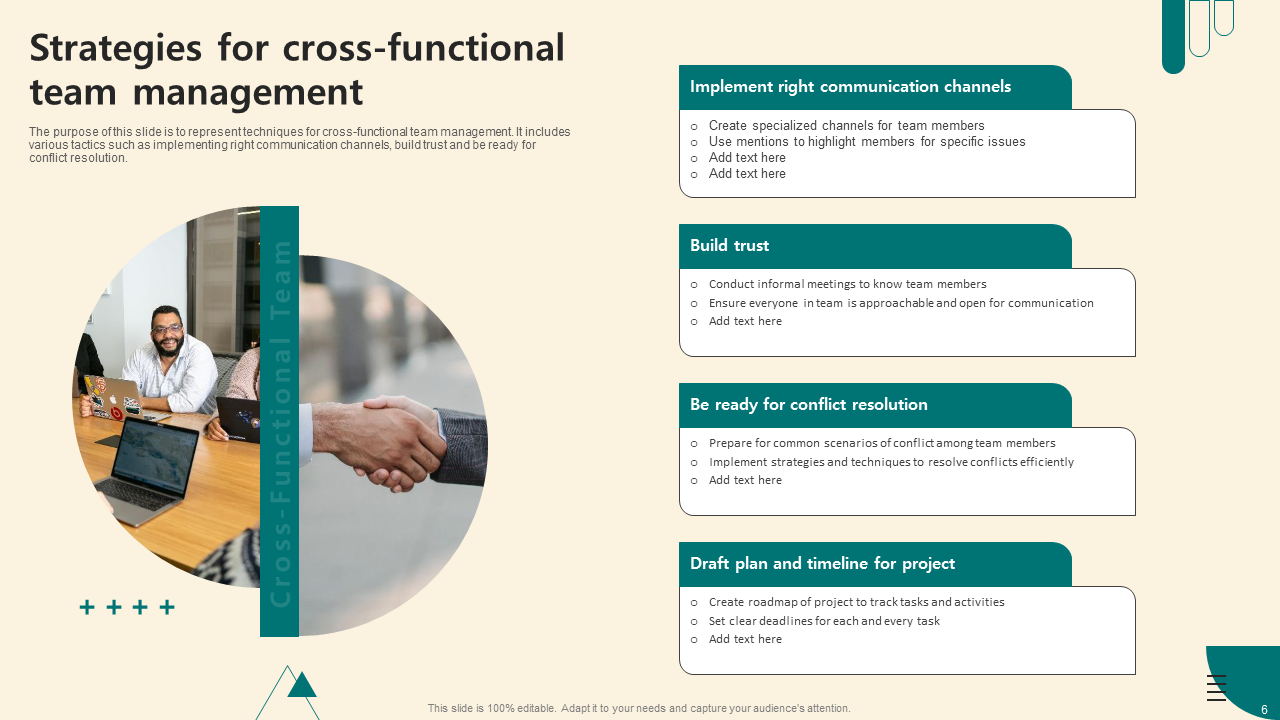
Every organization should generate viable strategies for cross-functional team management to have better resource allocation. So, use our PowerPoint Framework to focus on communication, building trust, resolving conflicts, and many more.
You can develop specific communication channels for leadership coordination, build trust through informal interactions, and be ready for conflicts with proven resolution methods.
Additionally, you can describe certain ways to develop project timelines with defined timeframes. As a matter of fact, this presentation slide is a useful resource for improving teamwork and reaching project goals.
Therefore, download this PowerPoint Template from the link below to develop problem-solving plans for your teams.
Template 7: Key Steps Involved in Building Cross-functional Team PowerPoint Preset
Our PowerPoint slide will help you develop important steps to generate a cross-functional team. You can form a thorough structure to sort team building and cooperation.
This presentation layout will help your stakeholders recognize the necessary skills, pick flexible individuals, and opt for strong leadership coordination.
Furthermore, you can create a team charter to define goals and roles to ensure on-time completion. Additionally, you can create strong communication channels to encourage cooperation and make sure each member knows their duties.
This presentation slide conveys the message of team alignment between various departments. Download this PowerPoint Template from the link below.

Template 8: Strategies to Improve Cross-functional Team Collaboration PowerPoint Template
Our PowerPoint Slide can help you improve collaboration within cross-functional teams. You can describe various plans, such as promoting collaboration, integrating technology, and choosing the appropriate team members.
Furthermore, you can describe a united team effort, use shared tools, and assign roles according to complementary abilities.
Moreover, this presentation slide helps you put emphasis on restricting long team meetings to enhance concentration.
Now, you can achieve a productive team atmosphere through its presentation layout. Download this PowerPoint Template from the link below to increase team synergy.

Template 9: Aligning Cross Functional Team Activities PowerPoint Preset
Are you unable to handle the coordination between multiple teams because you haven't defined the responsibilities among them? Well, use our PowerPoint Slide to coordinate activities of cross-functional teams.
You can align goals, enhance communication transparency, and centralize feedback methods. Furthermore, your teams can achieve shared goals more by promoting collaboration through various metrics.
Moreover, you can highlight your thoughts on investing in the sales department to provide teams with the necessary resources. Download this PowerPoint Theme from the link below to focus on project management skills to bring every department under one umbrella.

Template 10: Cross Functional Team Formulation Strategies PowerPoint Framework
There must be core team formulation strategies for cross-functional teams. So, use our PowerPoint Preset to formulate a transparent plan for promoting teamwork.
You can show seven important stages, such as showing decision-making power, identifying key players, and figuring out the best mix of skills to improve team productivity.
Furthermore, you can align objectives, clarify duties, hold frequent brainstorming meetings, and include new members in the team. Now, your teams can attain smooth coordination and deliver outcomes throughout various departments.
Download this PowerPoint Slide from the link below to build team synergy.

Build Powerful Cross-Functional Collaboration
Nowadays, companies need to focus on their Interdepartmental communication strategies to drive innovation and productivity. Just like Google, your organization can also achieve remarkable success. The only requirement is to use teamwork along with the appropriate strategies.
Here, SlideTeam’s PowerPoint Templates will provide a visually powerful solution to assist in improving communication, coordinating objectives, and helping each team member.
Furthermore, these 100% customizable PowerPoint Templates encourage teamwork, tackle difficulties, and achieve reliable outcomes. So, what are you waiting for? Turn your teams into unified groups that produce remarkable results. Maximize the power of teamwork by using these PowerPoint Slides in your business now!
PS: Showcase your team structure and strength that’ll make assessing, awarding, and recognizing employees easy with this guide featuring easy-to-use team structure PPT Templates.


