


Business operation planning powerpoint presentation slides




Try Before you Buy Download Free Sample Product
 Impress Your
 Audience
 100%
100% Editable
 Save Hours
 of Time


Attain your long-term goals using Business Operation Planning PowerPoint Presentation Slides. With the help of this operational planning PPT template, you can focus on prioritizing your strategies. You can highlight the categories of key performance indicators using an integrated business management plan PowerPoint presentation complete deck. If you want to showcase the overall milestones your company has achieved, then use this integrated business planning PPT slides. There are various elements present in business resource plan PPT like sales, marketing, R&D, operations, people, marketing, financial admin, etc. With the help of this corporate business plan PPT visuals, you can show the numerous actions and ideas that help in establishing your goal effectively. The professionally designed operational plan for business PowerPoint presentations contains tables, sheets, reports, and graphs which helps you to maintain the hiring plan more appropriately. Therefore, download this ready-to-use strategic and operational planning PPT template to enhance your business growth.
People who downloaded this PowerPoint presentation also viewed the following :
Content of this Powerpoint Presentation
Slide 1: This slides introduces Business Operation Planning. State Your Company Name and begin.
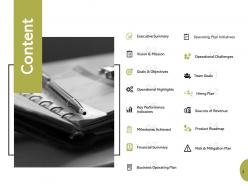
Slide 2: This slide shows Content of the presentation.
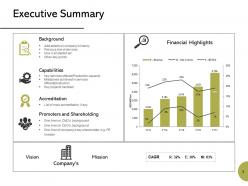
Slide 3: This slide presents Executive Summary describing- Background, Capabilities, Accreditation, Promoters and Shareholding.
Slide 4: This slide displays Our Vision and Mission with related imagery and text.
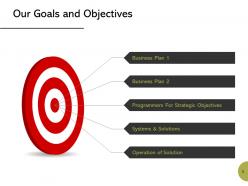
Slide 5: This slide presents Our Goals and Objectives with these of the following stages- Business Plan, System and Solutions, Programmers for Strategic Objectives, Business Plan, Operation of Solution.
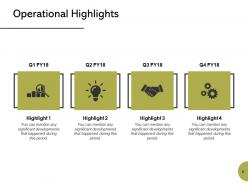
Slide 6: This slide represents Operational Highlights in a timeline form.
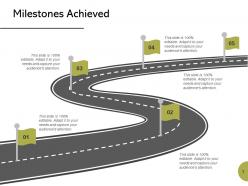
Slide 7: This slide showcases Milestones Achieved with text boxes.
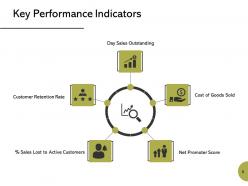
Slide 8: This slide presents Key Performance Indicators which further showcases- Cost of Goods Sold, Net Promoter Score, % Sales Lost to Active Customers, Customer Retention Rate, Day Sales Outstanding.
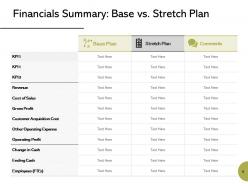
Slide 9: This slide shows Financials Summary: Base vs. Stretch Plan.
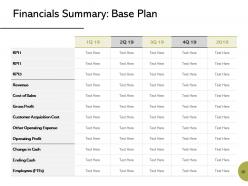
Slide 10: This slide presents Financials Summary: Base Plan.
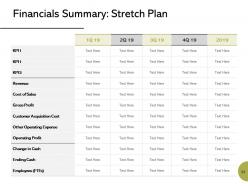
Slide 11: This slide represents Financials Summary: Stretch Plan.
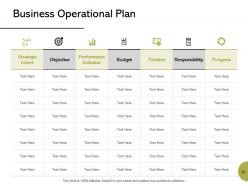
Slide 12: This slide displays Business Operational Plan with categories as- Strategic intent, Objective, performance indicator, Budget, Timeline etc.
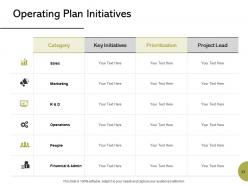
Slide 13: This slide showcases Operating Plan Initiatives in a tabular form with categories, Key initiatives, Prioritization and project leads.
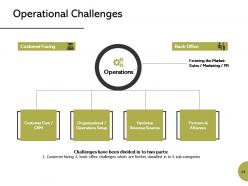
Slide 14: This slide is titled as Operational Challenges which further showcases- Customer Facing, Back-Office, Operations, Entering the Market, Sales / Marketing / PR, Customer Care / CRM, Partners & Alliances, Organizational / Operations Setup, Optimize Revenue Sources.
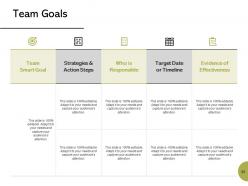
Slide 15: This slide shows Team Goals with a table for different areas.
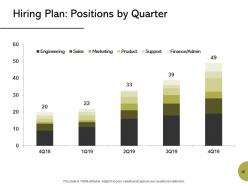
Slide 16: This slide presents Hiring Plan: Positions by Quarter in a graph form with categories as- Finance, support, product and marketing.
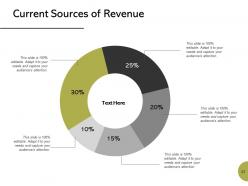
Slide 17: This slide shows Current Sources of Revenue with additional text boxes.
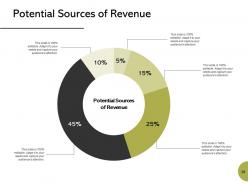
Slide 18: This slide presents Potential Sources of Revenue with the help of pie chart.
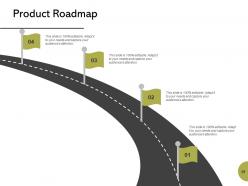
Slide 19: This slide displays Product Roadmap with text boxes to show information.
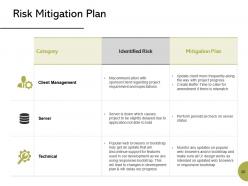
Slide 20: This slide represents Risk Mitigation Plan with Category, Identified risk and mitigation plan.
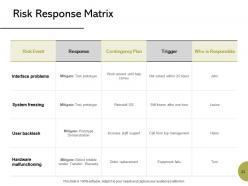
Slide 21: This slide showcases Risk Response Matrix with categories as- Risk event, response, trigger etc.
Slide 22: This slide displays Business Operation Planning Icons.
Slide 23: This slide is titled as Additional Slides for moving forward.
Slide 24: This is Meet Our Team slide with names and designation.
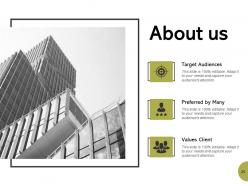
Slide 25: This is About Us slide to show company specifications etc.
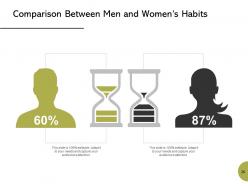
Slide 26: This is a Comparison slide to state comparison between commodities, entities etc.
Slide 27: This slide reminds about 15 minutes coffee break.
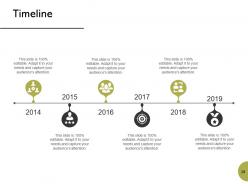
Slide 28: This is a Timeline slide to show information related with time period.
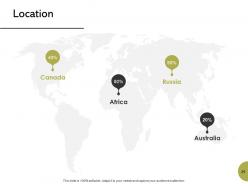
Slide 29: This is a Location slide with maps to show data related with different locations.
Slide 30: This is an Idea or Blub slide to state a new idea or highlight information, specifications etc.
Slide 31: This is a Puzzle slide with text boxes to show information.
Slide 32: This is a Venn slide with text boxes.
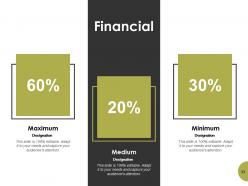
Slide 33: This is a Financial slide. Show your finance related stuff here.
Slide 34: This slide shows Mind Map for representing entities.
Slide 35: This slide is titled as Post it. Post your important notes here.
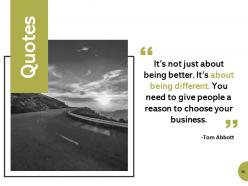
Slide 36: This is a Quotes slide to convey message, beliefs etc.
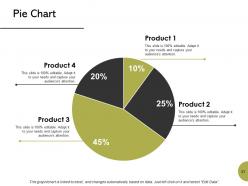
Slide 37: This slide displays Pie Chart with data in percentage.
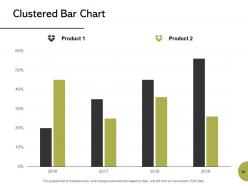
Slide 38: This slide shows Clustered Bar Chart with two products comparison.
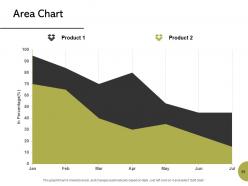
Slide 39: This slide presents Area Chart with two products comparison.
Slide 40: This is a Thank You slide with address, contact numbers and email address.
Business operation planning powerpoint presentation slides with all 40 slides:
Give your brilliant ideas the appropriate backdrop with our Business Operation Planning Powerpoint Presentation Slides. You will acquire the ideal balance.




FAQs for Business operation planning
So you need five main things for your operations plan: who's doing what (organizational structure), your daily workflows, how you're dividing up resources like money and staff, ways to measure if things are working, and backup plans for when stuff goes wrong. The workflows part is honestly such a pain but you can't skip it. Also throw in your supply chain setup, quality checks, and what tech you need. Oh and start by looking at what you're already doing - way easier to fix things when you know what's actually broken vs what's working fine.
SWOT analysis is honestly a game-changer for your operation plan. It makes you face reality about your strengths and weaknesses instead of just winging it. Plus you'll spot opportunities you might miss and threats that could blindside you later. Most people totally skip this part, then act shocked when everything goes sideways. I always start with listing 3-5 things in each category - sounds boring but it actually saves you tons of headaches down the road. Your plan ends up way more solid because you're working with what you actually have, not some fantasy version of your business.
Honestly, just pick like 5-7 metrics you can actually keep up with - don't go crazy with data overload. Cycle times and defect rates are solid starting points. Customer satisfaction scores too, obviously. I'd throw in employee productivity and cost per unit since those usually flag problems early (learned that the hard way). On-time delivery and inventory turnover directly hit your cash flow, so definitely track those. Get into a weekly rhythm with these basics first. You can always add fancier stuff later, but nail the foundation down first or you'll just confuse yourself.
Dude, tech integration is a total game changer for operations planning. Instead of relying on last month's dusty reports, you get live data flowing in. Automation handles the boring forecasting stuff, KPIs update instantly, and you'll catch problems way before they blow up. Honestly feels like you're flying blind without it these days - though I guess some people still love their spreadsheets (weird flex but okay). The trick is making sure your tools actually connect instead of creating a mess of disconnected systems. Just audit what you're using now and find where people are manually copying data between systems. That's your low-hanging fruit right there.
Honestly, the worst thing you can do is get stuck perfecting some crazy detailed plan upfront. You'll waste weeks on something that's gonna change anyway. I used to do this all the time - such a time suck! Plus don't let stakeholders bully you into unrealistic deadlines just because they want things fast. Talk to the actual people doing the work first though. They'll tell you where things really get messy. Start simple, then check in regularly to see what's actually working. Way better than trying to predict everything from your desk.
Honestly, getting employee input is a game-changer for your operational plan. Those frontline people see all the daily chaos you miss from up top - broken processes, customer pain points, the whole mess. When they help build the plan, they actually care about making it succeed. I learned this the hard way watching "brilliant" strategies fall apart because nobody asked the people doing the real work. Short version: bounce your draft off different departments first. Ask them where things might go sideways before you lock anything in. Trust me on this one.
Look, budgeting is literally how you make those big plans actually happen - you're forcing yourself to attach real dollar amounts to ideas. Your business plan sounds amazing on paper, but without solid numbers backing it up? Good luck tracking anything or making smart calls when stuff goes wrong. And trust me, stuff always goes wrong lol. You can't allocate resources properly or spot cash flow disasters before they hit. I've watched so many good ideas crash because nobody bothered calculating what things would actually cost. Don't make your budget an afterthought either - build it while you're creating the operational plan, not once everything's already decided.
Honestly, monthly is where it's at - quarterly feels too slow these days. Markets move crazy fast now, so if you're waiting a whole year you're already behind. Do quick 30-minute monthly check-ins to spot problems early. Then hit it harder quarterly when you actually change goals and stuff. My old boss used to say waiting too long is like driving with your eyes closed, which sounds dramatic but... he wasn't wrong. Block out some time next month to look at your current plan. I bet you'll find at least three things that need fixing already. More often if your industry's really volatile.
Tons of options here, really depends on your budget. Monday.com and Asana are solid for project management stuff. Microsoft Project is like the heavyweight champion if you need serious Gantt charts. But honestly? I've seen people nail it with just Google Sheets and decent templates - no shame in keeping it simple. LivePlan's good for financial modeling, though I haven't used PlanGuru personally. Lucidchart and Miro work well for mapping out processes visually. My advice: start with whatever you've already got and upgrade later when things get messier.
Look, you've gotta stay flexible or you'll get steamrolled. Customer preferences shift toward sustainability? Time to overhaul your supply chain. Economic downturns hit and suddenly you're cutting costs everywhere, streamlining like crazy. Digital trends are probably the worst culprit - they'll have you scrambling to automate or upgrade your whole tech setup. Consumer behavior changes mess with everything too: staffing, inventory, how you distribute products. My advice? Watch what's happening in your industry closely and build wiggle room into your plans. That way you can actually pivot fast instead of panicking when trends change.
Honestly, you've gotta build this stuff into your planning from day one - don't just bolt it on later. Figure out what could really screw you over first. Supply chain issues, that one person who knows everything, equipment breaking down. Then actually plan for it. Think of it like buying insurance but for your daily operations. Keep emergency contacts handy and test your backup plans regularly (this is where most people slack off). Make it part of your normal reviews instead of something you panic about when everything's already on fire. Trust me, future you will thank present you.
Honestly, you've gotta map out how every single task connects back to your big picture goals - and I mean literally draw those lines. If something doesn't connect? Maybe ditch it. The planning part is fine, but those regular check-ins are where the magic actually happens. I'd set up some kind of dashboard so you can see both your day-to-day numbers and business results together. Makes it way easier to spot problems early. Most importantly though, everyone needs to get why they're doing what they're doing, not just the what. Oh and definitely do quarterly reviews - catches the drift before things get messy.
Look, scalability is just figuring out if your business can grow without completely imploding. You've gotta plan for systems that won't crash when you're dealing with 10x the customers. Pick tech that's flexible, build processes you can repeat easily, and — this is key — don't optimize everything for right now. I've watched so many startups hit brick walls because they didn't think ahead. Here's what works: identify your biggest bottlenecks today and ask yourself what would break first if you suddenly had 500% more customers. Then fix those problem areas before they actually become problems.
Think of strategic planning as your 3-5 year vision - like "we're gonna dominate our market." Operational planning? That's the actual work getting you there day-to-day. Hiring those two salespeople by March, launching the new product line, all that stuff. Most business owners I know totally blur these lines (guilty as charged sometimes). But here's the thing - your daily operations should connect back to that bigger picture. Otherwise you're just spinning your wheels. Start with the big vision first, then work backwards into what you can actually do this quarter. Way easier than trying to figure out strategy while you're drowning in day-to-day fires.
Look, when your team actually shares the same values and goals, everything just moves faster. Decision-making stops being this painful back-and-forth thing. Planning meetings become way less awkward too - people don't dig in their heels when everyone's on the same page. Honestly, I've seen companies where the culture totally works against what they're trying to accomplish operationally, and it's such a mess. But when you've got a culture that actually reinforces stuff like accountability or innovation, those behaviors just become automatic. Your operations start reflecting those values without you having to micromanage everything.
No Reviews