


Business operational planning process powerpoint presentation slides




Try Before you Buy Download Free Sample Product
 Impress Your
 Audience
 100%
100% Editable
 Save Hours
 of Time


Describe your milestones, conditions for success and explain which operations will be put to use in which period using these Business Operational Planning Process PowerPoint Presentation Slides. Showcase which operations will lead to favorable outcomes by implementing this integrated business planning PowerPoint slideshow. It is very important to devise as an effective operational plan especially when it comes to a startup. It is the basis for and a justification of the budget requests initiated. Use this operation and management PowerPoint presentation to give an in-depth understanding of your strategic plan which includes a complete description of the resources required. You can also put forth information about all the important aspects like the executive summary, our vision, and mission, operational highlights, our goals and objectives, milestones, key performance indicators, financial summary: stretch plan, operating plan initiatives, etc. All these slides can be altered to add a personal touch to your presentation. Therefore, without any further ado download this strategic planning process PowerPoint visuals now to plan your operations efficiently.
People who downloaded this PowerPoint presentation also viewed the following :
Content of this Powerpoint Presentation
Slide 1: This slide introduces Business Operational Planning Process. State Your Company Name and begin.
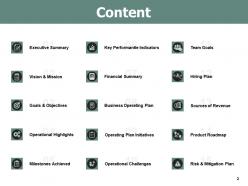
Slide 2: This slide shows Content of the presentation.
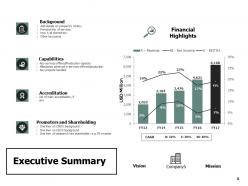
Slide 3: This slide presents Executive Summary describing- Background, Capabilities, Accreditation, Promoters and Shareholding.
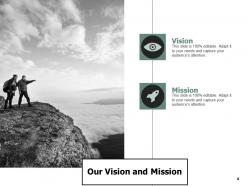
Slide 4: This slide displays Our Vision and Mission with related imagery and text.
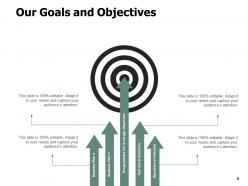
Slide 5: This slide presents Our Goals and Objectives with these of the following stages- Business Plan, System and Solutions, Programmers for Strategic Objectives, Business Plan, Operation of Solution.
Slide 6: This slide represents Operational Highlights in a timeline form.
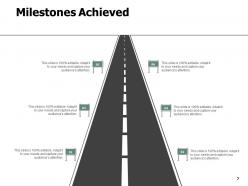
Slide 7: This slide showcases Milestones Achieved.
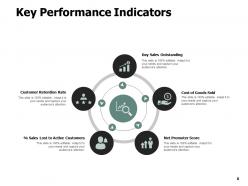
Slide 8: This slide presents Key Performance Indicators which further showcases- Cost of Goods Sold, Net Promoter Score, % Sales Lost to Active Customers, Customer Retention Rate, Day Sales Outstanding.
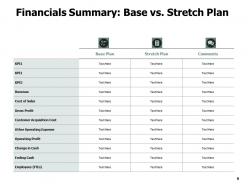
Slide 9: This slide shows Financials Summary: Base vs. Stretch Plan.
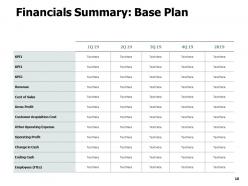
Slide 10: This slide presents Financials Summary: Base Plan.
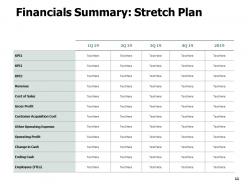
Slide 11: This slide represents Financials Summary: Stretch Plan.
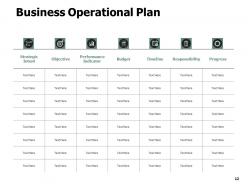
Slide 12: This slide displays Business Operational Plan with categories as- Strategic intent, Objective, performance indicator, Budget, Timeline etc.
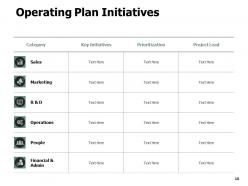
Slide 13: This slide showcases Operating Plan Initiatives in a tabular form with categories, Key initiatives, Prioritization and project leads.
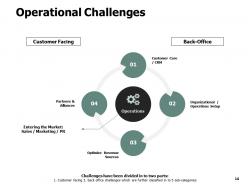
Slide 14: This slide is titled as Operational Challenges which further showcases- Customer Facing, Back-Office, Operations, Entering the Market, Sales / Marketing / PR, Customer Care / CRM, Partners & Alliances, Organizational / Operations Setup, Optimize Revenue Sources.
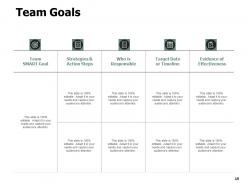
Slide 15: This slide shows Team Goals with a table for different areas.
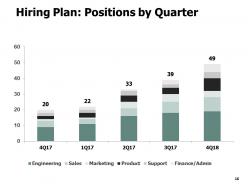
Slide 16: This slide presents Hiring Plan: Positions by Quarter in a graph form with categories as- Finance, support, product and marketing.
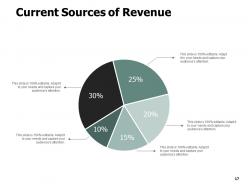
Slide 17: This slide shows Current Sources of Revenue with additional text boxes.
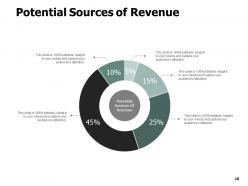
Slide 18: This slide presents Potential Sources of Revenue with the help of pie chart.
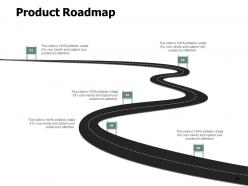
Slide 19: This slide displays Product Roadmap with text boxes to show information.
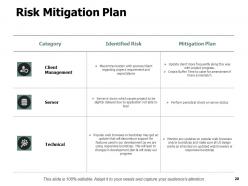
Slide 20: This slide represents Risk Mitigation Plan with Category, Identified risk and mitigation plan.
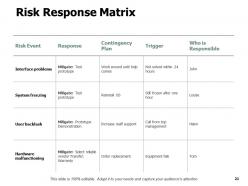
Slide 21: This slide showcases Risk Response Matrix with categories as- Risk event, response, trigger etc.
Slide 22: This slide displays icons for Business Operational Planning Process.
Slide 23: This slide is titled as Additional Slides for moving forward.
Slide 24: This slide reminds about 15 minutes coffee break.
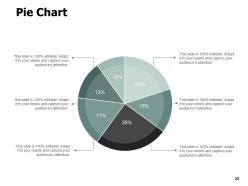
Slide 25: This slide displays Pie Chart with data in percentage.
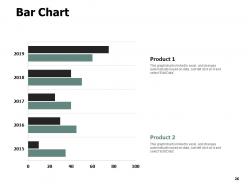
Slide 26: This slide shows Bar Chart with two products comparison.
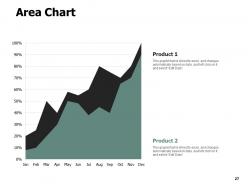
Slide 27: This slide presents Area Chart with two products comparison.
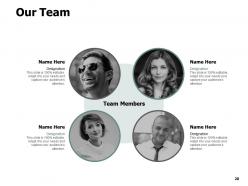
Slide 28: This is Our Team slide with names and designation.
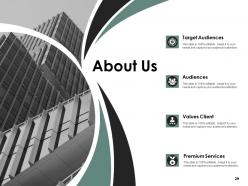
Slide 29: This is About Us slide to show company specifications etc.
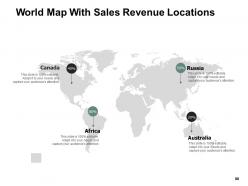
Slide 30: This slide displays World Map With Sales Revenue Locations.
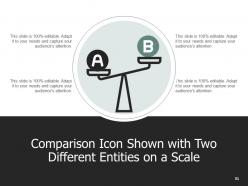
Slide 31: This is a Comparison slide to state comparison between commodities, entities etc.
Slide 32: This is an Idea and Bulb slide to state a new idea or highlight information, specifications etc.
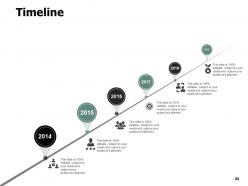
Slide 33: This is a Timeline slide to show information related with time period.
Slide 34: This is a Puzzle slide with text boxes to show information.
Slide 35: This is a Venn slide with text boxes.
Slide 36: This is a Financial slide. Show your finance related stuff here.
Slide 37: This slide shows Mind map for representing entities.
Slide 38: This slide is titled as Post It. Post your important notes here.
Slide 39: This is a Quotes slide to convey message, beliefs etc.
Slide 40: This is a Thank You slide with address, contact numbers and email address.
Business operational planning process powerpoint presentation slides with all 40 slides:
Use our Business Operational Planning Process Powerpoint Presentation Slides to effectively help you save your valuable time. They are readymade to fit into any presentation structure.





FAQs for Business operational planning process
Okay so you need four main things: clear goals, who's handling what, your actual processes, and ways to measure success. Map out your objectives first - make sure they connect to your bigger business strategy. Then figure out resource allocation and timelines. Honestly, most people totally bomb the process part because they think they can wing the details later (spoiler: you can't). Budget breakdowns are crucial too. Set up KPIs so you know if you're actually hitting targets. Build in regular check-ins to pivot when needed - trust me on this one. Oh and document everything somewhere your team can easily find and update it.
Honestly, start by figuring out which daily tasks actually connect to your big goals. If something doesn't tie back to a strategic objective, maybe you don't need it? I've watched teams spin their wheels on stuff that feels important but isn't really moving anything forward. Break your big goals into measurable pieces you can track. KPIs help, but review them often - things shift faster than you think. Make sure everyone gets how their work fits the bigger picture. Those quarterly check-ins are clutch for keeping everything aligned. Otherwise you'll drift without realizing it.
Look, market analysis is basically your roadmap so you don't make dumb operational decisions. Without it, you're just guessing at inventory levels and staffing needs - which never ends well, trust me. Dig into demand patterns and what customers actually want first. Then check out your competition. Use all that info to plan capacity and allocate resources properly. I've seen too many companies wing it and end up with warehouses full of stuff nobody wants or not enough staff during busy periods. Gather those demand forecasts and trend data, then let it guide your ops instead of hoping for the best.
Honestly, I'd do monthly check-ins if you can manage it. Quarterly is the bare minimum but feels too slow these days - markets shift crazy fast. Don't go overboard though, like pivoting every single week (that's just chaos). Monthly 30-minute sessions work great to see what's actually working. Save the big overhauls for annually or when something major hits your business. The trick is staying flexible without being all over the place. I know it sounds like more work, but trust me, it beats scrambling to catch up later when your plan's already outdated.
Track both your leading and lagging indicators - that's the real key. I'd focus on efficiency stuff first: cycle times, cost per unit, resource utilization rates. Quality metrics matter too - defect rates, customer satisfaction scores, you know the drill. Financial KPIs like ROI and budget variance obviously tell you if you're actually making money. Here's the thing though - don't get obsessed and track every little metric that exists. Pick maybe 5-7 that actually connect to your goals. Review them monthly, and honestly? Make sure someone specific owns each one or they'll just get ignored.
Honestly, automation is where it's at for this stuff. ERP systems pull all your data into one place so you're not hunting through random spreadsheets. Real-time dashboards are pretty clutch too - you can actually see what's happening instead of guessing. AI tools will catch bottlenecks before they bite you, which is wild if you think about it. Business intelligence platforms make your messy data look professional (finally). Oh, and cloud planning software means everyone can work together without that annoying back-and-forth email thing. Just pick your biggest headache first and tackle it with the right tool.
Dude, timelines are where everyone screws up - we're all way too optimistic about how fast things actually happen. Resource planning too, people constantly lowball what they'll need. Oh and please don't plan stuff without talking to the people who'll actually be doing the work, that's just asking for disaster. Buffer time is your best friend because something will definitely go sideways. You need clear success metrics from day one or you're just guessing the whole time. Honestly? Start with your worst-case scenario and plan backwards. Sounds negative but trust me, you'll be grateful when everything inevitably gets chaotic.
Dude, you absolutely need stakeholders involved from day one. They'll catch stuff you'd never think of - like budget issues or timeline problems that'll bite you later. People actually follow through when they help build the plan instead of just getting orders from above. I've watched so many brilliant strategies completely bomb because nobody cared about them. Get your main players in the room early and listen to what they're saying. Don't wait until you've already mapped everything out, because then you're just asking for rubber stamps and that never works.
Dude, there are SO many options it's kinda overwhelming tbh. Microsoft Project and Asana work great for timelines and project stuff. Monday.com is clutch for team collaboration - my friend's startup swears by it. If you're a spreadsheet person, Smartsheet is like Excel but way more powerful. LivePlan or Bizplan handle the financial side without being too complicated. Honestly though? I've seen teams kill it with basic tools like Notion or Google Sheets. Don't overthink it - start with whatever your team already uses, then level up later when you need more features.
Honestly, you've got to bake review sessions right into your plans from the start. I do monthly check-ins now - sometimes quarterly if things are really stable. Keep your end goals locked but stay loose on how you get there, you know? My team got burned once when we stuck to this rigid plan that made zero sense after like 2 weeks lol. Now I always loop in my team during reviews since they actually see what's happening day-to-day. Just throw your first review on the calendar this month and set it to repeat. Trust me on this one.
Okay so resource allocation is literally make-or-break for your operational plan. You're dividing up budget, people, time, equipment - all the stuff you never have enough of. Mess this up and you'll have some teams twiddling their thumbs while others are completely swamped. I swear, good strategies die all the time because nobody figured out who's actually doing what. Be brutally honest about what resources you really have vs what you need. Then prioritize based on your main business goals. Oh and don't forget equipment costs - those always end up being more than expected.
Honestly, you gotta weave risk planning into everything from day one - don't just slap it on at the end. When you're mapping stuff out, always ask "what's gonna bite me here?" Our main supplier literally disappeared overnight last year and we were scrambling like crazy! Build those "what if" scenarios right into your budgets and timelines. Create risk lists tied to actual work stuff. Someone needs to own watching for the big risks. Quarterly check-ins work great for this. The trick is making it normal conversation in every planning meeting, not some boring separate thing people avoid.
Don't dump everything on people at once - break it into smaller pieces. I'd schedule separate meetings for each department and focus on what actually impacts their work. Visuals are your friend here because honestly, nobody reads those massive text documents anymore. Timelines, flowcharts, even basic bullet points work better. Give people room to ask questions and complain a bit - you'll get way better buy-in when they feel heard. Oh, and definitely send written summaries after each meeting. You'd be surprised how much gets forgotten otherwise.
Just work with what you've got already - look at your daily stuff, main processes, whatever's driving you nuts. Don't overthink it with expensive tools or hiring someone. Excel works fine, hell even paper if that's easier. Pick your top 3-5 critical things first instead of going crazy trying to map everything. Your team will catch things you miss when you ask what's really going on vs what's supposed to happen. That gap is usually pretty eye-opening. Build on it slowly as you get more time and money.
Honestly, operational planning is your best bet for weaving sustainability into daily business stuff. Build green practices directly into workflows - optimize supply chains, set energy targets, plan resource allocation to cut environmental impact. Way smarter than trying to add it all later (trust me on this one). You'll spot cost-cutting opportunities while going greener. Track progress with real metrics so your team actually knows how their work fits the bigger picture. My advice? Start small - audit just one operational area first, then bake sustainability metrics into your next planning cycle. Works every time.
-
Colors used are bright and distinctive.
-
Excellent design and quick turnaround.
-
Thanks for all your great templates they have saved me lots of time and accelerate my presentations. Great product, keep them up!
-
Colors used are bright and distinctive.
-
Content of slide is easy to understand and edit.