


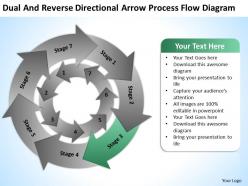
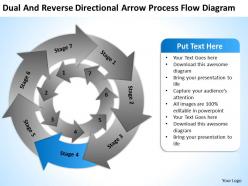
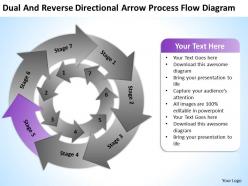
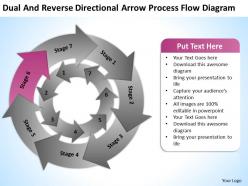
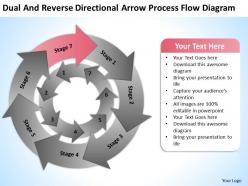
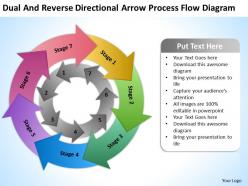
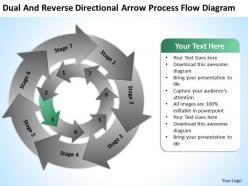
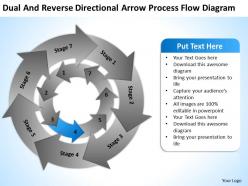
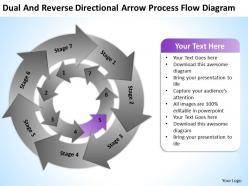
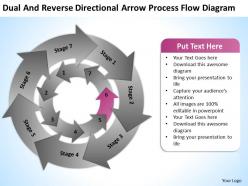
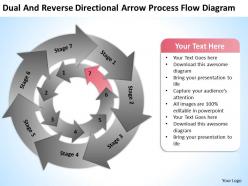
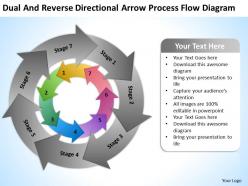
Business use case diagram example directional arrow process flow powerpoint templates




Try Before you Buy Download Free Sample Product
 Impress Your
 Audience
 100%
100% Editable
 Save Hours
 of Time


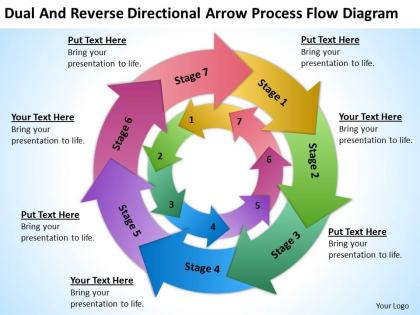
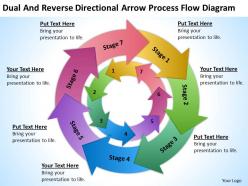
Deduce your answers with our Business Use Case Diagram Example Directional Arrow Process Flow Powerpoint Templates. They will help highlight the steps.
People who downloaded this PowerPoint presentation also viewed the following :
Business use case diagram example directional arrow process flow powerpoint templates with all 21 slides:
Leave flat and colorless presentations in the past. Vibrant Business Use Case Diagram Example Directional Arrow Process Flow Powerpoint Templates design brings your ideas into the future.
FAQs for Business use case diagram example directional arrow process
Key components of a business use case diagram include actors, use cases, system boundaries, relationships, and associations. These elements work together by defining user roles, capturing functional requirements, establishing scope, and mapping interactions, with many organizations finding that well-structured diagrams enhance communication between stakeholders, streamline development processes, and ultimately deliver clearer project outcomes.
Use case diagrams focus on **who** performs **what** actions within a system, emphasizing actors and their interactions, while traditional flowcharts illustrate **how** processes flow step-by-step through decision points and sequences. While flowcharts excel at mapping detailed workflows and operational procedures, use case diagrams provide strategic oversight of system functionality, enabling business analysts to identify user requirements, stakeholder relationships, and system boundaries more effectively for comprehensive project planning.
Use case diagrams prove most beneficial during project initiation, system requirement gathering, stakeholder alignment sessions, and software development planning phases. These visual tools streamline communication between technical teams and business stakeholders by clarifying user interactions, identifying system boundaries, and mapping functional requirements, with many organizations finding that early implementation reduces costly revisions and accelerates development timelines.
Business use case diagrams improve stakeholder communication by providing visual clarity, establishing shared terminology, and facilitating collaborative discussions around system requirements and user interactions. These diagrams enable project teams, business analysts, and executives to quickly identify gaps, align on priorities, and streamline decision-making processes, ultimately delivering faster project approval and reduced miscommunication costs.
An actor represents external entities that interact with the business system, including customers, employees, suppliers, regulatory bodies, and partner organizations. These actors initiate use cases or receive value from business processes, with retail actors like customers triggering purchase workflows while employee actors managing inventory systems, ultimately defining system boundaries and stakeholder relationships.
Identifying primary use cases involves analyzing core business processes, stakeholder interactions, and value-creation activities that directly impact revenue or operational efficiency. Start by mapping customer journeys, employee workflows, and system integrations, then prioritize based on frequency, business impact, and strategic importance, with many organizations finding that focusing on high-volume, customer-facing processes delivers the greatest competitive advantage.
Common e-commerce use cases include user registration and login, product browsing and search, shopping cart management, payment processing, and order tracking. These core functionalities enable online retailers to streamline customer interactions, automate inventory management, and enhance user experiences, with platforms like Amazon and Shopify demonstrating how integrated systems ultimately deliver faster transactions and improved customer satisfaction.
Best practices for designing effective business use case diagrams include defining clear system boundaries, using simple actor names, writing concise use case descriptions, grouping related functionalities, and maintaining consistent notation standards. These practices streamline communication between stakeholders, business analysts, and development teams, with many organizations finding that well-structured diagrams accelerate project timelines, reduce miscommunication, and ultimately deliver more accurate system requirements.
Use case diagrams aid requirements gathering by visually mapping user interactions, identifying key stakeholders, defining system boundaries, and clarifying functional requirements early in development. Through structured workshops and stakeholder interviews, project teams can capture comprehensive user stories, eliminate requirement gaps, and establish clear project scope, ultimately reducing costly changes and ensuring alignment between business objectives and technical implementation across all development phases.
Recommended tools include Lucidchart, Visio, Draw.io, Enterprise Architect, and Visual Paradigm, each offering specialized UML capabilities and collaborative features. These platforms streamline diagram creation by providing pre-built templates, real-time collaboration, and integration with project management systems, with many organizations finding that cloud-based solutions like Lucidchart and Draw.io deliver enhanced accessibility and cost efficiency.
Business use case diagrams remain scalable through modular design, hierarchical structuring, and regular refinement cycles that accommodate evolving requirements. Organizations maintain flexibility by using abstract use cases for high-level processes, implementing version control systems, and conducting periodic reviews with stakeholders, ultimately ensuring the diagram grows seamlessly with project complexity while preserving clarity and strategic alignment.
Common pitfalls include overcomplicating diagrams with excessive detail, mixing system functions with business processes, unclear actor definitions, missing alternative flows, and inconsistent naming conventions. These issues can confuse stakeholders and reduce diagram effectiveness, with many organizations finding that maintaining clear scope boundaries, focusing on user goals rather than technical implementation, and regular stakeholder validation ultimately delivers better requirement clarity and project alignment.
Validating business use case diagrams involves conducting structured stakeholder reviews, walkthrough sessions, and cross-referencing with existing business processes and requirements documentation. These validation methods enhance accuracy by facilitating direct feedback from end users, business analysts, and process owners, while identifying gaps or misalignments early in development, ultimately delivering more reliable system specifications and stronger stakeholder buy-in.
Use case diagrams integrate into agile methodologies through sprint planning sessions, user story development, backlog prioritization, and iterative requirement refinement. These visual tools enhance communication between development teams and stakeholders by mapping user interactions early, streamlining feature development cycles, and ensuring consistent product vision throughout sprints, ultimately delivering faster development timelines and improved stakeholder alignment.
Specific use cases enhance user experience design by mapping exact user journeys, identifying pain points, and defining precise interaction requirements throughout each workflow. Through detailed scenario mapping, UX designers streamline navigation paths, reduce cognitive load, and create intuitive interfaces, with many digital platforms finding that granular use case analysis ultimately delivers more personalized experiences and higher user satisfaction rates.
-
It saves your time and decrease your efforts in half.
-
Unique research projects to present in meeting.