


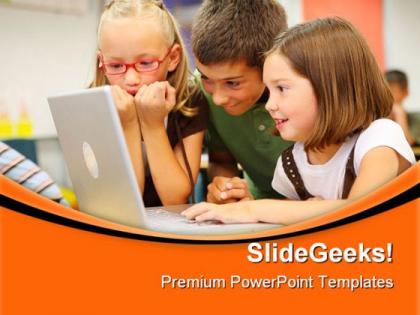
Elementary school students education powerpoint templates and powerpoint backgrounds 0511




Try Before you Buy Download Free Sample Product
 Impress Your
 Audience
 100%
100% Editable
 Save Hours
 of Time


Our quality Elementary School Students Education PowerPoint Templates And PowerPoint Backgrounds 0511 are developed with you in mind. Let us lend our years of design experience to your next project.
People who downloaded this PowerPoint presentation also viewed the following :
Elementary school students education powerpoint templates and powerpoint backgrounds 0511 with all 3 slides:
We know you have the right aptitude. Show it to the world with our Elementary School Students Education PowerPoint Templates And PowerPoint Backgrounds 0511.
FAQs for Elementary school students education powerpoint templates and
Effective elementary school PowerPoint templates include vibrant colors, large readable fonts, simple layouts, interactive elements, and age-appropriate graphics that capture young learners' attention. These design elements enhance classroom engagement by supporting visual learning, maintaining focus during lessons, and enabling teachers to deliver content more effectively, with many educators finding that well-designed templates significantly improve student participation and comprehension.
Colorful designs in PowerPoint templates enhance young students' learning by capturing attention, improving information retention, and creating emotional connections to content. These vibrant visual elements help teachers present complex concepts through engaging graphics, illustrations, and themes, with many elementary educators finding that colorful presentations increase student participation, reduce classroom distractions, and ultimately deliver more memorable educational experiences.
Educational content most suitable for elementary school PowerPoint presentations includes interactive storytelling, visual vocabulary lessons, step-by-step math problems, science experiments with colorful diagrams, and historical timelines with engaging imagery. These formats enhance learning by combining visual elements, simplified text, and age-appropriate graphics, with many teachers finding that interactive slides, educational games, and multimedia content significantly improve student engagement and retention.
Templates can accommodate diverse learning styles by incorporating visual elements like infographics and charts, interactive components such as clickable sections, audio-friendly layouts for verbal learners, and hands-on activity spaces for kinesthetic students. These design approaches enable teachers to present lessons through multiple modalities simultaneously, with many elementary educators finding that multi-style templates significantly improve student engagement and comprehension across diverse classroom populations.
Visual storytelling transforms elementary school PowerPoint presentations by making complex concepts accessible through narrative structures, colorful graphics, sequential imagery, and character-driven scenarios that align with young learners' developmental needs. These storytelling elements enhance comprehension, retention, and engagement by connecting abstract ideas to familiar experiences, with many educators finding that students demonstrate significantly improved participation and understanding when lessons incorporate compelling visual narratives.
Educators can customize PowerPoint templates by modifying content placeholders, incorporating subject-specific visuals, adjusting color schemes to match curriculum themes, and adding interactive elements like quizzes or clickable activities. These customizations enable teachers to align presentations with learning objectives, state standards, and grade-level requirements, while creating engaging visual experiences that enhance student comprehension and retention across diverse subjects.
Accessibility features for elementary PowerPoint templates include high-contrast color schemes, large readable fonts, alt text for images, keyboard navigation support, and screen reader compatibility. These features enable students with visual impairments, learning disabilities, or motor skill challenges to engage effectively with presentations, while many educators find that accessible designs ultimately enhance comprehension and participation for all students.
PowerPoint templates foster collaboration among elementary students by providing structured frameworks for dividing tasks, organizing ideas, and presenting collective work effectively. Through designated slide roles, shared editing features, and visual storytelling formats, students learn teamwork skills, communication strategies, and project management basics, while teachers can easily monitor group progress and ensure equal participation across diverse learning styles.
**INPUT**: What best practices should be followed when creating animated elements in PowerPoint presentations for young learners? **OUTPUT**: Best practices include using simple entrance and exit animations, limiting animations to 2-3 per slide, ensuring consistent timing, and selecting child-friendly motion effects like bounce or fade. These techniques enhance learning retention by maintaining focus, supporting visual processing, and creating engaging educational experiences, with many elementary educators finding that purposeful animations improve student attention and comprehension significantly.
Infographics in PowerPoint templates are highly effective for elementary students, transforming complex information into visual stories through colorful charts, step-by-step diagrams, timeline graphics, and illustrated data representations. These visual tools enhance comprehension by breaking down subjects like science processes, historical events, and mathematical concepts into digestible chunks, with many teachers finding that students retain information 65% better when abstract ideas are presented through engaging, age-appropriate visual formats.
Teachers can enhance student engagement by incorporating interactive elements like polls and quizzes, using vibrant visuals with minimal text, and including multimedia content such as videos and animations. Successful classroom implementations show that breaking presentations into shorter segments, encouraging student participation through discussion prompts, and using storytelling techniques significantly improve attention spans and learning outcomes, ultimately creating more dynamic educational experiences.
Interactive elements in PowerPoint templates enhance student participation by incorporating clickable buttons, drag-and-drop activities, embedded quizzes, animated transitions, and multimedia content that transforms passive learning into active engagement. These features enable elementary educators to create immersive lessons where students actively manipulate content, answer questions in real-time, and participate in visual storytelling, ultimately delivering improved information retention and sustained classroom attention.
Templates can incorporate formative assessment rubrics, student self-evaluation checklists, peer feedback forms, progress tracking charts, and interactive quiz formats. These assessment tools streamline evaluation processes by enabling real-time feedback collection, standardizing grading criteria, and facilitating data-driven instruction, with many elementary educators finding that integrated assessment features significantly enhance teaching efficiency while improving student learning outcomes.
Common mistakes include using cluttered layouts, choosing inappropriate fonts that are difficult for young readers, selecting distracting color schemes, overloading slides with text, and ignoring age-appropriate visual elements. These design pitfalls can overwhelm young learners and reduce engagement, with many educators finding that clean, colorful templates with large fonts and simple graphics enhance comprehension and maintain student attention more effectively.
Educational technology trends significantly influence elementary PowerPoint template design through interactive elements, gamification features, multimedia integration, accessibility tools, and mobile-responsive layouts. These advancements enable teachers to create more engaging, personalized learning experiences with visual storytelling, animation-rich content, and adaptive formatting, while many educators find that technology-enhanced templates streamline lesson preparation and ultimately deliver improved student engagement and comprehension outcomes.
-
Wonderful templates design to use in business meetings.
-
Best way of representation of the topic.