


Executive summary ppt styles example introduction
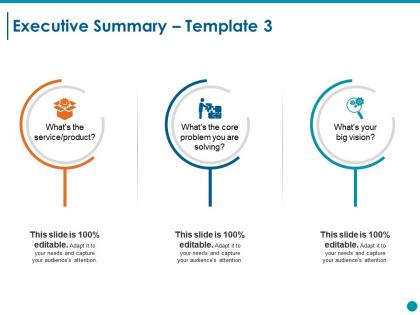




Try Before you Buy Download Free Sample Product
 Impress Your
 Audience
 100%
100% Editable
 Save Hours
 of Time


Ensure the entire exercise becomes exciting with our Executive Summary Ppt Styles Example Introduction. Avoid having a dull classroom atmosphere.
People who downloaded this PowerPoint presentation also viewed the following :
Executive summary ppt styles example introduction with all 5 slides:
Banish the demons from the minds of your audience. Enlighten them with our Executive Summary Ppt Styles Example Introduction.
FAQs for Executive summary ppt
Effective visual elements include clean data visualizations, strategic infographics, concise bullet points, professional charts and graphs, and compelling imagery that reinforces key messages. These elements streamline complex information by enhancing comprehension, maintaining audience engagement, and supporting strategic narratives, with many executives finding that well-designed visuals accelerate decision-making processes and improve presentation outcomes.
Storytelling enhances executive summary presentations by creating emotional connections, making data memorable, and providing context for complex information through compelling narratives. This approach transforms dry statistics into engaging scenarios, with executives using customer journey stories, market transformation narratives, and success case studies to illustrate key points, ultimately delivering greater audience engagement and more persuasive strategic recommendations.
Financial services and healthcare industries benefit from data-driven executive summaries emphasizing compliance, risk metrics, and regulatory outcomes, while technology and retail sectors respond better to visually dynamic presentations featuring growth projections, market opportunities, and competitive positioning. Manufacturing and consulting firms find success with process-focused summaries that highlight operational efficiency, cost reduction strategies, and implementation timelines, ultimately delivering industry-specific credibility and stakeholder engagement.
Audience analysis influences executive summary presentation design by determining content depth, visual complexity, communication style, and strategic focus areas based on stakeholders' expertise and priorities. Through tailored approaches, executives can streamline decision-making processes, enhance stakeholder engagement, and deliver targeted messaging that resonates with specific audiences, ultimately improving presentation effectiveness and strategic alignment across diverse organizational levels.
Common pitfalls include excessive detail, lack of clear structure, weak opening hooks, missing key metrics, and failure to highlight actionable recommendations. These mistakes often result from cramming too much information into limited time, with many executives finding that streamlined presentations focusing on strategic outcomes, quantified results, and next steps deliver significantly better stakeholder engagement and decision-making outcomes.
Key beneficial features include customizable templates, data visualization tools, animation controls, collaboration capabilities, and cloud integration. These features enhance executive summary presentations by streamlining content creation, enabling dynamic data displays, and facilitating seamless team collaboration, with many organizations finding that integrated analytics and real-time editing ultimately deliver more compelling, professional presentations.
Data visualization improves executive summary clarity by transforming complex datasets into digestible charts, graphs, and infographics that highlight key trends and performance metrics instantly. These visual elements enable executives to grasp critical insights quickly, streamline decision-making processes, and enhance stakeholder engagement, with many organizations finding that strategic data presentation ultimately delivers faster approvals and stronger buy-in.
Written executive summaries provide comprehensive detail through structured paragraphs, extensive data analysis, and in-depth explanations that stakeholders can review at their own pace. Visual presentations streamline complex information through charts, infographics, and bullet points, enabling faster decision-making in boardrooms and investor meetings, with many organizations finding that combining both formats delivers maximum impact and engagement.
Executive summary presentations should be optimized with 5-7 slides maximum, featuring one key point per slide with supporting data visualizations, bullet points, and clear transitions that create logical narrative flow. This streamlined approach enables executives to quickly grasp critical insights, strategic recommendations, and business implications, while maintaining engagement through concise storytelling that ultimately delivers faster decision-making and clearer strategic alignment across leadership teams.
Branding shapes executive summary presentation through consistent visual identity, professional tone, and strategic messaging that reflects company values and market positioning. It establishes credibility with stakeholders by aligning design elements, color schemes, and communication style with corporate standards, ultimately enhancing audience trust and reinforcing organizational authority in competitive business environments.
Color schemes significantly influence audience perception by establishing credibility, conveying professionalism, and enhancing information hierarchy through strategic contrast and emphasis. Professional palettes with blues and grays build trust and authority, while warmer tones can humanize data, with many executives finding that consistent, purposeful color choices streamline comprehension and ultimately strengthen stakeholder confidence in strategic recommendations.
Effective executive summary templates include problem-solution frameworks, three-part strategic overviews, dashboard-style metrics presentations, narrative storytelling formats, and visual infographic layouts. These structures enhance comprehension by organizing complex information into digestible sections, highlighting key performance indicators, and presenting actionable insights, with many executives finding that visual-heavy templates combining data storytelling with clear recommendations ultimately deliver faster decision-making and stronger stakeholder engagement.
Virtual executive summary presentations require enhanced visual clarity, interactive engagement elements, shorter content blocks, and strategic technology integration to maintain attention. Through optimized slide designs, polling features, and breakout discussions, organizations streamline remote decision-making processes, accelerate project approvals, and deliver compelling virtual experiences, with many executives finding that focused virtual formats ultimately enhance presentation effectiveness and audience engagement.
Engagement techniques include interactive polling, strategic questioning, compelling data visualizations, storytelling elements, and structured audience participation segments. These approaches enhance attention retention by creating dialogue opportunities, incorporating real-time feedback mechanisms, and presenting complex information through relatable narratives, with many executives finding that combining visual impact with participatory elements ultimately delivers more memorable presentations and stronger stakeholder buy-in.
Feedback can be effectively incorporated through structured review cycles, stakeholder interviews, prototype testing, collaborative design sessions, and iterative refinement processes. These approaches streamline presentation development by identifying content gaps, clarifying messaging priorities, and enhancing visual clarity, with many organizations finding that systematic feedback integration ultimately delivers more compelling executive summaries and stronger stakeholder alignment.
-
The Designed Graphic are very professional and classic.
-
Content of slide is easy to understand and edit.