


Fusion 360 Cloud Based 3D CAD Software PPT PowerPoint ST AI





Try Before you Buy Download Free Sample Product
 Impress Your
 Audience
 100%
100% Editable
 Save Hours
 of Time


Unlock your design potential with our comprehensive PowerPoint presentation on Fusion 360, the premier cloud-based 3D CAD software. Explore its powerful features, collaborative tools, and seamless integration for product development. Perfect for professionals seeking to enhance their design workflow and innovation capabilities. Transform your ideas into reality.
People who downloaded this PowerPoint presentation also viewed the following :
Fusion 360 Cloud Based 3D CAD Software PPT PowerPoint ST AI with all 44 slides:
Use our Fusion 360 Cloud Based 3D CAD Software PPT PowerPoint ST AI to effectively help you save your valuable time. They are readymade to fit into any presentation structure.












FAQs for Fusion 360 Cloud Based 3D CAD Software PPT
Dude, the main thing with Fusion 360 is you get CAD, CAM, and simulation all in one spot - no jumping between different programs like usual. Cloud-based too, so collaboration actually works without constantly emailing files back and forth. You can do parametric modeling, sculpting, rendering, even generate toolpaths right there. The timeline thing is pretty cool for rolling back changes or trying different design branches. Honestly, if you're doing product design with multiple people involved, it beats the hell out of traditional standalone CAD software. Way less headache overall.
Honestly, Fusion 360's cloud setup is a game changer for team stuff. You can just invite people to view or edit your designs and everyone sees updates instantly - way better than constantly emailing files around. The comment feature is clutch too; teammates can drop notes right on specific parts during reviews. Version history tracks all the changes so you know who did what. Oh, and definitely set up naming conventions early or things get messy fast. Trust me on that one. Creating a shared project space helps keep everyone on the same page without the usual chaos.
Component patterns are your friend for big assemblies. Hit up "Simplify for Performance" in display settings - seriously saves your sanity when you've got tons of parts loading. I learned the hard way to organize with folders and decent naming right from the start, otherwise you'll hate yourself later. Joints work better than constraints most of the time. Breaking things into subassemblies helps too. Oh, and suppress whatever you're not using - keeps everything from crawling along. Honestly wish someone had told me that suppress trick earlier because my laptop used to sound like a jet engine.
Oh man, Fusion 360 is pretty solid for connecting with other software. You can import stuff from SolidWorks, AutoCAD, Rhino - basically whatever you're already using. The cloud sync thing is actually super convenient since everything stays updated everywhere automatically. It hooks up directly to 3D printers and CAM tools, plus you can export to KeyShot for renders or ANSYS if you need simulation work. There's even an API for custom stuff if you're into that. Honestly though, I'd just start by getting your cloud storage sorted and test importing files from whatever program you use most. Way easier than overthinking it.
Oh man, generative design is crazy cool - you just tell it your constraints and loads, pick your manufacturing method, then watch it spit out like 50 different options. I spent way too much time just watching it generate designs the first time I used it. The shapes it comes up with are totally organic and weird, stuff you'd never design by hand. Speed's the biggest win though. Instead of spending hours tweaking one design, you'll get tons of alternatives fast and can just pick the best one. Definitely try it on anything where weight matters - you'll be surprised what it creates.
Sketch your base shape on a construction plane first - add dimensions and constraints as you go. Extrude or revolve it into 3D. The cool part? You can edit those original sketch dimensions later and watch your whole model update automatically. Use the modify tools for fillets, chamfers, holes, all that good stuff. Honestly, naming your features clearly from the start will save you so much headache later. Be intentional with your sketching approach. Once you've got something built, try tweaking a dimension - watching everything cascade and update is oddly satisfying.
First thing - get your materials, constraints, and loads set up properly in the Simulation workspace. Garbage in, garbage out, you know? Static stress analysis works for most structural stuff, but you'll need thermal or modal for specific cases. Don't just use default mesh settings - that's where people mess up. The visualization tools are actually pretty decent for catching issues fast. I always run different load scenarios because, honestly, one test case isn't enough. Watch your stress concentrations and safety factors closely. Multiple iterations will save you headaches later when you're ready to manufacture.
Dude, just keep everything in Fusion 360 - it'll handle your whole 3D printing thing from start to finish. Design your model, then slice it right there without exporting anywhere else. Those mesh repair tools are clutch when you get janky STL files. I actually love the simulation stuff because you can test fits before wasting a bunch of filament on something that won't work. Oh, and since it's cloud-based you can literally start designing on one computer and prep the print on another. Trust me, way easier than bouncing between different programs all the time.
Oh yeah, Fusion's super customizable! Right-click on any toolbar to mess with the layout - you can move stuff around however you want. Those radial marking menus are weird at first but honestly they're amazing once you figure them out. Set up different workspaces for different jobs, like sketching vs CAM work. Keyboard shortcuts are clutch too - just dig into that menu and make your own. You can tweak the browser panel, change grid spacing, all that stuff. I always forget about half these options until I accidentally discover them, but they're there. Just start poking around the "Customize" settings and see what clicks.
So Fusion 360 tracks everything you do automatically - like every feature, edit, all of it gets saved in this timeline thing. Pretty neat honestly. You can scroll back through and see how your model changed, or jump back to edit something from way earlier. Way better than old school CAD programs if you ask me. The cloud saves different versions of your whole project too, which is clutch when you mess something up (and trust me, you will). That timeline bar at the bottom? Yeah, learn to love it. Once you get the hang of it, managing complex stuff becomes so much easier.
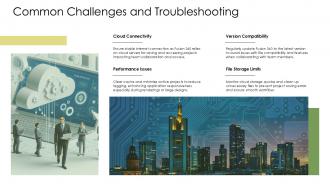
Look, the biggest pain point is assembly size - complex models will make Fusion crawl. Plus you're stuck with 10 active projects on the free tier, which fills up quick. No internet? You're dead in the water since it's all cloud-based. I learned that the hard way during a presentation once, ugh. File organization becomes a nightmare because everything's trapped in their ecosystem. Advanced simulation costs extra too. Oh, and if you do a lot of 2D drafting, honestly just use something else - Fusion's pretty weak there. I'd say try it with whatever you normally build first, see how it handles your workflow.
Dude, Fusion 360 is perfect for remote work since everything's stored in the cloud. You can literally hop on from anywhere - your home office, actual office, even that sketchy coffee shop downtown (though maybe not for client work lol). Real-time collaboration is clutch too. Your whole team can edit the same model, drop comments, see changes instantly. No more emailing files back and forth like animals. Version control happens automatically, so you'll never deal with those cursed "project_final_ACTUAL_final_v7" files again. Cloud rendering means you don't need some crazy expensive workstation either. Just need decent internet and you're golden.
Okay so first thing - just restart Fusion 360. I know it sounds dumb but it literally fixes most problems. Also make sure your internet's working since everything runs through the cloud. Your sketches acting up? You probably need to fully constrain them or they'll mess with you later. Graphics drivers are another thing to update, especially if it's running slow or looking weird. Oh and clear your browser cache sometimes - forgot about that one for months. When everything gets laggy, try hiding components you don't need or turn off the timeline. Double-check you're in the right workspace too because I've definitely been in sculpting mode wondering why modeling tools weren't working.
Dude, get your students on Fusion 360 ASAP. The educational licenses are completely free, which is insane considering how expensive CAD software usually is. Students can design stuff, run simulations, and create actual manufacturing toolpaths - basically everything they'd need in the real world. What's cool is the cloud collaboration thing works great for group projects too. Plus, tons of companies actually use this software, so your grads won't be starting from scratch when they hit the job market. I think there's even a grace period after graduation where they can still access it? Worth checking out for sure.
Check out Lars Christensen's YouTube channel first - that dude is insane at advanced modeling stuff. Autodesk's official channel has solid tutorials too, though some are kinda dry. Their forums are actually pretty active if you get stuck on something specific. The Fusion 360 Community is where people drop custom scripts and weird solutions you won't find anywhere else. Warped Perception does cool specialized techniques. Oh, and Product Design Online is decent for certain things. I'd probably start with Autodesk's advanced courses to get the basics down, then just follow whatever looks interesting from the community stuff.
-
It’s really cool, and you can find pretty much everything you could need for your work or school.
-
They helped us design the pamphlets for our church’s food drive! The people loved the design, and I’m happy to say it was successful. Thank you, SlideTeam!