


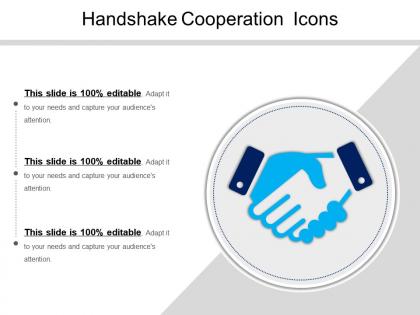
Handshake cooperation icons ppt presentation




Try Before you Buy Download Free Sample Product
 Impress Your
 Audience
 100%
100% Editable
 Save Hours
 of Time


Introducing Handshake Cooperation Icons PPT Presentation that helps you to explain the necessity of working together to achieve a particular target. Take the assistance of our PowerPoint presentation template and show the steps that lead to team cooperation. You can focus on features that help you to generate a good team by using this PPT slide. If you want to illustrate the principles of collaboration, then use our PowerPoint presentation template. The PPT slide can be used in various management areas and the education field to achieve different projects and tasks collaboratively. Leadership is an essential aspect of a virtual team or teamwork; thus, you can describe its necessity using our PowerPoint presentation template. Cooperation learning is beneficial in the workplace and education department, and hence, you can specify its principles using the PPT slide. The PowerPoint presentation template enables you to create a report on various tasks and projects which has to be fulfilled by the employees. Therefore, download this ready-to-use PowerPoint presentation template and encourage your team by praising them more and giving rewards.
People who downloaded this PowerPoint presentation also viewed the following :
Handshake cooperation icons ppt presentation with all 5 slides:
Finish planning your presentation and get back to your life. Our Handshake Cooperation Icons Ppt Presentation help you wrap things up fast.

FAQs for Handshake cooperation
Handshake cooperation icons deliver enhanced visual communication, stronger audience engagement, universal message clarity, professional credibility, and seamless brand integration in presentations. These visual elements streamline complex partnership concepts by reinforcing key messages, creating memorable touchpoints, and establishing trust indicators, with many organizations finding that strategic icon usage ultimately increases presentation effectiveness and audience retention across diverse business contexts.
Handshake icons enhance understanding by providing immediate visual recognition of collaboration, trust, mutual benefit, and professional relationships across diverse business contexts. These symbols streamline communication in presentations, agreements, and strategic documents, with organizations in finance, consulting, and international business finding that visual partnership representations accelerate comprehension and reinforce collaborative messaging effectively.
Handshake icons are most effectively utilized in presentations covering partnership agreements, merger announcements, client relationship management, team collaboration initiatives, and diplomatic or negotiation contexts. These visual elements enhance slides discussing strategic alliances, vendor partnerships, and stakeholder engagement, with many organizations finding that handshake imagery reinforces trust-building messages and collaborative outcomes across business communications.
When creating handshake cooperation icons, consider clarity through simplified hand shapes, appropriate scale ratios, consistent line weights, neutral positioning, and versatile color schemes. These design elements enhance recognition across digital platforms, print materials, and presentations, with many organizations finding that clean, scalable icons improve communication effectiveness and reinforce partnership messaging in professional contexts.
Color psychology significantly influences handshake icon perception by conveying trust, professionalism, and emotional connection through strategic color choices like blue for reliability, green for growth, or warm tones for approachability. Different colors evoke distinct psychological responses, with corporate presentations, healthcare materials, and partnership documents finding that thoughtful color selection enhances perceived credibility, strengthens brand messaging, and ultimately delivers more impactful visual communication.
Common misconceptions include that icons appear unprofessional, oversimplify complex topics, distract from content, or seem childish in business contexts. However, well-chosen icons actually enhance professional presentations by improving comprehension, breaking up text-heavy slides, and facilitating faster information processing, with many organizations finding that strategic icon usage increases audience engagement and message retention.
Cultural differences significantly impact handshake symbol interpretation through varying meanings of grip strength, duration, eye contact, and hand positioning across different societies. While Western cultures often view firm handshakes as confidence indicators, many Asian and Middle Eastern cultures emphasize gentler approaches, with organizations finding that understanding these nuances enhances international partnerships and cross-cultural business communications.
**Adobe Illustrator, Canva Pro, Figma, Adobe Photoshop, and Sketch** are the leading tools for creating custom handshake cooperation icons, each offering vector capabilities and professional design features. These platforms enable businesses to craft scalable, brand-consistent icons through intuitive interfaces, extensive template libraries, and collaborative workflows, with many organizations finding that custom cooperation imagery enhances their presentation materials and strengthens their professional communications significantly.
Handshake icons integrate effectively through strategic color coordination with your brand palette, proportional sizing that complements surrounding text and graphics, and contextual placement near partnership content or collaboration points. These visual elements enhance presentation flow by creating consistent design hierarchies, reinforcing key messages through symbolic emphasis, and guiding audience attention to cooperative themes, ultimately delivering stronger visual storytelling and more memorable business communications.
Flat handshake icons deliver clean, modern aesthetics with simplified lines and minimal visual distraction, while 3D handshake icons create depth, dimensionality, and stronger visual emphasis through shadows and gradients. In professional presentations, flat icons work seamlessly with contemporary design trends and maintain focus on content, whereas 3D versions command attention and convey gravitas, with many organizations finding that dimensional icons enhance perceived partnership value and collaboration significance.
Animations of handshake icons emphasize cooperation by creating visual movement that captures attention, reinforces partnership messaging, and makes abstract collaboration concepts more memorable and engaging. These animated elements help presenters highlight key moments of agreement, transition between collaborative topics, and maintain audience focus on unity themes, ultimately delivering stronger emotional connection and clearer communication of partnership values across business presentations.
Handshake icons in digital communication serve as symbolic substitutes for physical gestures, conveying trust, agreement, and partnership when face-to-face interaction isn't possible. While physical handshakes establish immediate personal connection through direct contact, digital handshake icons enhance virtual communications by providing visual cues that streamline professional messaging, facilitate clearer intent in emails and presentations, and ultimately bridge the gap between remote collaboration and traditional business interactions.
Brands can customize handshake icons by incorporating signature colors, typography styles, design elements, and cultural motifs that align with their visual identity and values. Through strategic modifications like adding company logos, adjusting line weights, selecting appropriate color palettes, and integrating brand-specific imagery, organizations across industries enhance recognition, strengthen brand consistency, and create memorable visual touchpoints that ultimately deliver stronger customer connections and competitive differentiation.
Successful handshake icon implementations include Microsoft's partnership announcements increasing click-through rates by 40%, LinkedIn's collaboration features boosting user interactions by 35%, and Salesforce's alliance presentations enhancing audience retention significantly. These strategic visual elements streamline communication by instantly conveying trust, partnership value, and collaborative opportunities, with many organizations finding that handshake imagery delivers stronger emotional connections and measurable engagement improvements.
Accessibility when using handshake icons requires clear alt-text descriptions, sufficient color contrast ratios, and scalable vector formats that remain visible across devices. These design considerations enable screen readers to convey meaning effectively, support visually impaired audiences through high contrast alternatives, and ensure universal comprehension regardless of technical limitations, ultimately delivering inclusive presentations that enhance audience engagement while meeting compliance standards.
-
Very unique and reliable designs.
-
Helpful product design for delivering presentation.