


Kitchen Cabinet Monotone Icon In Powerpoint Pptx Png And Editable Eps Format




Try Before you Buy Download Free Sample Product
 Impress Your
 Audience
 100%
100% Editable
 Save Hours
 of Time


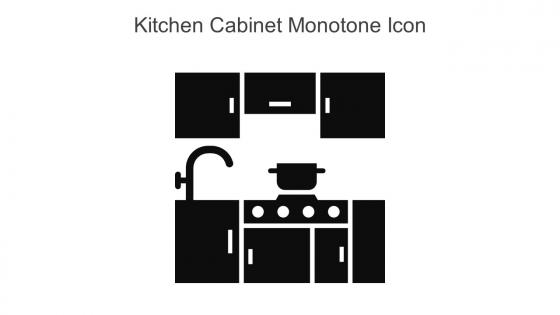
This Kitchen cabinet monotone icon in powerpoint pptx png and editable eps format is a 100 percent editable icon. The downloaded file will have this icon in EPS, PNG and Powerpoint pptx format and is perfect for your next project. It has a simple yet stylish design.
People who downloaded this PowerPoint presentation also viewed the following :
Kitchen Cabinet Monotone Icon In Powerpoint Pptx Png And Editable Eps Format with all 6 slides:
Use our Kitchen Cabinet Monotone Icon In Powerpoint Pptx Png And Editable Eps Format to effectively help you save your valuable time. They are readymade to fit into any presentation structure.





FAQs for Kitchen Cabinet Monotone Icon In Powerpoint Pptx Png And
Key design elements for kitchen cabinet icons include clear silhouettes, consistent line weights, appropriate scale relative to other elements, recognizable door and handle details, and cohesive color schemes. These visual components enhance presentation clarity by ensuring immediate recognition, maintaining professional aesthetics, and supporting seamless integration with architectural or interior design content, ultimately delivering polished presentations that resonate with clients and stakeholders.
Kitchen cabinet icons enhance visual appeal by providing clear, recognizable symbols that streamline design communication, create visual hierarchy, and maintain consistent aesthetic standards throughout presentations. These icons enable designers to quickly convey storage solutions, cabinet styles, and spatial relationships while delivering professional-quality presentations that resonate with clients, ultimately facilitating faster decision-making and improved project outcomes.
Modern kitchen cabinet icon styles include flat minimalist designs, line art illustrations, isometric 3D representations, detailed realistic renders, and simplified geometric shapes. These design approaches enhance presentation clarity by offering visual consistency, professional aesthetics, and audience engagement, with many designers finding that combining multiple icon styles creates comprehensive kitchen planning presentations that resonate across residential, commercial, and interior design sectors.
Color choices for kitchen cabinet icons significantly influence audience perception by conveying style preferences, quality expectations, and brand positioning through strategic hue selection. Warm wood tones suggest traditional craftsmanship and premium materials, while sleek whites and grays communicate modern minimalism, with many design firms finding that consistent color palettes enhance client trust and project perceived value across residential presentations.
Kitchen cabinet icons typically incorporate door outlines with visible handles, interior shelving lines, and storage compartments to clearly indicate their organizational function. These symbols effectively communicate storage capacity and accessibility through simple geometric shapes, with many design systems finding that combining cabinet silhouettes with subtle interior details delivers immediate recognition while maintaining visual clarity across digital interfaces.
Kitchen cabinet icons can be customized through color palettes, line weights, textures, and stylistic elements that mirror specific design aesthetics, from clean monochromatic schemes for minimalist approaches to warm wood textures and decorative hardware for rustic themes. These customization options enable designers, architects, and home improvement professionals to create cohesive visual presentations that resonate with client preferences, ultimately delivering more targeted proposals and enhanced customer experiences across residential and commercial projects.
Kitchen cabinet icons serve as universal visual communicators that simplify complex design concepts, enabling architects, designers, and clients to quickly understand spatial layouts, storage solutions, and aesthetic choices. These standardized symbols streamline the design review process by providing clear representation of cabinet types, dimensions, and configurations, ultimately delivering faster project approvals and reducing miscommunication between stakeholders.
Kitchen cabinet icons enhance spatial planning presentations by providing immediate visual reference points, enabling audiences to quickly grasp layout proportions, storage capacities, and workflow relationships within kitchen designs. These visual elements streamline communication between designers, contractors, and clients by eliminating ambiguity around cabinet placement, dimensions, and functional zones, ultimately delivering clearer project expectations and more efficient planning processes.
Kitchen cabinet icons integrate effectively through consistent color schemes matching your presentation palette, strategic placement near related content like floor plans or appliance layouts, and cohesive sizing with other furniture elements. These design approaches streamline visual flow by creating logical groupings, maintaining proportional relationships, and establishing clear information hierarchy, with many interior designers and architects finding that unified styling ultimately delivers professional credibility and enhanced audience comprehension.
Cultural differences significantly influence kitchen cabinet icon design through varying cooking practices, storage preferences, aesthetic traditions, and spatial concepts across different regions. Icons representing spice storage, dishware organization, and appliance placement must adapt to cultural contexts, with many international design teams finding that localized iconography enhances user recognition and operational efficiency in global applications.
Professional kitchen cabinet icon creation relies on vector-based software like Adobe Illustrator, Figma, Sketch, and Canva Pro, along with specialized tools like SketchUp for 3D rendering. These platforms streamline design workflows by offering precise vector control, extensive template libraries, and collaborative features, with many designers finding that combining 2D vector tools with 3D modeling software delivers the most versatile and scalable icon sets for architectural and interior design projects.
**INPUT**: What are the potential pitfalls to avoid when selecting kitchen cabinet icons for a presentation? **OUTPUT**: Common pitfalls include choosing overly detailed icons that become unclear when scaled down, selecting inconsistent design styles that create visual discord, and using outdated cabinet representations that don't reflect modern kitchen trends. These missteps can undermine presentation professionalism by confusing audiences, reducing visual cohesion, and ultimately weakening your message's impact and credibility. [Word count: 54 words]
Kitchen cabinet icons create compelling design narratives by representing transformation journeys, lifestyle changes, and spatial evolution within presentations. These visual elements enable designers to showcase before-and-after scenarios, demonstrate functionality improvements, and illustrate how storage solutions enhance daily routines, with many architecture and interior design firms finding that cabinet icons effectively communicate renovation outcomes and help clients visualize their future living experiences.
Successful presentations utilizing kitchen cabinet icons include restaurant franchise pitches showcasing menu layouts, home renovation company proposals displaying storage solutions, real estate presentations highlighting kitchen features, interior design portfolios demonstrating space optimization, and retail presentations for appliance placement strategies. These icons streamline complex spatial concepts by providing instant visual recognition, enhancing audience comprehension of layout designs, and ultimately delivering clearer communication that helps clients visualize practical applications across residential and commercial projects.
Users can leverage trends like minimalist flat design, micro-interactions, contextual color schemes, and responsive scaling to create more engaging kitchen cabinet icons. These approaches enhance visual clarity through simplified forms, subtle hover animations, and adaptive sizing, while incorporating contemporary color palettes and intuitive symbolism, ultimately delivering better user experiences and stronger brand recognition across digital platforms.
-
Designs have enough space to add content.
-
Great designs, really helpful.