


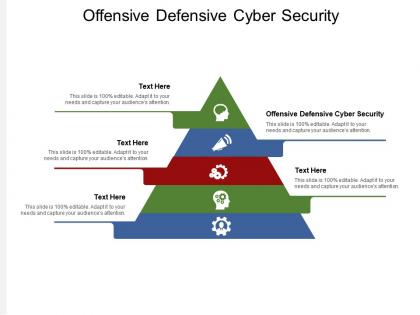
Offensive defensive cyber security ppt powerpoint presentation visual aids slides cpb




Try Before you Buy Download Free Sample Product
 Impress Your
 Audience
 100%
100% Editable
 Save Hours
 of Time


Our Offensive Defensive Cyber Security Ppt Powerpoint Presentation Visual Aids Slides Cpb are topically designed to provide an attractive backdrop to any subject. Use them to look like a presentation pro.
People who downloaded this PowerPoint presentation also viewed the following :
Offensive defensive cyber security ppt powerpoint presentation visual aids slides cpb with all 2 slides:
Use our Offensive Defensive Cyber Security Ppt Powerpoint Presentation Visual Aids Slides Cpb to effectively help you save your valuable time. They are readymade to fit into any presentation structure.
FAQs for Offensive defensive cyber security ppt powerpoint presentation visual
Phishing emails are still the biggest headache - can't believe how well they still work. Ransomware will completely lock up your systems, which is a nightmare. Then you've got insider threats from employees who already have access to everything. Oh, and supply chain attacks are getting nasty too - hackers hit your vendors first, then use that to get to you. Honestly, the whole thing is exhausting. Don't put all your eggs in one basket though - layer different security measures because relying on just one thing never ends well.
Start with the obvious stuff - good endpoint protection, firewalls, keeping everything patched. Train your users because, let's be real, they're gonna click on sketchy links no matter what you tell them. Network segmentation is huge - stops attackers from bouncing around if they get in. Oh, and backups are non-negotiable. Have a solid incident response plan ready because breaches aren't a matter of if, they're when. Build it layer by layer though. Don't try to implement everything at once or you'll just create a mess. Get one thing working well, then add the next piece.
Honestly, your best bet is solid employee training. Most data breaches? Someone clicked a sketchy link or got fooled by a phishing email. Train your people to spot suspicious stuff and create decent passwords - it'll slash your risk big time. Hackers are getting scary good at this stuff, so quarterly sessions work well. Make them interactive though! Nobody remembers boring slideshows. When people actually engage with the material, they build better security habits. Plus your IT team will thank you later.
Okay so basically phishing is when scammers pretend to be legit companies to steal your info. They're pretty good at it too - fake emails and websites that look totally real. Watch out for anything that's like "ACT NOW or your account gets deleted!" because they want you panicking and not thinking straight. I always double-check sender addresses and hover over links to see where they actually go before clicking. If something feels sketchy, just contact the company yourself through their real website. Oh and definitely set up two-factor authentication everywhere - seriously, it'll save your butt if you accidentally fall for something.
Start with encryption - both when data's moving and sitting still. That's your main shield. Set up strong access controls with multi-factor auth, and only give people what they absolutely need permission-wise. Backups are huge too (seriously wish someone told me that earlier). Check your access logs regularly to spot weird activity. Here's how I think about it - treat your cloud data like it's on a computer in your front yard where anyone can walk by. Sounds paranoid but that mindset helps. Get these security layers up before something goes wrong.
So you've got NIST and ISO 27001 - they're basically roadmaps instead of you winging it with security stuff. NIST breaks things down into five areas: identify, protect, detect, respond, recover. Pretty straightforward. ISO 27001 is more of a global thing, and honestly some companies just want that shiny certificate to show off to clients. Both help you figure out where to spend your security budget without throwing money at random stuff. Oh, and they make regulators happy too. I'd start with NIST since it's free - no point paying for something when you're just getting your feet wet.
GDPR is basically forcing companies to get their security act together. You've got to have proper encryption, access controls, breach detection - the whole deal. If personal data gets leaked, they can fine you up to 4% of your annual revenue which is honestly terrifying. Plus you need to report any breach within 72 hours and prove you had decent security measures in place. It's like having someone constantly checking your homework, but for data protection. My advice? Document everything you're doing security-wise now because you'll need proof you weren't being sloppy if things go sideways.
Start by listing all your digital stuff - servers, apps, devices, data flows, everything. Figure out what could go wrong with each thing and how likely it is to actually happen. Honestly, third-party vendors are where most people mess up, so don't skip those. Document what security you already have in place, then spot where the holes are. I'd focus on your most critical assets first instead of trying to tackle everything at once - that's just asking for burnout. Remote access points are another big one that gets forgotten. Break it down piece by piece and you'll get through it.
So you'll definitely need a SIEM like Splunk or QRadar - that's your main hub for collecting and analyzing all the logs. Then grab an endpoint tool like CrowdStrike or SentinelOne to watch individual devices. For network stuff, Darktrace's pretty slick at catching weird lateral movement. Oh, and honestly? The vendor space moves crazy fast these days. But here's the thing - whatever you pick has to actually integrate well together. I'd say start with one decent SIEM first, then add pieces based on what attacks you're actually seeing in your environment.
Honestly, start with multi-factor authentication - it's free and stops like 99% of hackers right there. Password managers are a game changer too, maybe $3/month but worth every penny. Your team needs to learn how to spot sketchy emails (phishing training isn't as boring as it sounds). Keep everything updated - yeah I know, super annoying but ransomware will wreck you otherwise. Cloud backups are essential since small businesses get hit hard. Most of this stuff runs under $10 per person monthly. Check your cyber insurance too, they sometimes throw in free security tools. Seriously though, set up MFA this week.
Yeah, remote work totally ups your cyber risks. Home networks are way less secure than office ones, and people get lazy about security when they're in pajamas (honestly, who hasn't?). Your IT team can't babysit everyone's setup anymore either. The main problems? Crappy home WiFi passwords, kids using the same laptop for TikTok, employees falling for phishing emails they'd usually ignore at work. VPNs help a ton. So does keeping antivirus current and doing those boring security trainings - though I know nobody actually wants to sit through them.
Honestly, AI and ML are game-changers for cybersecurity. They'll catch weird stuff way faster than any human could - like someone logging in from Bangladesh when they're usually in Ohio, you know? The systems get better over time too, learning what's normal for your company. Plus they handle all those annoying routine alerts so your IT team doesn't lose their minds. My buddy's company started with AI email filtering and it caught so much phishing crap. I'd probably go that route first, then maybe add network monitoring once you see how it works.
You've got six main pieces to worry about: prep work (policies, who does what, tools), spotting incidents fast, containing the damage, wiping out the threat completely, getting everything back online, and - this is where most places totally blow it - actually reviewing what went wrong afterward. Communication plans are huge too, plus you need escalation steps and all your key contacts ready to go. Oh, and test the damn thing regularly with mock scenarios. I've seen too many companies with "perfect" plans that fall apart the second something real happens because nobody's ever actually walked through it.
So zero-trust basically throws out that old "trust but verify" thing. Now it's more like "trust nobody, check everything." You're treating every single person and device like they could be sketched out until they prove they're legit. Kinda paranoid? Yeah, but cyber attacks are getting crazy these days. Instead of just letting people roam free once they're "inside," you're constantly verifying who's accessing what. Micro-segmentation, real-time monitoring, minimal access permissions - all that good stuff. Oh, and map out your critical assets first. That's where you'll want to start building your policies from.
Honestly, it all comes down to three big things: consent, being upfront about what you're doing, and not going overboard. Don't just hoover up data because you can - people deserve to know what you're collecting and why. Security's obviously crucial since breaches destroy trust completely. Also think about who internally has access to what (that gets messy fast). I'd say build privacy into your systems from day one rather than trying to bolt it on later. Oh and audit everything regularly - both your security setup and how you handle data. It's basically about not being creepy while staying secure.
-
Excellent work done on template design and graphics.
-
Illustrative design with editable content. Exceptional value for money. Highly pleased with the product.
-
Awesome presentation, really professional and easy to edit.
-
Understandable and informative presentation.