


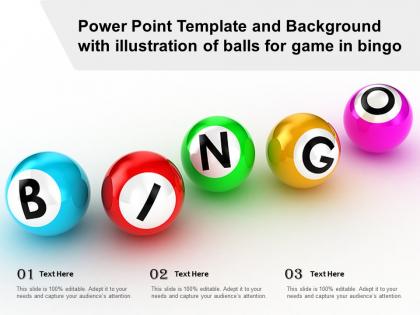
Power point template and background with illustration of balls for game in bingo




Try Before you Buy Download Free Sample Product
 Impress Your
 Audience
 100%
100% Editable
 Save Hours
 of Time


The following Powerpoint Image slide titled Power Point Template And Background With Illustration Of Balls For Game In Bingo is an editable Powerpoint template available in Standard as well as Widescreen size. This slide has an image pasted strategically on a slide with sections for text that you can fill in. You can move and edit any element and paste your own image in place of this provided image if required.
People who downloaded this PowerPoint presentation also viewed the following :
Power point template and background with illustration of balls for game in bingo with all 2 slides:
Use our Power Point Template And Background With Illustration Of Balls For Game In Bingo to effectively help you save your valuable time. They are readymade to fit into any presentation structure.
FAQs for Power point template and background with illustration of balls for
A Bingo PowerPoint template should include customizable game cards, clear number calling slides, interactive tracking mechanisms, automated winner verification systems, and engaging visual themes with consistent branding elements. These components streamline gameplay by enhancing participant engagement, reducing administrative overhead, and maintaining professional presentation standards, with many training departments and corporate events finding that well-designed templates significantly boost audience participation and learning retention.
Customize your Bingo PowerPoint template by modifying colors, fonts, images, and graphics to align with your event's branding, replacing default content with theme-specific terms, prizes, and messaging. Through PowerPoint's design tools, event organizers can seamlessly adjust layouts, incorporate branded elements, and personalize game cards, ultimately delivering engaging, cohesive experiences that enhance participant connection and event memorability.
Educational Bingo PowerPoint templates can transform learning through vocabulary review games, math problem solving, historical timeline matching, science concept reinforcement, and language learning activities. These interactive formats enhance student engagement by gamifying traditional lessons, encouraging active participation, and enabling teachers to assess comprehension in real-time, with many educators finding that competitive elements significantly improve retention rates.
Incorporating visuals in a Bingo PowerPoint template enhances the gaming experience by creating engaging backgrounds, clear number displays, interactive call cards, and dynamic animations that maintain player attention. These visual elements streamline game flow, reduce confusion through intuitive design, and deliver memorable experiences for corporate events, educational settings, and social gatherings, ultimately increasing participation rates.
Pre-made Bingo PowerPoint templates offer significant time savings, professional design consistency, tested functionality, and immediate usability compared to building from scratch. These templates streamline event planning by providing pre-formatted layouts, optimized animations, and proven engagement structures, with many educators and corporate trainers finding that ready-made solutions deliver faster implementation and more polished presentations.
Animations and transitions enhance Bingo PowerPoint presentations by creating engaging number reveals, smooth slide progressions, and interactive calling sequences. Strategic fade-ins for called numbers, slide transitions between rounds, and entrance effects for winners maintain audience attention while preventing presentation lag, ultimately delivering professional game flow and enhanced participant engagement throughout corporate events, fundraisers, and team-building activities.
PowerPoint Bingo templates effectively support educational games, team-building activities, corporate training sessions, virtual icebreakers, and interactive presentations. These versatile formats enable organizations to create engaging experiences for remote meetings, classroom learning, employee onboarding, and conference networking, with many businesses finding that interactive Bingo presentations significantly enhance audience participation and knowledge retention.
A well-designed Bingo PowerPoint template enhances player participation by featuring clear, readable fonts, vibrant colors that maintain focus, intuitive navigation between slides, and properly sized grid layouts that are visible from distance. These design elements streamline gameplay flow, reduce confusion during calls, and create an engaging visual experience, with many event organizers finding that professional layouts significantly boost audience engagement and retention rates.
Accessibility considerations for Bingo PowerPoint templates include high contrast color schemes, readable font sizes, clear visual hierarchy, alternative text for images, and keyboard navigation compatibility. These design elements enhance inclusivity by accommodating visual impairments, motor limitations, and cognitive differences, ultimately delivering broader audience engagement and ensuring compliance with accessibility standards across educational and corporate environments.
You can incorporate different Bingo rules by creating multiple slide layouts within one template, including traditional 5x5 grids, speed rounds, pattern variations, and themed categories with customizable call sheets. This approach enables organizations to streamline training sessions, team-building events, and educational workshops by switching between formats seamlessly, ultimately delivering versatile engagement tools that adapt to different audiences and objectives.
Tools that enhance Bingo PowerPoint functionality include random number generators, timer applications, audio editing software, interactive polling platforms, and presentation remote controls. These technologies streamline game management by automating number calling, tracking player progress, and enabling real-time engagement, with many educators and corporate trainers finding that strategic integration delivers more dynamic experiences and improved audience participation.
Design your Bingo PowerPoint template with large, clear fonts, high contrast colors, simple navigation buttons, and intuitive layouts that minimize confusion across different tech skill levels. Include visual cues like icons and arrows, adjustable text sizes, and straightforward instructions, with many educators and corporate trainers finding that templates combining bold graphics with clean spacing deliver enhanced engagement and accessibility, ultimately ensuring seamless participation regardless of age or technical expertise.
Effective Bingo PowerPoint templates incorporate vibrant color schemes, clear typography, interactive elements like clickable numbers, and engaging animations that highlight called numbers. These design elements enhance participant engagement by creating visual excitement, ensuring easy readability across devices, and maintaining game momentum, with many corporate trainers and educators finding that well-designed templates significantly boost audience participation rates.
Player feedback reveals preferences for visual clarity, interactive elements, automated number tracking, customizable themes, and seamless navigation between slides. This input enables designers to enhance readability through larger fonts and contrasting colors, streamline gameplay flow, and incorporate features like timer functions, ultimately delivering more engaging presentations that improve participation rates and user satisfaction across diverse audiences.
Common mistakes include overcrowding slides with excessive text, using poor color contrast that makes content hard to read, creating overly complex bingo cards, neglecting consistent formatting, and failing to test interactive elements beforehand. These presentation pitfalls can significantly reduce audience engagement and participation, with many presenters finding that streamlined design, clear visual hierarchy, and thorough technical preparation ultimately deliver more successful interactive experiences and stronger audience retention.
-
Unique design & color.