


Product Launching And Marketing Playbook Powerpoint Presentation Slides




Try Before you Buy Download Free Sample Product
 Impress Your
 Audience
 100%
100% Editable
 Save Hours
 of Time


The marketing playbook is a quick reference guide that includes short term and long term marketing activities. Many businesses have their marketing playbook, which outlines processes for establishing marketing goals, developing strategies to achieve those goals, and ultimately achieving business objectives. Check out our competently designed Product Launching and Marketing Playbook template that will assist organizations in educating new and existing marketing team employees about best practices that can be implemented to ensure consistency in approach. The presentation starts with product overview and vision board slides that will help the companies provide information about various products offered along with product market share, Product vision, needs, and business goals. A five phase marketing process follows product overview and visions board slides. Phases covered are plan, create, distribute, measure, and optimize. Organizations can use these phases for planning the right marketing strategy, customer segmentation to determine the target audience, marketing and communication plan for successful implementation, editorial calendars for content distribution, RACI matrix for assigning responsibilities, dashboards for monitoring lead generation, and finally, gap analysis sheet for enhancing overall marketing efforts. Book a free demo with our research team now.
People who downloaded this PowerPoint presentation also viewed the following :
Content of this Powerpoint Presentation
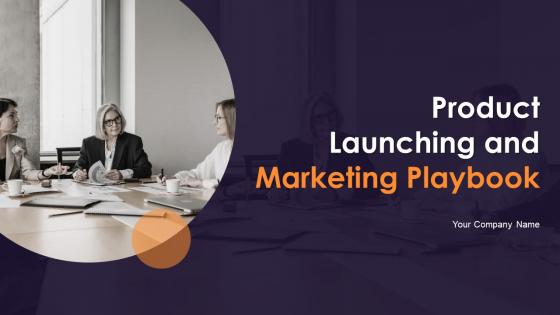
Slide 1: This slide introduces Product Launching and Marketing Playbook. State Your Company Name and begin.
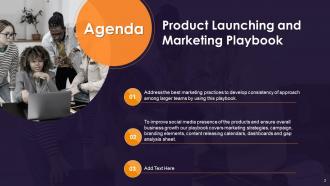
Slide 2: This is an Agenda slide. State your agendas here.
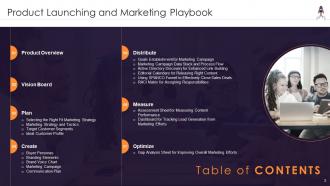
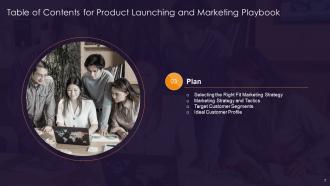
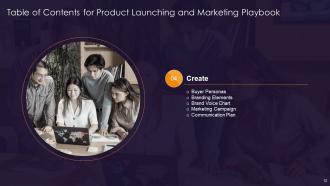
Slide 3: This slide presents Table of Content for the presentation.
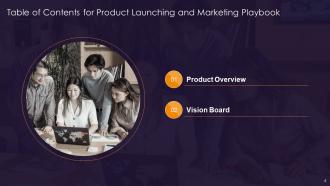
Slide 4: This slide shows title for topics that are to be covered next in the template.
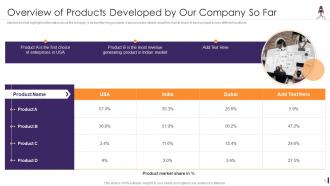
Slide 5: This slide displays company’s best performing products.
Slide 6: This slide represents Product Vision Board for Informing and Inspiring Key Stakeholders.
Slide 7: This slide shows title for topics that are to be covered next in the template.
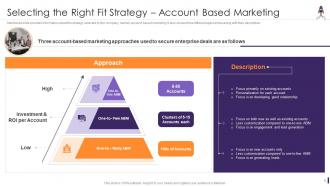
Slide 8: This slide presents strategy selected by the company, namely account based marketing.
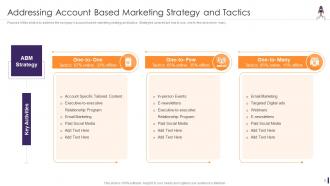
Slide 9: This slide displays Addressing Account Based Marketing Strategy and Tactics.
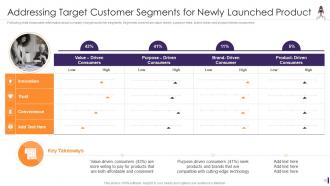
Slide 10: This slide represents Addressing Target Customer Segments for Newly Launched Product.
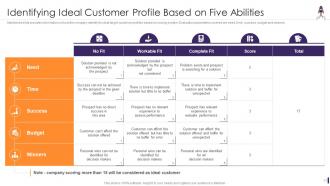
Slide 11: This slide showcases Identifying Ideal Customer Profile Based on Five Abilities.
Slide 12: This slide shows title for topics that are to be covered next in the template.
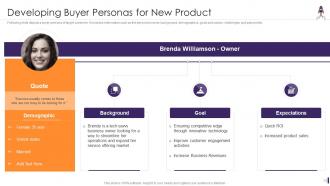
Slide 13: This slide presents buyer persona of target customer.
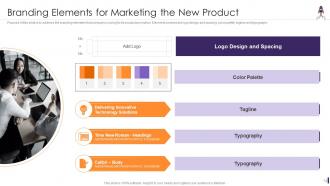
Slide 14: This slide displays branding elements that company is using for its product promotion.
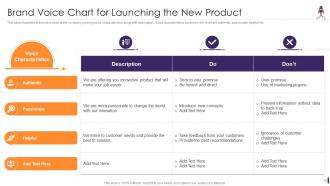
Slide 15: This slide illustrates brand voice chart of the company covering voice characteristics along with description.
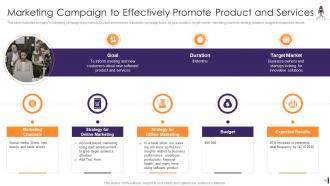
Slide 16: This slide represents Marketing Campaign to Effectively Promote Product and Services.
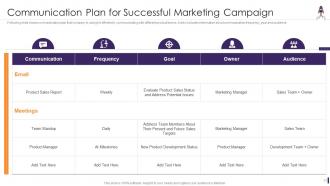
Slide 17: This slide showcases Communication Plan for Successful Marketing Campaign.
Slide 18: This slide shows title for topics that are to be covered next in the template.
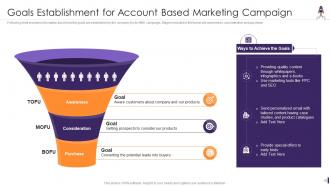
Slide 19: This slide presents Goals Establishment for Account Based Marketing Campaign.
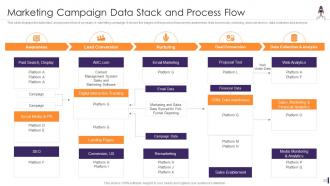
Slide 20: This slide displays the data stack and process flow of company’s marketing campaign.
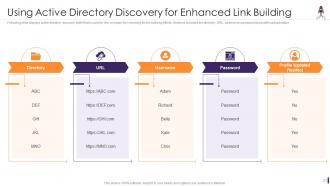
Slide 21: This slide represents Using Active Directory Discovery for Enhanced Link Building.
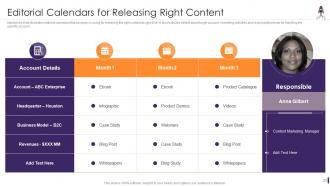
Slide 22: This slide showcases editorial calendars that company is using for releasing the right content at right time.
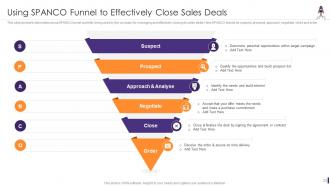
Slide 23: This slide provides information about SPANCO funnel currently being used by the company.
Slide 24: This slide displays RACI Matrix for Key Responsibilities Allocation.
Slide 25: This slide shows title for topics that are to be covered next in the template.
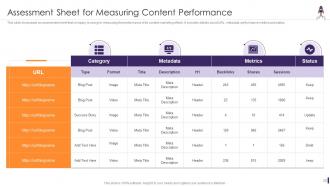
Slide 26: This slide showcases an assessment sheet that company is using for measuring the performance of its content.
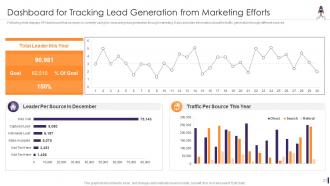
Slide 27: This slide presents Dashboard for Tracking Lead Generation from Marketing Efforts.
Slide 28: This slide shows title for topics that are to be covered next in the template.
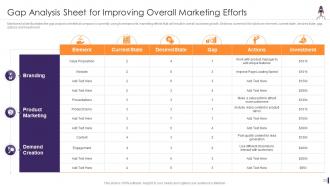
Slide 29: This slide presents Gap Analysis Sheet for Improving Overall Marketing Efforts.
Slide 30: This slide displays Icons for Product Launching and Marketing Playbook.
Slide 31: This slide is titled as Additional Slides for moving forward.
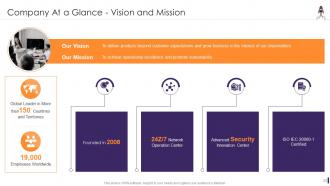
Slide 32: This is Our Mission slide with related imagery and text.
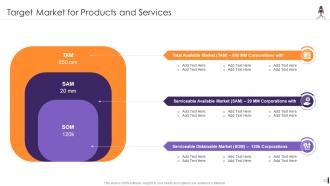
Slide 33: This slide represents Target Market for Products and Services.
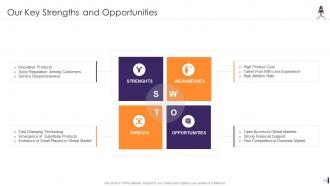
Slide 34: This slide showcases Our Key Strengths and Opportunities.
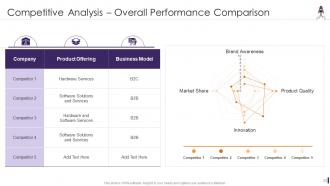
Slide 35: This slide shows Competitive Analysis for Overall Performance Comparison.
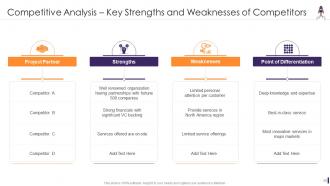
Slide 36: This slide presents Competitive Analysis for Key Strengths and Weaknesses of Competitors.
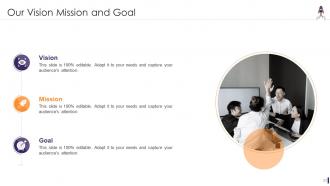
Slide 37: This is Our Mission slide with related imagery and text.
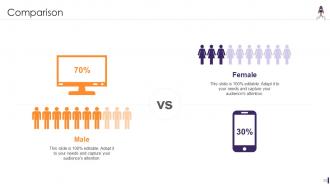
Slide 38: This is a Comparison slide to state comparison between commodities, entities etc.
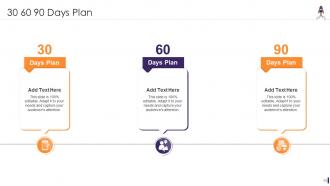
Slide 39: This slide provides 30 60 90 Days Plan with text boxes.
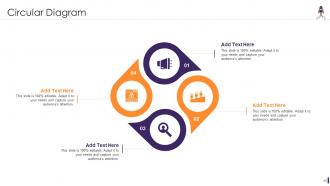
Slide 40: This slide shows Circular Diagram with additional textboxes.
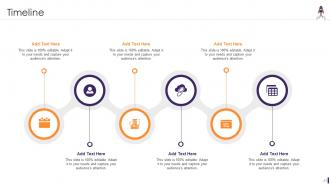
Slide 41: This is a Timeline slide. Show data related to time intervals here.
Slide 42: This is a Thank You slide with address, contact numbers and email address.
Product Launching And Marketing Playbook Powerpoint Presentation Slides with all 47 slides:
Use our Product Launching And Marketing Playbook Powerpoint Presentation Slides to effectively help you save your valuable time. They are readymade to fit into any presentation structure.









FAQs for Product Launching And Marketing Playbook
Okay so you'll need four main things: figure out your positioning first (who you're targeting and why they'd care), get your marketing/sales/product teams on the same timeline, create messaging that actually shows what makes you different, and pick solid metrics to track how it's going. Most teams totally bomb because they skip that positioning step - I know it's super boring but it's honestly the most important part. Oh and don't just launch where YOU think customers are. Go where they actually spend time. Start with one main success metric you all agree on, then build everything else around that.
So market research is basically your launch bible - it shows you who to target and what messaging actually works. Without it, you're just guessing at your audience (which I've watched crash and burn so many times). Use those insights to nail your positioning and pricing strategy. Plus you'll spot problems before they happen and set real benchmarks for success. Oh, and definitely survey your current customers first - they're goldmines. Then dig into how competitors launched similar stuff in your space.
Honestly, segmentation makes or breaks your entire launch. You can't message to everyone the same way - different groups care about totally different stuff. Like, tech nerds want specs while busy parents just want something that works, you know? Pick 2-3 main segments and create separate strategies for each. Your messaging, ads, even pricing should reflect what actually matters to that specific group. I learned this the hard way on my last project - tried to appeal to everyone and ended up connecting with no one. Way better to nail it with fewer people than be mediocre for masses.
Honestly, I'd give yourself 12-16 weeks total and work backwards from launch day. Pre-launch eats up most of your time - like 8-12 weeks for research, building the actual thing, getting marketing ready. Launch week is absolutely insane (budget 2-3 weeks for this chaos). Then you need another 2-4 weeks after to see what's working and fix what isn't. Oh, and definitely pad your timeline because something will go sideways. I always do weekly check-ins to make sure I'm not falling behind. Trust me, future you will be grateful when everything's not a last-minute scramble.
Honestly, you gotta watch both the hard numbers and the fuzzy stuff. Track your sign-ups and downloads first - that's your baseline. Then dig into who's actually using it daily vs just downloading and forgetting about it. Revenue's obvious but don't just look at total sales. Customer acquisition cost will make or break you. Also watch satisfaction scores and support tickets - if people hate it, the numbers won't lie. Oh, and retention rates are huge. I learned that the hard way on my last project. Set up your tracking dashboard now though, seriously. You don't want to be frantically pulling data when your boss asks how launch went.
Dude, forget listing features - nobody cares about specs. Tell a story instead. Open with a real customer struggling with some problem, then show how your product swoops in and fixes everything. Structure it like: problem is the villain, your product's the hero, then boom - transformation scene. I swear, half the launches I see just drone on about technical stuff and wonder why everyone's checking their phones. Paint that before/after picture hard. Make people actually *feel* the pain your customer went through. Skip the boring market stats at the beginning - jump straight into "Sarah was spending 3 hours every morning..." Trust me, it hooks them way better.
Instagram and TikTok are solid if your product looks good on camera. Google Ads work well too since people are already searching. I've been seeing crazy results with micro-influencers lately - way better ROI than the big names honestly. Email's still king for existing customers though. LinkedIn's your best bet for B2B stuff, but don't spread yourself too thin. Pick maybe 2-3 channels max when you're starting out. Here's what I'd do: figure out where your people actually spend time, test those channels, then go all-in on whatever converts. Just make sure you're tracking everything from day one or you'll be flying blind.
Honestly, feedback is your best friend during launch - but you gotta be strategic about it. Beta testing and pre-launch surveys will save your ass from major issues. Once you're live, watch everything like a hawk: social media, support tickets, reviews. It's basically free quality testing from real users, which is gold. Set up daily review meetings for the first couple weeks (trust me on this one). Quick pivots on messaging or urgent bug fixes can make or break things. The trick is having systems ready to actually capture and act on feedback fast, not just collect it.
Honestly, the biggest mistake is rushing without proper testing - QA always takes way longer than you think. Your messaging needs to be locked down across all teams first, then actually prep your support and sales people so they're not blindsided. Don't launch into a void where nobody knows it's happening. Also terrible timing like holidays or big industry events will kill your momentum. Buffer time is your friend - build it into everything. Get internal alignment sorted before you even think about external stuff. Oh and make a launch checklist because you'll definitely forget something otherwise.
Honestly, get everyone together first - even if it's just a Zoom call. Define who's doing what and when, plus what "success" actually looks like. The biggest mistake I see? Engineering ships the code and thinks they're done (spoiler: they're not). Your product, marketing, and sales teams need to understand the bigger picture, not just their piece of it. Build a shared doc with key dates and messaging so nobody's guessing. Oh, and definitely schedule regular check-ins beforehand - you'll catch problems early instead of scrambling on launch day.
Dude, you gotta scope out the competition before you launch or you'll get wrecked. Figure out how they price stuff, what features they're missing that you could nail, and what makes you actually different. Your sales people will literally love you for this - no more awkward silence when customers ask "so why should I pick you guys?" The real trick isn't just knowing what competitors do, but understanding how customers actually see them. I'd start with maybe 3-5 main competitors, map out their whole positioning thing, then find your sweet spot where you can crush it.
Honestly, visuals are a game-changer for explaining complex stuff. People are just bad at imagining things in their heads - I know I am. Show mockups or demos instead of describing your dashboard, and boom, they get it immediately. Videos work amazing for workflows, infographics nail the technical comparisons. You'll want to match your visual type to whatever you're explaining though. Oh, and always have something visual ready for your biggest features when you're presenting. Makes such a difference.
Honestly, building buzz doesn't have to cost a fortune. Hit up micro-influencers in your space first - they're way cheaper than big names and actually get better engagement. Start teasing content like 2-3 weeks out with behind-the-scenes stuff (people are weirdly obsessed with that). Your existing customers? Email them first since they'll spread the word anyway. Create some hashtag for user content and do the whole countdown thing with sneak peeks. Oh, and don't forget consistency across everything matters more than blowing your budget on one expensive campaign. That's where most people mess up.
Dude, you absolutely need to do a post-launch review - the data will show you exactly what bombed and what actually worked. Users always surprise you with which features they love (or completely ignore). Document everything while it's still fresh in your head, then sit down in like 30 days when you've got real usage numbers. That's when you'll see where your assumptions were totally off. It's honestly the best way to figure out what to build next and avoid making the same dumb mistakes. Plus you'll catch patterns in feedback that aren't obvious right after launch.
Honestly, AR/VR is huge right now - let people "try" stuff virtually before buying. Chatbots handle the basic questions so you don't go insane answering the same thing 500 times. Live streaming with Q&A gets people hyped too. Oh, and gamification works way better than it should - like progress bars and badges make people weirdly competitive about engaging with your launch. Personalization based on how users actually behave is solid. Social listening helps you catch feedback early. But here's the thing - don't try to use everything at once. Pick maybe 2-3 that actually make sense for your audience. I've seen launches fail because they got too fancy with the tech.
-
Definitely a time saver! Predesigned and easy-to-use templates just helped me put together an amazing presentation.
-
Crisp and neat slides. Makes it fun and easier to curate presentations.