


Project management completed tasks project group load dashboard




Try Before you Buy Download Free Sample Product
 Impress Your
 Audience
 100%
100% Editable
 Save Hours
 of Time


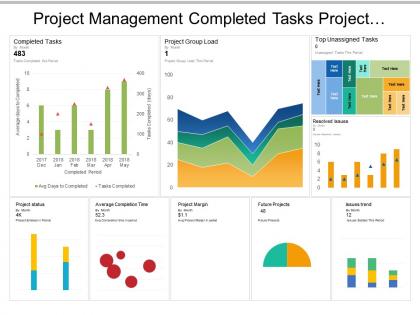
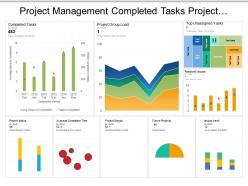
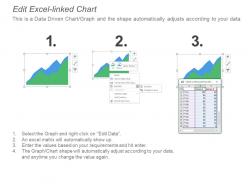
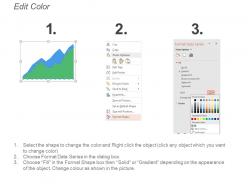
Check our project management completed tasks PowerPoint design and use it for your next business presentation. Every project goes through different stages such as selection, planning, roll out and execution, monitor and control and completion. You are required to accomplish tasks within a specific period to ensure that you are moving in the right direction. Our PPT template gives you the access to monitor the project progress and understand what task has been completed and what all tasks are yet to be completed. Using our presentation slide, you can evaluate the tasks you have performed and then understand how much success you have achieved in accomplishing it in the desired time. The project management completed tasks PowerPoint diagram comes in excel format and is completely amendable. You can edit the numbers and other relevant information according to your project requirements and then deliver among your audience. Apart from this innovative PPT slide, we have collection of professionally designed presentation designs that can add value to your business. Visit our website to check them. Our Project Management Completed Tasks Project Group Load Dashboard are full of attractions. They have many exciting attributes.
People who downloaded this PowerPoint presentation also viewed the following :
Project management completed tasks project group load dashboard with all 6 slides:
Initiate action to curb inflation with our Project Management Completed Tasks Project Group Load Dashboard. Advise folks on how to cater for it.
FAQs for Project management completed tasks project
Essential project management dashboard metrics include timeline progress, budget utilization, resource allocation, task completion rates, milestone achievements, and risk indicators. These metrics enable project managers to identify bottlenecks, optimize resource distribution, and maintain project alignment, with many organizations finding that comprehensive dashboard visibility ultimately delivers faster project completion and enhanced stakeholder communication.
A project management dashboard enhances team collaboration and communication by centralizing project data, providing real-time updates, and creating shared visibility across all team members. Through integrated messaging, task assignments, and progress tracking, teams streamline coordination, reduce email overload, and ensure everyone stays aligned on priorities, ultimately delivering faster project completion and improved accountability.
Real-time data in project management dashboards delivers immediate visibility into project progress, resource utilization, budget tracking, timeline adherence, and potential bottlenecks. This enhanced transparency enables project managers to make informed decisions quickly, proactively address issues, and optimize resource allocation, ultimately reducing project delays and cost overruns while improving team productivity.
Customizing project management dashboards involves configuring key performance indicators, task tracking methods, resource allocation views, timeline formats, and reporting structures to align with specific project requirements. Different industries like construction, software development, and marketing campaigns benefit from tailored widgets and metrics, ultimately delivering enhanced visibility and streamlined decision-making across diverse project methodologies.
Project management dashboards are commonly created using Microsoft Project, Asana, Trello, Tableau, Power BI, and Smartsheet. These tools streamline project tracking by centralizing task progress, resource allocation, and timeline visualization, with many organizations finding that integrated dashboards enhance team collaboration, minimize communication gaps, and ultimately deliver faster project completion rates.
Visual elements like graphs and charts enhance project management dashboard readability by transforming complex data into intuitive formats, reducing cognitive load, and enabling rapid pattern recognition. Through color-coded progress bars, timeline visualizations, and performance metrics charts, project managers can instantly identify bottlenecks, resource allocation issues, and milestone achievements, ultimately streamlining decision-making and improving team communication across increasingly complex project environments.
Stakeholder feedback ensures project management dashboards align with diverse user needs, from executives requiring high-level metrics to team members needing detailed task visibility and progress tracking. Through collaborative input sessions, organizations create dashboards that balance strategic oversight with operational functionality, ultimately delivering enhanced decision-making capabilities and improved project transparency across all organizational levels.
Project management dashboards help identify potential project risks early through real-time monitoring of key metrics, automated alerts for deviation from planned timelines, and visual indicators highlighting resource bottlenecks or budget overruns. These tools enable project managers to spot warning signs like declining team productivity, missed milestones, or scope creep before they escalate, ultimately delivering proactive risk mitigation and improved project success rates.
Advanced project management dashboards include real-time collaboration tools, predictive analytics, automated resource allocation, customizable reporting engines, and integrated risk management systems. While basic dashboards focus on task tracking and timeline visualization, advanced versions enable strategic decision-making through AI-powered insights, cross-functional workflow automation, and comprehensive stakeholder communication, ultimately delivering enhanced operational efficiency and competitive project outcomes.
Project management dashboards should be updated in real-time or daily to maintain accuracy, with critical metrics refreshed automatically through integrated systems and manual updates for qualitative assessments. This frequency ensures project managers, stakeholders, and team members have current visibility into progress, resource allocation, and potential risks, ultimately enabling faster decision-making and proactive issue resolution across complex projects.
Mobile accessibility enables real-time project oversight through instant status updates, task monitoring, resource tracking, and team communication from any location. This flexibility allows project managers to address issues immediately, approve decisions during travel, and maintain continuous stakeholder engagement, ultimately delivering faster response times and improved project outcomes across distributed teams.
Common mistakes include overloading dashboards with unnecessary metrics, failing to customize views for different stakeholders, neglecting real-time data integration, poor visual hierarchy, and ignoring mobile accessibility. These oversights often result from focusing on quantity over quality, with many project teams finding that streamlined, role-specific dashboards enhance decision-making speed and team alignment significantly more than comprehensive but cluttered alternatives.
Integration with tools like Gantt charts, time trackers, resource planners, and communication platforms transforms project management dashboards into comprehensive command centers that streamline workflows, eliminate data silos, and provide real-time visibility across all project dimensions. These strategic combinations enable project managers to automatically sync progress updates, track resource allocation more accurately, and deliver faster decision-making capabilities, ultimately enhancing team productivity and project success rates.
Data integrity in project management dashboards can be maintained through automated validation rules, real-time synchronization with source systems, role-based access controls, regular data audits, and standardized input formats. These methods work together to minimize human error, prevent unauthorized modifications, and ensure consistent data quality, with many organizations finding that combining automated checks with user training ultimately delivers more reliable project insights and better decision-making capabilities.
Project management dashboards enhance resource allocation and time management by providing real-time visibility into team capacity, task dependencies, budget utilization, and timeline progress across multiple projects simultaneously. Through centralized tracking and automated reporting, organizations streamline workflow optimization, minimize resource conflicts, and accelerate project delivery timelines, with many teams finding that dashboard-driven insights ultimately deliver improved operational efficiency and strategic resource planning.
No Reviews