


Project Workshop Powerpoint PPT Template Bundles




Try Before you Buy Download Free Sample Product
 Impress Your
 Audience
 100%
100% Editable
 Save Hours
 of Time


Our Project Workshop Powerpoint PPT Template Bundles are topically designed to provide an attractive backdrop to any subject. Use them to look like a presentation pro.
People who downloaded this PowerPoint presentation also viewed the following :
Project Workshop Powerpoint PPT Template Bundles with all 20 slides:
Use our Project Workshop Powerpoint PPT Template Bundles to effectively help you save your valuable time. They are readymade to fit into any presentation structure.
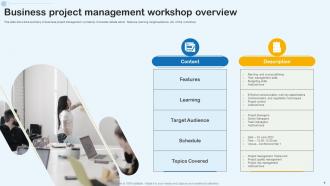
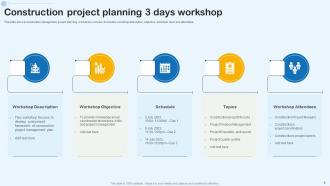
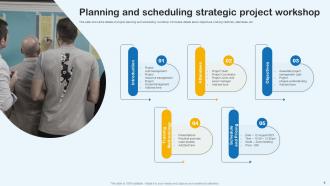
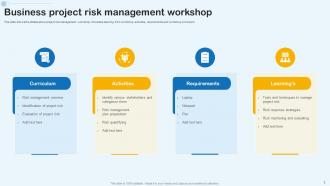







FAQs for Project Workshop Powerpoint
So first thing - write down clear goals and who's doing what. Map out your agenda with actual time slots, otherwise it'll drag on forever. Build in brainstorming time, decision-making chunks, and definitely action items with names attached (not just "someone will handle this"). Coffee breaks are non-negotiable after like 90 minutes - hangry people don't collaborate well. Tell everyone what prep work they need beforehand. Oh, and have a solid follow-up plan ready or half the decisions will just evaporate. Start simple with a basic template, then tweak it based on how your specific team actually works together.
Honestly, good visual design is like magic for workshops. Your audience won't zone out if you break up those massive text blocks with bold headings and actual icons instead of boring bullet points. Colors help too - group similar stuff together so people can follow along easier. Oh, and don't underestimate white space! Nobody wants to stare at a cluttered mess of information. I always think contrast is super underrated for making important points stand out. Takes maybe 10 minutes to clean up your slides but you'll definitely notice people paying way more attention. Trust me on this one.
Don't make your templates super rigid - you'll need flexibility for different teams and projects. I once crammed way too many activities into one session and it was a disaster (turned 2 hours into 4 hours of pure chaos). Skip the vague instructions that leave people confused. Honestly, there's no point reinventing everything when solid frameworks already exist. The prep checklist section is boring as hell to write, but trust me, it'll save you later. Test with a small group first and actually time each part. Otherwise you're just guessing if it works.
Start with whatever template feels closest to what you're doing, then just tweak it from there. Way easier than building something new. Most let you edit headings and add custom fields anyway. So like, construction teams would swap generic stuff for permits and inspections, while dev teams might throw in sprint planning sections. Honestly, the workflow stages are probably the biggest thing to adjust - match them to however your projects actually flow. Oh, and definitely save your customized version once you're happy with it. That way everyone's using the same setup instead of doing their own random thing.
Honestly, audience analysis makes or breaks your whole workshop. Think about it - executives want different stuff than junior devs, right? You've gotta figure out their experience level, what they actually want to learn, and how they like working together. Otherwise you'll just end up with another boring template everyone zones out during. Survey a few people beforehand if you can - even just quick questions help. The pace, activities, even your language should match who's in the room. It's kinda obvious when you think about it, but so many people skip this step and wonder why their workshops flop.
Honestly, templates are lifesavers because people show up knowing what's expected of them. No more awkward silence while everyone waits for someone else to speak first. When you build in specific slots for feedback - like "concerns" or "priorities" - discussions actually go somewhere instead of wandering all over the place. Mix up how people contribute too. Some folks love speaking up, others prefer writing stuff down or voting in polls. Oh, and sharing the agenda beforehand is clutch - nobody wants to get blindsided with questions they didn't prep for. You'll catch way more useful insights this way.
Honestly, you need five main sections in that template. Start with progress/milestones you've hit, then blockers (this is the goldmine - where people can actually jump in and help). Next steps with real deadlines and owners, resource gaps, and decisions you need from stakeholders. I've sat through way too many updates that just drone on about completed tasks... like, cool, but what do you need FROM me? Stick to bullet points - paragraphs kill the vibe in workshops. Oh and make sure the "who owns what" part is crystal clear or nothing will happen after. You can tweak it later based on your team's quirks.
Throw in some polls and breakout rooms - those always get people talking. Miro or Jamboard work great for live collaboration stuff. Q&A sessions are solid gold because everyone wants to feel heard. I do these "pulse check" moments where people vote on what's next or drop quick reactions. Gamification is weirdly effective with adults (we're basically oversized kids anyway). Mix solo thinking time with group work every 15-20 minutes so nobody zones out. Oh, and create a "parking lot" board where questions can pile up during presentations - keeps their brains engaged even when you're doing the talking parts.
So I'd definitely go with Miro or Mural first - they're literally made for this stuff and have a bunch of workshop templates already built in. Figma's solid too if you're already using it (and hey, it's free). Google Slides works but honestly it's kinda boring for workshops. All of them let you share links with different permissions, which is clutch. The main thing is just picking whatever your team won't struggle with - like, don't make people create new accounts if you can avoid it. I'd say start with one tool and just build up your templates there instead of spreading them everywhere.
Make your template modular so you can swap sections around easily. Seriously learned this after way too many meetings went sideways! Keep the must-haves like objectives and next steps. Everything else? Make it flexible. Throw in placeholder sections for stuff you don't know yet, optional breakout activities, agenda blocks that can stretch or shrink when scope changes. Think framework, not rigid script. Oh and definitely test it with a small group first - saves you from looking like an idiot later. Keep notes on what worked so you can tweak it next time.
Okay so first thing - map out clear time blocks with actual goals for each part. People's attention spans are garbage, so throw in breaks between work sessions. I learned this the hard way lol. Make sure you've got decision points built in where you'll actually solve stuff, not just talk in circles forever. Oh and buffer time is clutch because these things always run long. Honestly, the best workshops I've been in had tight agendas that moved things forward instead of turning into those painful "we'll revisit this later" situations. End with real next steps and who's doing what.
Try weaving user journey maps and before/after scenarios right into your workshop activities. Timeline exercises are honestly my favorite right now - they get people thinking step-by-step about project impact. Have participants sketch problem scenarios or draw their ideal outcomes. Simple storyboards work great too. Visual metaphors are clutch - like comparing their project to building something or going on a journey. Oh, and make sure these aren't just decoration on slides. They need to be actual activities people DO during the workshop, not pretty backgrounds they ignore.
Honestly, just focus on the basics first. Track who shows up and actually participates - that tells you a lot. Did you hit your main goals? Are you running way over time every session? Post-workshop surveys are clutch because people will straight up tell you what sucked. The real test though? Check if anyone's actually doing what you talked about weeks later. Half the time workshops just vanish into thin air after they end. I'd start with maybe 3-4 simple metrics you'll actually look at - otherwise you'll drown in spreadsheets you never open.
Dude, templates seriously saved my life with workshop notes. I used to sit there mid-meeting like "wait, what was I supposed to write down again?" Now I've got pre-made formats for brainstorming sessions, retros, planning meetings - whatever. Each one has spots for decisions, action items, all that stuff your team needs. Participants know what's coming too, which is nice. You can actually focus on running the meeting instead of scrambling to document everything. I'd start with just one basic template this week and test it out. Makes things way smoother, trust me.
Send out a quick survey within 24-48 hours while everything's still fresh. Ask specific stuff - was the template clear, what sections were missing, where did they get stuck? Always include "what would you change?" because that's honestly where you get the best insights. You could also do a 5-minute debrief right when the workshop ends, or call a few people afterward who used different parts. Skip the generic "was this helpful?" questions - they're useless. Get into the weeds about which sections actually worked. Oh, and make the feedback form stupid simple so people will actually fill it out.
-
Ok. Good template
-
Unique research projects to present in meeting.
-
Time saving slide with creative ideas. Help a lot in quick presentations..