

Railway Powerpoint Ppt Template Bundles
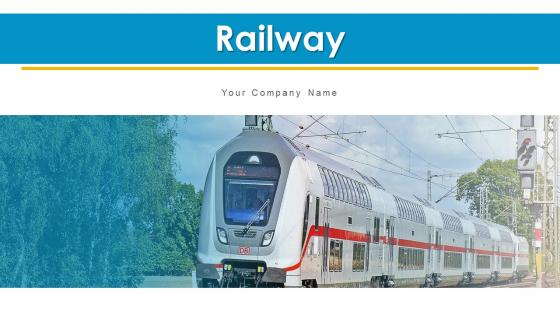




Try Before you Buy Download Free Sample Product
 Impress Your
 Audience
 100%
100% Editable
 Save Hours
 of Time


Our Railway Powerpoint Ppt Template Bundles are topically designed to provide an attractive backdrop to any subject. Use them to look like a presentation pro.
People who downloaded this PowerPoint presentation also viewed the following :
Railway Powerpoint Ppt Template Bundles with all 16 slides:
Use our Railway Powerpoint Ppt Template Bundles to effectively help you save your valuable time. They are readymade to fit into any presentation structure.








FAQs for Railway Powerpoint
So for your railway template, definitely go with those classic train colors - deep blues, steel grays, and that railroad red. Track maps are essential, plus you'll want locomotive graphics and safety icons scattered throughout. Oh and timeline elements too, those always look sharp. I'd throw in sections for schedules and station stops since you'll probably need those constantly. Operational metrics sections are smart to have ready. Don't forget placeholder slides for safety protocols - honestly, every railway presentation I've seen hammers safety pretty hard. Keep it flexible though. Route planning presentations are totally different from safety briefings, so you want something that works for both.
Oh definitely use visuals - makes a huge difference! Maps are perfect for showing routes, and diagrams help explain those crazy signaling systems that nobody understands otherwise. Photos of actual trains keep people awake too. Honestly, walls of text about locomotive specs will put everyone to sleep. Charts work well for ridership numbers or safety stats. People remember way more when they can actually see what you're explaining. Maybe grab a railway-themed template so it doesn't look like you threw it together last minute? Your audience will thank you for not boring them to death.
Blues and grays work really well since they match actual trains and tracks. Orange and yellow are solid choices too - they're literally the safety colors used in rail yards. Red's always a winner for that classic train vibe. Green pops up constantly in sustainable transport stuff, which honestly makes perfect sense. Just avoid anything too bright or cheerful. Your audience expects that industrial, reliable feel. Oh, and metallic silver looks great if you can pull it off in your slides. I'd go with blue-gray as your main color, then pick one bold accent. Keeps it clean but not boring.
Honestly, train animations are perfect for this stuff. Motion paths work amazing for showing locomotives moving between stations - audiences eat that up. I'd start with entrance effects so stations pop up on your route maps one by one. Timeline slides? Use fade or appear animations for each milestone instead of dumping everything at once. The key is keeping it subtle though (learned this the hard way after way too many spinning transitions in college presentations lol). Test the timing when you rehearse so it doesn't feel robotic. Trust me, a little train chugging across your slide beats boring static maps every time.
Focus on passenger volume and on-time performance first - those numbers matter most to execs. Revenue per mile is solid too. Safety incidents are huge, obviously, since nobody wants to explain crashes in a boardroom. Freight tonnage depends on your operation but usually makes the cut. I'd definitely throw in ridership trends because everyone loves seeing growth over time (even if it's not great news). Station utilization and maintenance costs are worth considering if you have room. But seriously, stick to like 4-6 metrics max or you'll lose people in a sea of charts.
Railway templates work great for transportation and logistics presentations - think pitching new train routes or explaining supply chains to clients. But honestly? I've seen people get creative with them for any step-by-step process. Project timelines, milestone tracking, that sort of thing. The whole "journey" metaphor is surprisingly flexible. Just depends on your audience really. If you're talking to transportation people or want that forward momentum vibe, it's perfect. Customize it with your actual data and you're good to go. Way better than another boring bullet point slide.
Oh man, this is such a big thing people mess up! Freight and passenger railways are basically different worlds. With freight, your audience wants cargo capacity, route efficiency, and cost per ton-mile stuff. Passenger folks? They care about ridership, on-time performance, and whether people actually enjoy the ride. I totally bombed a presentation once showing freight metrics to a transit authority - awkward silence everywhere. Quick test before you start: are they moving boxes or humans? That'll tell you if they want logistics optimization or happy commuters. Makes all the difference honestly.
Hey! So stick with your railway template colors - blues, grays, oranges usually look good together. Bar charts work great for ridership numbers, line graphs for tracking performance over time. Pie charts are fine for budget stuff but honestly everyone uses them way too much lol. Make your text big enough so people in back can actually read it. Don't clutter the background - you want the data to stand out. Always throw your source at the bottom and resist cramming everything into one chart. Oh, and start with your main point right in the title.
Honestly, the Railway template is pretty flexible for different audiences. Investors? Hit them with ROI projections and market data first - they eat that stuff up. Government folks care way more about public benefits and safety improvements though. Since it's modular, you can just rearrange slides or hide ones that don't fit. I'd definitely start with whatever your audience cares about most, then back it up with the railway visuals and numbers. Oh and pro tip - those financial metrics work great for investors, but they'll make government officials' eyes glaze over if you lead with them.
Honestly, videos of moving trains are your best bet - way more engaging than static slides. Throw in some sound effects too, like whistles or station announcements. Interactive maps where people can click around are surprisingly addictive for audiences. I'd also grab some audio clips of real train sounds, maybe even quick interviews with railway workers if you can find them. Animation works well for showing movement or timelines. Oh, and definitely test your tech stuff beforehand - nothing kills a presentation like scrambling with broken videos. Just don't go overboard with the multimedia or it'll overshadow your actual points.
Templates are honestly a game-changer for sustainability presentations. You can set up standardized slides for all your green stuff - energy efficiency numbers, carbon reduction, electrification projects, that kind of thing. Saves me hours when I'm constantly pulling together environmental reports. Plus your whole team stays consistent when presenting to the board or regulatory folks about compliance. I'd start with a sustainability template and customize it with your specific metrics. Makes those quarterly updates way less painful. Oh, and having the format ready means you can focus on the actual story instead of wrestling with slide layouts.
Start with a "journey through time" thing - trace everything from old steam engines to those crazy hyperloop ideas. Build some drama by showing current problems first (traffic jams, pollution), then rail becomes your hero. I'm obsessed with the "day in the life" angle too - like showing someone's 2040 commute on a maglev train. Honestly, contrasting visuals work so well here. Put crowded highways next to sleek rail systems. Maybe structure your whole presentation around one person's journey? Makes boring infrastructure stuff way more relatable. People remember stories better than statistics anyway.
Look, I've seen way too many train presentations that look like Thomas the Tank Engine threw up on PowerPoint. Keep it simple - max 2-3 railway elements per slide or it gets messy fast. Your text needs to actually be readable against those track backgrounds, so check your colors. Honestly, the biggest mistake is cramming every single train icon from the template onto one slide. Subtle animations work better than having bullet points literally chug across the screen (yes, people do this). Oh, and make sure your content actually fits the theme instead of just throwing random stuff on pretty train graphics.
Drop case studies right after you explain each main concept - they're perfect for connecting theory to real stuff. Like when you talk about capacity problems, boom, show how Metro X actually fixed theirs. People get bored during technical parts (trust me on this one), but real examples wake them up. Structure's simple: problem, what they did, results with numbers. Before/after pics work great too. Oh, and pick cases that actually match what your audience deals with - otherwise they'll just think "that's nice but doesn't help me." Make it relevant to their operations.
Start with the Federal Railroad Administration website - their safety data and operational stats are solid gold. The Association of American Railroads has great industry reports too. Railway Age and Progressive Railroading are good for current stuff and case studies. Oh, and International Union of Railways if you need global data. I swear government sites always have way more useful info than you'd expect, but you really have to dig around to find it. FRA should be your first stop though - they'll make your presentation look legit.
-
Much better than the original! Thanks for the quick turnaround.
-
Awesome use of colors and designs in product templates.