


Recruitment Process Monitoring Powerpoint Presentation Slides




Try Before you Buy Download Free Sample Product
 Impress Your
 Audience
 100%
100% Editable
 Save Hours
 of Time


Get a pool of qualified candidates using Recruitment Process Monitoring PowerPoint Presentation Slides. Appointing suitable candidates can be challenging. Therefore, SlideTeam has come up with a professionally designed recruitment process PPT presentation for you to review applications and shortlist the right candidates for the vacancies in your organization. Screen the best talent using recruitment process monitoring PPT PowerPoint show. Managers, human resource generalists, and recruitment specialists can access to this ready-to-use talent acquisition PPT deck to make this extensive process easy and simpler. You can also work on the budget for the recruitment. You can track the recruitment process, recruitment sources, recruitment funnel, and more with this content-ready recruitment process monitoring PowerPoint sample file. This PPT show on recruitment strategy plan is an apt choice for the HR managers to identify and analyse the right candidate for the job. This deck will also help you identify the job specifications, its nature, experience, qualifications, etc. Get your hands on the ready-made recruitment process monitoring presentation deck to give the opportunity to the best talent in your organization. Cut down disparity with our Recruitment Process Monitoring Powerpoint Presentation Slides. Encourage the creation of equal conditions.
People who downloaded this PowerPoint presentation also viewed the following :
Content of this Powerpoint Presentation
Slide 1: This slide introduces Recruitment Process Monitoring. State Your company name and begin.
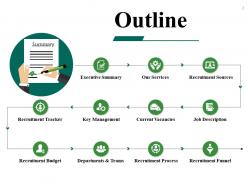
Slide 2: This slide shows Outline with these important storyline- Executive Summary, Key Management, Our Services, Current Vacancies, Recruitment Tracker, Recruitment Sources, Departments & Teams, Recruitment Process, Job Description, Recruitment Funnel, Recruitment Budget.
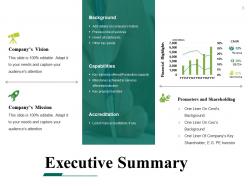
Slide 3: This slide presents Executive Summary showing these amin headings- Background, Capabilities, Accreditation, Financial Highlights, Promoters and Shareholding, Company’s Mission, Company’s Vision.
Slide 4: This slide shows Key Management. You can add your comapany management names with designations.
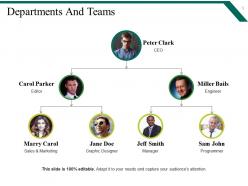
Slide 5: This slide presents Departments And Teams. You can add the information of your company.
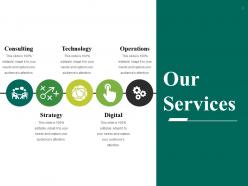
Slide 6: This slide shows Our Services with these categories- Consulting, Strategy, Technology, Digital, Operations.
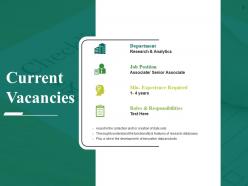
Slide 7: This slide showcases Current Vacancies and also includes these parameters- Department, Min. Experience Required, Roles & Responsibilities, Job Position.
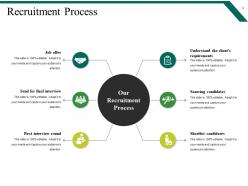
Slide 8: This slide shows Recruitment Process with these mentioned parameters- Understand the client’s requirements, Sourcing candidates, Shortlist candidates, First interview round, Send for final interview, Job offer.
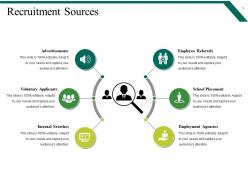
Slide 9: This slide presents Recruitment Sources with these six stages- Internal Searches, Voluntary Applicants, Employment Agencies, School Placements, Employee Referrals, Advertisements.
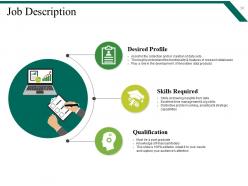
Slide 10: This slide presents Job Description which further guide you to add more information about- Desired Profile, Qualification, Skills Required.
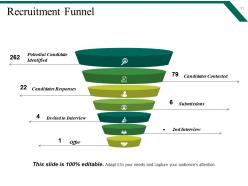
Slide 11: This slide shows Recruitment Funnel with these important factors to note- Potential Candidate Identified, Candidates Contacted, Candidates Responses, Submissions, Invited to Interview, Offer, 2nd Interview.
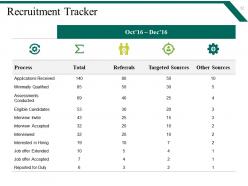
Slide 12: This slide shows Recruitment Tracker. You can add the data for the requirement or hiring processes.
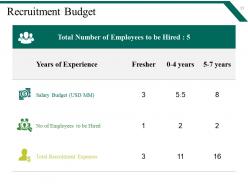
Slide 13: This slide guide you to add the Recruitment Budget and also add the data as per your requirement.
Slide 14: This slide shows Coffee Break image.
Slide 15: This slide displays the title Charts & Graphs.
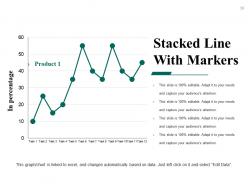
Slide 16: This slide shows Stacked Line With Markers to show information/data in percentage.
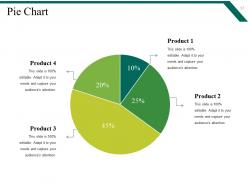
Slide 17: This slide presents a pie chart . You can analyse the product or company through it.
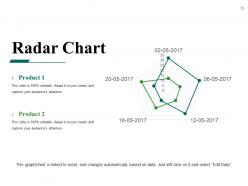
Slide 18: This slide presents a Radar Chart graph/chart. Compare Product 01, Product 02 and use as per required.
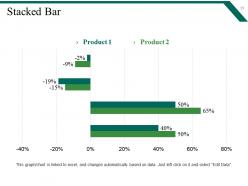
Slide 19: This slide shows Stacked Bar with which you can analyse the sales of the product and compare it.
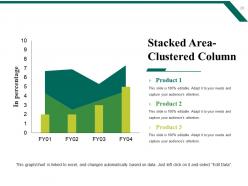
Slide 20: This slide displays Stacked Area-Clustered Column chart with three products comparison.
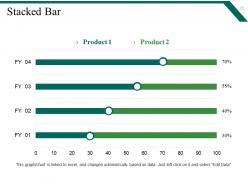
Slide 21: This slide shows Stacked Bar with which you can analyse the sales of the product and compare it.
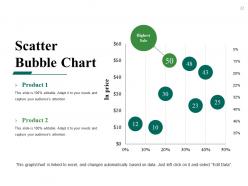
Slide 22: This slide shows Scatter Bubble Chart with two products comparison.
Slide 23: This slide is titled as Additional slides for moving forward.
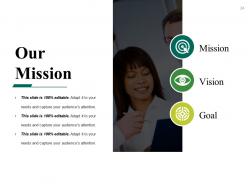
Slide 24: This is Our Mission slide with related imagery and text boxes.
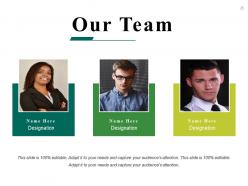
Slide 25: This slide showcases Our Team with Name and Designation to fill.
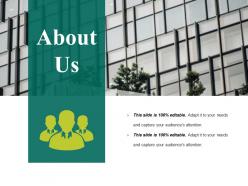
Slide 26: This is About us slide to show company specifications etc.
Slide 27: This slide shows Our Goals for your company.
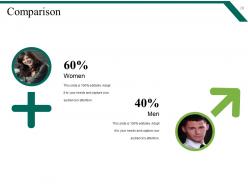
Slide 28: This slide shows Comparison. Compare your company business internally as well as externally.
Slide 29: State your Financial score in this slide with relevant imagery and text.
Slide 30: This is a Quotes slide to convey message, beliefs etc.
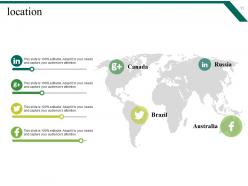
Slide 31: This is a Location slide to show global growth,presence etc. on world map.
Slide 32: This slide displays Our Target with a background image.
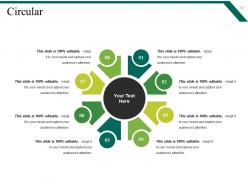
Slide 33: This is a Circular image slide to show information, specifications etc.
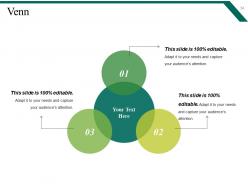
Slide 34: This is a Venn diagram image slide to show information, specifications etc.
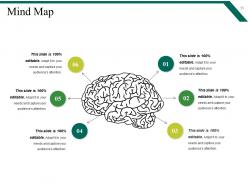
Slide 35: This slide shows a Mind map for representing entities.
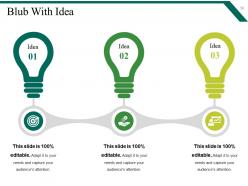
Slide 36: This is a Bulb Or Idea image slide to show information, innovative aspects etc.
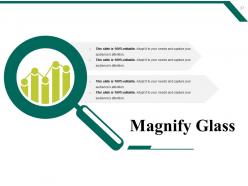
Slide 37: This is a Magnifying glass image slide to show information, scoping aspects etc.
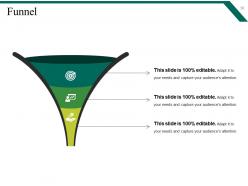
Slide 38: This is a Funnel image slide showing: Calls-to-action, Reachability, User Experience, Color Schemes, Engagement, Simplicity.
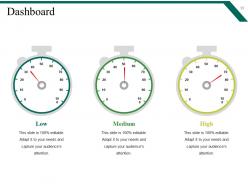
Slide 39: This is a Dashboard slide to show- Strategic System, Success, Goal Process, Sales Review, Communication Study.
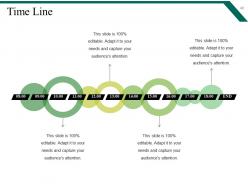
Slide 40: This is a Timelines slide to show- Plan, Budget, Schedule, Review.
Slide 41: This is a Thank You image slide with Address, Email and Contact number.
Recruitment Process Monitoring Powerpoint Presentation Slides with all 41 slides:
Convince folks of your accountability with our Recruitment Process Monitoring Powerpoint Presentation Slides. Display authority during your innings.




FAQs for Recruitment Process Monitoring
Break it down into five stages: job posting, screening applications, interviews, making decisions, and onboarding new hires. Each stage has its own metrics to watch. Getting flooded with applications but no one passes screening? Your job requirements are probably too strict or confusing. Track stuff like how long positions stay open, where candidates drop out, your interview-to-offer ratio, and whether people stick around after 90 days. Honestly, retention metrics are super telling about your whole process. Don't go overboard though - pick like 2-3 key numbers per stage or you'll get overwhelmed with data and miss the actual problems.
Honestly, start tracking which channels actually work for you. LinkedIn might be amazing for senior hires but garbage for entry-level - you won't know until you dig into the numbers. Look at quality of candidates, how fast you're filling roles, and conversion rates from each source. Don't forget cost-per-hire either, since those "free" job boards can end up costing you tons in time. I'd check these monthly and just move your energy toward whatever's consistently working. It's pretty eye-opening once you see the data laid out.
Greenhouse and Workday are solid ATS options - they'll help you track candidates way better. HireVue for video interviews has been a lifesaver honestly, no more back-and-forth scheduling nonsense. Tableau's great for spotting where things get stuck in your pipeline, though your current HRIS might already have decent dashboards. Oh, and Zapier is clutch for connecting different systems so you're not doing manual data entry all day. I'd probably start with whatever plays nice with what you already have. Build it out slowly instead of trying to overhaul everything at once.
So you're basically getting a peek behind the curtain at what candidates *actually* think about your interview process. Most companies have no clue their "quick 30-minute chat" feels like an interrogation to candidates. Honestly, the patterns you'll spot are eye-opening - like maybe everyone's confused about that weird technical test you love. Send out a simple survey after each round (even just 2 questions works). You'll catch the stuff that's probably making good people run for the hills before you even realize it.
Think of data analytics as your hiring reality check - shows you what's *actually* working instead of what you assume is working. Track stuff like cost-per-hire, which job boards get you good people, and how long roles stay open. Honestly, I used to just wing it with posting jobs everywhere, but tracking the numbers completely changed my approach. You'll spot where candidates are getting stuck in your process too. Oh, and it helps predict when you'll need to hire next. Just pick 3 or 4 metrics that actually matter to you and stick with those.
So here's the thing - you need to actually track your numbers to catch bias in action. Start simple: where do diverse candidates drop out? Which job boards bring better talent pools? Are your interview panels being fair? Honestly, the data will probably surprise you (it definitely did for me). Once you see the patterns, you can tweak your sourcing, fix job descriptions that sound exclusionary, and get your interviewers some bias training. Don't overcomplicate it though - just pick 2-3 diversity metrics for your next hiring round and see what happens.
Honestly, most companies get obsessed with stuff that doesn't matter - like how fast they hire instead of whether those hires are actually good. Classic mistake. They'll collect tons of data then just... ignore it? Super frustrating to watch. Don't go crazy with like 20 different metrics either - you'll drown in numbers. Industry context matters too when you're setting goals. Oh, and definitely watch for bias creeping into your process. Start simple with maybe 3-5 metrics that actually tell you something useful. Check them monthly and make real changes based on what you find.
Monthly check-ins work best, honestly. The job market's crazy fast right now - you don't want to wait three months to realize your time-to-hire just tanked. Track the basics monthly: time-to-fill, candidate feedback scores, maybe conversion rates. Then quarterly, dig deeper into whether your whole process actually makes sense. I've seen too many companies miss red flags because they only looked at this stuff quarterly (or worse, never). Set up some simple dashboard thing and just... actually look at it regularly. Sounds obvious but most people don't.
Dude, watch for your time-to-hire going way over target - like 8 weeks instead of 4. That's a dead giveaway. High offer rejections are brutal too, or people just ghosting mid-process. If you're drowning in terrible applications, your job posts probably suck (been there). Your hiring managers will definitely let you know when candidate quality tanks. Oh, and if your recruiters keep missing targets? Yeah, that's not sustainable. Sometimes you just feel it in your gut that nothing's working. Track your numbers weekly and compare to industry stuff - you'll see exactly where you're losing people. It's honestly pretty obvious once you start paying attention.
Check your social media metrics around job posts and see which platforms actually bring in decent candidates. LinkedIn's obviously the main one, but Twitter and TikTok can be surprisingly good depending on who you're trying to hire. Track engagement rates and how people respond to your culture posts - that stuff matters more than you'd think. Set up Google Alerts for your company name plus "interview" so you'll catch what people are saying about your process. Also watch your click-through rates from social to your careers page. Oh, and pay attention to comment sentiment - candidates will definitely call out bad interview experiences online these days.
So CRM totally changes how you track recruiting because you're following candidates through their whole journey, not just the basic hire/no-hire stuff. Better data on pipeline health and conversion rates over time. You'll spot exactly where people drop off too - honestly game-changing for fixing broken processes. Response rates to your outreach become just as important as your usual metrics. The cool part is you're now tracking engagement and nurture campaigns. Sometimes you even end up hiring from your talent pool months later, which makes those relationship investments actually worth it.
Honestly, just start tracking your basic metrics - time-to-hire, where candidates drop off, which sources actually work. Then dig into what's causing the problems. Get feedback from everyone involved (candidates hate our process way more than we think, trust me). Try small experiments with different approaches and see what happens. Don't try to fix everything at once though. Pick your worst metric first and focus there. The whole point is making changes based on real data, not what you assume is broken. Otherwise you're just making pretty charts that don't actually help anyone hire better people.
Break down your costs by where you're actually finding people - job boards, agencies, all that stuff. Most companies totally miss counting their internal recruiter salaries, which is honestly the biggest chunk. Track screening costs too (assessments, interview time). Set up monthly cost-per-hire but pair it with quality stuff like 90-day retention. Otherwise you're just optimizing for cheap hires that quit immediately, which sucks. Even a basic spreadsheet works - your ATS might have decent reporting if you're lucky. Just start tracking something this week instead of guessing where your budget's going.
Start tracking compliance stuff right from the beginning - don't wait until there's a problem. Document literally everything: job posts, interview notes, why you rejected people. Your system should collect EEO data for reporting, but keep that completely separate from actual hiring choices. I'd run audits every quarter to catch any weird patterns that might look like bias. Train your hiring managers on interview do's and don'ts too - some of them ask the dumbest questions without realizing it's illegal. Way better to be ahead of this than dealing with complaints later.
Honestly, I'd start with those 30/60/90 day check-ins - they're gold for seeing if someone's actually meeting expectations. Retention's another big one though. If people keep bailing within their first year, your hiring process probably needs work. Manager feedback helps too, plus tracking how long it takes new people to get up to speed. Oh and some teams look at promotion rates down the line, which is pretty smart. The key thing is setting up automatic reminders for those check-ins. Trust me, you'll forget otherwise and then you're stuck trying to remember who started when.
-
Very unique and reliable designs.
-
Excellent Designs.