


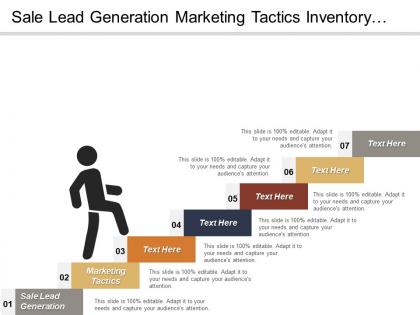
Sale lead generation marketing tactics inventory management control electric sales




Try Before you Buy Download Free Sample Product
 Impress Your
 Audience
 100%
100% Editable
 Save Hours
 of Time


Have the edge over others with our Sale Lead Generation Marketing Tactics Inventory Management Control Electric Sales. They get you that bit further ahead.
People who downloaded this PowerPoint presentation also viewed the following :
Sale lead generation marketing tactics inventory management control electric sales with all 5 slides:
Get involve in fruitful action with our Sale Lead Generation Marketing Tactics Inventory Management Control Electric Sales. Be able to join the game.
FAQs for Sale lead generation marketing tactics inventory management
Dude, gated content is where it's at - throw your best presentation templates behind a lead form and watch people jump on it. Webinars are solid too since you're presenting AND grabbing contact info at the same time. B2B people are honestly starving for decent templates, so offer customized pitch decks or industry-specific bundles. The trick is making your stuff valuable enough that they'll actually give you their email. I'd probably start with one killer template and see what hits. Oh, and sales deck customization works well too if you've got the bandwidth for it.
Dude, clean slides are everything. People judge your stuff in like 2 seconds - it's honestly crazy how shallow we all are. But whatever, use it to your advantage. Good visuals keep people actually paying attention instead of zoning out on boring text walls. Plus it makes you look way more professional and trustworthy. Your value prop comes across clearer too when you're not drowning people in bullet points. I'd start by cutting half the text you currently have and throw in one solid image per main point. Trust me, less is more here.
Those CTA buttons are literally what turn your presentation into actual leads - without them you're just giving a nice talk that goes nowhere (trust me, been there!). Don't just slap one at the end though. Sprinkle them throughout your deck with clear action words like "Get Your Free Audit" or "Start Your Trial Today." Make them pop visually and remove any annoying friction from clicking through. Oh, and definitely test different colors and copy - you'd be surprised how much difference small tweaks make in getting people to actually convert instead of just saying "great presentation" and walking away.
Dude, your personas should totally dictate how you write those templates. Busy executives? Keep it short, talk money. Creatives need something that actually looks good and hits their real problems - like dealing with nightmare clients or juggling fifty projects at once. I swear, most people just blast out the same boring template to everyone. Big mistake. Match how they actually speak, use visuals from their world, tackle what keeps them up at night. Pick your top 2-3 personas first and make separate versions for each. Way more work upfront but you'll actually get responses.
Pick case studies from their exact industry - honestly, generic ones just don't hit the same. Start with the problem they're facing, not what you're selling. I learned this the hard way, but putting your biggest number right upfront works because people's attention is shot these days. Keep it under 3 minutes and focus on one clear win instead of rambling about everything. You'll want to connect their specific headaches to how your case study client transformed things. Oh, and prep 3-4 different stories beforehand so you can choose based on what you discover about their situation.
Honestly, charts and graphs are game-changers for sales pitches. Instead of just throwing numbers at people, you're showing them proof they can actually see. Makes everything click faster, you know? Like, there's a huge difference between saying "our solution works" and pulling up a before/after chart that proves it. People trust what they can visualize way more than a bunch of bullet points. Plus they'll remember it better too. I learned this the hard way after boring prospects to death with spreadsheet data. Now I turn at least half my stats into simple visuals. Trust me, it works.
So for your lead magnet, start with a headline that actually addresses what's bugging your audience - not some generic fluff. Show them exactly what they're getting with a preview or contents list. People hate mystery when they're handing over their email, you know? Throw in some social proof if you've got it. Oh, and make sure your call-to-action button isn't hiding somewhere weird. Design-wise, keep it simple and test it on mobile first since that's where everyone's scrolling anyway. Honestly, just pick one template and A/B test different headlines - that's where you'll see the biggest difference in conversions.
Dude, stories are pure gold for presentations - they make people actually remember you instead of forgetting five minutes later. I've seen so many pitches where everyone's scrolling their phones, but throw in a real customer story with actual numbers? Suddenly they're paying attention. It builds trust too because you're not just rattling off features like a robot. People connect with transformation stories way more than spec sheets. Here's what works: pick one solid customer example per presentation. Make it specific - like "Sarah increased her revenue 40% in three months" not some vague success mumbo jumbo. That's how you get real follow-ups.
Honestly, LinkedIn's your golden ticket for B2B stuff - the targeting is insane and you can actually get in front of the right people. Email works great if your list doesn't suck. Webinars are solid too since you present and collect leads at the same time, which is nice. YouTube's weirdly underrated for this - I mean, once you post something it just keeps working. Social media... eh, depends on who you're trying to reach really. I'd start with LinkedIn and email first. See what clicks, then mess around with the other stuff once you know what your people actually respond to.
Track your immediate stuff first - attendance, how engaged people were, did they stay for Q&A. Then capture leads through email signups, demo requests, whatever your main call-to-action is. But honestly? The real money is in following those leads down the funnel. Watch conversion rates from attendee to qualified lead to paying customer. Time-to-close matters too since presentation leads are already warm. Oh, and set up UTM codes beforehand - learned this the hard way when I couldn't prove ROI on a webinar series. You'll want proper attribution in your CRM.
Honestly, the worst thing you can do is sound like every other boring sales email. Don't be pushy from the start - it's such a turnoff. Those clickbait subject lines that promise the world but deliver nothing? Skip them. And for the love of god, stop asking for someone's life story just to download one PDF. Nobody's filling out 15 form fields for that. Different people need different approaches too. I see so many companies blast the same message to everyone. Focus on what's in it for them, not what you want. Oh, and definitely test different versions - you'll be surprised what actually works versus what you think will work.
Track your presentation metrics and actually collect feedback - most people totally skip this part then wonder why they're stuck. Monitor conversion rates, engagement during demos, follow-up responses. Ask prospects straight up what worked and what didn't. I keep a simple spreadsheet (nothing fancy) to spot patterns across different interactions. Try A/B testing different formats or messaging angles. The real game-changer is being systematic about it instead of just winging it every time. Review what's working weekly and adjust from there.
So B2B tech, consulting, and agencies get the most out of these templates - basically anywhere you're explaining complicated stuff to prospects. SaaS and financial services do really well with them too. Real estate agents love them because they can show value fast. Healthcare and manufacturing work since they deal with technical jargon that templates help simplify. Honestly though, if you're pitching regularly, you'll probably see benefits regardless of industry. I'd start with your top 3 pitch situations and build templates around those first - way easier than trying to tackle everything at once.
Honestly, seasonal stuff makes a huge difference in presentation design. Your messaging needs to shift - back-to-school vibes in August, budget talk before fiscal year ends, that sort of thing. Holiday seasons are rough because everyone's distracted, so keep slides super punchy. Match your colors and images to the season but don't go crazy with themed graphics (trust me, snowflakes in B2B presentations look ridiculous). Value props should reflect what your audience cares about right then. Oh, and start planning these variations like 6-8 weeks early. I learned that the hard way when I was redesigning everything at midnight before a December pitch.
Honestly, I'd start with Canva or PowerPoint - both are solid for making presentations that don't suck. Tableau's amazing for data viz if you want to show ROI projections, but Google Sheets works fine too if you're being budget-conscious. Loom and Vidyard are clutch for video stuff, especially personalized outreach (way more effective than generic decks). HubSpot or Salesforce can track what's actually working conversion-wise. Oh, and focus on telling a good story first - I've watched so many deals die because people got obsessed with making things look pretty instead of being persuasive. Pick whatever tool feels natural to you and just start there.
-
Nice and innovative design.
-
Great experience, I would definitely use your services further.