


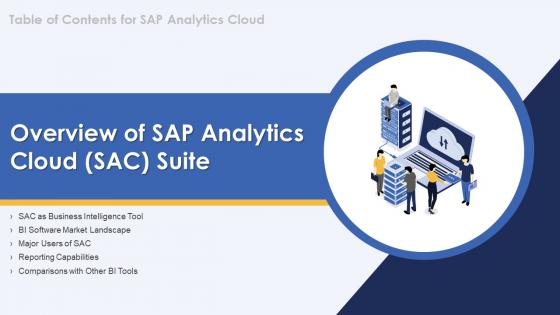
Sap Analytics Cloud Overview Of Sap Analytics Cloud Sac Suite




Try Before you Buy Download Free Sample Product
 Impress Your
 Audience
 100%
100% Editable
 Save Hours
 of Time


Our Sap Analytics Cloud Overview Of Sap Analytics Cloud Sac Suite are topically designed to provide an attractive backdrop to any subject. Use them to look like a presentation pro.
People who downloaded this PowerPoint presentation also viewed the following :
Sap Analytics Cloud Overview Of Sap Analytics Cloud Sac Suite with all 6 slides:
Use our Sap Analytics Cloud Overview Of Sap Analytics Cloud Sac Suite to effectively help you save your valuable time. They are readymade to fit into any presentation structure.





FAQs for Sap Analytics Cloud Overview Of Sap Analytics
Honestly, SAP Analytics Cloud's main thing is cramming planning, analytics, and predictive stuff into one platform. Most BI tools make you bounce between different systems which is annoying as hell. You can build dashboards, run forecasts, AND do budgeting without switching around. If you're already using SAP systems, the real-time connection is clutch. The augmented analytics features are pretty solid at catching things you'd miss otherwise. Planning workflows blow Tableau out of the water - though Tableau's obviously better for pure viz. I'd try a pilot that uses both reporting and planning functions so you actually see why the integration matters.
So SAP Analytics Cloud lets you connect directly to your source systems - HANA, S/4HANA, whatever databases you're using. Pretty neat setup once you get through the initial config headache. Your dashboards refresh automatically, so no more manual updates. I'd definitely use Smart Predict for forecasting and the planning tools for scenario modeling. Performance-wise, figure out what actually needs real-time data versus daily refreshes first. Trust me on this one - I learned the hard way that not everything needs to update every five minutes. It'll save you tons of trouble down the road.
SAP Analytics Cloud hooks into pretty much everything - S/4HANA, BW, Snowflake, BigQuery, even basic Excel files and REST APIs. Real-time connections work great if you need live data, or you can just import stuff directly. Honestly, Smart Data Integration is a lifesaver for the complicated transformations - saves you so much manual work. SAP Data Intelligence is another option but might be overkill depending on what you're doing. I'd map out what data sources you're actually working with first, then figure out if you need real-time updates or can get away with scheduled refreshes.
Oh yeah, SAP Analytics Cloud is actually pretty good for team stuff. You can share dashboards and reports with different permission levels, which is nice. The commenting feature lets you drop notes right on specific data points - honestly way better than emailing back and forth about what you're seeing. Real-time collaboration works well too, so multiple people can work on the same thing without stepping on each other. They've got these workspace areas where everyone can contribute ideas and build off each other's work. I'd say just try sharing one dashboard first though - get a feel for how your team uses it before you go crazy with it.
So predictive analytics in SAC is basically about using your old data to forecast what's coming next - sales trends, customer churn, demand spikes, that kind of stuff. Way better than just reacting after things happen. You can build ML models right in the platform, which is honestly cooler than I expected when I first tried it. Smart insights will catch weird patterns you'd probably miss too. Oh, and definitely start with Smart Predict - it's like having training wheels but actually useful. Walks you through the whole forecasting thing without needing a PhD in data science.
SAC story-building is like making interactive dashboards - you just drag charts and tables onto pages. Connect your data models first, then drop in dimensions and measures to build visualizations. Honestly, the interface feels a lot like PowerPoint but for data stuff. You can add multiple pages, throw in some input controls for filtering, plus text boxes for context. Everything updates automatically when people mess with the filters, which is pretty neat. Oh, and don't go crazy at first - start with a few basic charts then add more complex stuff once you're not fumbling around anymore.
Pick the right chart first - bars for comparing stuff, lines for trends over time. Pie charts are honestly just awful most of the time, so skip those. Stick to maybe 3-4 colors max and use them consistently across everything. Your titles should actually explain what people are looking at, not just be some random field name. SAC's mobile stuff works pretty well if you set it up right. Oh, and definitely test with real users before you're done - I've made charts that seemed super obvious to me but totally confused everyone else.
So SAP Analytics Cloud basically puts all your budgeting and forecasting stuff in one place, which is honestly a lifesaver. No more version control nightmares with spreadsheets everywhere. You can build planning models that roll up from departments to the whole company automatically. The predictive features are pretty solid too - they'll help you spot trends and run different what-if scenarios. Oh, and multiple people can work on the same plan at once without that annoying email ping-pong thing we all hate. They've got templates to get you started quickly, though I'd still expect a bit of a learning curve at first.
SAC's security is actually pretty decent - encryption's handled for data in transit and at rest, plus you get role-based controls to limit who sees what. Multi-factor auth works way smoother than I expected (unlike some other platforms that are a total pain). Data masking for sensitive stuff? Check. Audit trails to see who's poking around your models? Yep. It runs on SAP's cloud so all the compliance boxes are ticked. Honestly though, start with user roles first - that's where most people screw up and create headaches later.
SAC has some built-in ML stuff that's actually pretty solid for finding patterns and weird outliers without you having to become a data expert or whatever. The forecasting works well for sales predictions, plus it'll automatically group customers and products in ways that make sense. Honestly, the "Smart Insights" panel is where I'd start - it finds correlations you'd probably miss otherwise. Once you get comfortable with that, you can mess around with the predictive models in the planning section. It's basically like having someone smart looking over your shoulder pointing out interesting things in your data.
Yeah SAC works everywhere honestly. Most places use it for financial planning and budgets, but there's more to it. Retailers do demand forecasting and inventory stuff. Manufacturing companies are obsessed with supply chain analytics - makes sense I guess. Healthcare tracks patient outcomes, financial services does risk management. The key is figuring out what's actually broken in your company first. Like, what keeps people up at night? That's where you'll see results fast. You can basically build dashboards around any metrics that matter to your business.
Yeah, SAP Analytics Cloud has a mobile app for iOS and Android that's pretty decent. You can view dashboards, drill down into data, and set up push notifications for alerts. It's not as polished as using it on desktop though - kinda clunky at times if I'm being honest. They've got accessibility stuff too like screen reader support and high contrast modes. Oh, and keyboard navigation for people who need it. I'd definitely test it out with your main dashboards first before getting everyone on board. The app works fine but you'll want to make sure it actually handles what your team needs day-to-day.
Ok so first thing - get your tenant account set up, then tackle the authentication stuff (SSO or SAML usually). Data connections come next - hook it up to whatever you're using like BW or HANA. User roles and permissions are pretty straightforward after that. Honestly the security piece is where most people mess up, so spend time there. Oh and definitely start with a small pilot group instead of rolling it out everywhere - learned that one the hard way! You can set up content folders and basic dashboards once you've got the foundation solid. Way less headaches that way.
Honestly, just start simple - pick your top 5 KPIs and build one executive dashboard first. Connect it to your data sources, then set up those scorecard views that show real-time performance vs targets. SAC's automated alerts are a lifesaver btw, way better than constantly checking stuff manually. The drill-down feature is pretty slick too - you can click from high-level metrics straight into the detailed data to see what's actually driving those numbers. Oh, and don't sleep on the planning features for forecasting and comparing your actuals against what you planned.
Honestly, I'd start with SAP's free Learning Journey for Analytics Cloud - gets you oriented without spending anything. YouTube's actually pretty solid for this stuff, lots of good tutorials from both SAP and random experts. The official Learning Hub has structured courses if you like that approach. openSAP has courses too but they're kinda boring, not gonna lie. Your company might spring for instructor-led training if they've got budget - it's thorough but expensive as hell. Oh, and definitely grab a trial system to mess around with. Nothing beats actually clicking through the interface yourself.
-
Out of the box and creative design.
-
The presentations are very helpful. I am always able to get appropriate templates for the different topics related to my profession.