


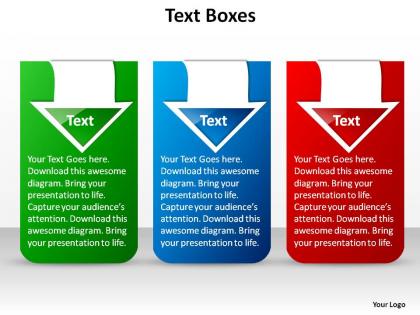
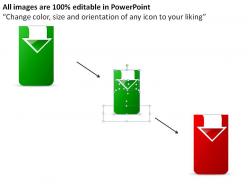
Three stylish text boxes blue green red with arrows ppt slides presentation diagrams templates powerpoint info graphics




Try Before you Buy Download Free Sample Product
 Impress Your
 Audience
 100%
100% Editable
 Save Hours
 of Time


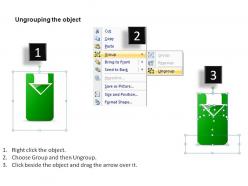
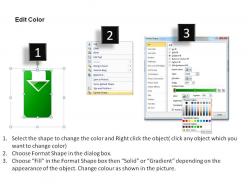
Presenting our three stylish text boxes blue green red with arrows PPT slides presentation diagrams templates PowerPoint info graphics. This presentation slide text boxes with arrows has been designed by our professional team members and can be used to portray wide variety of information with different configurations and style. It is easy to make the presentation unique with textboxes and arrows for PowerPoint. With the help of this slideshow text box the users will be able to customize the vectors to meet the exact need. This layout can be used by anyone conveniently and use the template to deliver reports to the audiences with high-impact. This power point slide with arrows and text is an editable can be used in your presentations to add a caption or text, point directly to an object or part of the chart you’re referencing and more customized by changing colors and adding your own text. Our three stylish text boxes blue green red with arrows ppt slides presentation diagrams templates powerpoint info graphics are a detailed lot. They cover a variety of topics.
People who downloaded this PowerPoint presentation also viewed the following :
Three stylish text boxes blue green red with arrows ppt slides presentation diagrams templates powerpoint info graphics with all 7 slides:
There is no disagreement with the quality of your thoughts. Our three stylish text boxes blue green red with arrows ppt slides presentation diagrams templates powerpoint info graphics will treat them as top of the line.

FAQs for Three stylish text boxes blue green red with arrows ppt slides presentation diagrams templates
Effective text box design practices include using consistent fonts and sizes, maintaining adequate white space, aligning content strategically, limiting text density, and ensuring high contrast for readability. These design principles enhance audience comprehension by creating visual hierarchy, reducing cognitive load, and directing attention to key messages, with many presenters finding that well-designed text boxes significantly improve message retention and engagement.
Text boxes enhance visual storytelling by creating focal points, establishing information hierarchy, providing contextual annotations, organizing complex narratives, and enabling strategic content placement across slide layouts. Through strategic positioning and formatting, presenters can guide audience attention, highlight key insights, and create seamless narrative flow, with many finding that well-designed text boxes transform static slides into compelling visual stories.
Text boxes serve as visual anchors that isolate and highlight critical information, making key messages stand out through strategic placement, contrasting colors, and distinctive formatting. These design elements enhance audience retention by breaking up dense content, creating visual hierarchy, and directing attention to essential takeaways, with many presenters finding that well-positioned text boxes significantly improve message clarity and audience engagement.
Color and typography in text boxes significantly impact audience comprehension by enhancing readability, creating visual hierarchy, and directing attention to key information. Strategic color choices improve contrast and accessibility, while consistent typography reduces cognitive load, with many organizations finding that well-designed text boxes increase information retention by up to 40% and streamline audience understanding.
Common mistakes when using text boxes in presentations include overcrowding slides with excessive text, using inconsistent formatting and fonts, poor alignment and spacing, and choosing colors that clash with backgrounds or reduce readability. These errors significantly impact audience engagement and message clarity, with many presenters finding that streamlined text boxes, consistent styling, and strategic white space ultimately deliver more professional presentations and enhanced audience comprehension.
Text boxes guide audience attention through strategic positioning at visual focal points, contrasting colors, whitespace utilization, and hierarchical sizing that creates clear information pathways. By placing key messages in upper-left quadrants, using directional cues, and employing consistent spacing patterns, presenters can control reading flow and emphasize critical data points, ultimately delivering more engaging presentations with improved audience comprehension.
Text boxes offer greater design flexibility, content customization, visual hierarchy control, and seamless integration with graphics compared to traditional bullet points. They enable presenters to create more engaging narratives, highlight key messages strategically, and maintain audience attention through varied layouts, with many organizations finding that text boxes deliver improved presentation flow and enhanced visual storytelling capabilities.
Animation effects on text boxes enhance engagement by controlling information flow, maintaining audience focus, and creating visual interest through strategic reveals and transitions. These dynamic elements help presenters guide attention systematically, prevent cognitive overload during complex explanations, and maintain momentum throughout lengthy presentations, with many speakers finding that well-timed animations significantly improve audience retention and participation rates.
Essential features include font customization options, alignment controls, border and background styling, text formatting tools, and layer management capabilities. Professional design software like Adobe Creative Suite, Canva Pro, or presentation platforms deliver these functionalities through intuitive interfaces, enabling designers and content creators to produce visually compelling materials while maintaining brand consistency and professional standards.
Different industries utilize text boxes strategically to enhance communication effectiveness, with financial services using them for data highlights and disclaimers, healthcare for patient information and compliance notes, and retail for product specifications and promotional callouts. These versatile design elements streamline information delivery by organizing complex content, emphasizing key messages, and maintaining visual consistency, ultimately enabling organizations to communicate more effectively with stakeholders.
Creative text box layouts include overlapping geometric shapes, asymmetrical grids, curved or circular arrangements, diagonal alignments, and layered transparency effects. These design approaches enhance visual hierarchy by creating dynamic focal points, guiding audience attention through strategic positioning, and breaking traditional rectangular constraints, with many presenters finding that varied layouts significantly improve engagement and information retention.
Accessibility through text boxes requires high contrast colors, readable fonts like Arial or Calibri, sufficient white space, and clear hierarchical structure for screen readers. These design principles enable visually impaired audiences to navigate content seamlessly, while proper alt-text descriptions and logical reading order ensure presentations deliver inclusive experiences across diverse organizational settings.
**INPUT**: What innovative uses of text boxes can stand out during a competitive pitch? **OUTPUT**: Innovative text box applications include interactive callouts with key metrics, layered storytelling boxes that reveal information progressively, color-coded competitive comparisons, testimonial spotlights, and strategic timeline markers. These approaches transform static presentations into dynamic narratives, enabling presenters to guide attention systematically, emphasize differentiators clearly, and create memorable visual hierarchies that resonate with decision-makers long after the pitch concludes. **Word count: 60 words**
Text boxes contribute to presentation flow by organizing content into digestible sections, creating visual hierarchy through strategic placement, and guiding audience attention across slides systematically. These design elements enhance comprehension by breaking complex information into focused segments, enabling presenters to control pacing and emphasis while maintaining visual consistency, ultimately delivering clearer communication and stronger audience engagement throughout the presentation.
**INPUT**: What tips can enhance the readability of text in boxes for diverse audience types? **OUTPUT**: Enhancing text box readability involves using high contrast colors, selecting clear sans-serif fonts, maintaining adequate white space, keeping concise messaging, and ensuring consistent formatting across all materials. These design principles streamline information processing by reducing cognitive load, improving accessibility compliance, and accommodating various reading preferences, with many organizations finding that strategic text box optimization ultimately delivers better audience engagement and clearer communication outcomes.
-
Best way of representation of the topic.
-
Appreciate the research and its presentable format.