

Work breakdown structure project management organizational planning designing




Try Before you Buy Download Free Sample Product
 Impress Your
 Audience
 100%
100% Editable
 Save Hours
 of Time


Our Work Breakdown Structure Project Management Organizational Planning Designing are topically designed to provide an attractive backdrop to any subject. Use them to look like a presentation pro.
People who downloaded this PowerPoint presentation also viewed the following :
Work breakdown structure project management organizational planning designing with all 22 slides:
Use our Work Breakdown Structure Project Management Organizational Planning Designing to effectively help you save your valuable time. They are readymade to fit into any presentation structure.
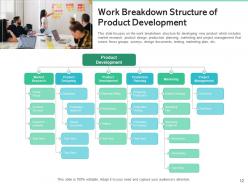
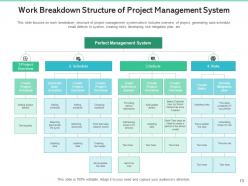
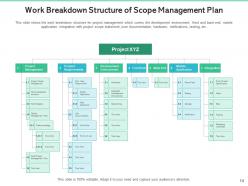
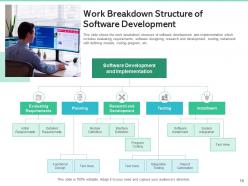
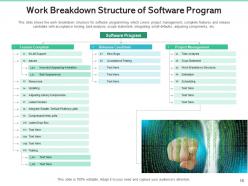
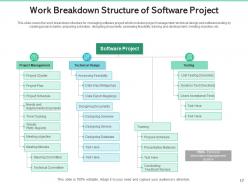
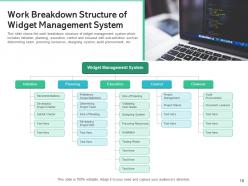
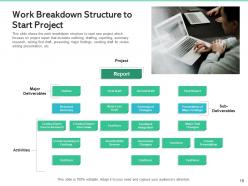

FAQs for Work breakdown structure project management
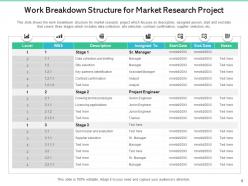
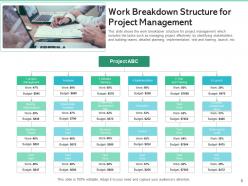
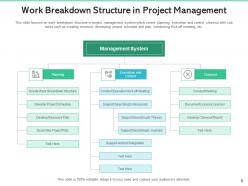
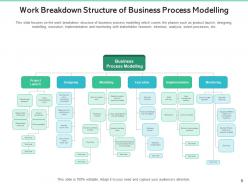
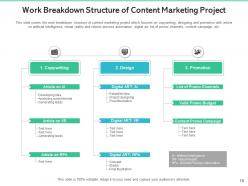
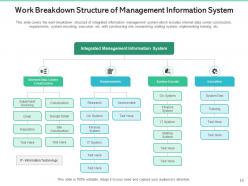
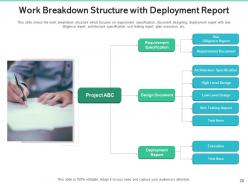
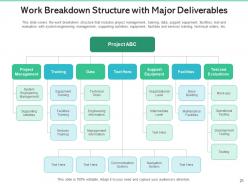
So a WBS is just breaking your project down into bite-sized pieces - like a family tree for work stuff. Start with the big picture at the top, then split it into major chunks. Keep going until you hit tasks that are actually doable and you can estimate realistic timeframes for. Honestly, it's a game changer because huge projects stop feeling so scary. You can figure out who does what, track things better, and catch problems early. Way better than just winging the timeline! Oh, and definitely nail down your major deliverables first - that's your foundation.
Look for work packages that take 8-80 hours - that's your goldilocks zone. Can one person (or a small team) knock it out in 1-2 weeks? Perfect. You don't want to get buried tracking a million tiny tasks, but it still needs to be specific enough that you can actually estimate time and resources. I learned this the hard way on a project where we had like 50 micro-tasks for what should've been one thing. Total nightmare. Here's my test: can you clearly say what "done" looks like and ballpark the effort? If yeah, you're good to go.
So basically you're building a hierarchy - final deliverable at the top, then break it down into major chunks underneath. Keep going deeper until you hit work packages that are actually manageable for your team. Think of it like a family tree but for project stuff (I know, weird comparison but it works). Each piece should be separate from the others but together they cover everything. Don't go too granular though - you want chunks big enough to estimate time and assign to people. Start big picture and work your way down. The bottom level's where the real work happens.
Okay so basically a WBS turns your messy project into bite-sized chunks that you can actually assign to people. Everyone knows their piece - no more awkward "wait, wasn't that your job?" conversations. People get way more motivated when they see how their work connects to the big picture, which is honestly pretty cool. You can spot problems super early since everything's broken down small. Oh and definitely get your team to help build it with you - they'll actually care about following something they helped create. Makes tracking progress so much easier too.
Ugh, the worst thing you can do is get way too detailed right from the start - you'll just get lost in all the tiny stuff. Focus on WHAT you're delivering, not HOW you'll get there. That's where people always mess up. Don't try to build this thing by yourself either, because you'll definitely miss something important and your team won't feel invested. I learned that one the hard way on my last project. Each piece needs someone who can actually own it with clear success criteria. Start big picture, then break it down with everyone's input.
Okay so a WBS is like your project's master list of everything that needs doing - it's all organized in a hierarchy but doesn't worry about timing at all. Your schedule is totally different - that's where you figure out when stuff actually happens. I always do the WBS first because it helps me catch things I might forget later. Then I take those deliverables and throw them into a timeline with dates, how long each thing takes, what depends on what. The WBS stays super clean since it's just focused on the "what" not the "when." Makes way more sense to nail down all your tasks before you start playing with schedules and resources.
Yeah, for sure you can! Just don't try to map out everything upfront like in waterfall - that'll drive you crazy. Start with a high-level breakdown of your product vision, then get more specific for each sprint. Epics break into user stories, then into actual tasks. The trick is staying flexible and updating as you go. Honestly, I've seen teams waste so much time over-planning features that ended up changing completely. Keep it broad at first, then drill down when you're actually planning the sprint. Way less painful that way.
Honestly? Just use whatever your team already knows - you'll save yourself so much headache. Microsoft Project's solid if you need the heavy-duty features, or Visio for anything visual. But some of my favorite WBS diagrams were made in PowerPoint, believe it or not. Lucidchart's pretty clean too. Miro and Mural are awesome if everyone needs to collaborate since people can jump in real-time. Oh, and if you're already on Asana or Monday.com, check their WBS stuff first before buying something new. Don't overthink it - better to actually get the work breakdown done than spend forever picking the "perfect" tool.
So here's what I'd do - treat your WBS like your budget blueprint. Each work package becomes a line item, which honestly makes way more sense than guessing randomly. Start at the bottom with your smallest tasks (labor, materials, equipment costs), then just add everything up as you move up each WBS level. The cool thing is your budget structure matches your actual work structure, so tracking expenses later isn't a nightmare. I learned this the hard way on my last project! Just mirror your WBS hierarchy when you're setting up the cost breakdown and you'll save yourself tons of headaches down the road.
Update your WBS whenever you hit major milestones or the scope shifts. Don't just create it once and call it done - I've watched projects fall apart because nobody touched their WBS after week one. Your team should help with updates since they'll spot stuff you missed. Plus they'll actually care about it more if they're involved. Short sentences work better for tracking changes. Monthly check-ins or phase reviews are solid times to see if your breakdown still makes sense. Oh, and version control isn't optional here - otherwise everyone's working off different structures and it gets messy fast.
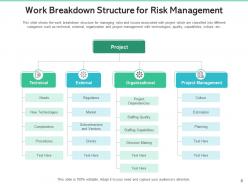
So basically, a WBS chops your project into bite-sized pieces, which honestly makes risk hunting way less overwhelming. Instead of staring at this massive project wondering what'll blow up, you can go through each work package and ask "what could tank this specific piece?" Way more systematic that way. When something does go sideways, you'll instantly see what other parts might get hit too. I'd start with the bottom-level stuff and just brainstorm all the ways each chunk could get derailed - you'd be surprised how much you catch this way versus trying to think about everything at once.
You definitely need your stakeholders involved when building that WBS. Don't try doing it alone - I've watched projects crash because someone thought they could map everything out solo. Get your subject matter experts and team leads in working sessions from the start. They'll spot missing work packages that you'd never think of. Plus customers know what deliverables actually matter. Honestly, the reality check is worth its weight in gold. Way better to collaborate upfront than send them a finished WBS and hope they don't tear it apart. Trust me on this one.
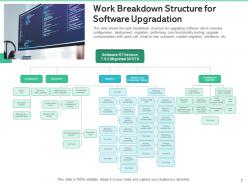
Dude, visual WBS is a game changer. Tree diagrams and flowcharts show those parent-child relationships way better than boring text lists. Your stakeholders won't get lost trying to decode endless bullet points - honestly, who has time for that? Boxes and connecting lines make the whole project hierarchy obvious at first glance. Dependencies become super clear too. I've seen people struggle with text-heavy versions and it's painful to watch. Just grab some org chart software or even sketch it out. Trust me, your team will actually understand what's going on instead of drowning in details.
So the WBS is basically your scope's best friend - it chops everything down into actual work chunks your team can handle. Your scope tells you "what" you're building, but WBS gets into the nitty-gritty details. Honestly, I've seen too many projects go sideways without clear WBS boundaries. Scope creep will destroy you otherwise. Once you've got your WBS locked down, it becomes part of your baseline for tracking changes. Oh, and definitely build this right after finalizing scope - don't wait. Trust me, stakeholders will start asking for "tiny tweaks" the second you think you're done.
Start with your project charter and scope statement - that's your baseline. Then map each WBS piece back to actual deliverables, like connecting dots on paper. I do this validation thing religiously because it's crazy how much irrelevant work creeps in otherwise. Get your stakeholders to review it with you. The 100% rule is key here - capture all the work but don't go overboard. Short sentences work better for this stuff. Check alignment early and whenever scope shifts. Honestly, this step saves so much headache later when people start asking why certain tasks are even there.
-
Designs have enough space to add content.