

1813 3d worried man in question mark ppt graphics icons powerpoint




Try Before you Buy Download Free Sample Product
 Impress Your
 Audience
 100%
100% Editable
 Save Hours
 of Time


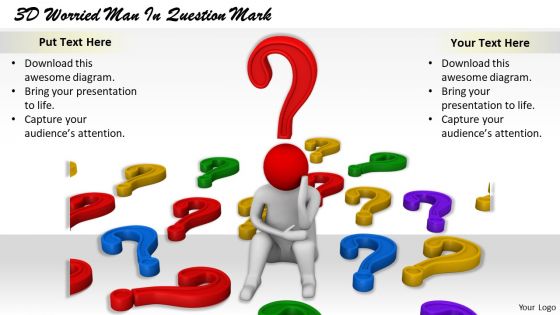
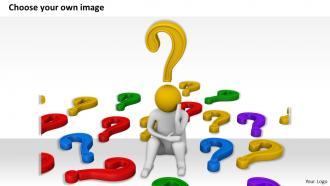
If you are presenting a solution to a problem and want a precursor slide to show a worried man in question mark PPT graphic slide, then this professionally designed slide is appropriate for you. The vector graphic image showing a three dimensional man sitting gloomily, surrounded by many question marks indicate a troubled man surrounded by problems. The PPT template shows the extreme situation of a troubled man. The high intensity of the problem indicates that the following solution will be as effective to counter the serious issue at hand. Hence, you can pass on the message that the resolution provided in the following slides will be worth the effort. The problem shown in the image could be elaborated through adding textual information in the template. It could be concerning social issues, problems faced by the human resource or hurdles faced by students. You can easily download this design at the click of a button. Apprise them of every angle with our 1813 3D Worried Man In Question Mark Ppt Graphics Icons Powerpoint. Give them a fair idea of it all.
People who downloaded this PowerPoint presentation also viewed the following :
1813 3d worried man in question mark ppt graphics icons powerpoint with all 6 slides:
Anyone can tell you how important design is in presentation. Bring design into your next presentation with our 1813 3D Worried Man In Question Mark Ppt Graphics Icons Powerpoint.
FAQs for 1813 3d worried man in question mark ppt
Start with the face - furrowed brows and that downturned mouth thing really sells it. Eyes should look a bit wider or darting around (that's honestly the most important part). For hands, go with the classics: rubbing temples, face-palm, or grabbing their head. Hunched shoulders work great, maybe leaning forward slightly. Don't forget disheveled hair - nobody's got perfect hair when they're stressed out of their mind. If it's a business setting, wrinkled clothes or a loosened tie adds nice detail. Oh, and tensed muscles around the forehead area help too.
Dude, cooler colors are your friend here - blues and grays for clothes and backgrounds create that anxious vibe you're going for. I literally always overdo the blue lighting at first but whatever, easier to dial it back later. Push those skin tones toward pale yellows or sickly greens to show stress. Harsh lighting with deep shadows will make your character feel super isolated. Oh and definitely render a few versions with different palettes - sometimes you don't know what works until you see it.
Eyebrows are honestly the biggest thing - lift the inner corners but keep the outer parts down. Eyes need just a tiny bit of tension, maybe some subtle crow's feet. Pull those mouth corners down slightly too. Oh and don't forget forehead wrinkles! I swear, looking at actual photos of worried people helps so much more than just winging it. Keep everything pretty subtle though. Dramatic expressions usually look weird unless you're going for cartoon vibes. Start with the brows first since they do most of the heavy lifting emotionally.
Dude, lighting is everything for showing anxiety in your character. Harsh directional light from above or the side creates those deep eye shadows that scream stress. Even lighting will kill the whole vibe - trust me, I've been there. You'll want cooler tones too, they just feel more unsettling. Focus on how the shadows hit his brow wrinkles and eye bags. Oh, and test this stuff early! Nothing worse than realizing your lighting sucks after you've already started rendering. The shadows basically do half the emotional work for you.
Dude, body language is where all the magic happens for worried characters. Get those shoulders hunched up first - that's your foundation. Then add the classic forward head thing, like they're literally weighed down by stress. Fidgety hands are gold - touching face, neck, wringing fingers. Pacing works too. The trick is making everything feel jittery and repetitive, not smooth at all. I always start with posture then layer the hand stuff on top. Oh, and honestly? Sometimes the subtle stuff sells it better than going overboard.
Dude, texture is HUGE for making people actually care about your worried character. Get some high-res photos of stressed-out people and study how anxiety shows up in their skin - you want those pores, imperfections, maybe some stubble catching light weird. Smooth plastic skin? Nobody's gonna feel anything. Oh and don't forget the clothes! Wrinkled, messy fabric sells that whole disheveled vibe way better than pristine textures. Even small stuff like slight skin discoloration or worry lines makes viewers connect with the vulnerability. It's honestly the difference between "eh, cool model" and actually making someone feel something.
Oh man, body language is everything for anxious characters! I'd start with fidgeting - finger tapping, bouncing feet, that shoulder tension we all get. Eye movements are huge too, like darting glances and rapid blinking (though I always go overboard with the blinking at first lol). Breathing patterns work really well - make it shallow and quick instead of deep. Hunched shoulders and protective arm positions sell it too. Honestly, the combo of worried eyebrows plus repetitive hand gestures gets me every time. Just pick a couple techniques and layer them gradually.
Blender's facial animation tools are actually pretty solid now, plus it won't cost you anything. Maya's still what most studios use though - way more advanced rigging options. For sculpting those detailed expressions and wrinkles, ZBrush is your best bet. Motion capture? Try Faceware or just use your iPhone with ARKit honestly. The real trick is getting those tiny micro-expressions right - like how eyebrows tense up, or the way nostrils flare slightly. Lip compression is huge too. I'd grab some reference videos of people actually showing worry and just practice copying those little details. That's what makes it look believable instead of creepy.
Hey! So the setting you put your worried guy in can really sell the whole story. Think cluttered desk for work stress, or maybe a hospital waiting room if it's health anxiety. Storm clouds work great too for something more abstract. Honestly, backgrounds that actually mean something hit way harder than just random pretty scenery. Match your lighting and colors to whatever type of worry you're going for - it makes the whole thing feel more real. The environment basically becomes part of the story instead of just filling space, you know?
Oh man, the uncanny valley will mess you up every time. Too realistic and people get creeped out, not realistic enough and nobody cares about your character. I'd start with the eyes honestly - they do like 90% of the emotional heavy lifting. Then work on those subtle details: how someone's shoulders tense up when they're stressed, or the way people fidget with their hands. Cultural stuff matters too since not everyone shows worry the same way. I swear half the "anxious" characters I see just look like they need to use the bathroom instead of actually worried!
Start with his backstory - what's eating at him? Then layer in the environment to match his headspace. Maybe dim lighting or a messy room. Body language does most of the heavy lifting though - think hunched shoulders, fidgeting, eyes that won't stay still. Honestly, I'd focus like 80% on the face since that's where you'll sell the emotion. Worry lines, dark circles under his eyes. Props help too if they connect to whatever's stressing him out. Oh, and build from his main problem outward - that way everything feels connected instead of random.
Oh man, this is trickier than you'd think! Facial expressions for worry are totally different across cultures. Like, what looks concerned in Western cultures might seem way off in East Asian or Middle Eastern contexts. Some cultures show stress through posture instead of obvious face stuff. Eye contact, hand gestures, even shoulder positioning - it all varies. I learned this the hard way on a project once. You'll definitely want to research your audience and maybe test it with people from those backgrounds first. Trust me, it's super easy to mess up if you're not paying attention.
Honestly, demographics completely change how people read a worried guy's expression. An older white businessman just looks "stressed at work" while a young Black man with the exact same worried face might get seen as "threatening" - which is totally unfair but that's reality. Age and race create these automatic assumptions that are pretty messed up. Oh, and cultural stuff matters too - some cultures see worry as weak, others as thoughtful. If you're picking 3D assets, maybe test different looks with your audience first? You don't want your character sending the wrong message by accident.
Honestly, just keep that worried guy model super simple with high contrast - you want people to actually see his facial expressions from the back row. Size matters here too. Make it big enough to read but don't let it take over your whole slide. Dark backgrounds usually look way better with 3D stuff, trust me on this. Position him right next to whatever data or text you're talking about so it actually reinforces your point about problems or challenges. Oh, and definitely test your file size first - nothing kills a presentation like laggy 3D models. Always preview in slideshow mode before you go live!
Oh, those 3D worried guy models are actually pretty clever! Therapists use them all the time - patients can literally point at the visual instead of fumbling around trying to describe their anxiety. Way more effective than just talking into space. Marketing teams love them too for stress-relief products and mental health apps since they instantly show emotional states without explanation needed. The 3D part definitely grabs attention better than flat graphics. Honestly, they work best in before/after setups showing transformation. Pretty smart approach if you ask me.
-
Really like the color and design of the presentation.
-
Excellent template with unique design.