


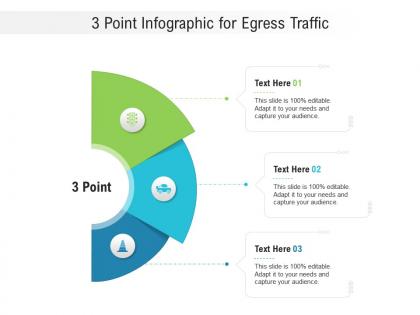
3 point for egress traffic infographic template




Try Before you Buy Download Free Sample Product
 Impress Your
 Audience
 100%
100% Editable
 Save Hours
 of Time


Our 3 Point For Egress Traffic Infographic Template are topically designed to provide an attractive backdrop to any subject. Use them to look like a presentation pro.
People who downloaded this PowerPoint presentation also viewed the following :
3 point for egress traffic infographic template with all 2 slides:
Use our 3 Point For Egress Traffic Infographic Template to effectively help you save your valuable time. They are readymade to fit into any presentation structure.

FAQs for 3 point for egress
So egress is basically data leaving your network, ingress is stuff coming in. Pretty straightforward - think exit vs entrance. Most people obsess over what's coming into their network (which yeah, makes total sense), but honestly egress is huge too since it shows what's actually leaving your system. Cloud providers will hit you with egress charges because they charge for data going out - learned that the hard way once. When you're setting up monitoring or firewalls, track both directions. You won't get the full picture otherwise.
You'll want to measure egress at your network edge - so firewalls, routers, whatever's sitting between you and the internet. Just count the data flowing out from your internal stuff. Bandwidth graphs are honestly where you'll live for this. Most tools show bytes or packets per second, which works fine. You can get fancy and measure at different layers too - Layer 3 for IP traffic or go deeper with Layer 7 for specific apps. Start by setting up monitoring on those edge devices to get your baseline numbers. Then it's way easier to catch weird spikes or figure out which apps are being bandwidth hogs. Pretty straightforward once you get the monitoring going.
Honestly, cloud backups are probably your biggest problem - they'll eat through egress like crazy. Data replication between sites is another killer, plus any users streaming or downloading huge files. OS updates can blindside you too (learned that one the hard way). Check if you've got compromised systems pushing data out, or maybe log forwarding to external services. Database syncing across regions adds up fast. CDN usage might be higher than you think. I'd start monitoring your heaviest traffic sources first. Set up some alerts when egress hits certain limits so you don't get surprised next month.
So egress bottlenecks are brutal for performance - way worse than most people realize. Your outbound bandwidth hits the wall and suddenly you've got packet drops, crazy latency, users bitching about timeouts. Short bursts are bad enough, but sustained high outflows? Forget it. Here's what's annoying: egress limits are usually way lower than ingress (learned that the hard way). Response times tank because data just can't get out fast enough. Set monitoring alerts around 75% capacity or you'll be scrambling to fix it after users already hate you.
So firewalls are basically your network's bouncer - they control what traffic gets out, not just what comes in. Most people don't realize the outbound stuff is super important too. You can block employees from hitting dodgy sites, stop malware from phoning home, prevent data theft attempts. Set up rules for specific apps only, block sketchy domains, restrict traffic to approved IPs. Here's the thing though - don't just allow everything outbound by default like most places do. Actually review your current setup and tighten those rules. It'll save you headaches later.
So first thing - audit what's actually eating your bandwidth because some stuff will shock you. Compress your data and get a CDN to cache content closer to users. Traffic shaping helps too, you can prioritize important business stuff over random file transfers. Honestly, the biggest waste I see is companies running massive backups during peak hours like idiots. Schedule that heavy lifting for nights/weekends instead. Set up local mirrors for anything people access constantly. Peak usage patterns are usually pretty predictable once you start tracking them, so use that to your advantage.
Oh man, egress costs are brutal - they'll sneak up on you fast. Cloud providers charge you whenever data leaves their network. Serving content to users? You pay. Moving stuff between regions? Also costs money. AWS, GCP, and Azure all do this differently, but trust me, it adds up quick. I learned this the hard way last year when our bill doubled overnight. Set up a CDN early and really think about your data transfer patterns. Those charges pile up way faster than you'd think, especially if you're moving lots of data around.
Oh network monitoring tools are a lifesaver for watching outbound traffic. Real-time visibility shows you exactly what's leaving your network and where it's headed. I'd definitely start with baseline monitoring at your main exit points first - gotta know what normal looks like, right? You'll catch weird outbound patterns, spot potential data theft, and see which apps or users are hogging bandwidth. The anomaly detection stuff has gotten way better lately too. Plus they help with compliance requirements and policy enforcement. Honestly saved my butt a few times when malware was trying to phone home.
Hey, so egress traffic is tricky because attackers love hiding stolen data in normal outbound connections. Malware calls back to command servers constantly - that's how they get new instructions or download more nasty stuff. Honestly, insider threats are probably scarier than external ones sometimes. Even good employees mess up and accidentally leak confidential files. Then you've got compromised devices secretly beeping out to botnets in the background. Watch your outbound patterns closely and get some decent DLP rules running. Trust me, catching weird data movements early saves you from major headaches later.
Yeah, egress traffic is sneaky as hell. Employees upload stuff to their personal Dropbox all the time without thinking twice. Malware quietly sends your data to random external servers. Even regular web browsing can be a cover for data theft - honestly, that one surprised me when I first learned about it. Email attachments are obviously risky too. The problem? Most of this looks completely normal, so nobody notices. You've gotta watch outbound connections like a hawk and set up DLP that actually inspects what's going out, not just counts packets.
So I'd start by checking what apps you're actually running first. Video streaming stuff? Total data vampires - we're talking gigabytes every hour. Web apps hit you with moderate usage from API calls and serving content. Database apps are usually chill unless you're doing huge exports or syncing data everywhere. Gaming apps are weird though - they bounce around unpredictably. Honestly, just group your workloads by type and measure what each one's pushing out normally. You'll figure out real quick which ones are bleeding you dry on costs.
Start with blocking everything by default, then whitelist only what you actually need. Seriously, monitor what's trying to leave your network - there's so much random crap phoning home these days it'll shock you. Don't just rely on port filtering since attackers love tunneling through 80/443. Application-layer filtering works way better. DNS filtering helps block sketchy domains too. Maybe throw a proxy in there for web traffic. Honestly, visibility comes first - watch what's happening, then tighten things up based on real data instead of guessing.
Yeah, egress traffic is a huge compliance headache honestly. All that sensitive data - customer info, health records, whatever - it's constantly trying to leave your network through emails, cloud uploads, APIs, you name it. GDPR and HIPAA both make you responsible for tracking where it goes. The pain is there are so many leak points now, especially with remote work. You'll want DLP tools running to catch protected data before it walks out the door. Also set up some monitoring on your outbound flows. Trust me, it's way easier to prevent than explain to regulators later why patient data ended up who knows where.
Your network setup totally changes how traffic flows out. Hub-and-spoke funnels everything through central points - easier to control but creates bottlenecks. Mesh networks let traffic exit anywhere, which is faster but honestly a pain to manage security-wise. I'd map out what you've got first, then build your egress rules around that. Don't fight your topology. Star setups give you nice control but if that center point dies, you're screwed. Full mesh performs great but the security rules get messy fast.
Dude, AI workloads are absolutely destroying bandwidth budgets right now. Model training eats up insane amounts of data transfer - like way more than most people expect. Edge computing's making things weird too since traffic doesn't flow the same way anymore. Everything's processed closer to users instead of going back to your main data center. Kubernetes makes it even trickier because container traffic is so unpredictable. Multi-cloud setups are probably the worst offender though - you're constantly moving data between providers and those costs add up quick. Start tracking your egress spend ASAP and maybe set up some data policies before it gets out of hand.
-
Unique research projects to present in meeting.
-
Easily Understandable slides.
-
Best way of representation of the topic.
-
Informative design.
-
Great product with highly impressive and engaging designs.
-
Best way of representation of the topic.