


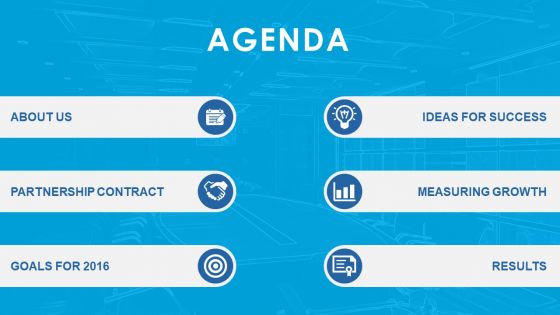
Agenda template design with icons image background powerpoint slide




Try Before you Buy Download Free Sample Product
 Impress Your
 Audience
 100%
100% Editable
 Save Hours
 of Time


Let facts do the talking for you and see your business take the course you draw yourself by setting the agenda for any meeting on business strategy or any discussion on a project implementation through this PowerPoint slide with its striking icons and background image by editing the template design suitably according to the key points that you want to bring up. Cater to the immediate concerns and long term organizational goals in a holistic manner by engaging all the key stakeholders in an interaction that focuses on the ideas for success, measurement of growth, goals for the upcoming fiscal and the progress on achievement of targets set in the past by using this PPT slide to define the flow of conversation. Take lead, bring innovative ideas to the table, suggest deployment of relevant and transformational technologies to the business model of your organization and earn the well-deserved laurels by projecting your leadership potential through a streamlined PowerPoint slide template such as this one. Make facts your ammunition with our Agenda Template Design With Icons Image Background Powerpoint Slide. You will be able to conquer all doubts.
People who downloaded this PowerPoint presentation also viewed the following :
Agenda template design with icons image background powerpoint slide with all 4 slides:
Create aspirations with our Agenda Template Design With Icons Image Background Powerpoint Slide. Goad people to dream bigger.
FAQs for Agenda template design with icons image
Start with the basics at the top - meeting title, date/time, who's coming, and what you're trying to accomplish. Then break down your agenda items with time slots (people will go over anyway, but whatever). Add any leftover action items from last time, discussion topics with who's leading each one, and space for decisions. Oh, and throw in a "parking lot" section for random stuff that comes up - trust me on this one. Send it out a day or two before so people can't claim they didn't see it. Short sentences work better than long rambling ones.
Okay so basically you want your agenda to look clean and scannable. Break things up with bullet points and headings - nobody wants to stare at a wall of text during meetings. I'm obsessed with color coding honestly, like blue for discussions and green for action items. Bold text works great for main topics too. Time stamps are clutch if you can add them. White space is your friend here - gives people's eyes a break. The whole point is making it dummy-proof so even when Karen's checking her phone, she can still figure out where you are in the meeting.
Match your agenda to what you're actually trying to accomplish. Status meetings? Go person by person with tight time slots. Strategy stuff needs bigger chunks for real discussion. For decision meetings, list the actual decisions upfront - this alone will save you from those painful hour-long meetings that accomplish nothing. Put important items first when everyone's still awake. Build in realistic time (meetings always run over). Oh, and add a "parking lot" for random tangents. Send it out a day early so people don't just show up totally unprepared.
Okay so remote meetings need way more buffer time - tech always breaks at the worst moments. I usually add like 15-20% extra time honestly. Also be super clear about when to mute/unmute and who's sharing their screen. Nothing's more awkward than three people trying to screenshare at once. In-person meetings? You can pack the agenda tighter since transitions happen naturally. Remote templates should spell out every little detail - who's running breakouts, when to use chat, all that stuff. Physical meetings let you focus more on the actual content and group energy instead of logistics. Trust me on the extra time thing though.
Honestly, color psychology is way more important for agenda templates than most people realize. Blue keeps everyone focused and builds trust. Red creates urgency but can stress people out - use it sparingly. Green's my go-to for longer meetings since it keeps people calm and balanced. I made this mistake once with bright orange headers and the whole room felt weirdly tense! Stick with blues and greens as your base colors. Save the warmer ones for when you really need to highlight something important. People react to your colors before they even start reading.
Honestly, just start with whatever you already have - Word or Google Docs work fine. PowerPoint's decent if you want something prettier. I'm obsessed with Canva though, their templates are so much cleaner than my sad attempts at design lol. Notion and Monday.com have agenda stuff built right in if your team's already using those. Even random things like Apple Pages work. Don't overthink it! You can always switch later once you figure out what actually works for your meetings.
So here's the thing - when you set up time slots in your template beforehand, people actually stick to them way better than just improvising. You can also catch those topics that always turn into 20-minute tangents before they derail everything. I swear some discussions are just black holes for time. The template becomes like your GPS for steering conversations back on track when they inevitably wander off. Oh, and throw in some buffer time between big agenda items - you'll thank yourself later when you're not scrambling to catch up.
Ugh, the worst thing you can do is cram everything in without breathing room between topics. I've watched so many meetings turn into total chaos because of this! Also, ditch those useless agenda titles like "Discussion" - what are we even talking about?? Be specific. Always add time estimates for each thing, plus extra buffer time because stuff ALWAYS runs over. Keep the formatting simple so people can actually scan it quickly. Oh and don't stick your most important items at the end when everyone's mentally checked out. Try your template once before rolling it out everywhere.
Oh totally! Corporate meetings need those rigid time blocks and KPI stuff - you know how they are. But educational settings? Way more chill with discussion topics and breakout sessions. Non-profits are all about that mission alignment and fundraising talk. Tech companies love their sprint reviews (honestly can get boring sometimes). Healthcare focuses on patient outcomes and compliance - makes sense. The thing is, you can't just slap a corporate template on a creative session. Match what you're doing to who's actually sitting there. What works for suits doesn't work for brainstorming sessions.
Yeah, most agenda templates play nice with the usual suspects - Google Calendar, Outlook, Apple Calendar - so your meeting details just auto-fill. Project management stuff like Asana or Trello can pull in tasks too, which is actually pretty useful. Zoom and Teams usually have direct connections, thank god, since everything's hybrid now. Oh, and some will sync with Notion or OneNote afterward to save your notes automatically. Honestly though? I'd just see what your current meeting app already does first. You might be surprised what's built in. Then add other integrations if you need them.
Honestly, agenda templates are game-changers because they force you to think through what you actually want to accomplish before everyone sits down. Set time limits for each topic - otherwise you'll spend 20 minutes debating office coffee brands (been there). I like doing three columns: what we're discussing, how long it should take, and what we need to decide by the end. Send it out beforehand so people can't just show up totally clueless. Trust me, you'll get so much more done instead of those painful meetings that meander everywhere except where they should go.
Honestly, the Notes section is a lifesaver. Meetings always go off the rails - someone brings up a random idea or there's a decision that wasn't on the agenda. You need somewhere to capture that stuff or you'll forget it completely. I've been in meetings where people are literally writing on their hands because there's nowhere else to put thoughts. Leave tons of white space too. People won't use it if it's cramped. Plus other attendees can jot down their own action items or whatever they need to remember. Trust me on this one.
Honestly, just bake feedback into the whole thing from day one. Shoot your draft templates to a few people who attend regularly - ask them straight up "does this actually make sense?" or "what am I missing?" I'm terrible at remembering this step but it saves so much headache later. Run them in actual meetings first, then grab quick feedback while it's still fresh in everyone's mind. Simple survey works, or just ask directly what felt weird. Oh and don't wait for some perfect comprehensive feedback - just make little tweaks as you go.
So I'm noticing everyone's going super minimal now - tons of white space, clean lines. Hybrid meetings are huge too, like templates that work for both in-person and remote folks. Time-boxing every single agenda item seems to be the move. Oh, and collaborative stuff is everywhere - shared note sections, live polls, that kind of thing. Honestly? All those fancy designs from before are kinda dead. People are over visual chaos after being glued to screens for years. Mobile-friendly is non-negotiable since half your team's probably dialing in from their phones anyway. I'd just grab something clean that actually works on all devices and focus on clear action items instead of making it pretty.
Totally doable! Use your brand colors for headers and dividers, but don't get crazy with the main text - stick to readable fonts. Pop your logo in a corner somewhere. I've watched people create these "gorgeous" agendas that nobody can actually read when they're scrambling to follow along in meetings. Super annoying. Keep sections clear with good white space. You can sneak your brand personality in through little things like color-coding priorities or spacing that matches your other stuff. The whole point is making something that actually works when people need it.
-
Wonderful templates design to use in business meetings.
-
Easily Understandable slides.