


Business flowchart examples three overlapping concepts venn diagram powerpoint templates




Try Before you Buy Download Free Sample Product
 Impress Your
 Audience
 100%
100% Editable
 Save Hours
 of Time


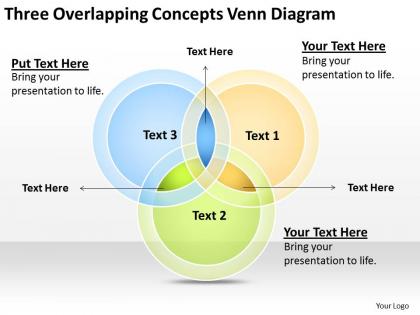
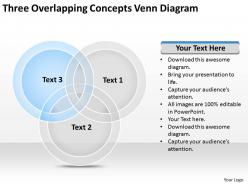
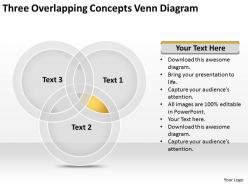
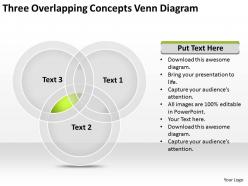
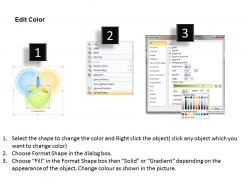
Hit the right road through this professional business flowchart examples three overlapping concepts venn diagram PowerPoint templates. This amazing PPT concept is an elementary tool for perking up the processes. Being in a business when you wish to provide the graphical representation, it can literally help the project teams to recognize the different sets of the process while understanding the interrelationship among different steps. Business flowchart is actually an important tool in a way that it efficiently communicates the involved processes in a planned manner. With this diagram a presenter can process the functional chart or the process flowchart very clearly. In addition to all this, a presentation can present things visually that serve as an advantage for the users. So discuss the importance of the business processes through this business modeling PPT design to a business or the organization so that the business strategy can be improved logically and vividly.Ante up with our Business Flowchart Examples Three Overlapping Concepts Venn Diagram Powerpoint Templates. Raise the stakes with your views.
People who downloaded this PowerPoint presentation also viewed the following :
Business flowchart examples three overlapping concepts venn diagram powerpoint templates with all 11 slides:
Your diagram needs some explanation. Do it inphases with our Business Flowchart Examples Three Overlapping Concepts Venn Diagram Powerpoint Templates.



FAQs for Business flowchart examples three overlapping concepts venn
Effective business flowchart templates include standardized symbols, clear decision points, logical flow direction, comprehensive process steps, and consistent formatting guidelines. These elements streamline process documentation by ensuring visual clarity, reducing training time, and enabling cross-departmental understanding, with many organizations finding that well-designed templates accelerate workflow optimization and enhance operational efficiency.
Business flowchart templates streamline workflow processes by providing standardized visual frameworks, eliminating design time, ensuring consistent documentation, and enabling rapid process mapping across departments. These templates help organizations identify bottlenecks, automate decision points, and optimize resource allocation, with many companies finding that standardized workflows reduce processing time and enhance operational efficiency.
Businesses should opt for flowcharts when mapping sequential processes, decision-making workflows, troubleshooting procedures, and operational standardization needs where clear step-by-step visualization is essential. Unlike other diagramming methods, flowcharts excel in manufacturing quality control, customer service protocols, and approval processes, ultimately delivering process clarity and operational efficiency across organizations.
Yes, industry-specific flowchart templates address unique operational requirements across sectors like healthcare patient flow, manufacturing quality control, financial compliance auditing, retail inventory management, and software development processes. These specialized templates streamline workflow documentation by incorporating industry terminology, regulatory standards, and sector-specific decision points, ultimately enabling organizations to accelerate process optimization while maintaining compliance.
Color schemes in business flowchart templates significantly enhance readability and comprehension by creating visual hierarchy, differentiating process stages, and reducing cognitive load through strategic contrast and consistency. Well-designed color palettes enable teams to quickly identify decision points, process flows, and departmental responsibilities, with many organizations finding that consistent color coding across templates streamlines training, accelerates decision-making, and ultimately delivers improved operational efficiency.
Leading software tools for customizing business flowchart templates include Microsoft Visio, Lucidchart, Draw.io, Creately, and SmartDraw, each offering extensive customization capabilities and professional design options. These platforms streamline workflow visualization by providing drag-and-drop functionality, collaborative features, and integration with business systems, with many organizations finding that cloud-based solutions like Lucidchart enhance team collaboration while delivering scalable documentation processes.
Businesses can ensure flowchart relevance by establishing regular review cycles, assigning process ownership to specific teams, and implementing version control systems. Through quarterly audits and stakeholder feedback sessions, organizations identify process gaps, update workflows systematically, and maintain alignment with evolving operations, ultimately delivering accurate documentation and streamlined decision-making across departments.
Common mistakes include unclear symbols, inconsistent formatting, overly complex pathways, missing decision points, and inadequate testing of the flow logic. These errors often result from poor planning and insufficient stakeholder input, with many organizations finding that involving cross-functional teams during creation helps identify gaps, ensures accuracy, and ultimately delivers more effective process documentation.
Flowcharts enhance team communication by creating shared visual language, standardizing processes across departments, clarifying roles and responsibilities, and eliminating workflow ambiguities. These visual tools streamline collaboration through transparent decision points, synchronized task sequences, and accessible documentation, with many organizations finding that standardized flowcharts reduce miscommunication and accelerate project timelines significantly.
Feedback plays a crucial role in refining business flowchart templates by identifying process gaps, highlighting inefficiencies, and ensuring accuracy across different operational scenarios. Through stakeholder input and user testing, organizations can streamline template designs, enhance clarity, and optimize workflow representations, ultimately delivering more effective process documentation that scales across departments and improves operational efficiency.
Visually engaging flowchart templates enhance presentations by simplifying complex processes, improving information retention, and creating professional credibility that resonates with diverse audiences. These templates enable presenters to communicate strategic workflows more effectively, reduce decision-making time, and secure stakeholder approval faster, with many organizations finding that well-designed visual frameworks significantly increase project approval rates and executive engagement.
Businesses should seek downloadable flowchart templates with customizable elements, professional design aesthetics, multiple format compatibility, pre-built industry-specific workflows, and intuitive editing capabilities. These features enable organizations to streamline process documentation, enhance team collaboration, and maintain visual consistency across departments, with many companies finding that well-designed templates significantly reduce development time while delivering professional presentations.
Digital flowchart templates enhance remote work by standardizing processes, enabling real-time collaboration, and providing visual clarity for distributed teams. These templates streamline project management, onboarding procedures, and workflow documentation, while facilitating seamless communication across time zones, ultimately delivering improved productivity and operational consistency for organizations embracing hybrid work models.
Template libraries for business flowcharts offer standardized symbols, pre-built process frameworks, time savings, consistency across teams, and professional design quality. These resources streamline documentation by eliminating design work, ensuring compliance with industry standards, and enabling faster process mapping, with many organizations finding that template libraries reduce flowchart creation time while improving visual clarity and stakeholder comprehension.
Integrating data visualization elements enhances flowchart effectiveness by incorporating charts, graphs, metrics, and real-time data displays that transform static processes into dynamic, analytical tools. These visual enhancements streamline decision-making by providing immediate context, enable stakeholders to identify bottlenecks faster, and ultimately deliver improved operational transparency, with many organizations finding that data-rich flowcharts accelerate strategic planning and performance optimization.
-
Excellent products for quick understanding.
-
Great product with effective design. Helped a lot in our corporate presentations. Easy to edit and stunning visuals.