


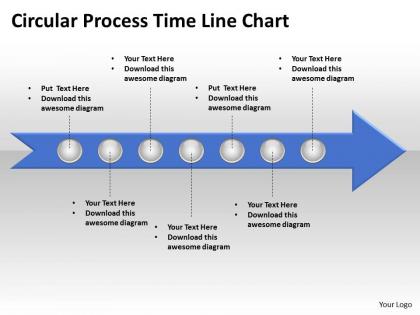
Business powerpoint templates circle process time line chart editable sales ppt slides




Try Before you Buy Download Free Sample Product
 Impress Your
 Audience
 100%
100% Editable
 Save Hours
 of Time


Our Business PowerPoint Templates circle process time line chart editable Sales PPT Slides are highly compatible. They will adapt to your thought process in a jiffy.
People who downloaded this PowerPoint presentation also viewed the following :
Business powerpoint templates circle process time line chart editable sales ppt slides with all 5 slides:
They say clowns help bring out the truth. Our Business PowerPoint Templates circle process time line chart editable Sales PPT Slides do the same for your thoughts.
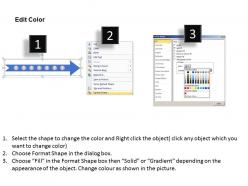
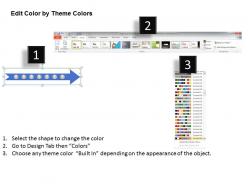
FAQs for Business powerpoint templates circle process time line chart editable
Essential features include professional design consistency, customizable layouts, comprehensive slide varieties, brand-friendly color schemes, and editable graphics. These elements streamline presentation development by ensuring visual cohesion, supporting diverse content types, and maintaining corporate identity standards, with many organizations finding that well-structured templates significantly reduce preparation time while enhancing audience engagement and professional credibility.
A well-designed template enhances presentation effectiveness by establishing visual consistency, reinforcing brand identity, streamlining content organization, and reducing preparation time. Through strategic layout design and professional formatting, presenters deliver more compelling narratives while maintaining audience focus, with many organizations finding that standardized templates ultimately improve message clarity and accelerate decision-making processes.
Color schemes significantly influence audience perception by establishing credibility, reinforcing brand identity, conveying emotional tone, and enhancing information hierarchy within business presentations. Strategic color combinations help organizations communicate professionalism while improving comprehension and retention, with many companies finding that consistent, purposeful color choices ultimately deliver stronger audience engagement and more persuasive presentation outcomes.
Yes, industry-specific template styles significantly enhance professional credibility and audience engagement, with healthcare presentations benefiting from clean, clinical designs, financial services requiring data-heavy layouts, and creative industries leveraging bold, visual formats. These targeted approaches streamline message delivery while establishing immediate industry relevance, ultimately delivering stronger stakeholder connections and more persuasive business communications.
Tailoring business PowerPoint templates involves customizing color schemes to match brand guidelines, replacing placeholder logos with company branding, adjusting fonts to corporate standards, and modifying layouts to reflect organizational style preferences. This strategic customization ensures consistent brand representation across presentations, with many organizations finding that branded templates enhance professional credibility, streamline design processes, and ultimately deliver stronger audience engagement and brand recognition.
Pre-designed templates offer significant time savings, professional design consistency, brand alignment, cost efficiency, and reduced creative barriers compared to starting from scratch. These templates enable organizations to streamline presentation development, maintain visual standards across teams, and focus resources on content rather than design, ultimately delivering faster turnaround times and consistent brand messaging.
Animated elements in PowerPoint templates significantly enhance viewer engagement by capturing attention, guiding focus through content flow, and maintaining interest during longer presentations. These dynamic features help presenters emphasize key points, create memorable transitions between concepts, and reduce cognitive load, with many organizations finding that strategic animation increases audience retention and comprehension while delivering more impactful business communications.
When customizing business presentation templates, follow consistent branding with your logo, colors, and fonts, maintain visual hierarchy through strategic text placement, ensure readability with appropriate font sizes, and adapt content to your specific audience and objectives. These practices streamline template modification while preserving professional aesthetics, with many organizations finding that systematic customization approaches ultimately deliver more impactful presentations and stronger brand recognition.
Infographics within PowerPoint templates transform complex data into digestible visual narratives through charts, diagrams, icons, and strategic color coding that highlight key patterns and relationships. These visual elements enable audiences to quickly grasp intricate financial reports, market analysis, or operational metrics, while presenters deliver more engaging, memorable presentations that drive decision-making and strategic discussions.
**INPUT**: What types of templates are most suitable for pitching to investors? **OUTPUT**: Investor pitch templates should include executive summary, market opportunity, business model, financial projections, and competitive analysis slides with clean, professional layouts emphasizing data visualization. These templates streamline presentations by incorporating clear value propositions, scalable revenue models, and compelling growth metrics, with many startups and established companies finding that structured, visually-driven formats significantly enhance investor engagement and funding success rates. [Word count: 58 words]
Internal meeting templates prioritize functionality and data clarity, featuring detailed charts, comprehensive dashboards, and analytical layouts for collaborative decision-making. Client-facing presentation templates emphasize visual appeal, brand consistency, and persuasive storytelling, with polished graphics, streamlined content, and professional aesthetics that enhance credibility, ultimately delivering stronger client engagement and competitive advantage in business development scenarios.
Interactive elements in templates enhance audience participation through clickable navigation menus, embedded polls and quizzes, interactive charts with hover effects, and multimedia integration capabilities. These features transform passive presentations into engaging experiences, with many organizations finding that interactive templates increase audience retention by up to 70%, ultimately delivering more memorable communications and stronger stakeholder engagement across meetings and training sessions.
Common mistakes include overloading slides with text, using inconsistent fonts and colors, neglecting brand alignment, choosing inappropriate templates for the audience, and failing to customize placeholder content. Many organizations find that poor template selection, inadequate white space management, and mismatched visual hierarchy ultimately undermine professional credibility and message clarity, reducing presentation effectiveness.
Font choice significantly impacts presentation professionalism by influencing readability, audience perception, and brand credibility, with consistent, clean typefaces like Arial, Calibri, or Times New Roman establishing trust and authority. Professional fonts enhance message clarity and retention across diverse audiences, while inconsistent or decorative fonts can undermine speaker credibility, ultimately affecting business outcomes and stakeholder confidence.
Current trends shaping business PowerPoint templates include minimalist design aesthetics, data visualization integration, interactive elements, mobile-responsive layouts, and accessibility-compliant features. These design evolution patterns streamline communication by enhancing visual clarity, supporting hybrid presentations, and ensuring inclusive content delivery, with many organizations finding that modern templates significantly improve audience engagement and professional credibility.
-
Thanks for all your great templates they have saved me lots of time and accelerate my presentations. Great product, keep them up!
-
Very unique, user-friendly presentation interface.