


7977508 style essentials 1 our team 3 piece powerpoint presentation diagram infographic slide




Try Before you Buy Download Free Sample Product
 Impress Your
 Audience
 100%
100% Editable
 Save Hours
 of Time


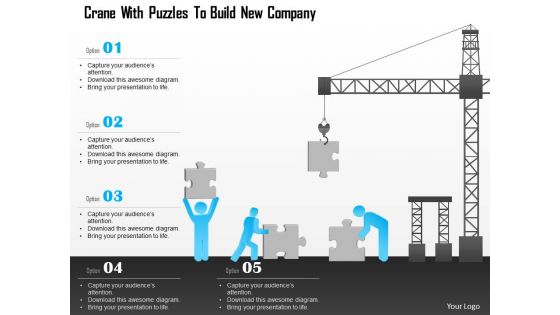
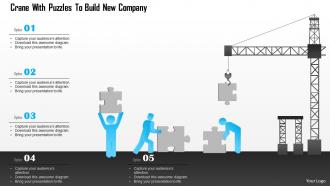
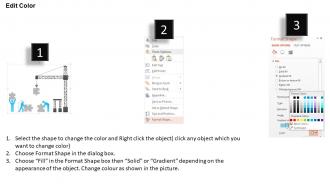
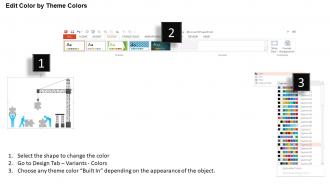
A well-known saying that “the first impression is the last impression” therefore while constructing an organization it is extremely important to have a strong initial impact on the audience for the sake of company’s future growth and success. Therefore, considering its importance our team has created a Bo Crane with Puzzles to Build New Company PowerPoint Template. This new business PPT slide was designed by carefully analyzing the market scenario and understanding the need of a newly built Firm. This Diagram possesses a structure that not only has high market demand but also displays clear understanding about the details and concept of the organization. It is evident that there are various risks involved in a new business process so selecting an effective medium to propose the message and other information is very vital. These PPT designs have an add on benefit that these are pre-designed which makes it even more convenient for the new business as they can save both time and effort while creating their PresentationFocus on better development with our Bo Crane With Puzzles To Build New Company Powerpoint Template. Your ability to achieve gets enhanced.
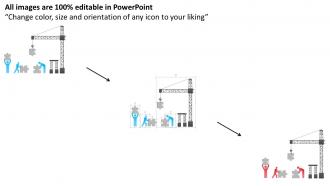
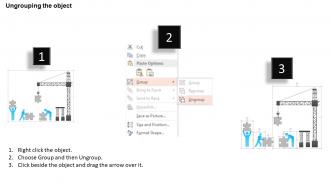
7977508 style essentials 1 our team 3 piece powerpoint presentation diagram infographic slide with all 5 slides:
Look beyond the bluster with our Bo Crane With Puzzles To Build New Company Powerpoint Template. They dig deep and bring up bare facts.
FAQs for 7977508 style essentials 1 our team 3 piece powerpoint presentation
You'll want a clean grid with numbered clue spots and good black/white square balance. Don't forget directional arrows for crane moves - seriously, half the puzzles I've tried are confusing because they skip the legend explaining how everything works. Space things out so people aren't struggling to read tiny numbers. Start with obvious moves, then work up to the tricky rotations. That's how you build a decent difficulty curve. Oh, and test it with something simple first! Nothing worse than realizing your layout's broken after you've already made the hard versions.
Honestly, these puzzles are perfect for waking people up during boring presentations. You know how everyone just zones out during slide after slide? Throw a bo crane puzzle on screen and suddenly they're all engaged, leaning in to solve it together. People start chatting with whoever's sitting next to them about different approaches - way better than staring at their phones. I've watched rooms completely transform when you get everyone problem-solving as a group. Just don't make it totally random though. Connect it back to whatever point you're making or people will wonder why they just spent 10 minutes on a puzzle.
So basically you wanna match your audience when tweaking those Bo crane templates. Kids need bright colors and easy words - stuff they already know. Adults? Try work situations or their hobbies instead. Honestly, just swapping the pictures can make people way more interested in the same puzzle! Cultural stuff helps too - local places, characters they love. Don't mess with the actual puzzle logic though, that's the whole point. I always start by figuring out what gets my audience excited first. Makes the rest way easier.
Dude, these puzzles are actually pretty great for your brain! You're always thinking like 3-4 moves ahead, figuring out how each piece affects everything else. Half the time my first attempt is a total disaster, but that's honestly where you learn the most. You step back, completely change your approach, and suddenly it clicks. The spatial thinking really gets a workout too - you're constantly visualizing how things fit together. I've noticed it actually helps with problem-solving at work, which was unexpected but cool.
Honestly, visuals make or break puzzle engagement. People bounce fast if they can't figure out what to do right away. Good colors and spacing guide users through naturally - nobody's got patience for messy, confusing layouts these days. The trick is reducing mental effort while keeping things challenging enough to be fun. Clear visual cues help way more than you'd think. Maybe test your current templates on a few people first? See where their eyes land initially. That'll tell you if your design actually works or if it's just... well, pretty to look at but useless.
Oh definitely try CrosshHare first - it's free and web-based, plus handles all the symmetry stuff for crane puzzles without being a pain. Phil is way more powerful but honestly the interface is kind of a nightmare when you're starting out. CrossHare lets you build the crane-shaped grids and test solve while you work, which is super helpful. Once you get the hang of it and want fancier features, then maybe check out Phil. But yeah, CrossHare's perfect for beginners. I spent way too much time wrestling with Phil's interface my first time around.
Honestly, these Bo crane puzzles are amazing for sneaking learning into different classes. Math teachers use them for sequencing and problem-solving. They're perfect for geometry too - kids analyze angles without realizing it. You can tie them into history lessons about Japanese culture and origami traditions. Start with simple templates first, then make them harder. I'd introduce maybe one per week? Kids get totally hooked on solving them. They work great as warm-ups or brain breaks between tough lessons. Group challenges are fun too. Seriously, students get so absorbed they forget they're actually learning - which is the whole point, right?
Don't make your constraint zones too messy or they'll create impossible puzzles. Also, avoid cramming in tons of fixed elements right away - honestly, it just sucks the fun out of solving them. Test with real people first! I can't stress this enough. What makes perfect sense to you will probably confuse everyone else. Keep your visual hints obvious and ramp up difficulty slowly. Oh, and always build in at least two ways to solve each puzzle. Players get frustrated when there's only one rigid path. Start basic, test like crazy, then gradually add complexity.
Dude, these crane puzzles are honestly so much better than regular slides or polls. People actually have to think and work together instead of just sitting there zoning out. Your whole audience gets involved in problem-solving, not just the usual few people who always speak up. Once they get going, it's almost addictive watching them figure it out! The hands-on stuff keeps everyone focused way longer than typical presentations. You get real interaction instead of people pretending to listen. Seriously, try it at your next team meeting - way better than another slideshow that puts everyone to sleep.
Honestly, color choice matters way more than people think for puzzles. Blues and greens are your best bet - they're naturally calming and won't fry your brain during those marathon solving sessions. Reds and yellows? Total concentration killers. You'll want decent contrast so pieces don't blur together, but nothing too harsh. I learned this the hard way after designing one with these awful neon colors that literally gave my mom a headache. Test your schemes on a few people first - what looks good to you might be torture for someone else. Nobody's trying to feel stressed while relaxing with a puzzle, you know?
Send out quick surveys after your presentations asking specific stuff about the Bo crane puzzles - did they actually help explain things or just keep people awake? Watch how your audience acts during those segments too. People literally lean forward when they're into it, but you'll catch them scrolling Instagram if they're bored. Grab a couple participants afterward for real feedback about which puzzle parts hit best. Skip the "how was it overall?" questions - they're useless. Oh, and try different puzzle formats with similar groups to see what clicks. Body language honestly tells you more than most surveys anyway.
Oh dude, Bo crane puzzles are actually pretty versatile! Team building stuff works great - have groups tackle different configurations together. Client meetings too, honestly nothing breaks awkward tension like a hands-on challenge. I've started keeping one on my desk during brainstorming (sounds weird but it totally helps). Workshop activities are perfect for showing problem-solving methods. Training sessions work too - teaches people to stick with tough problems. Start easy though, then ramp up the difficulty. Your coworkers will appreciate the break from staring at screens all day.
Oh totally! Your cultural background changes everything with Bo crane puzzles. Western people usually go step-by-step, but folks from East Asia see the whole thing first then dive in. Reading direction matters too - left-to-right vs right-to-left actually affects how you scan the puzzle, which is kinda wild when you think about it. Some cultures treat cranes as sacred symbols, so they're way more patient with the harder parts. Honestly, if you're making puzzles for different groups, test with various people first. You'll spot weird assumptions you didn't even realize you had.
Definitely track completion rates first - like how many people actually finish vs. bail halfway through. Time-to-solution is clutch too since it shows if your difficulty curve makes sense. Pay attention during those reveal moments when people go "ohhhh!" - seriously the best feedback you can get. Quick survey afterward asking about instruction clarity and if they felt appropriately challenged. I'd also watch for people asking "got any more puzzles?" because that's when you know you nailed it. Oh, and have them rate difficulty 1-5. Sounds obvious but it's super helpful for tweaking future ones.
Oh totally, Bo crane puzzles actually work really well online! I've had good luck with Miro and Jamboard - kids can drag the pieces around digitally. Sometimes the virtual ones are easier since everyone gets a clear view (no more "I can't see!" complaints). Physical pieces work too if students share their screens from home. For hybrid classes, breakout rooms are your friend. Have remote kids join through tablets so they're not just watching - they need to actually solve stuff. One thing that works well is making digital templates they can copy and mess around with first. Gets them familiar with how it works before the real thing.
-
Unique research projects to present in meeting.
-
Great experience, I would definitely use your services further.