


Experience projects self introduction ppt ideas
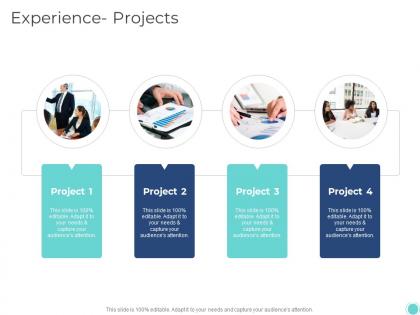




Try Before you Buy Download Free Sample Product
 Impress Your
 Audience
 100%
100% Editable
 Save Hours
 of Time


Our Experience Projects Self Introduction Ppt Ideas are topically designed to provide an attractive backdrop to any subject. Use them to look like a presentation pro.
People who downloaded this PowerPoint presentation also viewed the following :
Experience projects self introduction ppt ideas with all 2 slides:
Use our Experience Projects Self Introduction Ppt Ideas to effectively help you save your valuable time. They are readymade to fit into any presentation structure.
FAQs for Experience projects self
A self-introduction PPT for experience projects should include your professional background, relevant skills and certifications, specific project experiences with measurable outcomes, key achievements, and your unique value proposition. These elements work together by establishing credibility, demonstrating practical expertise, and showcasing tangible results, with many professionals finding that including quantified successes and industry-specific examples ultimately delivers stronger stakeholder confidence and project buy-in.
Showcase previous projects by highlighting measurable outcomes, key challenges overcome, technologies used, and your specific role in each initiative. Structure presentations with project context, your strategic approach, quantifiable results, and lessons learned, while emphasizing skills gained and their relevance to future opportunities, ultimately demonstrating your problem-solving capabilities and professional growth trajectory.
Storytelling transforms experience presentations by creating narrative flow, emotional connection, and memorable context that helps audiences understand your professional journey. Through chronological progression, challenge-solution frameworks, and outcome highlighting, you can weave individual projects into a compelling career narrative, with many professionals finding that storytelling approaches significantly enhance audience engagement and make technical accomplishments more relatable and impactful.
Tailoring presentations involves adjusting content focus, language complexity, visual design, and key messaging to match audience priorities, expectations, and industry context. For potential employers, emphasize relevant skills, quantifiable achievements, and cultural fit, while client presentations should highlight problem-solving capabilities, ROI potential, and successful project outcomes, ultimately delivering more targeted engagement and stronger professional connections.
**INPUT**: What design tips can enhance the visual appeal of my self-introduction PPT? **OUTPUT**: Effective self-introduction PPT design includes consistent color schemes, high-quality visuals, minimal text per slide, strategic white space, and professional typography. These elements streamline audience engagement by creating visual hierarchy, enhancing readability, and maintaining focus on key messages, with many professionals finding that clean, cohesive designs ultimately deliver stronger first impressions and memorable personal branding.
**INPUT**: How can I incorporate visuals and infographics to represent my experience? **OUTPUT**: Incorporate visuals through timeline infographics showcasing career progression, skill level charts displaying competency percentages, project outcome dashboards with key metrics, and process flow diagrams illustrating your methodologies. These visual elements streamline complex information by transforming dense text into digestible formats, enabling audiences to quickly grasp your achievements while creating memorable presentations that enhance professional credibility. [Word count: 58]
Common mistakes include overcrowding slides with text, using unprofessional templates, failing to tailor content to your audience, including irrelevant personal details, and neglecting to practice delivery timing. These presentation pitfalls undermine professional credibility by creating confusion, reducing engagement, and diminishing message clarity, with many professionals finding that streamlined, audience-focused approaches ultimately deliver stronger first impressions and enhanced career opportunities.
Structure your presentation with a compelling opening hook, clear agenda overview, strategic storytelling that connects experiences to audience value, and interactive elements throughout each section. Use the "problem-solution-impact" framework for project narratives, incorporate brief audience participation moments, and conclude with forward-looking insights that demonstrate your strategic thinking, ultimately delivering memorable engagement while showcasing your professional capabilities.
A self-introduction PPT should typically be 3-5 slides or 2-3 minutes long, covering key personal background, relevant experience, core skills, and career objectives without overwhelming your audience. This concise format enables effective storytelling while maintaining engagement, with many professionals finding that focused presentations deliver stronger first impressions and create meaningful connections in networking events, job interviews, and team introductions.
Highlight skills by connecting specific achievements to measurable outcomes, using action verbs like "streamlined," "enhanced," or "delivered," and quantifying results wherever possible. Structure each experience around the challenge faced, actions taken, and business impact achieved, with many professionals finding that focusing on transferable skills, problem-solving approaches, and strategic contributions creates compelling narratives that demonstrate value to potential employers or stakeholders.
Professional presentation creation benefits from PowerPoint, Google Slides, Canva, and Prezi for design flexibility, while tools like Unsplash, Pexels, and Adobe Creative Suite enhance visual quality through high-resolution images and graphics. These platforms streamline content development by offering customizable templates, collaborative editing features, and integrated design elements, with many professionals finding that combining multiple tools ultimately delivers polished, engaging presentations that showcase expertise effectively.
Include testimonials through dedicated quote slides with client names and companies, brief video testimonials from satisfied stakeholders, or visual testimonial carousels showcasing positive feedback. These endorsements enhance credibility by providing third-party validation of your project outcomes, with many professionals finding that authentic client testimonials significantly strengthen their personal brand presentation and demonstrate proven value delivery.
Animations and transitions maintain audience interest by creating visual rhythm, emphasizing key points, guiding attention flow, and preventing static presentation fatigue. These dynamic elements enhance storytelling through smooth content reveals, strategic pacing control, and professional polish, with many presenters finding that well-timed transitions ultimately deliver more engaging experiences and stronger audience retention.
Practice delivering your self-introduction PPT through mock presentations to colleagues, recording yourself to identify improvement areas, rehearsing in front of mirrors, timing your delivery, and seeking feedback from trusted peers or mentors. These practice methods enhance confidence, refine your storytelling flow, and help you adjust pacing and body language, with many professionals finding that consistent rehearsal ultimately delivers more engaging presentations and stronger audience connections.
**INPUT**: What are the best practices for preparing for potential questions following my presentation? **OUTPUT**: Best practices include anticipating common concerns, preparing concise responses with supporting data, practicing difficult scenarios, and researching audience backgrounds thoroughly. These preparation strategies enhance credibility by enabling confident answers, demonstrating subject expertise, and facilitating meaningful dialogue, with many presenters finding that structured Q&A preparation ultimately strengthens professional relationships and creates lasting impressions. **Word count: 56 words**
-
Easy to edit slides with easy to understand instructions.
-
Excellent Designs.