


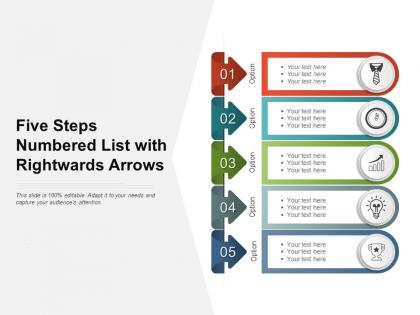
Five steps numbered list with rightwards arrows




Try Before you Buy Download Free Sample Product
 Impress Your
 Audience
 100%
100% Editable
 Save Hours
 of Time


Handle disputes in a confident fashion with our Five Steps Numbered List With Rightwards Arrows. It helps calm down belligerent folk.
People who downloaded this PowerPoint presentation also viewed the following :
Five steps numbered list with rightwards arrows with all 2 slides:
Enjoy the benefits of better access with our Five Steps Numbered List With Rightwards Arrows. Get across to bigger audiences.
FAQs for Five steps numbered list
Key components of a successful presentation include clear objectives, compelling content structure, engaging visual aids, confident delivery techniques, and strategic audience interaction. These elements work together by capturing attention through professional visuals, maintaining engagement through structured storytelling, and building credibility through confident communication, with many organizations finding that presentations combining these components significantly enhance stakeholder buy-in and decision-making outcomes.
Effectively engaging your audience requires interactive elements like polls, Q&A sessions, storytelling, visual aids, and direct eye contact throughout your presentation. These techniques work by creating dialogue rather than monologue, maintaining attention through varied content delivery, and building emotional connections, with many presenters finding that audiences retain significantly more information when actively participating rather than passively listening.
Storytelling transforms presentations by creating emotional connections, improving message retention, simplifying complex concepts, and making content more memorable and relatable. Through narrative structures, presenters engage audiences more effectively, facilitate better understanding of key points, and inspire action, with many organizations finding that story-driven presentations deliver significantly higher audience engagement and strategic outcomes.
Tailoring presentation styles involves adjusting content complexity, delivery pace, visual elements, interaction levels, and communication tone based on audience expertise, industry, and expectations. For technical audiences, emphasize data and detailed analysis, while executive presentations focus on strategic outcomes and ROI, with many organizations finding that audience-specific customization significantly enhances engagement and decision-making effectiveness.
Best practices for designing visually appealing slides include maintaining consistent color schemes, using high-quality images, limiting text per slide, incorporating white space effectively, and ensuring readable font sizes. These design principles enhance audience engagement by reducing cognitive load, improving information retention, and creating professional presentations, with many organizations finding that well-designed slides significantly boost meeting effectiveness and stakeholder buy-in.
**INPUT**: How do I manage time effectively during my presentation? **OUTPUT**: Effective presentation time management involves rehearsing thoroughly with a timer, structuring content with clear time allocations per section, and incorporating strategic pauses for audience engagement. Through disciplined practice and slide pacing, presenters streamline their delivery, maintain audience attention, and avoid rushed conclusions, ultimately delivering more impactful messages and professional credibility.
Common mistakes include overcrowding slides with excessive text, using inconsistent fonts and colors, ignoring brand guidelines, creating overly complex layouts, and failing to consider audience needs. These design pitfalls undermine professional credibility and message clarity, with many organizations finding that streamlined, brand-consistent templates enhance communication effectiveness and ultimately deliver stronger stakeholder engagement.
Data and statistics strengthen your message by providing credibility, quantifying impact, and addressing audience skepticism through concrete evidence. Strategic use of relevant metrics, comparative analysis, and trend data enables more persuasive presentations, with many organizations finding that well-chosen statistics significantly enhance stakeholder buy-in and decision-making confidence across industries.
**INPUT**: What techniques can help reduce anxiety before presenting? **OUTPUT**: Pre-presentation anxiety reduction techniques include thorough preparation, visualization exercises, controlled breathing methods, physical warm-ups, and positive self-talk strategies. These approaches work by building confidence through practice, calming nervous systems, and creating mental readiness, with many professional presenters finding that combining multiple techniques delivers significantly better performance outcomes and enhanced audience engagement.
Interactive elements include live polls, Q&A sessions, audience response systems, breakout discussions, and hands-on demonstrations. These techniques enhance engagement by encouraging participation, gathering real-time feedback, and creating memorable experiences, with many presenters finding that interactive approaches significantly improve audience retention, foster deeper connections, and ultimately deliver more impactful business outcomes.
Body language significantly impacts presentation delivery by influencing audience engagement, speaker credibility, and message comprehension through gestures, posture, and facial expressions. Effective presenters leverage confident stance, purposeful movements, and eye contact to enhance their delivery, with many business professionals finding that strong body language increases audience retention by up to 55% and establishes greater executive presence.
Handle audience questions by listening actively, pausing to think before responding, acknowledging the questioner, and providing clear, concise answers while staying on topic. This approach builds credibility and engagement, with many presenters finding that preparing anticipated questions beforehand, admitting when unsure, and redirecting off-topic queries ultimately delivers stronger audience connection and professional authority.
Consistent branding in presentation design enhances professional credibility, reinforces brand recognition, improves audience trust, streamlines design processes, and ensures messaging alignment across all communications. Organizations leveraging consistent visual identity find that audiences retain information more effectively, stakeholders perceive greater professionalism, and teams deliver cohesive presentations faster, ultimately strengthening brand equity and competitive positioning.
Measure presentation success through audience engagement metrics, feedback collection, objective achievement assessment, follow-up response rates, and behavioral change indicators. Post-presentation surveys, direct stakeholder conversations, and tracking whether intended actions occurred help organizations evaluate effectiveness, with many presenters finding that combining quantitative data with qualitative insights ultimately delivers comprehensive performance understanding and competitive presentation advantages.
Visual enhancement tools include Canva, Adobe Creative Suite, Piktochart, Unsplash, and specialized presentation platforms like Prezi or SlideTeam. These platforms streamline design processes by offering templates, stock imagery, and interactive elements, enabling professionals across industries like consulting, healthcare, and finance to create compelling presentations that engage audiences and communicate complex information more effectively.
No Reviews