


Langgraph Language Modeling Graph Technology PPT PowerPoint ST AI




Try Before you Buy Download Free Sample Product
 Impress Your
 Audience
 100%
100% Editable
 Save Hours
 of Time


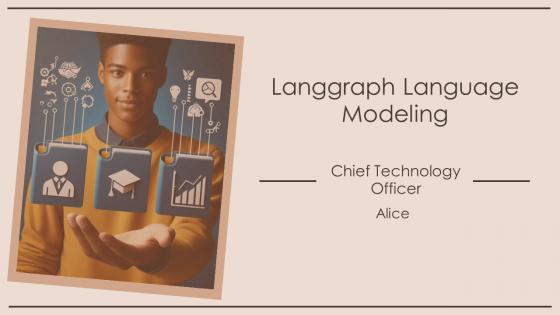
This PowerPoint presentation deck provides a comprehensive overview of Langgraph language modeling graph technology. It covers key concepts, applications, and benefits of this advanced technology. Ideal for professionals seeking to understand and leverage Langgraph for improved language processing and data analysis. Highly informative and visually engaging.
People who downloaded this PowerPoint presentation also viewed the following :
Langgraph Language Modeling Graph Technology PPT PowerPoint ST AI with all 43 slides:
Use our Langgraph Language Modeling Graph Technology PPT PowerPoint ST AI to effectively help you save your valuable time. They are readymade to fit into any presentation structure.










FAQs for Langgraph Language Modeling Graph Technology PPT
Honestly, what makes Langgraph stand out is how it actually gets your topic and builds a story that flows between slides. Other tools just throw templates at you. This thing analyzes what you're talking about and connects the dots - like, it actually makes sense when you read through it. You can switch up the complexity for different audiences too without rebuilding everything. Super helpful when you're doing the same presentation for your team vs. executives. I used it for my last quarterly review and... yeah, definitely try their demo. You'll get it right away.
So Langgraph basically built their templates with swappable pieces - you can switch out colors, layouts, industry-specific stuff without starting over. Pretty smart actually. They've got building blocks that work across different sectors, like finance uses totally different visual setups than creative agencies. Their template library covers tons of industries too - tech startups, healthcare, you name it. The cool part is they separate the content structure from the design itself. So you can take the same framework and make it fit whatever industry conventions or brand stuff you need. Saves a ton of time honestly.
Yeah, Langgraph templates are super customizable actually. Colors, fonts, logos - all that stuff can be tweaked to match your brand. The node styling options are solid, plus you can mess with connection colors and backgrounds. Honestly way more flexible than I thought it'd be when I first messed around with it. If you need something really specific, there's custom CSS too, though most people don't need to go that far. I'd just start with one of their preset themes and adjust from there - saves you from building everything from scratch.
User feedback totally drives Langgraph's template roadmap. Submit feature requests or bug reports through GitHub - they actually listen, which is nice for once. Your specific workflows show them what patterns are common enough to build official templates for. Missing something you need? Definitely speak up about it. The team prioritizes based on real-world use cases people share. I mean, they can't read minds about what developers are struggling with. So yeah, if you've got pain points or ideas, don't just suffer in silence - your input literally shapes what gets built next.
So Langgraph's design team basically stalks Dribbble and Behance for the latest trends - colors, layouts, all that stuff. They push updates quarterly, which is pretty solid. Sometimes they jump on trends a little too fast though (like when everyone went crazy with glassmorphism lol). Your templates get these updates automatically, so you won't look stuck in 2019. Pro tip: hit up their "Recently Updated" section every couple months. That's where the good stuff lives when you need something fresh for a presentation.
Oh totally! Langgraph templates are actually perfect for digital stuff. I've used them for social posts, websites, chatbots - pretty much anything really. The node setup makes it super flexible. You might have to tweak things like character limits for Twitter (ugh, always forgetting about those), but the main logic stays intact. Starting simple is the way to go. Then just customize based on what your platform needs and how your audience talks. Honestly, it's way easier than I thought it'd be when I first tried it.
Oh nice timing - I just helped my cousin with this last week! Start with their "Getting Started" tutorials, they're actually pretty decent. The video walkthroughs cover the trickier stuff well. Honestly though? The community forum is where you'll find the real gems - way better than their official docs sometimes. Template libraries are clutch when you're figuring things out too. You can just grab something and mess around with it instead of starting from scratch. Once you get comfortable with the basics, templates become super useful for speeding things up.
Oh nice, Langgraph actually bakes accessibility stuff right into their templates from the start. Way better than trying to fix it later - trust me on that one. You get proper headings, alt text spots for images, high contrast colors that hit WCAG standards. Plus keyboard navigation and screen reader support just work automatically. Honestly kind of genius they did it this way. Just grab one of their accessible templates and you're like 90% compliant without doing anything extra. Saves so much headache compared to other platforms I've used.
So LangGraph looks at a bunch of stuff - completion rates, speed, how well templates handle errors when things go wrong. They track whether devs actually adopt them too, which makes sense since unused templates are kinda pointless. There's automated testing against benchmark datasets, plus they run real-world simulations. Honestly, I'd just check their GitHub for the actual benchmarks they publish. They update their evaluation criteria pretty regularly based on what the community needs, so that's your best bet for current info.
Langgraph templates are perfect for this! Build conversational AI tutors that actually respond to how each student learns. The cool part is creating branching scenarios - students make choices and see different outcomes based on their decisions. Start with something simple, maybe a basic Q&A flow for one subject (I'd probably pick the easiest topic first, honestly). Then expand once you get the hang of it. You can set up adaptive quizzes that get harder or easier depending on how they're doing. It's basically like having a teaching assistant that doesn't need coffee breaks and can handle multiple students at once.
Build your graph locally first - get all the nodes, edges, and state stuff working properly. Once that's solid, package it up using LangGraph's template format (their docs are okay but honestly could be way better). Submit through their process with metadata, examples, docs, the whole thing. They review it before putting it in the gallery. Oh and definitely test with tons of different inputs beforehand. Trust me, saves you from going back and forth with revisions later.
So LangGraph charges based on what you actually use - API calls, compute time, memory, that kind of stuff. No flat monthly fees which is nice. You get their visual workflow builder and pre-built components, plus they handle all the scaling automatically. Way better than building this stuff yourself if you're doing complex AI workflows, honestly. You're basically paying to skip months of engineering headaches and get to market faster. Oh and they have a free tier - I'd definitely start there to see how much you'll actually use before jumping into paid plans.
Honestly, Langgraph templates are pretty solid for cutting down on repetitive stuff. You can automate things like customer emails, reports, or those annoying status updates nobody wants to write. The best part? Everything stays consistent with your brand voice, which is huge. I'd start simple - maybe customer support responses or internal docs. They're weirdly flexible once you figure them out (took me a bit). Your team saves time, customers get better responses. Works for both internal workflow stuff and external customer-facing things. Oh, and they scale really well if you need to handle tons of inquiries.
So basically they use the same core building blocks for everything - same graph stuff, same state management, all that. Pretty smart actually. Every template gets tested automatically so nothing breaks when you're trying to build something. The naming conventions are consistent too, which honestly saves you from going insane when you switch between different templates. Oh and the docs follow the same format everywhere. Start with their "Hello World" thing first - once you see how they structure everything, you'll spot the same patterns in their other templates. Makes life way easier.
So Langgraph actually tests their stuff on PowerPoint, Keynote, and Google Slides while they're building the templates - catches problems before you download them. They stick to standard file formats and skip the fancy features that usually break when you switch platforms. Each template has compatibility notes (honestly pretty useful if you remember to check them). Oh and they keep updating things when software changes, so your slides don't randomly look terrible after an update. Just peek at those compatibility notes before downloading to make sure it'll work with whatever version you're running.
-
Easily Understandable slides.
-
Colors used are bright and distinctive.