


Meet our team powerpoint slide ideas




Try Before you Buy Download Free Sample Product
 Impress Your
 Audience
 100%
100% Editable
 Save Hours
 of Time


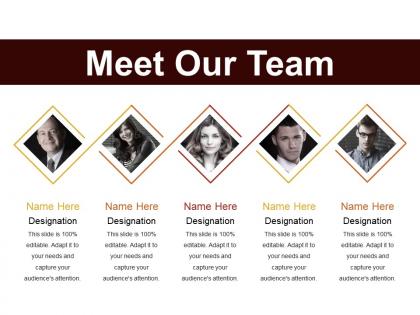
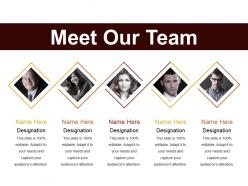
Introducing Meet Our Team PowerPoint Slide Ideas PowerPoint presentation. Employing this PPT presentation you can get familiar with employees of other departments as well and promote the social culture of your company. This social interaction PowerPoint theme can be helpful in knowing more about the firm’s employees and their designations. Using this reach out PPT slide you can get to know your fellow colleagues. You can list out the qualifications and experience of the colleagues along with their photographs using our PPT layout. Additionally, this PowerPoint slide can help in recognizing a suitably skilled employee for a project. This introductory PPT template can be used in institutions like schools and colleges for conferences to introduce departmental heads and various authorities. This introduction PowerPoint layout can be used by HR during company induction to new employers. Therefore download this connection building PowerPoint slide and promote public relations within your organization to create an amicable environment.
People who downloaded this PowerPoint presentation also viewed the following :
Meet our team powerpoint slide ideas with all 5 slides:
Folks find the atmosphere immensely easy going due to our Meet Our Team Powerpoint Slide Ideas. It ensures they feel jolly.

FAQs for Meet our team
Key elements include team member names and titles, professional headshots, relevant experience or expertise areas, contact information, and defined roles within the project or organization. These components work together by establishing credibility, facilitating communication, and creating personal connections, with many organizations finding that well-structured team introductions enhance stakeholder confidence and streamline collaboration efforts.
Visuals enhance team introduction slides by creating emotional connections, improving information retention, and establishing professional credibility through high-quality headshots, role icons, and organizational charts. These elements streamline audience understanding while building trust, with many organizations finding that visual storytelling significantly increases engagement and helps teams make stronger first impressions during presentations.
Professional color schemes that reinforce team cohesion include monochromatic palettes using varying shades of one primary color, complementary combinations like blue and orange, and brand-aligned colors that reflect organizational identity. These strategic color choices enhance visual consistency, strengthen brand recognition, and create psychological unity among team members, with many organizations finding that cohesive color schemes improve audience engagement and reinforce professional credibility.
Infographics can present team members' roles through organizational charts, role-specific icon systems, responsibility matrices, skill visualization graphics, and process flow diagrams. These visual tools streamline complex reporting structures and clarify interdependencies, with many organizations finding that infographic-based team presentations enhance stakeholder understanding, reduce onboarding time, and ultimately deliver clearer communication across departments.
Innovative team introduction layouts include asymmetrical grids, interactive hotspots, timeline formats, hexagonal photo clusters, and split-screen designs with role-based sections. These approaches enhance engagement by creating visual hierarchy, enabling hover-over details for individual members, and incorporating dynamic elements like animated transitions, with many organizations finding that creative layouts increase audience retention and foster stronger team connection during presentations.
Balancing text and visuals requires limiting text to essential details like names, roles, and key expertise while using high-quality headshots and consistent visual elements. Effective slides utilize white space strategically, maintain uniform formatting, and follow the 6x6 rule, with many organizations finding that clean, visually-balanced designs enhance audience engagement and professional credibility.
Creative approaches include spotlight slides with quantified accomplishments, visual achievement timelines, skills-based infographics, testimonial quotes from clients or colleagues, and milestone celebration graphics. These presentation elements enhance team credibility by showcasing concrete results like project successes, certifications earned, and leadership contributions, ultimately building stakeholder confidence while demonstrating the strategic value each member brings to organizational objectives.
Storytelling enhances team introduction presentations by weaving personal narratives, shared experiences, and collective achievements into compelling member profiles, creating emotional connections with audiences. Through strategic anecdotes about challenges overcome, collaborative successes, and individual journeys, organizations build authentic team narratives that resonate with stakeholders, ultimately delivering memorable presentations and stronger professional relationships.
Professional team introduction slides benefit from clean, subtle backgrounds like soft gradients, minimal geometric patterns, corporate textures, or blurred office environments that maintain visual hierarchy. These design elements enhance readability while projecting professionalism, with many organizations finding that understated backgrounds in brand colors or neutral tones ultimately deliver stronger focus on team members and support overall presentation credibility.
**INPUT**: How can animations be used to add interest without being distracting in a team presentation? **OUTPUT**: Effective animations include subtle fade-ins for team member introductions, gentle slide transitions, and progressive reveals of key information or achievements. These techniques enhance engagement by directing attention strategically, maintaining professional flow, and highlighting individual contributions without overwhelming content, with many organizations finding that minimal, purposeful animations create memorable team presentations while preserving focus on personnel and qualifications.
Digital team introduction slides for remote teams should include professional headshots, clear role descriptions, contact information, time zones, preferred communication methods, and brief personal interests or fun facts. These features enhance virtual collaboration by enabling teammates to connect personally and professionally across distances, with many remote organizations finding that comprehensive introductions reduce communication barriers, build trust faster, and ultimately improve team cohesion and productivity.
Tailoring team introduction slides involves adjusting content depth, highlighting relevant expertise, and emphasizing audience-specific value propositions, with client presentations focusing on industry experience while stakeholder versions emphasize strategic capabilities. For clients, organizations streamline biographical details and showcase project successes, while investor presentations highlight leadership credentials and growth expertise, ultimately delivering targeted messaging that resonates with each audience's priorities and decision-making criteria.
Typography significantly impacts team introduction slides through readability, hierarchy, and professional presentation, influencing how audiences perceive and retain team member information. Strategic font choices enhance visual consistency, streamline information processing, and create memorable impressions, with many organizations finding that well-executed typography delivers stronger stakeholder engagement and reinforces brand credibility across presentations.
A cohesive theme throughout the presentation reinforces the team's message by creating visual consistency, establishing professional credibility, and ensuring audience focus remains on key content rather than distracting design elements. This strategic approach enhances information retention, strengthens brand perception, and delivers a unified narrative that resonates with stakeholders, ultimately positioning the team as organized and detail-oriented professionals.
Successful team introduction slides from companies like Google, Apple, and Microsoft typically feature professional headshots, concise role descriptions, key achievements, and relevant expertise areas. These slides enhance credibility by highlighting team members' educational backgrounds, industry experience, and specific contributions to company success, while maintaining visual consistency through branded templates, ultimately building stakeholder confidence and demonstrating organizational strength.
-
Awesome use of colors and designs in product templates.
-
Unique research projects to present in meeting.