

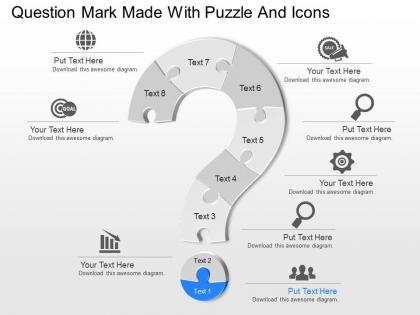
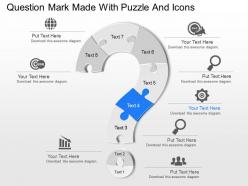
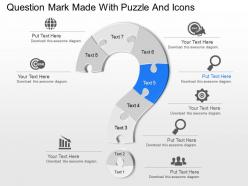
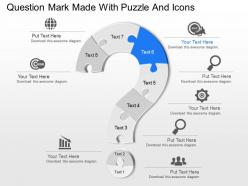
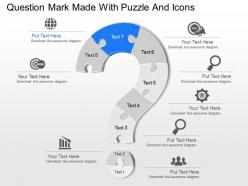
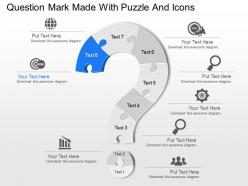
Oi question mark made with puzzle and icons powerpoint template




Try Before you Buy Download Free Sample Product
 Impress Your
 Audience
 100%
100% Editable
 Save Hours
 of Time


Assess their attitude with our Oi Question Mark Made With Puzzle And Icons Powerpoint Template. They will help you gauge the audience.
People who downloaded this PowerPoint presentation also viewed the following :
Oi question mark made with puzzle and icons powerpoint template with all 11 slides:
Exude forthrightness with our Oi Question Mark Made With Puzzle And Icons Powerpoint Template. Your clarity of thought will burst through.
FAQs for Oi question mark made with puzzle and
A question mark puzzle template engages audiences by creating visual intrigue, encouraging active participation, building suspense around reveals, and transforming complex information into interactive challenges. These templates work particularly well in training sessions, strategic planning meetings, and educational presentations, where presenters find that puzzle-based formats significantly increase retention rates, stimulate discussion, and ultimately deliver more memorable experiences than traditional slide formats.
Question mark puzzles enhance critical thinking skills by requiring students to analyze patterns, deduce logical relationships, evaluate multiple possibilities, and test hypotheses systematically. These cognitive exercises strengthen analytical reasoning and problem-solving abilities across subjects like mathematics, science, and logic courses, with many educators finding that regular puzzle integration improves students' strategic thinking and academic performance.
Essential design elements for visually appealing question mark puzzle templates include clear typography, strategic color contrast, balanced white space, consistent iconography, and intuitive visual hierarchy. These elements work together by enhancing readability, guiding user attention, and creating professional presentation flow, with many organizations finding that well-designed templates significantly improve audience engagement and information retention during interactive sessions.
Question mark puzzles can be adapted across subjects through thematic imagery, subject-specific terminology, curriculum-aligned content, visual customization, and difficulty scaling tailored to different academic levels. These versatile templates enable educators in mathematics, science, history, and language arts to create engaging presentations that enhance student interaction, improve knowledge retention, and deliver memorable learning experiences, ultimately transforming traditional lessons into dynamic educational tools.
Question mark puzzle templates encourage collaborative learning by requiring participants to share knowledge, discuss different perspectives, and work together to solve complex problems or complete missing information. Through interactive group sessions, teams combine individual expertise while developing communication skills and building consensus, with many educational institutions and corporate training programs finding that these collaborative puzzle activities enhance engagement, deepen understanding, and strengthen team cohesion.
Best practices for incorporating question mark puzzles into corporate training include aligning puzzles with specific learning objectives, using progressive difficulty levels, facilitating collaborative problem-solving sessions, and integrating multimedia elements for enhanced engagement. These interactive approaches streamline knowledge retention by encouraging critical thinking, promoting team collaboration, and creating memorable learning experiences, with many organizations finding that puzzle-based training delivers significantly higher participation rates and improved skill application.
Question mark puzzles serve as effective assessment tools by evaluating critical thinking, pattern recognition, logical reasoning, and problem-solving abilities through visual and numerical challenges. Educational institutions and corporate training programs increasingly use these puzzles to assess cognitive skills, analytical capabilities, and decision-making processes, with many organizations finding that they reveal problem-solving approaches and intellectual agility more effectively than traditional testing methods.
Technology enhances question mark puzzle templates through interactive features, real-time collaboration tools, multimedia integration, animation capabilities, and cloud-based accessibility. These digital enhancements streamline presentation delivery by enabling clickable reveals, embedded videos, and seamless team editing, with many organizations finding that interactive puzzle elements significantly boost audience engagement and knowledge retention.
Common mistakes include overcrowding slides with excessive text, using unclear or ambiguous question phrasing, poor visual hierarchy, inconsistent formatting, and neglecting audience comprehension levels. These design flaws can confuse viewers and undermine presentation effectiveness, with many organizations finding that streamlined layouts, precise questioning, and balanced visual elements ultimately deliver clearer communication and stronger audience engagement.
Children typically respond to question mark puzzles with immediate curiosity and engagement, while adults approach them more analytically, seeking strategic relevance and clear outcomes. In educational settings, corporate training, and healthcare presentations, question mark puzzles enhance participation across age groups by creating interactive moments that break traditional presentation monotony, with many organizations finding that these visual elements increase retention rates and encourage collaborative problem-solving regardless of audience demographics.
Recommended tools for creating custom question mark puzzle templates include PowerPoint, Canva, Adobe Illustrator, Google Slides, and specialized template platforms like SlideTeam. These applications streamline design through drag-and-drop functionality, customizable shapes, and professional formatting options, with many educators and businesses finding that PowerPoint and Canva deliver the most accessible combination of flexibility and professional results for interactive presentations.
Question mark puzzles boost audience engagement by creating interactive moments where participants actively solve problems, make predictions, and contribute answers throughout presentations. These visual elements transform passive listeners into active contributors, with speakers using strategic reveals and collaborative problem-solving to maintain attention, encourage discussion, and ultimately deliver more memorable experiences that enhance knowledge retention.
Puzzles have served as fundamental educational tools since ancient civilizations, enhancing critical thinking, pattern recognition, and problem-solving abilities across cultures. From mathematical puzzles in ancient Greece to modern digital brain teasers, educational institutions and entertainment industries increasingly leverage puzzle-based learning to improve cognitive development, engagement rates, and knowledge retention, ultimately delivering more effective learning experiences and competitive advantages in skill development.
Question mark puzzles integrate into remote learning through interactive presentation platforms, virtual breakout rooms for collaborative solving, shared digital whiteboards, and gamified learning management systems. These tools enable educators to create engaging problem-solving sessions that maintain student participation across distributed classrooms, while fostering critical thinking and teamwork skills essential for modern educational outcomes.
**INPUT**: What feedback mechanisms can be used to improve the effectiveness of question mark puzzle templates? **OUTPUT**: Feedback mechanisms include user surveys, completion analytics, engagement tracking, peer reviews, and iterative testing sessions. These approaches streamline template optimization by measuring user comprehension, identifying navigation challenges, and assessing visual clarity, with many organizations finding that combining quantitative data with qualitative insights ultimately delivers enhanced user experiences and improved problem-solving outcomes.
-
Awesomely designed templates, Easy to understand.
-
Topic best represented with attractive design.