

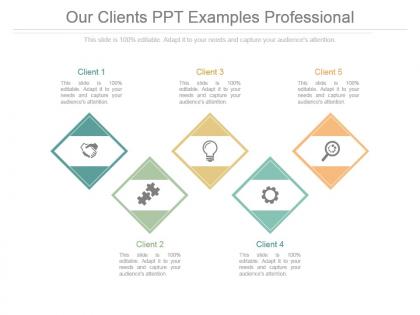
Our clients ppt examples professional




Try Before you Buy Download Free Sample Product
 Impress Your
 Audience
 100%
100% Editable
 Save Hours
 of Time


Bring about good coordination with our Our Clients Ppt Examples Professional. Give folks enough cause to cooperate.
People who downloaded this PowerPoint presentation also viewed the following :
Our clients ppt examples professional with all 7 slides:
Whip up a frenzy with our Our Clients Ppt Examples Professional. They will fuel the excitement of your team.




FAQs for Our clients
Okay so three things you need to get right: First, lead with the exact problem you're solving - if they're confused by slide one, you're screwed. Then hit them with your actual solutions, but with real examples they can visualize. Data, mockups, whatever makes it click. Oh and definitely include a quick story or case study because honestly, people zone out without them. Last thing - give them concrete next steps with deadlines and who's responsible for what. Don't waste time on filler slides. They need to walk away knowing exactly what decision to make.
Honestly, visuals are a game changer for presentations. People actually remember stuff when you show charts instead of just talking at them forever. Complex data becomes way less intimidating with good graphs - I learned this the hard way after bombing a client meeting once with zero visuals. Short attention spans need something to look at, you know? Just don't go crazy with cluttered slides that have paragraphs of text. Keep it clean. Every image should actually mean something, not just random stock photos. Visual learners will thank you, and honestly everyone stays more engaged when there's something interesting on screen.
Honestly, you've gotta speak their language from day one. Study up on their industry pain points and throw around the same terms they use daily. Healthcare folks obsess over compliance stuff and patient outcomes. Tech companies? They want to hear about scaling and innovation. I totally bombed once using retail examples for a manufacturing pitch - whoops! Your presentation style matters too. Finance people expect buttoned-up formality, but startups might dig something more creative. Always bring 2-3 examples that hit their specific problems. Shows you actually get what keeps them up at night.
Just take a breath and buy some time - "Great question, let me think about that for a sec." Seriously, I've watched so many people crash and burn trying to sound brilliant when they're totally winging it. Way better to just own it: "I don't have those numbers with me, but I can get back to you by Friday." Always acknowledge what they're asking first, then tackle whatever you actually know. You can usually circle back to your main points somehow. Honestly? Being confident about not knowing beats making stuff up and looking like an idiot later.
Dude, stories are what make presentations actually stick. People forget data dumps immediately, but they'll remember a good story for weeks. Your case studies? Turn them into mini hero journeys. Problems become challenges, solutions become victories. I swear, clients get way more invested when you're painting a picture instead of rattling off bullet points. Like, would you rather hear "increased efficiency by 23%" or how you helped a company go from chaos to crushing their goals? Start with a simple beginning-middle-end structure around your main points. Trust me, you'll see the difference in how people react.
Honestly, do your homework before touching PowerPoint. Call your main contact and grill them - who's gonna be there? What's their experience level? What problems are keeping them up at night? I usually just do a quick 15-minute call to figure this out, way easier than guessing. Also worth checking if the company's going through any major changes lately that might affect what they care about. Trust me, there's nothing worse than explaining kindergarten stuff to a room full of PhDs. Or the opposite. Spend like 20% of your time on this research upfront and the actual presentation becomes so much easier.
Honestly, the worst thing you can do is cram everything onto your slides - people zone out immediately. Also don't read straight from them, it's painful to watch. Make sure your font's actually readable from the back row (learned that one the hard way). You HAVE to practice beforehand because something always breaks. The projector will die, guaranteed. Build in time for questions and don't run over - nothing annoys people more. Oh, and know what your audience actually cares about instead of just dumping everything you know on them. Have backups ready!
Lead with your big insight, then back it up with numbers - not the other way around. Stick to 2-3 key metrics per slide because honestly, more than that and everyone just zones out. Charts beat tables every time. But here's the thing - don't just show the data, explain what it actually means for their bottom line. Skip the boring methodology stuff unless they ask. You're telling a story where data supports your point, it's not the main character. Oh, and after every data point, say "what this means is..." so you're connecting the dots for them instead of making them guess.
Oh man, I bombed so many presentations before figuring this out! Mix up your delivery - walk around, change your pace, throw in questions (even if they're rhetorical). People zone out fast otherwise. Stories work way better than just facts since brains eat that stuff up. Your slides should be mostly visuals, not word vomit. There's this "rule of three" thing that actually works - grouping info in threes sticks better. But honestly? Just watch the room. If you're losing them, have some backup interactive thing ready. Saved my butt more times than I can count.
Dude, presentation design matters way more than people think. Clients judge you in like 3 seconds - messy slides and they're already doubting you can handle their project properly. I've literally watched solid pitches tank because someone used Comic Sans or whatever. You don't have to be some design genius, but clean fonts and matching colors show you actually care. Honestly, it's kinda unfair how much visual stuff influences people, but that's just how brains work. Spend the extra hour making it look decent and your ideas will hit different.
Ok seriously, practice out loud - don't just read your slides in your head. I always do my whole presentation like 3-4 times, timing each part. Get someone to listen if you can. Honestly, I mess up transitions between slides the most, so I practice those extra. When you're presenting, slow down way more than feels right and look at different people around the room. Oh and have a backup plan for when tech inevitably breaks. The main thing though? Know your stuff well enough that if you blank out, you can just keep going.
Hit your 3-4 biggest points and connect them back to what they actually said their problems were. I do this "so what does this mean for you?" thing every time - honestly that's where you either crush it or completely bomb. One sentence per point, max. Use their exact words when you can, not your fancy consultant speak. Don't throw in random new stuff here! Then give them concrete next steps with actual dates. The whole summary should answer "okay, so now what?" I learned this the hard way - make it super actionable or they'll just nod and never call back.
Honestly, just stick with PowerPoint or Google Slides for client stuff. Clients are used to seeing them, so you won't confuse anyone. Canva's great if you want prettier slides without being a designer - I use it all the time now. Prezi looks flashy but can be distracting depending on who you're presenting to. Oh, and if you're doing charts, build them in Excel first then copy over - they always look way cleaner that way. Whatever you pick, make sure your whole team uses the same templates so you don't look messy. Master one tool before trying others though.
Honestly, just start keeping quick notes after every presentation while stuff's still fresh in your head. I'll literally write "slide 5 was confusing" or "they loved that demo part." Most people skip the review step though - actually look at your notes before prepping the next one! After a few presentations, you'll spot patterns. Maybe you always rush the technical bits or your Q&A goes way over. The trick is being real about what sucked instead of pretending everything went great. Then actually fix those problem areas next time around.
Look, always be upfront about where your data comes from and what your analysis can't do. Clients need the whole story to make good calls - don't hide the ugly stuff just because it makes your charts look prettier. Never leak confidential info from other clients either, even the "anonymized" bits can bite you. Your recommendations should actually help them, not just pad your company's bottom line. Honestly, I've seen too many consultants oversell their insights when they should just admit uncertainty. Be straight about what you know vs. what you're guessing at.
-
Great product with effective design. Helped a lot in our corporate presentations. Easy to edit and stunning visuals.
-
Visually stunning presentation, love the content.