


Ownership icon ppt sample presentations




Try Before you Buy Download Free Sample Product
 Impress Your
 Audience
 100%
100% Editable
 Save Hours
 of Time


Introducing Ownership Icon PPT Sample Presentations. This joint business PPT infographic is suitable for partnership business, sole proprietorship business, and companies. Employ this employee stock ownership and showcase the number of shares that you and your business partner hold. This slide is completely adaptable, you can replace the text in the placeholders with your own relevant content. Present the various merits of joint business such as risk-sharing, reduction in the amount of initial capital required, etc. with this partnership graphic. Use this equity sharing graphic and identify and utilize the strength of partners, set individual and company goals. Employ this effective PowerPoint layout and reveal the current alliances of your organization and future goals. Utilize this strategic alliance visual to create an impressive PowerPoint presentation in no time. Hence, identify the major aspects of your business and propagate your ideas easily with this strategic alliance theme.
People who downloaded this PowerPoint presentation also viewed the following :
Content of this Powerpoint Presentation
Description:
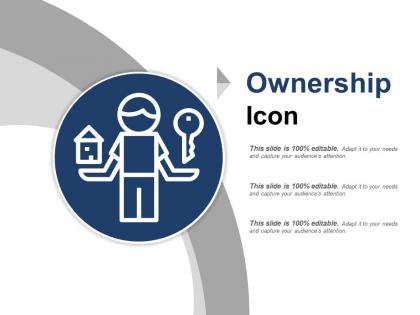
The image depicts a PowerPoint slide with the title "Ownership Icon." The slide features a graphic icon of a person with a house on one hand and a key on the other, symbolizing property ownership or responsibility. The slide text indicates that it is fully editable and can be adapted for various uses to capture an audience's attention.
Use Cases:
This type of slide is versatile and could be used in many industries for presentations that emphasize ownership or responsibility:
1. Real Estate:
Use: Discussing property ownership and keys to a new home.
Presenter: Real Estate Agent.
Audience: Homebuyers, Investors.
2. Automotive:
Use: Illustrating vehicle ownership and key handover.
Presenter: Car Salesperson.
Audience: Customers, Dealership Visitors.
3. Business Management:
Use: Emphasizing responsibility in project ownership.
Presenter: Team Leader.
Audience: Employees, Stakeholders.
4. Banking and Finance:
Use: Explaining asset ownership and investment portfolios.
Presenter: Financial Advisor.
Audience: Clients, Investors.
5. Information Technology:
Use: Assigning ownership of IT projects or systems.
Presenter: IT Project Manager.
Audience: Team Members, Department Heads.
6. Law Firms:
Use: Legal aspects of property and intellectual ownership rights.
Presenter: Attorney.
Audience: Clients, Legal Students.
7. Retail:
Use: Customer ownership experiences in retail.
Presenter: Customer Experience Manager.
Audience: Retail Staff, Management.
Ownership icon ppt sample presentations with all 5 slides:
Get on equal footing with our Ownership Icon Ppt Sample Presentations. They allow you to get your own back.
FAQs for Ownership icon
Effective ownership icons in presentation design include clear visual hierarchy, consistent branding elements, appropriate size and positioning, readable typography, and professional color schemes that align with corporate identity. These attributes work together by establishing immediate brand recognition, enhancing visual credibility, and ensuring seamless integration across slide layouts, with many organizations finding that well-designed ownership elements significantly strengthen audience trust and presentation impact.
Ownership icons enhance visual communication by immediately establishing accountability, streamlining information hierarchy, and creating intuitive navigation pathways for audiences. These visual elements help presenters clarify responsibilities, ownership structures, and decision-making frameworks across complex organizational charts, with many businesses finding that strategic icon placement reduces explanation time while improving audience comprehension and engagement.
Ownership icons are most commonly utilized in corporate presentations during merger and acquisition discussions, organizational restructuring announcements, partnership agreements, and stakeholder reporting sessions. These visual elements streamline complex ownership structures by clearly depicting corporate hierarchies, subsidiary relationships, and equity distributions, with many organizations finding that strategic iconography enhances investor comprehension and facilitates faster decision-making processes.
Different industries interpret ownership icons through sector-specific visual languages, with healthcare using medical symbols and certificates, financial services emphasizing security badges and regulatory compliance markers, and technology companies showcasing patents and intellectual property indicators. These visual elements enhance brand credibility, communicate expertise, and build consumer trust, with many organizations finding that strategic ownership iconography significantly strengthens their competitive positioning and market authority.
**INPUT**: What design principles should be considered when creating an ownership icon for a presentation? **OUTPUT**: Key design principles include simplicity, scalability, color consistency, cultural appropriateness, and immediate recognition through familiar symbols like keys, houses, or hands. These elements work together by ensuring visual clarity across different slide formats, maintaining brand coherence, and enabling audiences to instantly grasp ownership concepts, ultimately delivering more engaging presentations and enhanced message retention.
Color psychology significantly influences ownership icon perception by conveying trust, authority, and emotional connection, with blue establishing credibility, green suggesting growth and stability, and gold representing premium value and exclusivity. Through strategic color choices, presenters enhance audience comprehension and engagement, with many organizations finding that consistent color-coded ownership elements streamline complex stakeholder presentations while reinforcing brand authority and competitive positioning.
Cultural context significantly influences ownership icon effectiveness through varying symbolic interpretations, color associations, directional preferences, and legal representations across different regions. While Western audiences might favor padlock imagery, Asian markets often respond better to shield symbolism, and Middle Eastern users prefer text-based ownership indicators, with many global brands finding that localized icon strategies deliver higher user engagement and clearer property communication.
Animated ownership icons improve audience engagement by creating visual anchors that clarify responsibilities, highlight key stakeholders, and guide attention through complex organizational content. These dynamic elements help presenters maintain focus during transitions between different ownership levels, while the movement draws viewers' eyes to critical decision-makers and accountability structures, ultimately delivering clearer communication and enhanced audience retention.
Common mistakes when designing ownership icons include using overly complex details, inconsistent visual styles, unclear symbolism, poor contrast ratios, and inadequate scalability across different sizes. These design pitfalls often result in reduced user comprehension and brand recognition, with many digital platforms finding that simplified, consistent iconography significantly enhances user experience and interface clarity.
Ownership icons support brand identity in presentation templates by providing visual consistency, reinforcing brand recognition, establishing professional credibility, and creating memorable touchpoints across all slides. These strategic visual elements enable organizations to maintain cohesive branding throughout their presentations while streamlining template standardization, ultimately delivering stronger brand recall and enhanced corporate identity recognition across all business communications.
**Adobe Illustrator, Figma, Sketch, Canva Pro, and CorelDRAW** are top choices for designing high-quality ownership icons, offering vector capabilities, extensive symbol libraries, and professional customization options. These platforms enable businesses to create scalable, brand-consistent ownership symbols for presentations, legal documents, and digital assets, with many organizations finding that vector-based designs deliver crisp clarity across all formats and sizes.
Ownership icons can be effectively integrated into narrative structures by serving as visual anchors that reinforce key ownership transitions, stakeholder responsibilities, and accountability frameworks throughout your story arc. These icons enhance audience comprehension by creating consistent visual cues during ownership handoffs, partnership formations, and responsibility shifts, with many presenters finding that strategic icon placement during pivotal narrative moments significantly improves message retention and stakeholder engagement.
Ownership icons in persuasive presentations establish credibility, demonstrate accountability, and create emotional connection with stakeholders by clearly identifying responsible parties, key decision-makers, and brand representatives. These visual elements enhance trust-building and authority positioning, with many organizations finding that strategic ownership representation significantly strengthens audience confidence, accelerates decision-making processes, and ultimately delivers more compelling, results-driven presentations.
User feedback refines ownership icon design through usability testing, accessibility assessments, cultural sensitivity reviews, and iterative design cycles. Through A/B testing and user surveys, organizations can identify clarity issues, cultural misinterpretations, and accessibility barriers, while gathering insights on visual preferences, ultimately delivering more intuitive and universally recognizable ownership symbols.
Emerging trends in ownership icon design include minimalist geometric shapes, adaptive color systems, interactive hover states, contextual animations, and accessibility-compliant visuals. These design elements enhance presentation clarity by improving visual hierarchy, supporting brand consistency, and ensuring cross-platform compatibility, with many organizations finding that modern ownership icons significantly boost audience engagement and professional credibility.
-
Qualitative and comprehensive slides.
-
Great quality slides in rapid time.