


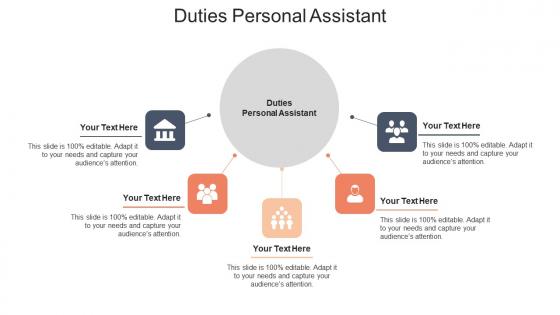
Duties personal assistant ppt powerpoint presentation infographics ideas cpb




Try Before you Buy Download Free Sample Product
 Impress Your
 Audience
 100%
100% Editable
 Save Hours
 of Time


Our Duties Personal Assistant Ppt Powerpoint Presentation Infographics Ideas Cpb are topically designed to provide an attractive backdrop to any subject. Use them to look like a presentation pro.
People who downloaded this PowerPoint presentation also viewed the following :
Duties personal assistant ppt powerpoint presentation infographics ideas cpb with all 6 slides:
Use our Duties Personal Assistant Ppt Powerpoint Presentation Infographics Ideas Cpb to effectively help you save your valuable time. They are readymade to fit into any presentation structure.





FAQs for Duties personal assistant ppt powerpoint presentation
So basically you're running someone's entire life - calendars, meetings, travel bookings, the whole thing. The phone will drive you crazy some days but whatever. You're filtering emails so they only see what matters, doing expense reports, and honestly? Half your job is being the gatekeeper who protects their time from random people. Documents, scheduling, problem-solving on the fly. Oh and anticipating what they need before they ask - that's honestly the secret sauce that makes you irreplaceable instead of just... there.
Honestly, I check my exec's calendar every single day and match it against what actually matters that week. Buffer time between meetings is non-negotiable - learned that the hard way when he showed up frazzled to a board call once. When stuff conflicts (and it will), figure out which meeting has higher stakes. Who's attending? How urgent is it really? Then I call to reschedule the less critical one with 2-3 backup options. Pro tip: keep a mental list of meetings that are easy to move around for when those "emergency" requests pop up.
Okay so three things you really gotta nail down: time management, communication, and being adaptable. The time management thing is huge - you'll be juggling like five different deadlines at once. Communication keeps everyone from losing their minds when it gets crazy. But adaptability? That's probably the biggest one honestly. Plans will change every five minutes and you just gotta roll with it. Oh, and problem-solving skills too since you're always putting out fires. I'd figure out which one of these you suck at most and start there.
Honestly, a solid PA is a game-changer. They'll knock out all your admin headaches - emails, scheduling, travel stuff, research. Think of them as your filter for interruptions so you can actually focus on the big picture work. The really good ones? They somehow know what you need before you do, which is honestly a little scary but amazing. Meeting prep, following up on tasks, keeping things moving when you're juggling ten projects - they've got it covered. Oh, and finding someone who actually clicks with how you work makes all the difference. Once you trust them with the routine stuff, you're free to handle strategy.
Okay so basically treat that stuff like it's toxic waste - lock it down hard. Don't chat about sensitive details with anyone outside your direct team, even if they seem legit. Trust me, I messed this up once early on and it was NOT fun. Use secure channels for anything important, password-protect docs, and keep printed stuff locked up. Filing systems help too - separate the sensitive materials so you don't accidentally grab the wrong thing. Oh and if you're unsure whether something's confidential? Just assume it is and check with your manager. Better safe than sorry, honestly.
Honestly, start with Calendly or Google Calendar for scheduling - total lifesaver. For tasks, I swear by Asana or Todoist to keep track of everything. Slack and Zoom are basically mandatory now, unfortunately. Oh, and get Expensify for expenses because dealing with receipts manually is pure torture. Google Workspace or Office 365 makes sharing files way easier. If you're booking travel a lot, Concur's pretty solid for that. But here's the thing - don't go crazy downloading every app. Pick like 2-3 that actually work together instead of having a million random tools.
Honestly, you've gotta have that awkward boundary chat right away. Most PAs end up doing both - business travel bookings mixed with personal dinner reservations, work calendars plus family stuff. But be upfront about your hard nos (walking dogs at 6am? Hell no). Document the personal tasks so everything's transparent. The thing is, don't let that stuff take over your actual job responsibilities. I'd say bring it up early and then check in again later - roles always shift and you don't want to get stuck doing weird personal errands you never signed up for.
Honestly, communication makes or breaks you as a PA. Your exec needs to actually understand what you're telling them, and vice versa - plus you're constantly updating people about schedule changes and stuff. I've watched PAs crash and burn because they were super organized but couldn't communicate to save their lives. You become like the central info hub for everyone. Clear emails and calls are everything. Oh, and definitely check in weekly about priorities - executives change their minds more than they admit, so staying on top of what they actually want (versus what they said last week) is key.
Honestly, PAs are like the secret weapon for team harmony. You'll catch conflicts before they blow up since you're talking to everyone daily. Those admin tasks that make people cranky? Take them off their plates so they can actually collaborate instead of drowning in emails. I'd start by really listening when people complain - you become this bridge between different personalities and work styles. Scheduling meetings, passing info between departments, keeping everyone updated. It sounds basic but trust me, when communication flows smoothly everything else falls into place. Teams genuinely transform when someone's actually paying attention to the dynamics.
Oh man, templates are a lifesaver - I wish I'd figured this out sooner! Book flights and hotels early for better deals, but always grab flexible rates if you can swing it budget-wise. Concur or TripIt will keep you sane by organizing everything. Check visa stuff first for international trips (learned that one the hard way). Things will go sideways, so have backup plans ready. Make detailed itineraries with all the confirmation numbers and addresses. Send the final travel packet 24 hours before they leave - they'll actually thank you for it.
Okay first thing - take a breath and figure out what's actually on fire vs what just *feels* urgent. There's always a difference, I swear. Get on the phone with your exec ASAP about trade-offs and what can get pushed. Having solid relationships with your usual vendors is clutch here because you'll need those favors. Keep some backup plans ready for the obvious stuff like flights getting cancelled or venues falling through. Oh and definitely write down what went sideways afterward - future you will thank you when this inevitably happens again.
Ugh, boundaries are everything - learned that the hard way when I was basically on call 24/7 my first month. Tell your boss upfront when you're available for emergencies and actually stick to it. Turn off those work notifications after hours! Your phone buzzing at 9pm about some random issue will drive you insane. I started scheduling downtime like it's an actual meeting because otherwise work just... takes over everything, you know? Practice saying "I'll get to that tomorrow morning" instead of dropping everything immediately. Trust me, most "urgent" stuff really isn't.
Book a solid intake meeting first - you need to figure out how they actually work. Ask about communication style, daily habits, systems they swear by. I made this mistake early on assuming my boss wanted phone updates when she literally never answered calls lol. Get super clear on what you're responsible for too, and write it all down because those first weeks are a blur. Oh, and don't forget about their pet peeves - that stuff matters more than you'd think. Set up a check-in after 30 days so you can tweak things.
So PAs are more about personal stuff - your calendar, travel, dry cleaning runs, that kind of thing. Executive assistants? They're working with the big bosses on actual business strategy and complex projects. Way more senior level. EAs basically become gatekeepers who can represent you in meetings and help with real decisions. Honestly, the pay difference reflects this too. If you just need someone to handle daily admin tasks, go with a PA. But if you want someone who can think strategically and manage stakeholders, you'll want an EA.
Honestly, the PA community is way tighter than you'd expect - join those professional associations and hit up industry events. LinkedIn's great for connecting with other assistants too. At work, volunteer for projects outside your usual stuff and actually get to know people beyond your team. But here's the thing - don't be that person who only reaches out when they need something. Share resources, help others out, be genuine about it. I swear, being consistent beats collecting a stack of business cards any day. Oh and external networking is just as crucial as the internal stuff.
-
Attractive design and informative presentation.
-
Informative design.