Project Management Timeline Powerpoint Ppt Template Bundles

Rating:
90%
Project Management Timeline Powerpoint Ppt Template Bundles
Slide 1 of 57
Favourites Favourites

Try Before you Buy Download Free Sample Product

Audience Impress Your
Audience
Editable 100%
Editable
Time Save Hours
of Time
The Biggest Sale is ending soon in
0
0
:
0
0
:
0
0
Rating:
90%
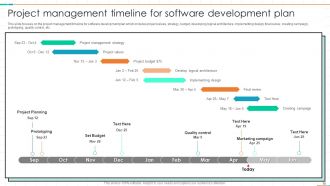
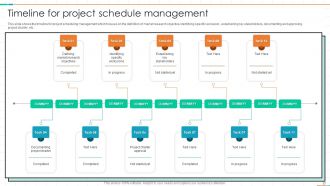
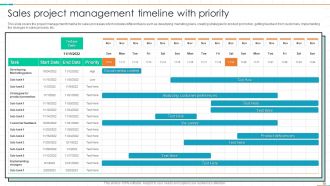
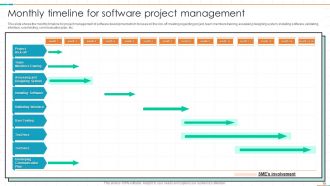
If you require a professional template with great design, then this Project Management Timeline Powerpoint Ppt Template Bundles is an ideal fit for you. Deploy it to enthral your audience and increase your presentation threshold with the right graphics, images, and structure. Portray your ideas and vision using Fifty two slides included in this complete deck. This template is suitable for expert discussion meetings presenting your views on the topic. With a variety of slides having the same thematic representation, this template can be regarded as a complete package. It employs some of the best design practices, so everything is well-structured. Not only this, it responds to all your needs and requirements by quickly adapting itself to the changes you make. This PPT slideshow is available for immediate download in PNG, JPG, and PDF formats, further enhancing its usability. Grab it by clicking the download button.
FAQs for Project Management Timeline Powerpoint

So you need clear milestones and realistic timeframes for each task. Dependencies matter too - like what has to happen before other stuff can start. Assign owners to everything so there's no confusion about who's doing what. Build in buffer time because honestly, projects never go exactly as planned. Figure out your critical path so you know which delays will actually screw you versus the ones that don't matter as much. Keep it visual - Gantt charts work great, or even just a shared spreadsheet that your team will actually look at and update.

Think of your timeline as your secret weapon for avoiding chaos. It shows you exactly when to ping people and what they need to know. I can't tell you how many projects I've watched crash because someone was left out of the loop - it's painful to watch. Regular check-ins become automatic when you've mapped everything out. You'll set better expectations for feedback too. Pro tip: send updates before people start bugging you for them. Way less stressful than playing catch-up with confused stakeholders who don't know what's going on.

Honestly, just pick whatever your team will actually stick with - that matters way more than features. I'm always pushing Asana or Monday.com because they're dead simple to use. Microsoft Project has all the bells and whistles if you need heavy-duty dependency tracking, but it's overkill for most stuff. Trello's perfect for basic timelines without the complexity. Oh, and Google's project tools aren't terrible anymore if you're already using their workspace. My advice? Don't overthink it. Start with something that plays nice with what you're already using.

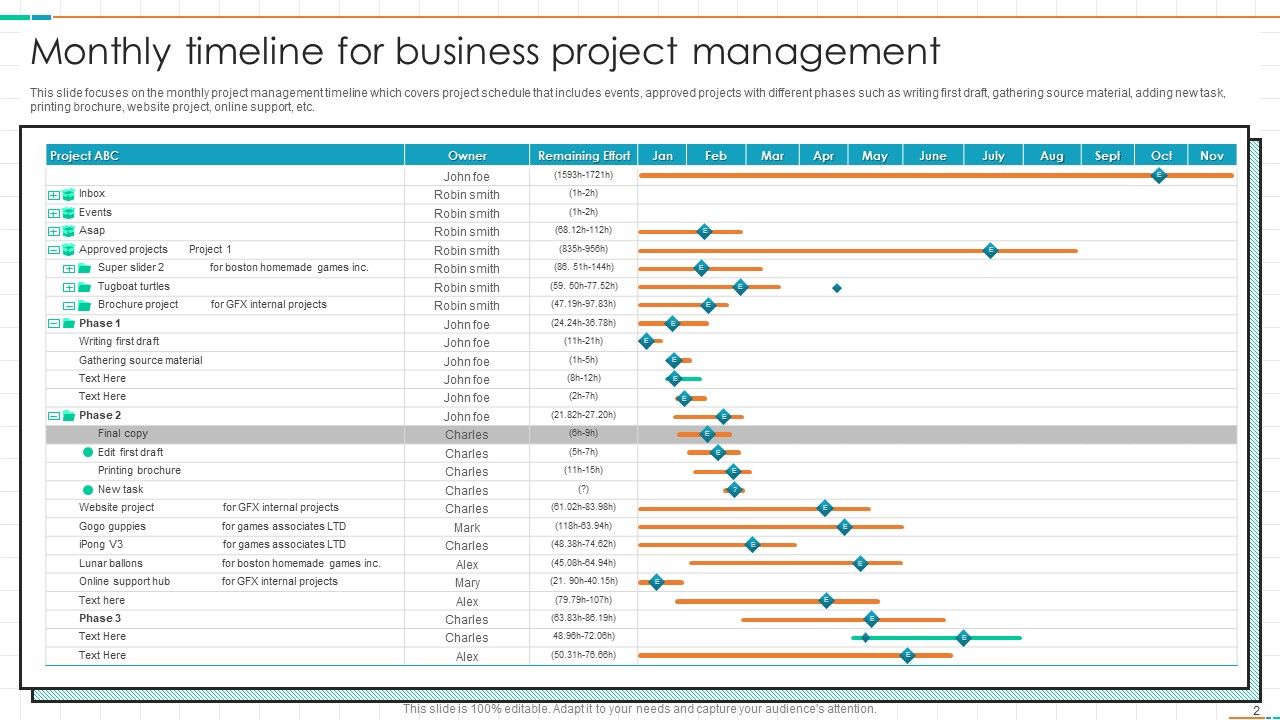
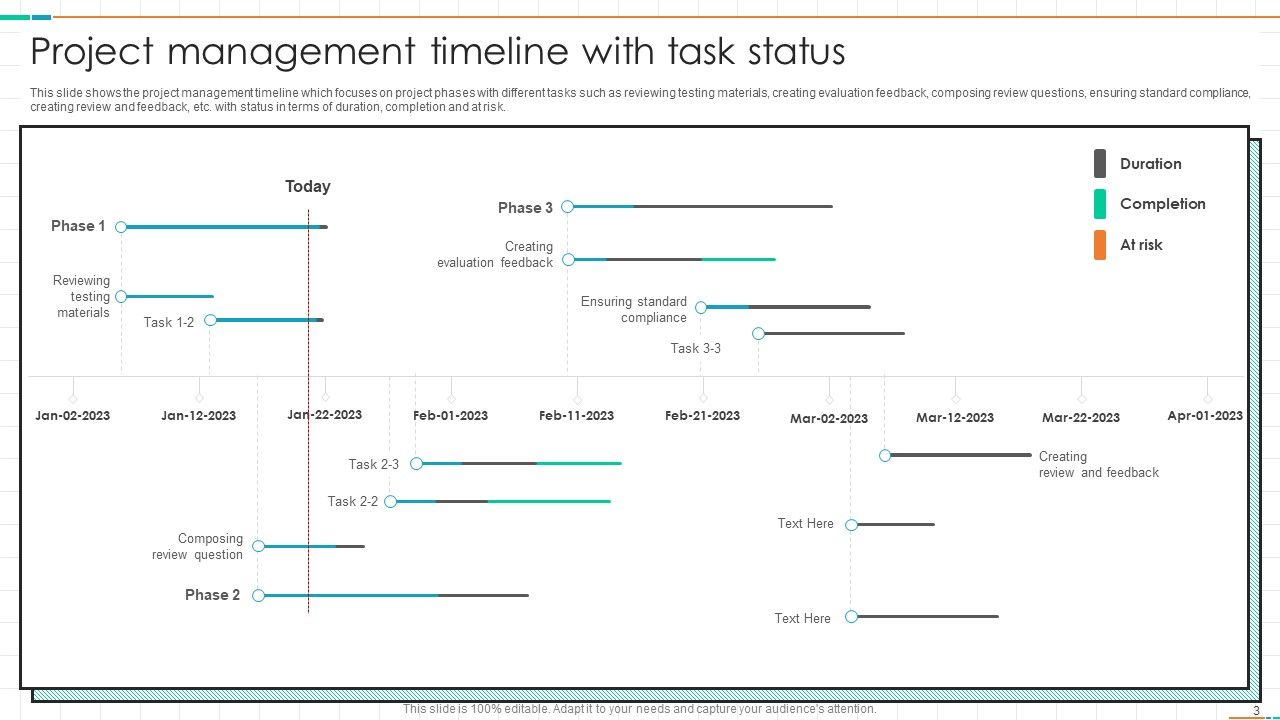
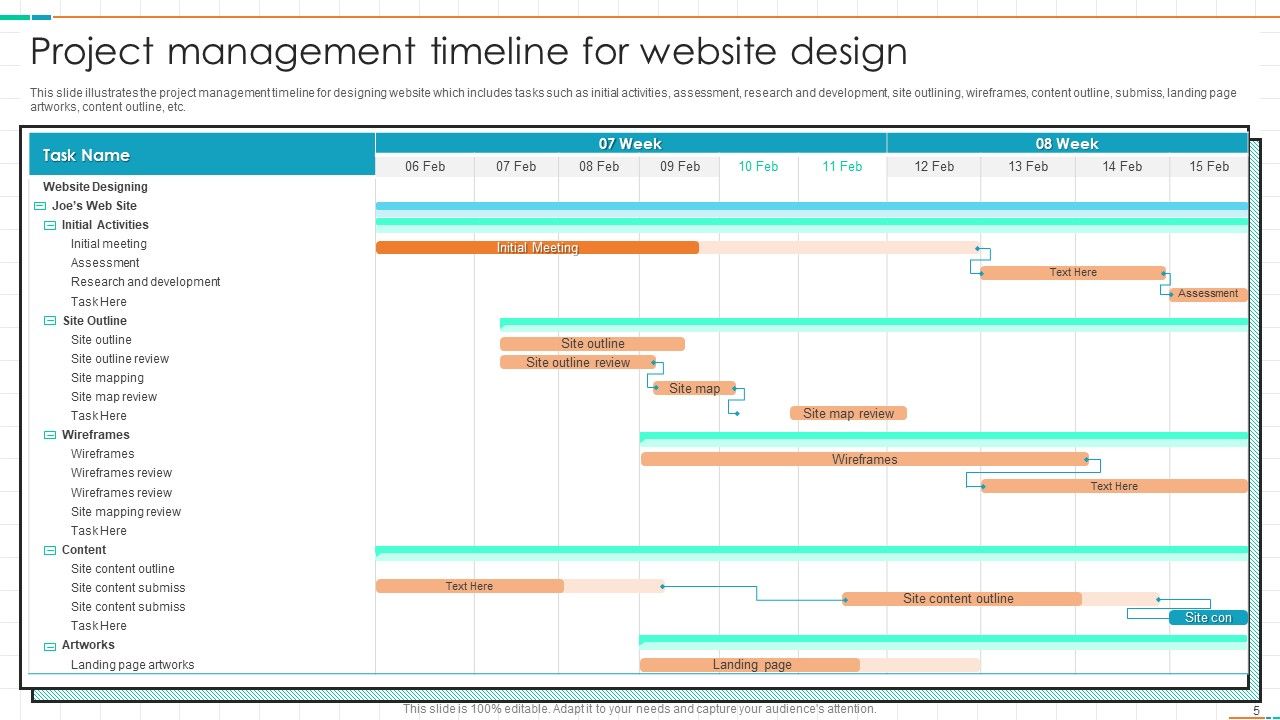
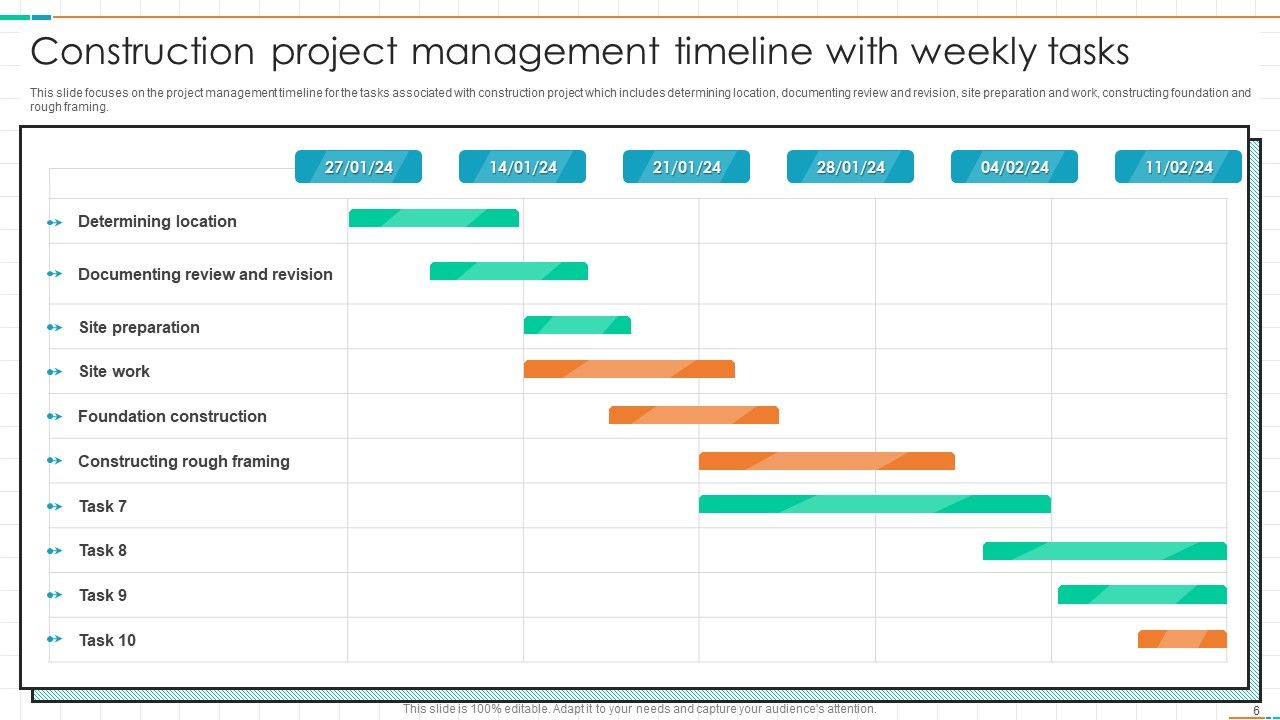
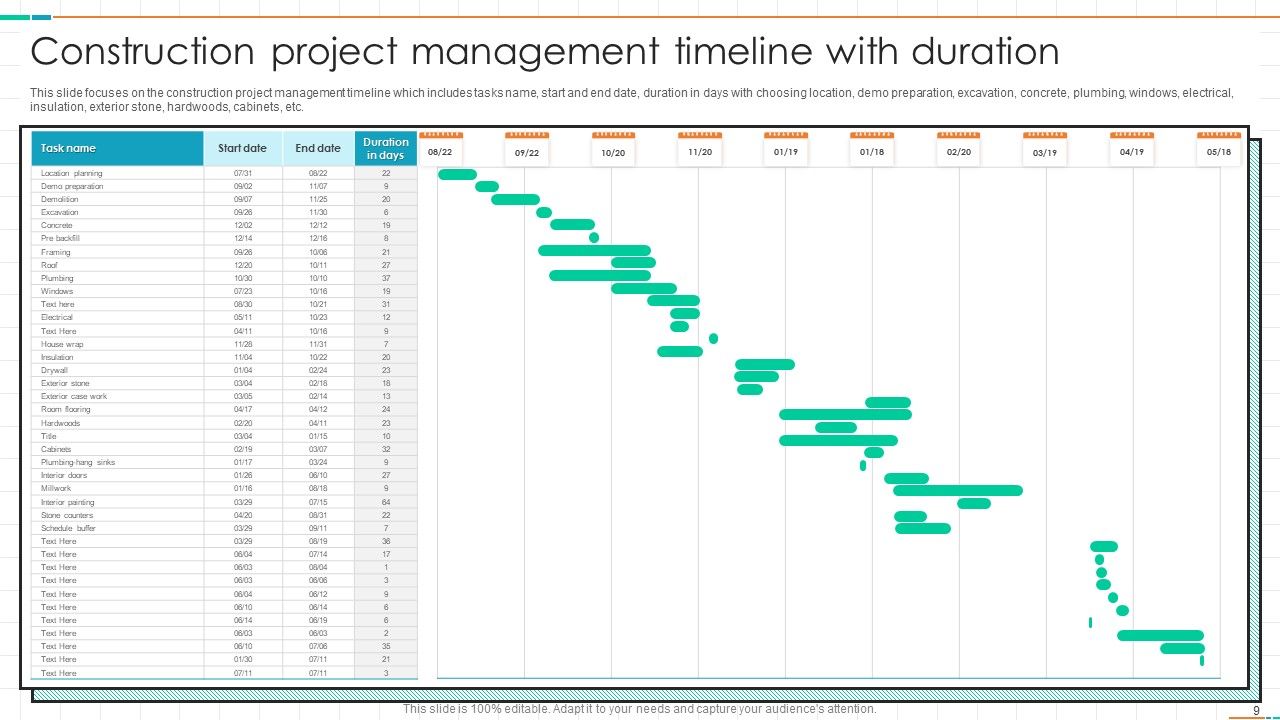
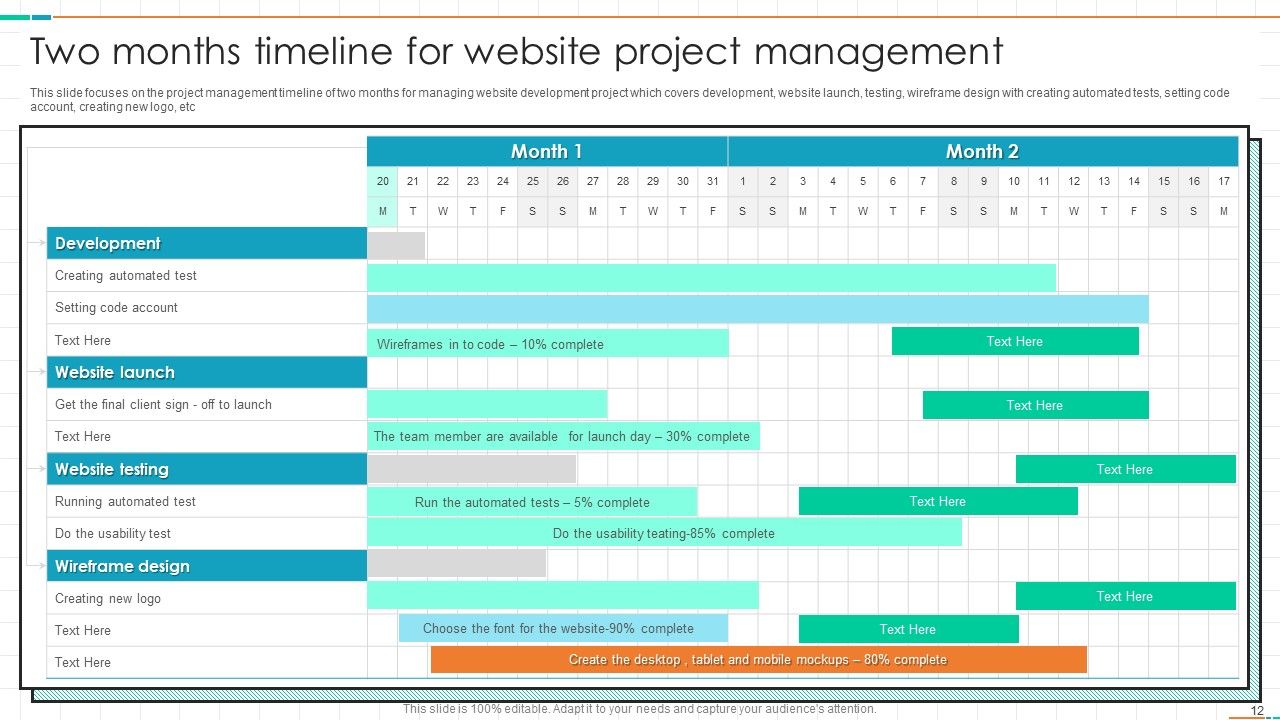
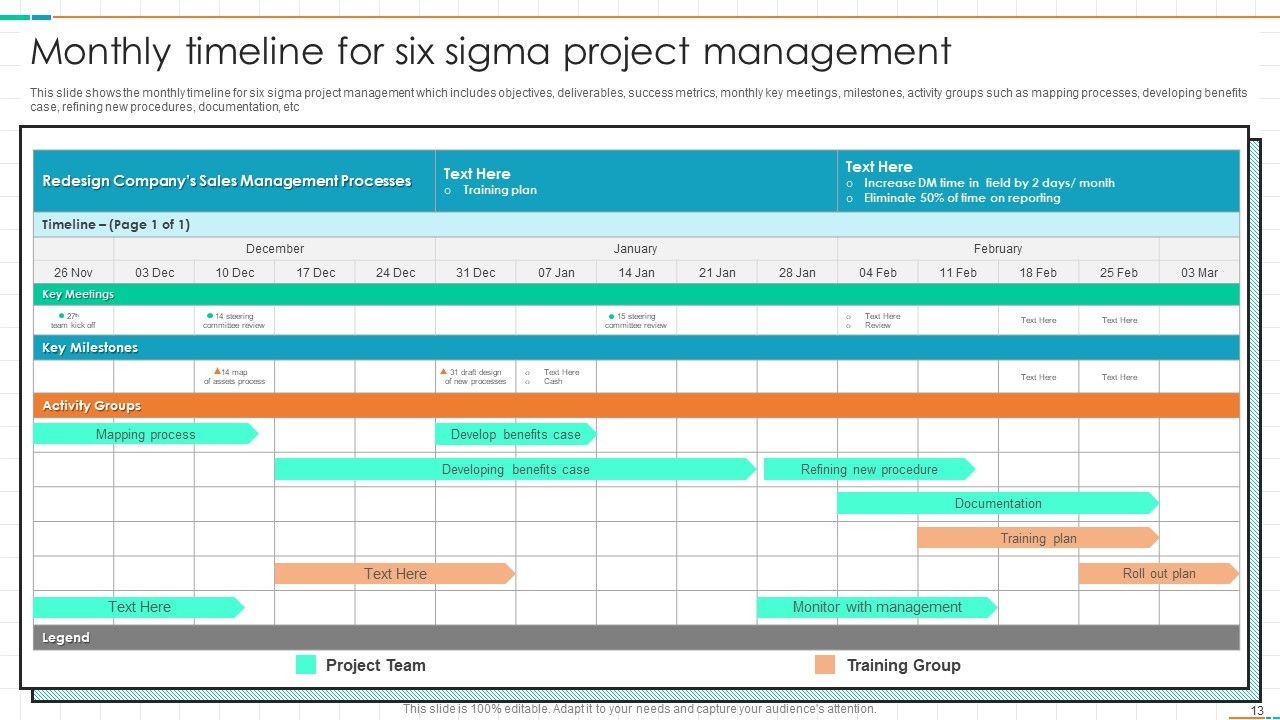
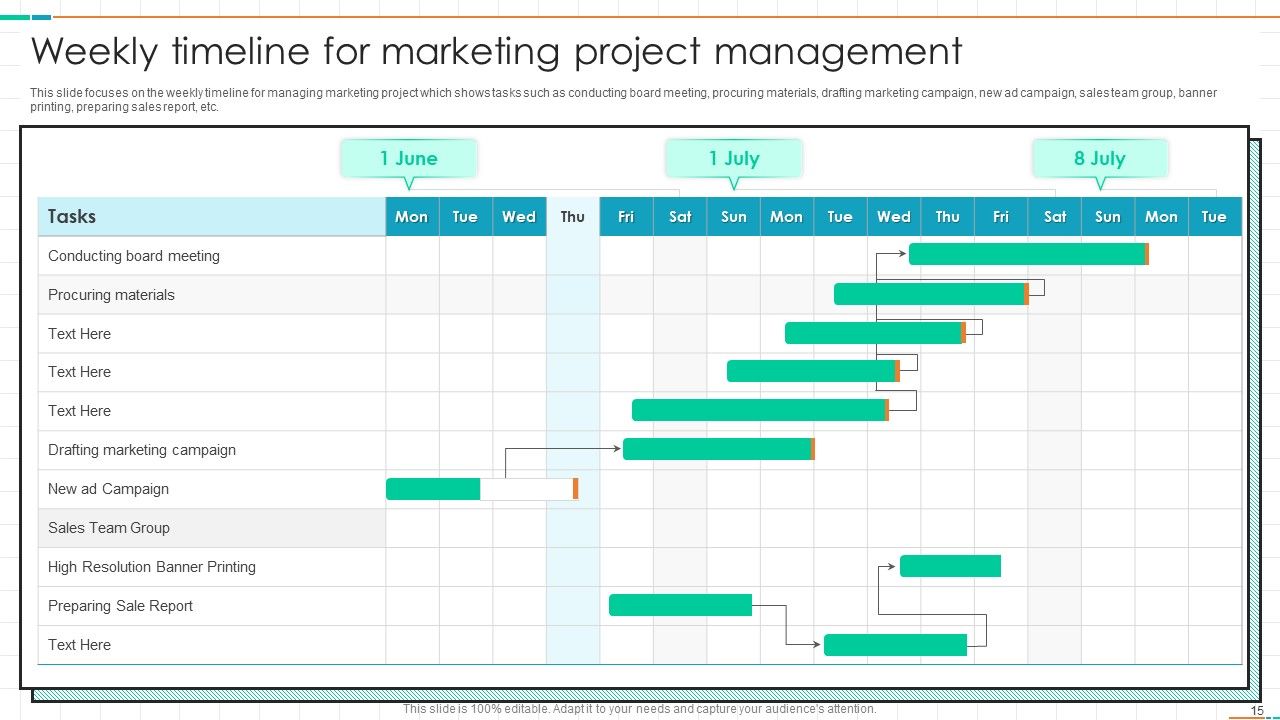
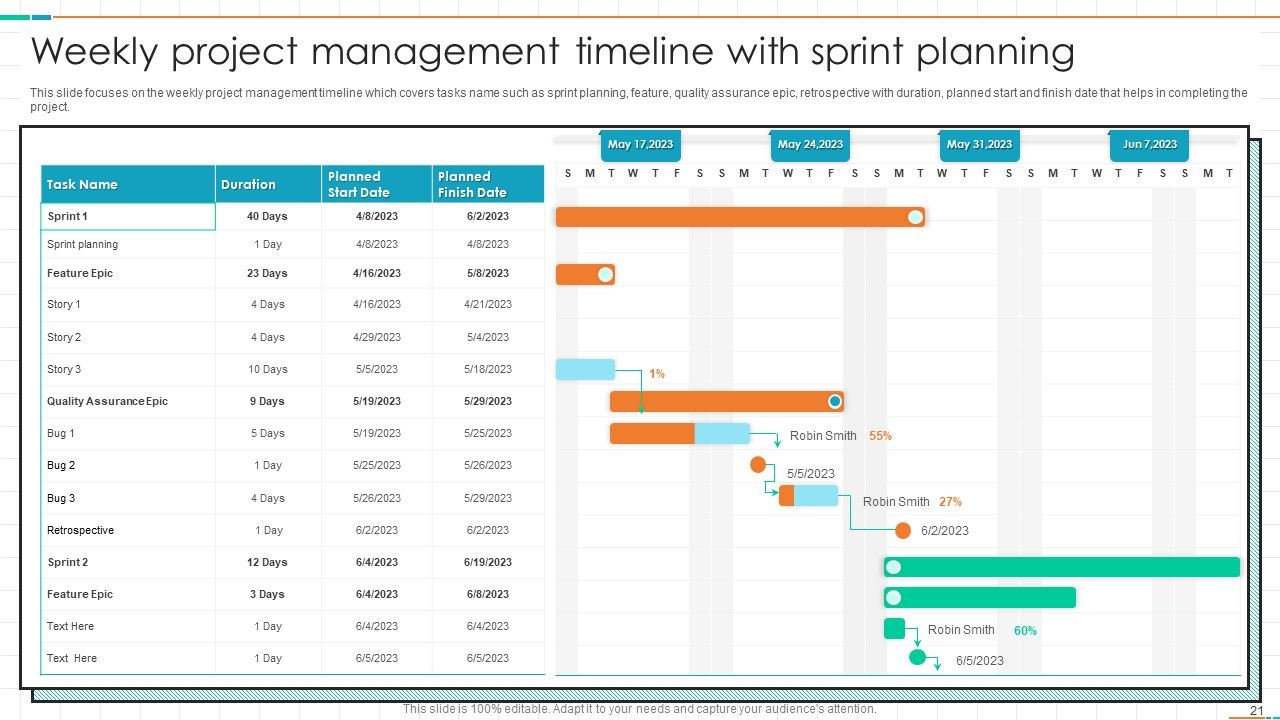
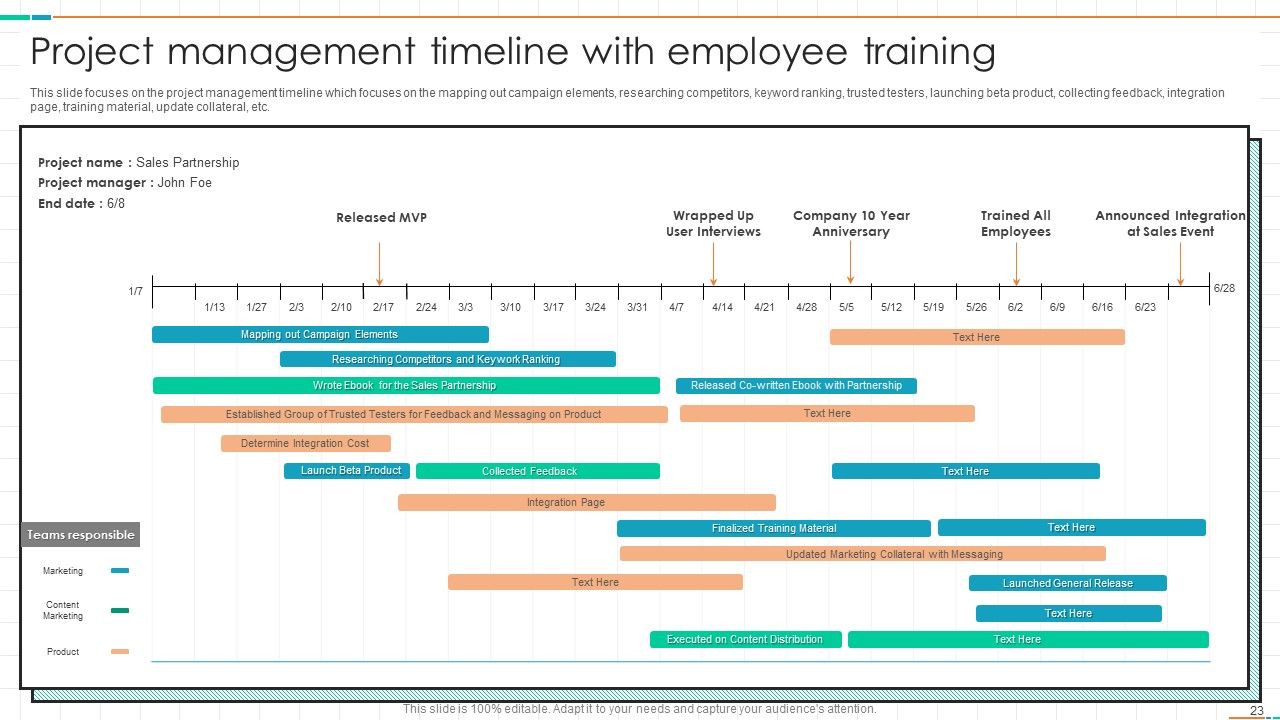
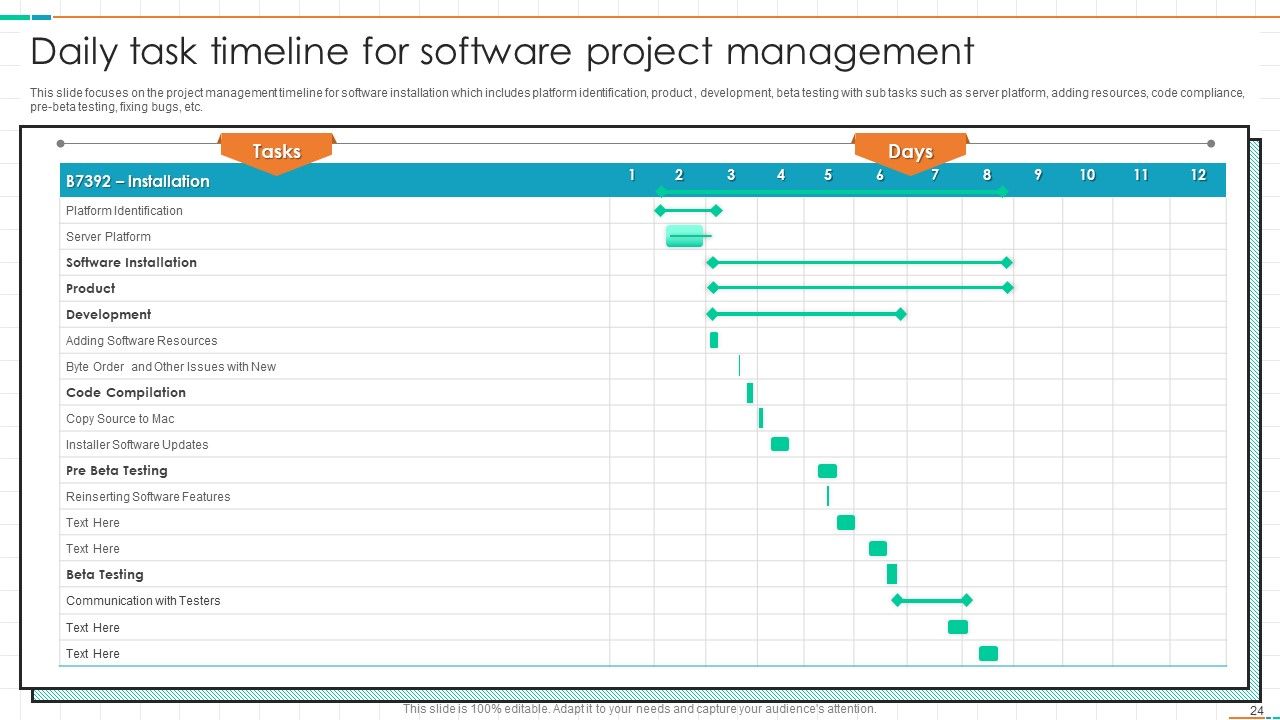
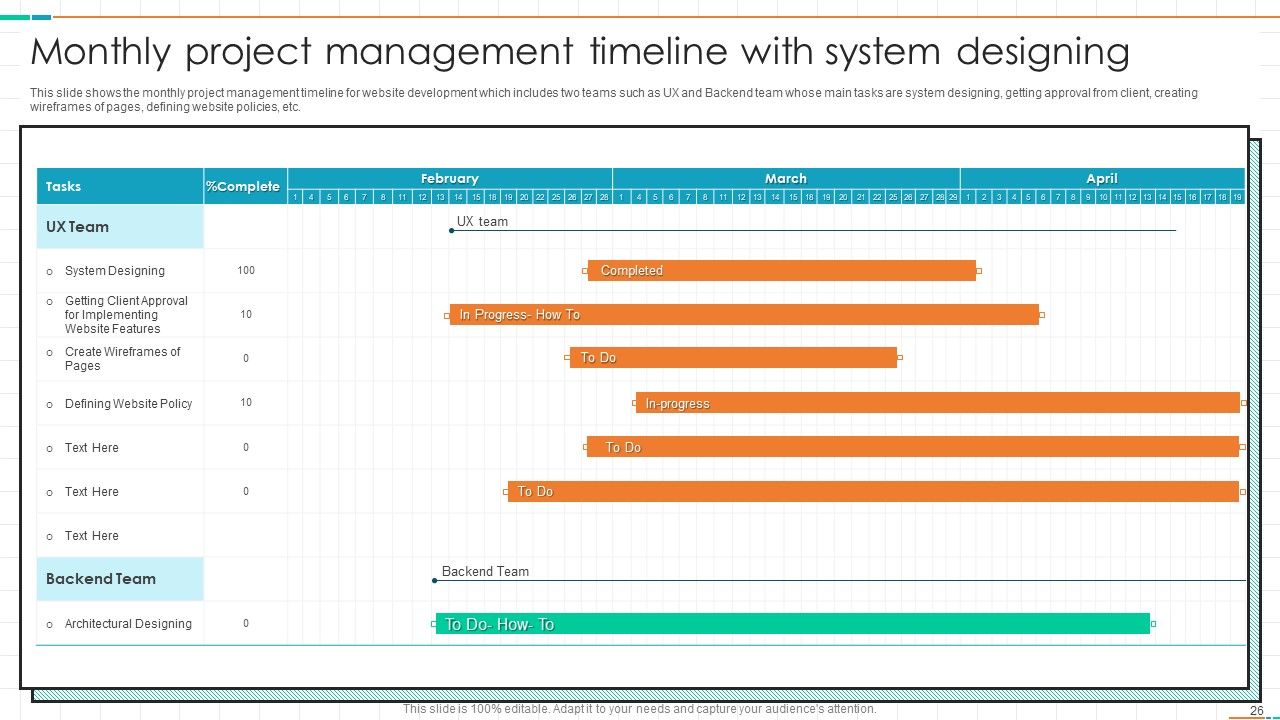
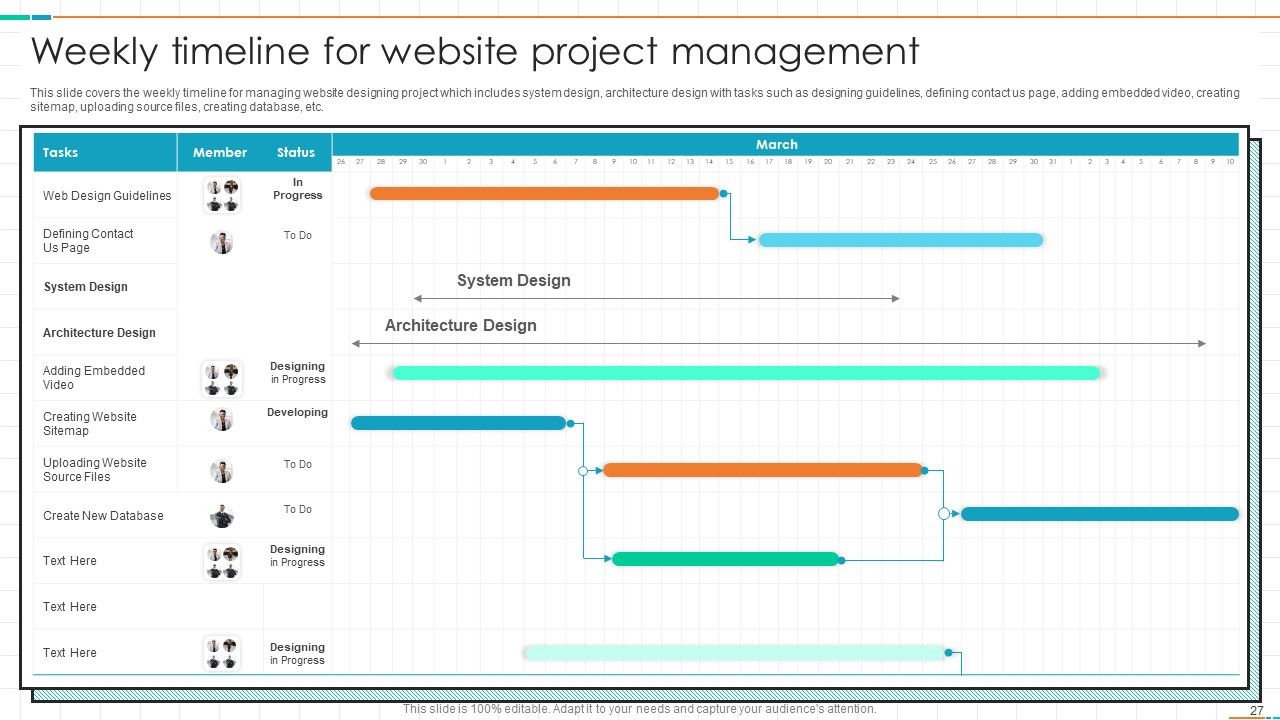
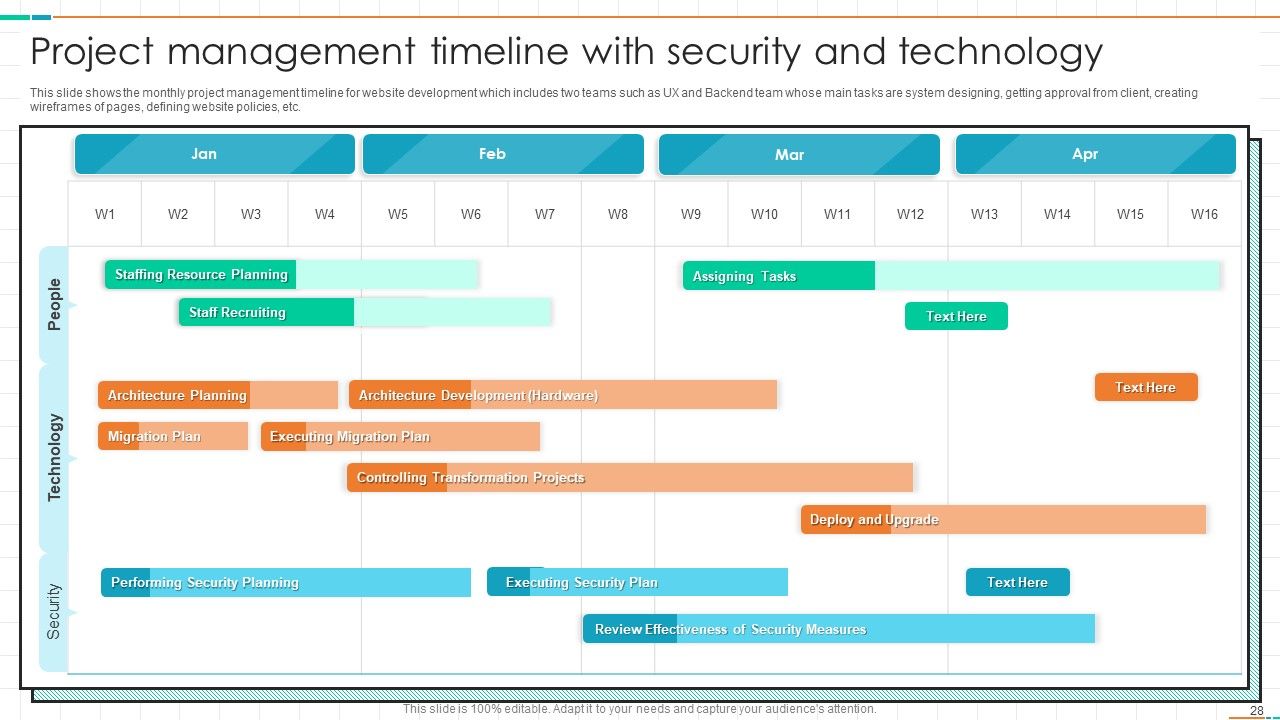
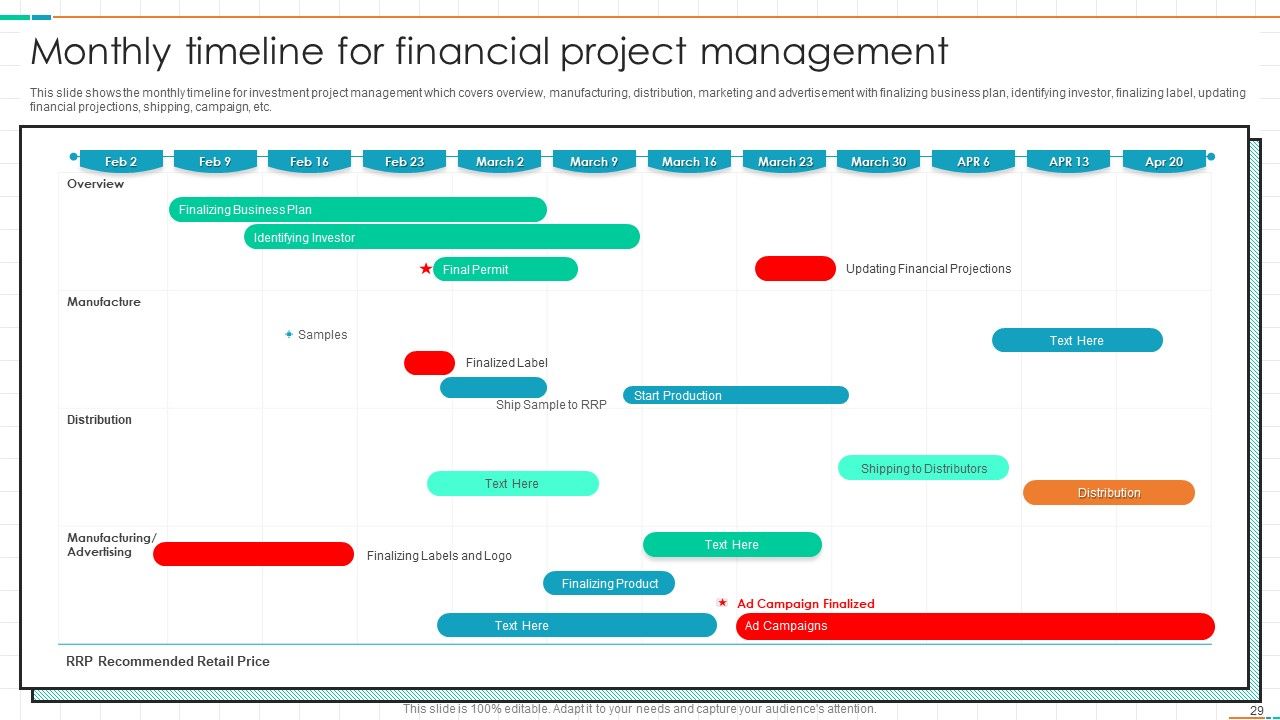
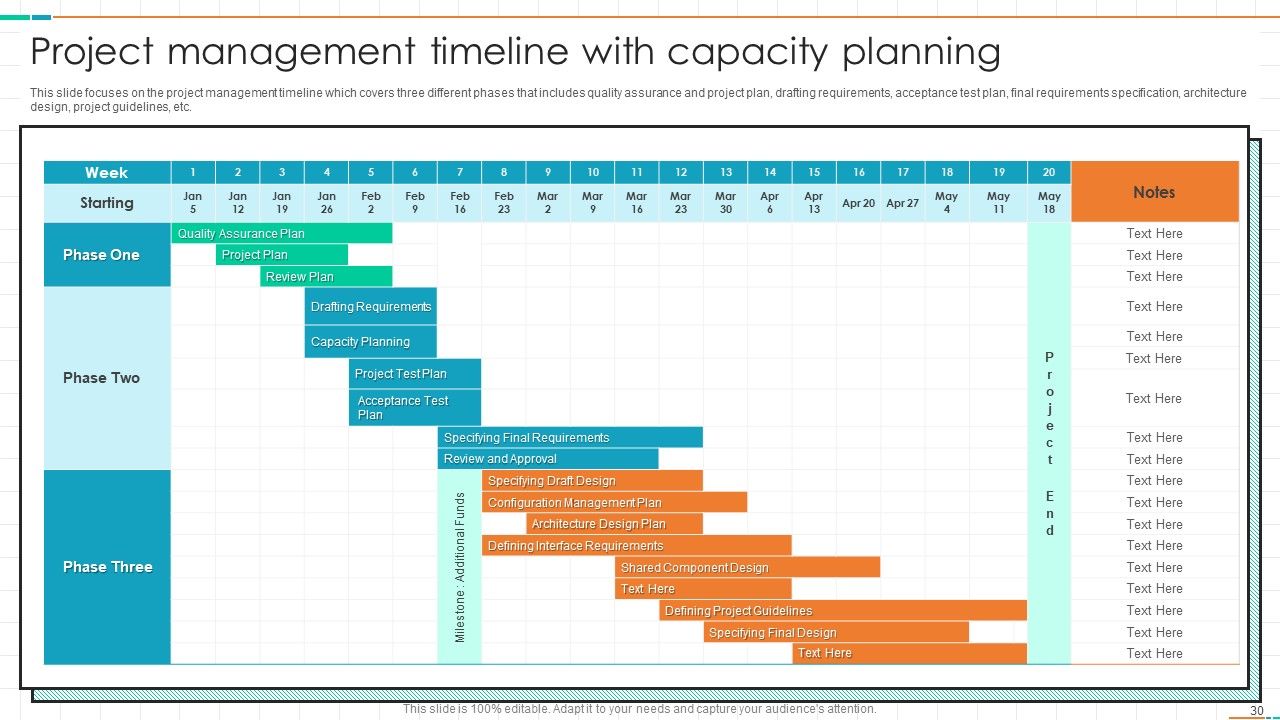
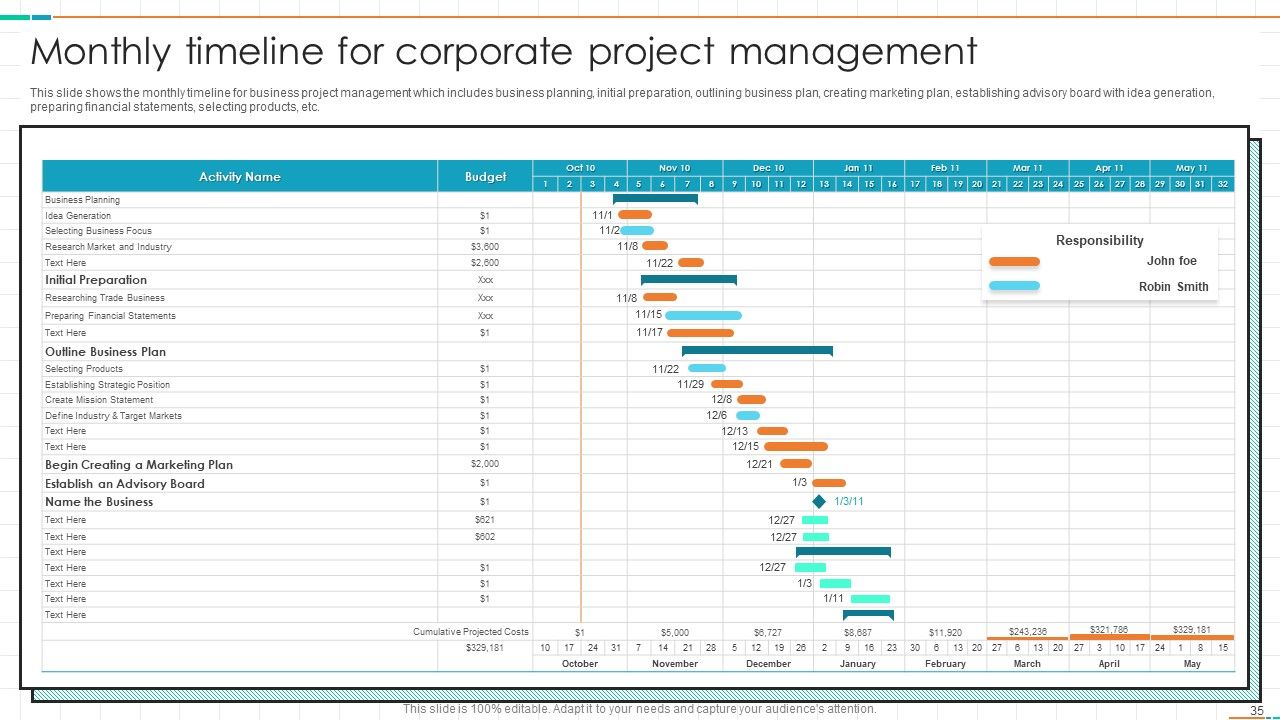
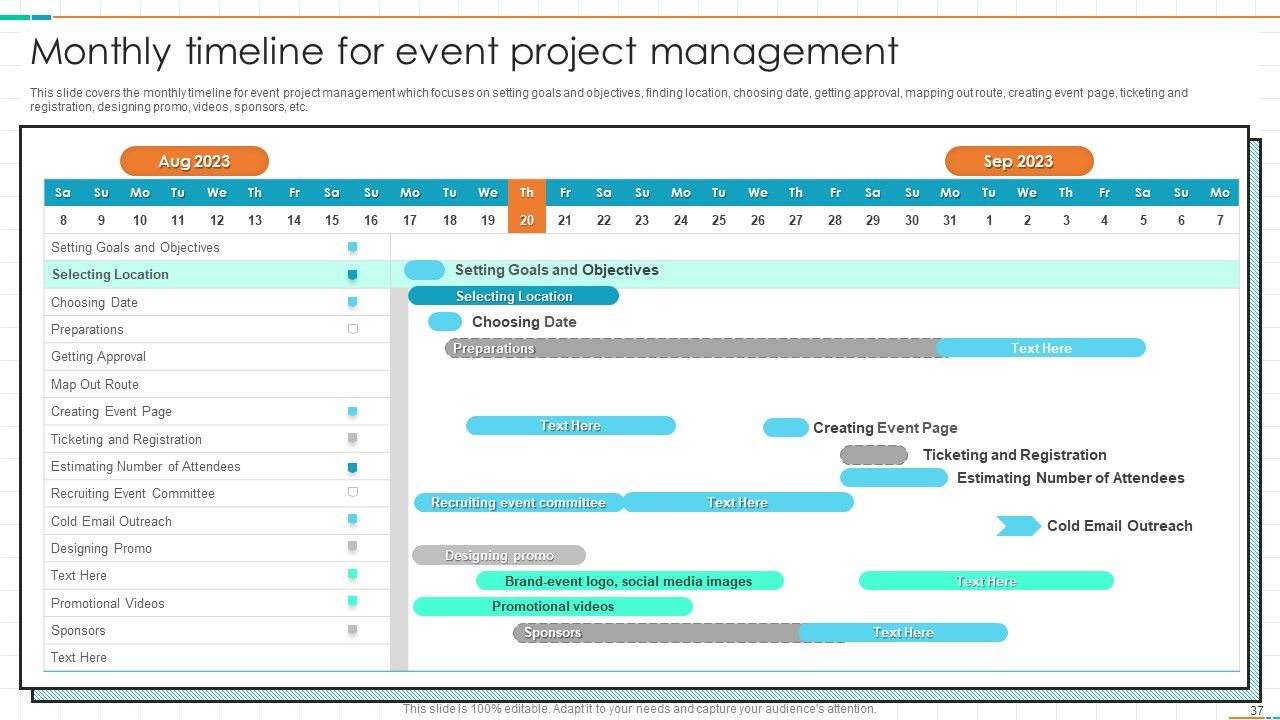
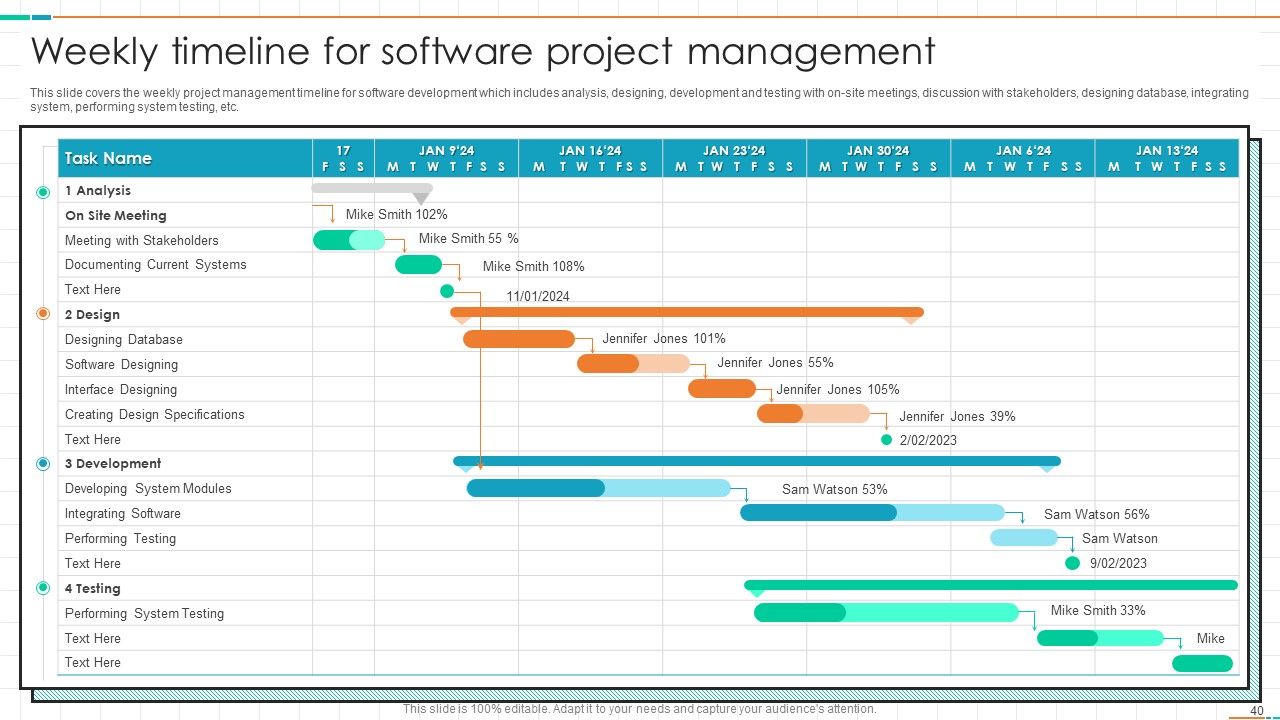
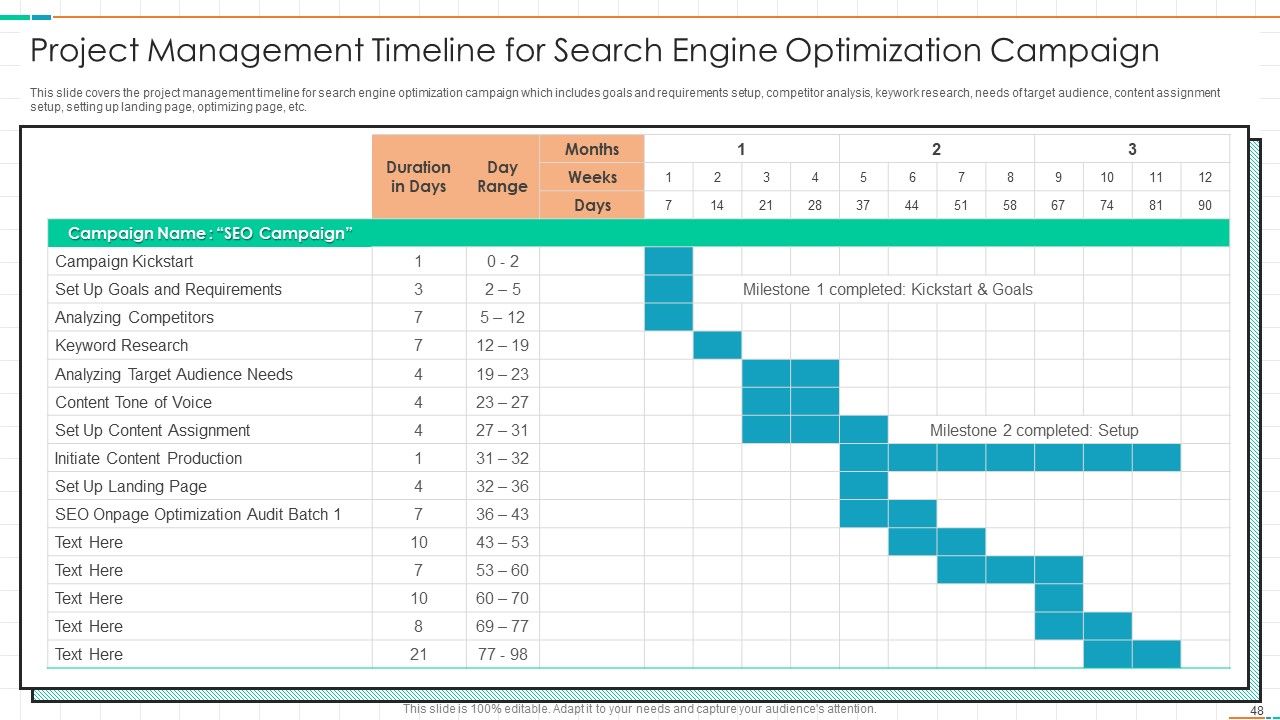
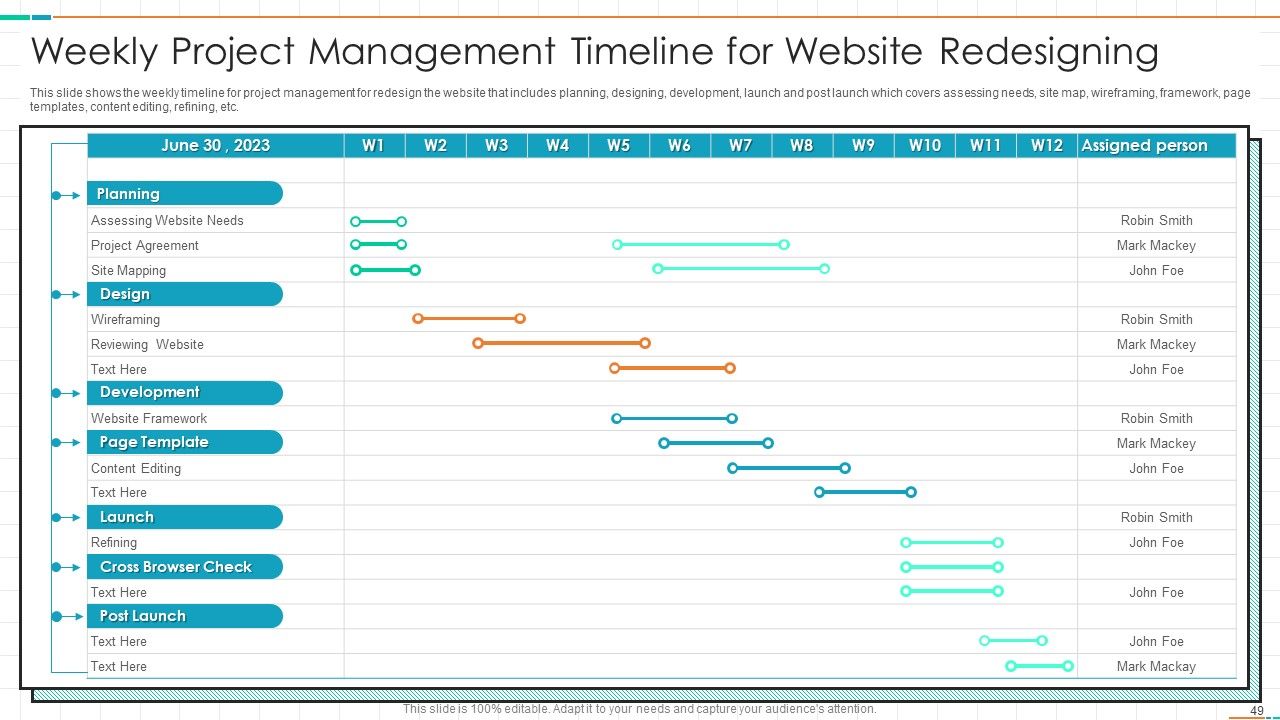
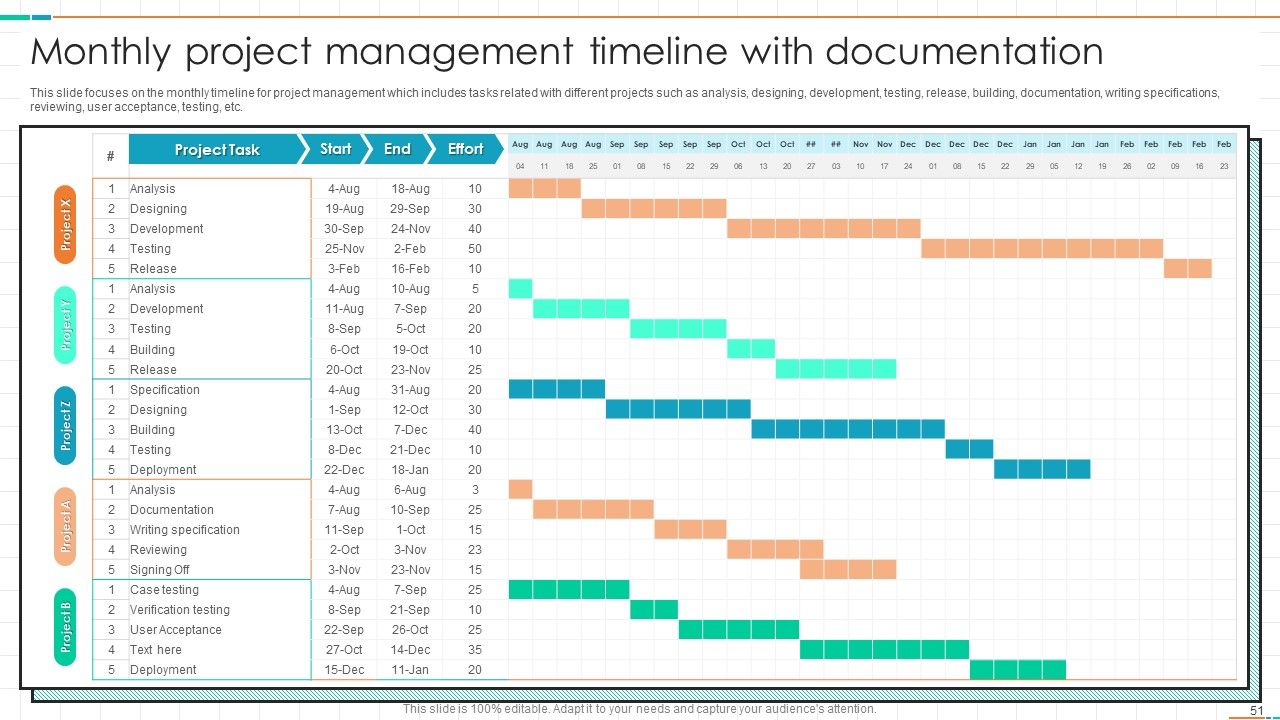
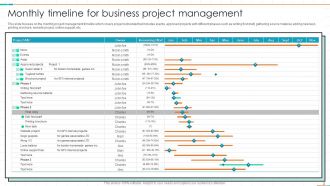
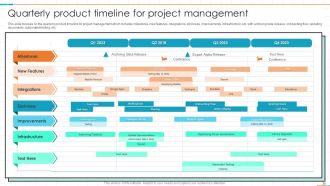
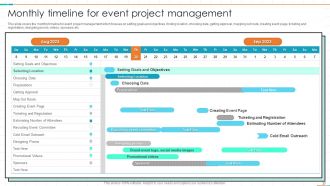
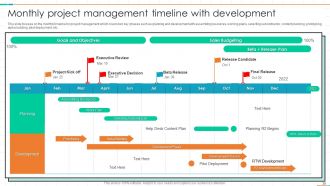
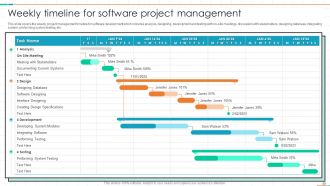
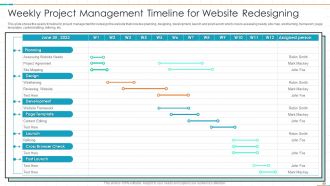
Honestly, Gantt charts are total lifesavers for project timelines. They're basically horizontal bar charts where each task gets its own bar showing when it starts and ends. Super helpful for seeing overlaps and bottlenecks at a glance - way better than those endless spreadsheets I used to torture myself with. You can shade in completed parts to track progress too. I always start with the big milestones first, then fill in the smaller tasks between them. Makes scheduling conflicts obvious before they blow up your whole timeline. Trust me, once you start using them you won't go back.

Honestly, think of your timeline as spotting trouble before it hits. Map out your tasks and you'll catch things like two people needing the same resource or a vendor delivery that's gonna mess up your launch date. Way better than scrambling later when everything's on fire. Short sentences work here. But you can also build in some buffer time for the stuff you know might go sideways - and trust me, something always does. It's basically your early warning system, just way less dramatic than that sounds. Start padding those deadlines now while you've got wiggle room.

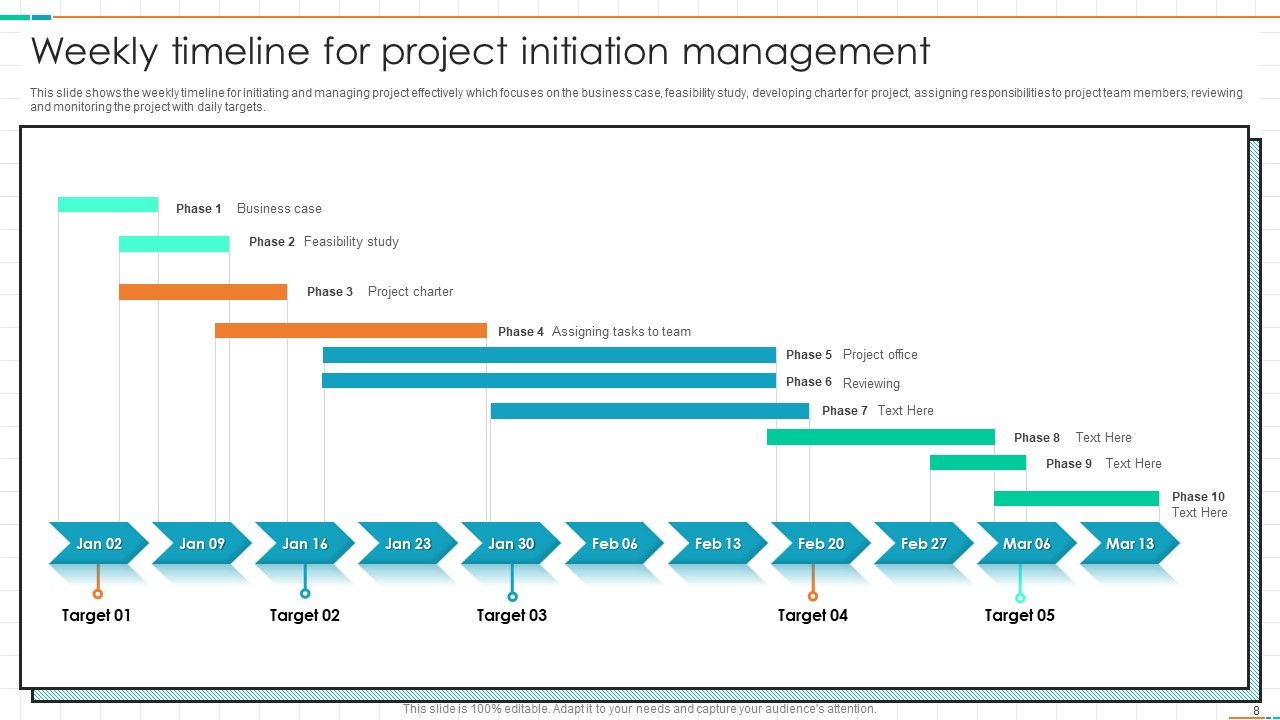
Check your timeline weekly - that's my go-to for most projects. But honestly? If things are moving fast or you've got crazy deadlines, peek at it every couple days. Daily even, when you're in crunch mode. The whole point is catching problems before they snowball into disasters. I learned this the hard way on a project last year - thought I was fine until suddenly I wasn't. Weekly check-ins let you see patterns without obsessing over every tiny hiccup. Just throw a recurring reminder on your calendar and actually stick to it. Trust me, way better than panicking at the end.

Honestly, scope creep will kill you every time - stakeholders always want "one tiny addition" after everything's set. Dependencies are brutal too, especially the ones that blindside you halfway through. People think they can juggle three projects at once, so good luck getting your resources when you need them. Task estimates? Yeah, forget being accurate on stuff your team's never touched before. I always pad everything by 20% now because something will go wrong. Get everyone to actually sign off on scope upfront, and spend real time mapping dependencies early. Trust me on the buffer thing - it's saved me so many times.

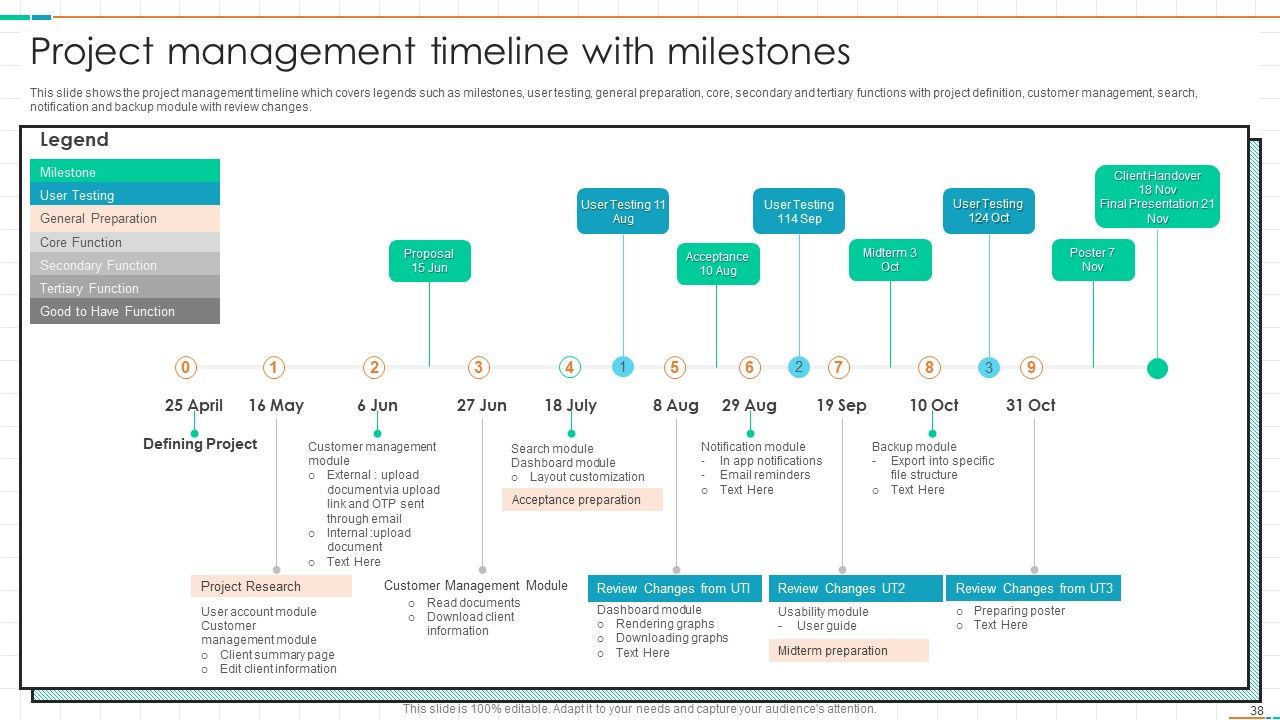
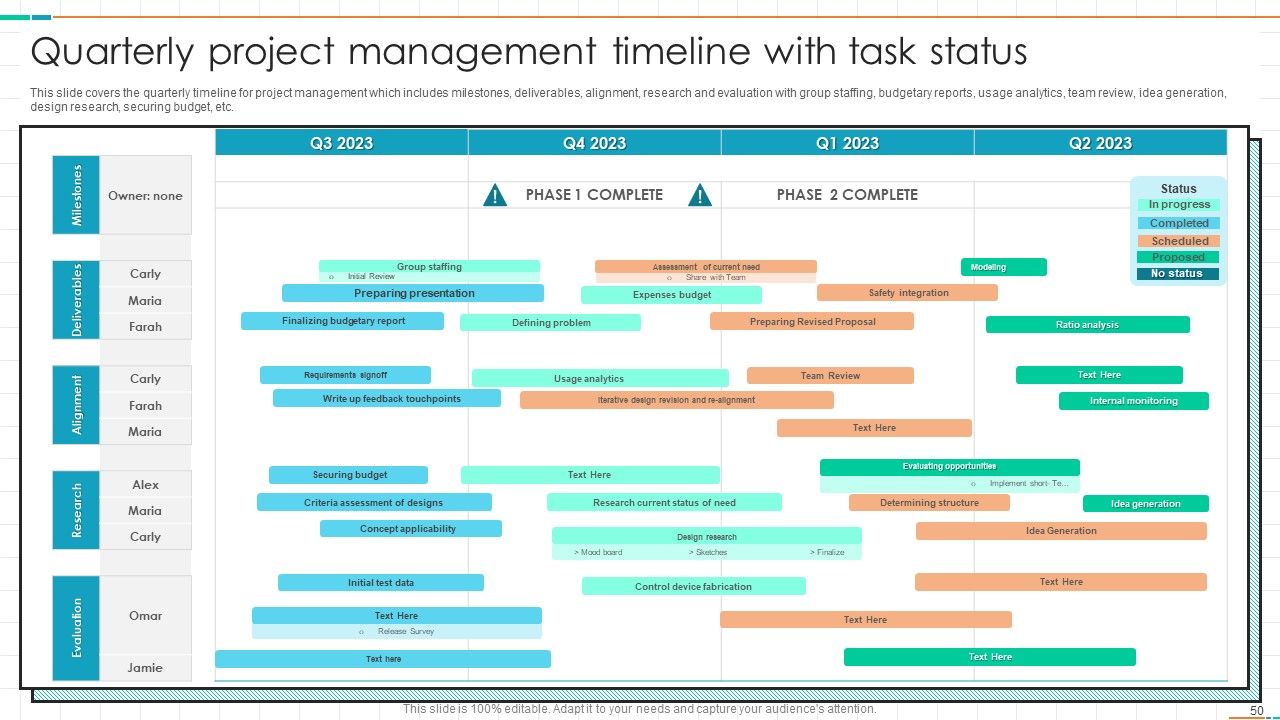
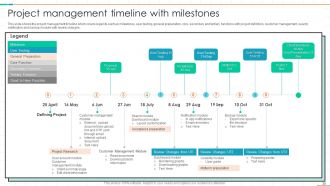
Put milestones at major decision points and when big deliverables finish - basically treat them as checkpoints, not tasks. I space mine every 2-4 weeks so you're not constantly checking in but still catch problems early. Each one needs clear success criteria, not vague stuff like "design phase done." What does "done" actually look like? Your team should know exactly. Oh, and definitely tie them to your critical path - that's where they'll have the biggest impact. Honestly, the measurable part is what most people mess up.

Ugh, scope creep is the worst! So here's what actually works: document every single change request and make them show you how it'll mess with your timeline before saying yes. Build in buffer time upfront - like 15-20% extra. Trust me on this one. When things get crazy, figure out what can wait until phase 2 or whatever. Sometimes you gotta push back and say "okay but then we need more people or more time." The trick is catching it early instead of just quietly drowning in extra work. Don't be a martyr about it!

So dependencies are like dominoes - one task can't start until another wraps up. When Task A gets delayed, everything after it gets pushed back too. I learned this the hard way when a tiny 2-day slip snowballed into 2 weeks (still bitter about that project tbh). You'll usually have several chains running at once, which makes delays pile up fast. The critical path - basically your longest chain of tasks - sets your minimum timeline. Map everything out early and pad some buffer time around the most important stuff. Trust me on this one.

Dude, realistic deadlines are a game changer. Your team stays motivated when they can actually hit targets instead of constantly scrambling. I've seen teams burn out from impossible timelines - it's rough. Break everything into smaller pieces first, then add like 20% extra time because something always goes wrong (Murphy's law, right?). You'll catch problems early this way. Honestly, stakeholders respect you way more when you consistently deliver on time rather than overpromising. Creates this nice momentum where everyone feels confident about the project.

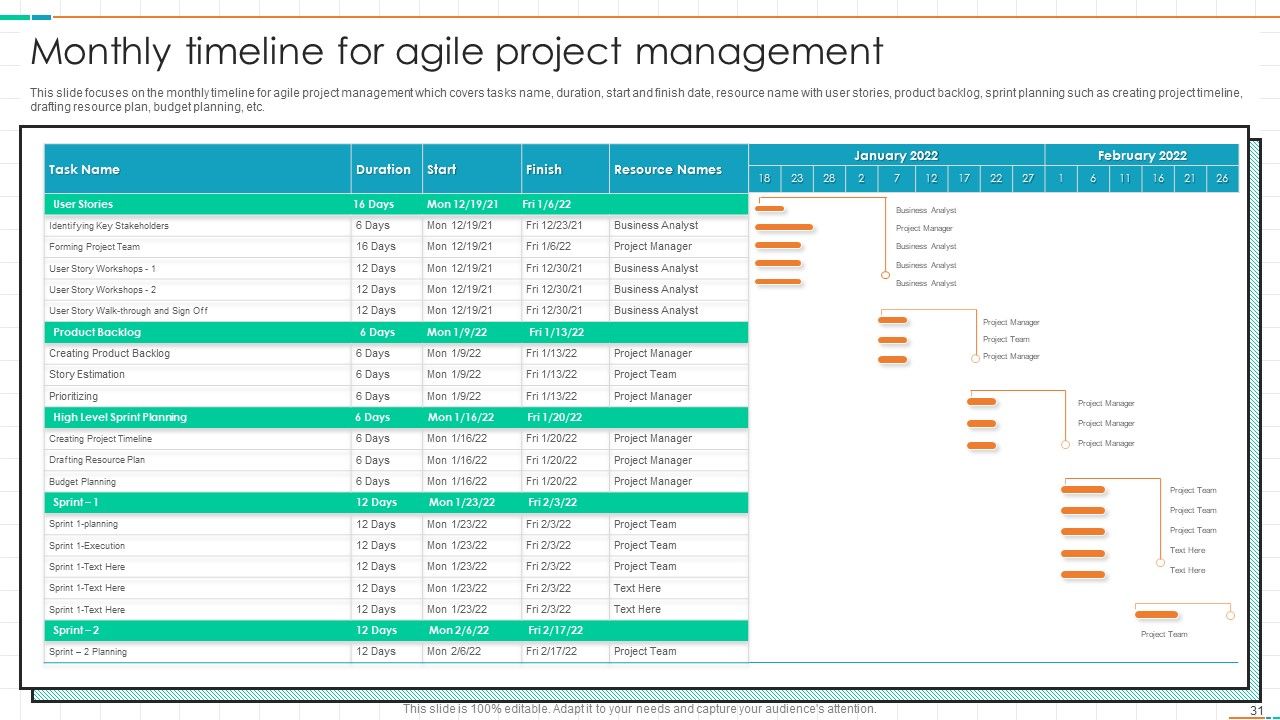
Agile basically throws out those giant waterfall timelines and chops everything into mini sprints - like 2-4 weeks each. Way more flexible. Instead of waiting months to see anything, you're constantly delivering small working pieces and adjusting as you go. Those old school Gantt charts? Yeah, they're pretty much useless here since everything keeps changing. You'll be doing regular check-ins with your team to see what's working and what isn't. The whole point is accepting that your timeline's gonna shift - and honestly, that's not a bad thing. Just keep everyone updated when priorities change.

Honestly, just rip the band-aid off the second you know there's a delay. Don't sit there hoping it'll somehow work out - trust me, it won't. Hit them with a quick heads up first, then send the full breakdown: what went wrong, why, and your new (actually realistic) timeline. Oh and figure out who needs to hear it first. Sometimes your PM should get the news before the client does, you know? The whole thing is about getting ahead of it instead of scrambling later. People get way more pissed about surprises than they do about delays.

Oh man, this totally depends on your industry's biggest pain points. Construction teams spend forever on planning because one screwup = millions lost (plus people could literally get hurt). Tech does the complete opposite though - quick sprints everywhere since fixing code is pretty cheap. Finance and healthcare? They're drowning in compliance stuff that basically doubles everything. Creative agencies get stuck with insane deadlines tied to campaign launches. Honestly, figure out where your industry always gets stuck and just plan extra time for those parts. Way better than being surprised later.

So here's what I'd track - schedule variance tells you if you're running behind your planned dates. Resource utilization is honestly the big one though, since it shows if your timeline actually matches what your team can handle. Also check your milestone completion rate and how often scope creep happens (that stuff kills timelines). Oh, and compare your planned vs actual duration to see how off your estimates were. I mean, we're all terrible at estimating initially. Pick like 2-3 of these based on where your project's most likely to go sideways and check them weekly.

Ratings and Reviews

90% of 100
Review Form
Write a review
Most Relevant Reviews
  1. 100%

    by Cleo Long

    “Thank you to the SlideTeam. Your presentations look really skillful and have made my life so much easier.”
  2. 80%

    by Daniel Mcdonald

    It is my first time working with them and that too on a friend's recommendation. I would say, I am not expecting such a worldly service at this low price.

2 Item(s)

per page: