

Project Management Bundle Powerpoint Presentation Slides




Try Before you Buy Download Free Sample Product
 Impress Your
 Audience
 100%
100% Editable
 Save Hours
 of Time


Project management involves the planning and allocating of the organizations resources to achieve a specific task within the given constraints of budget and time. Hence, the Project Management Bundle can be of great use to the project manager. It contains prebuilt and easily editable, impeccably designed PPT slides to cover all the project documentation needs. This PPT deck has slides to provide a compressive overview of the new project and introduce the same to multiple stakeholders using the project charter giving information regarding the project name, objectives, budget, team, milestones, expected outcomes, etc. The project managers can use these to define various roles and responsibilities of team members and draft action plans. Further, the PPT module contains slides to track budgeted and actual expenses related to the project. It also includes project tracker sheets to list the multiple issues and risks that may impact the project completion. Additionally, it contains the contingency plans to successfully mitigate identified project risks and the task matrix, communication plan, and multiple dashboards for effective tracking of project activities. Download our project management ppts now.
People who downloaded this PowerPoint presentation also viewed the following :
Content of this Powerpoint Presentation
Slide 1: This slide introduces Project Management Bundle. State Your Company Name and begin.
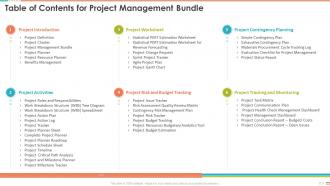
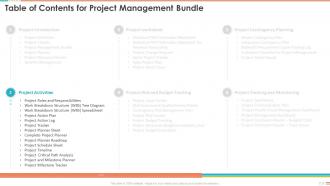
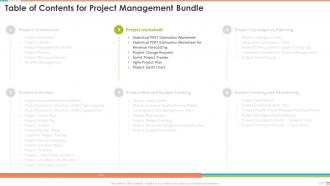
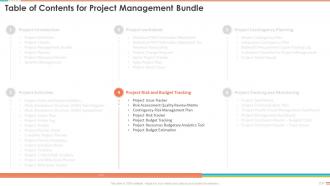
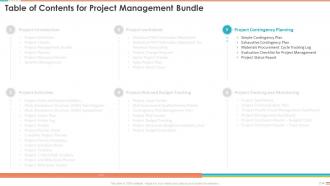
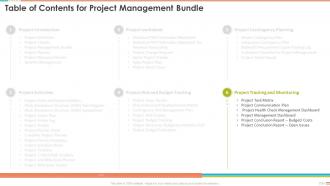
Slide 2: This slide presents Table of Contents for Project Management Bundle.
Slide 3: This slide highlights title for topics that are to be covered next in the template.
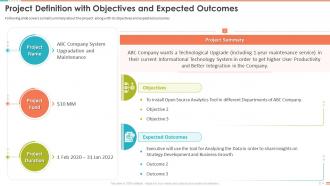
Slide 4: This slide shows Project Definition with Objectives and Expected Outcomes.
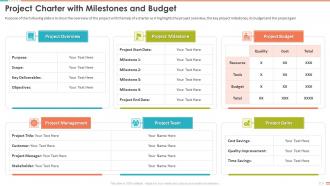
Slide 5: This slide presents Project Charter with Milestones and Budget.
Slide 6: This slide displays Project Management Bundle with Role and Responsibilities.
Slide 7: This slide represents brief version of project planner as it highlights the project scope and description.
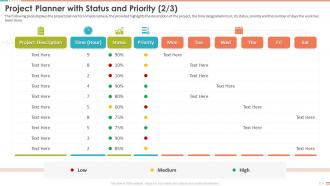
Slide 8: This slide showcases Project Planner with Status and Priority.
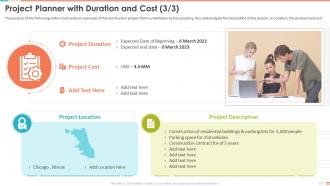
Slide 9: This slide shows Project Planner with Duration and Cost.
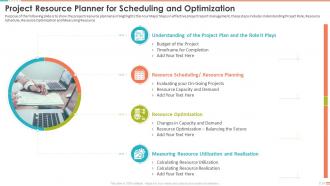
Slide 10: This slide presents Project Resource Planner for Scheduling and Optimization.
Slide 11: This slide displays Project Management Benefits with Key Stakeholders.
Slide 12: This slide highlights title for topics that are to be covered next in the template.
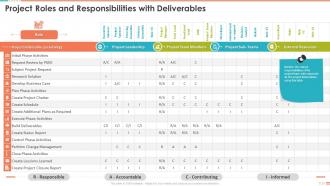
Slide 13: This slide represents Project Roles and Responsibilities with Deliverables.
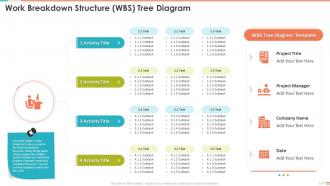
Slide 14: This slide showcases Work Breakdown Structure (WBS) Tree Diagram.
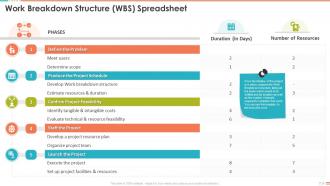
Slide 15: This slide presents Work Breakdown Structure (WBS) Spreadsheet.
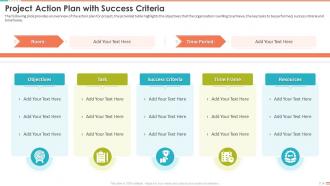
Slide 16: The following slide provides an overview of the action plan for project.
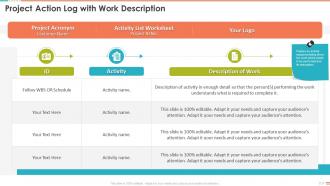
Slide 17: This slide showcases Project Action Log with Work Description.
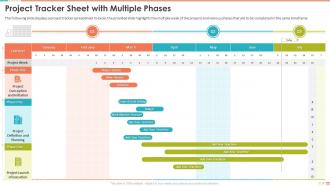
Slide 18: This slide presents Project Tracker Sheet with Multiple Phases.
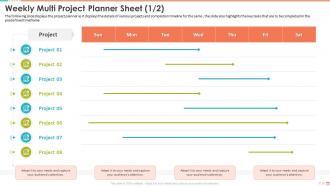
Slide 19: This slide shows Weekly Multi Project Planner Sheet.
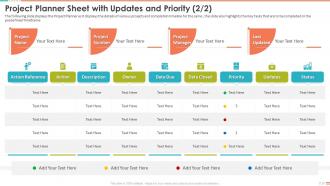
Slide 20: This is another slide continuing Project Planner Sheet with Updates and Priority.
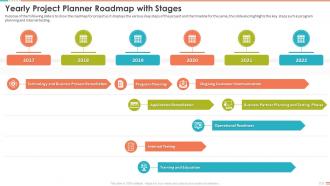
Slide 21: This slide displays Yearly Project Planner Roadmap with Stages.
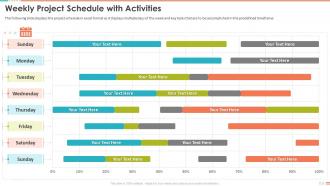
Slide 22: The following slide displays the project schedule in excel format.
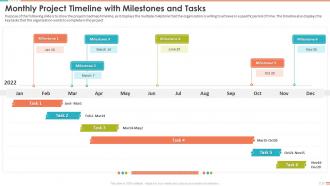
Slide 23: This slide represents Monthly Project Timeline with Milestones and Tasks.
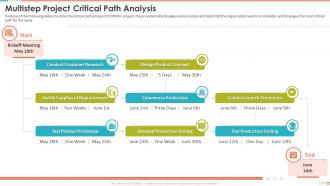
Slide 24: This slide showcases critical path analysis of CPM for project.
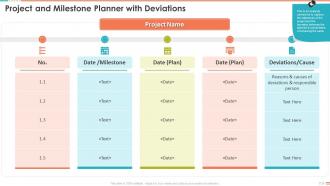
Slide 25: This slide shows Project and Milestone Planner with Deviations.
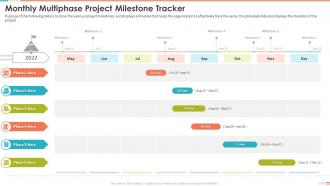
Slide 26: This slide presents Monthly Multiphase Project Milestone Tracker.
Slide 27: This slide highlights title for topics that are to be covered next in the template.
Slide 28: This slide represents Statistical PERT Estimation Worksheet with Duration.
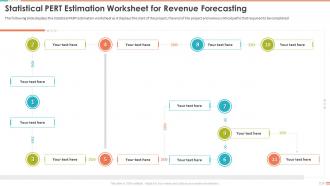
Slide 29: This slide showcases Statistical PERT Estimation Worksheet for Revenue Forecasting.
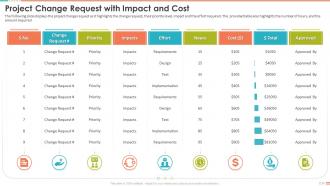
Slide 30: This slide shows Project Change Request with Impact and Cost.
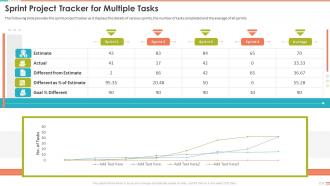
Slide 31: The following slide provides the sprint project tracker as it displays the details of various sprints.
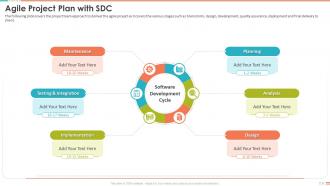
Slide 32: This slide represents project team approach to deliver the agile project.
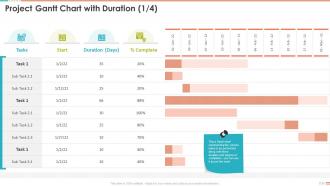
Slide 33: This slide showcases Project Gantt Chart with Duration.
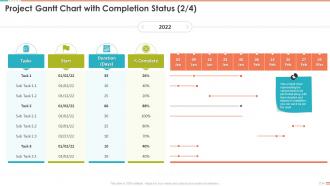
Slide 34: This slide presents Project Gantt Chart with Completion Status.
Slide 35: This slide displays Project Gantt Chart with Budget and Activities.
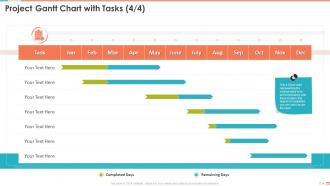
Slide 36: This slide represents Project Gantt Chart with Tasks.
Slide 37: This slide highlights title for topics that are to be covered next in the template.
Slide 38: This slide showcases Project Issue Tracker with Resolution Date.
Slide 39: This slide shows Risk Assessment Quality Review Matrix.
Slide 40: This slide presents Contingency Risk Management Plan with Impact.
Slide 41: This slide displays Project Risk Tracker with Response.
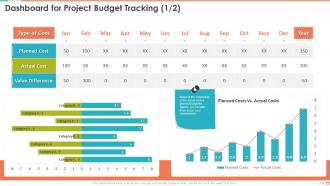
Slide 42: This slide represents Dashboard for Project Budget Tracking.
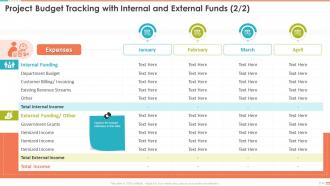
Slide 43: This slide showcases Project Budget Tracking with Internal and External Funds.
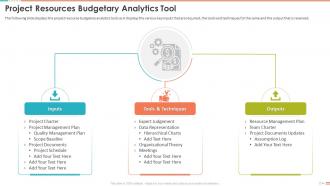
Slide 44: This slide shows Project Resources Budgetary Analytics Tool.
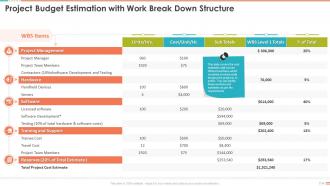
Slide 45: This slide presents Project Budget Estimation with Work Break Down Structure.
Slide 46: This slide highlights title for topics that are to be covered next in the template.
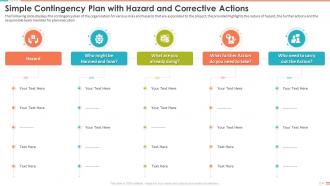
Slide 47: This slide displays Simple Contingency Plan with Hazard and Corrective Actions.
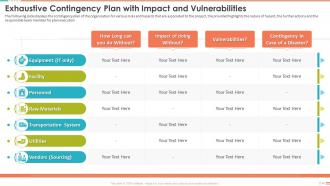
Slide 48: This slide represents Exhaustive Contingency Plan with Impact and Vulnerabilities.
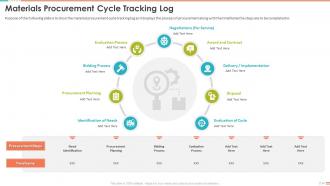
Slide 49: This slide showcases Materials Procurement Cycle Tracking Log.
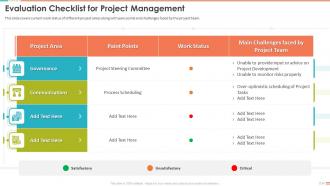
Slide 50: This slide covers current work status of different project areas along with pain points and challenges faced by the project team.
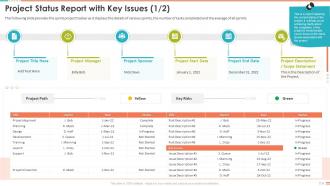
Slide 51: This slide shows Project Status Report with Key Issues.
Slide 52: This slide presents Project Status Report with Costs.
Slide 53: This slide highlights title for topics that are to be covered next in the template.
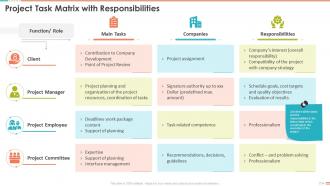
Slide 54: This slide displays Project Task Matrix with Responsibilities.
Slide 55: This slide represents Project Communication Plan with Purpose and Method.
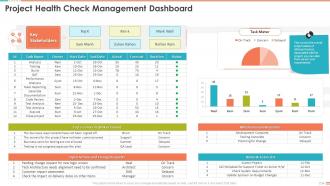
Slide 56: This slide showcases Project Health Check Management Dashboard.
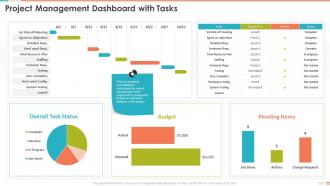
Slide 57: This slide shows Project Management Dashboard with Tasks.
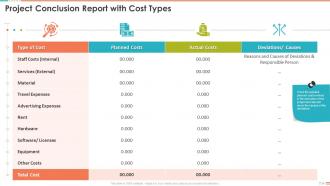
Slide 58: This slide presents Project Conclusion Report with Cost Types.
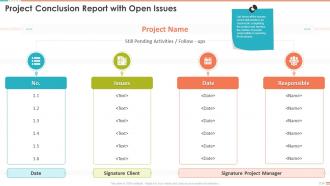
Slide 59: This slide displays Project Conclusion Report with Open Issues.
Slide 60: This slide represents Icons for Project Management Bundle.
Slide 61: This slide is titled as Additional Slides for moving forward.
Slide 62: This slide presents Roadmap with additional textboxes.
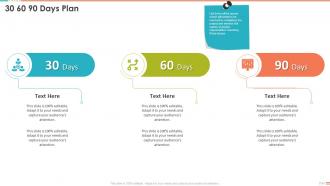
Slide 63: This slide provides 30 60 90 Days Plan with text boxes.
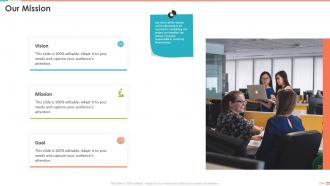
Slide 64: This is Our Mission slide with related imagery and text.
Slide 65: This is About Us slide to show company specifications etc.
Slide 66: This slide shows Circular Diagram with additional textboxes.
Slide 67: This slide displays Mind Map with related imagery.
Slide 68: This slide contains Puzzle with related icons and text.
Slide 69: This is Our Goal slide. State your firm's goals here.
Slide 70: This is Our Mission slide with related imagery and text.
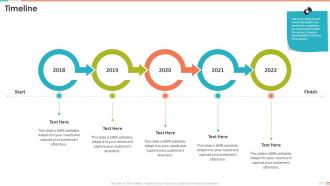
Slide 71: This is a Timeline slide. Show data related to time intervals here.
Slide 72: This slide depicts Venn diagram with text boxes.
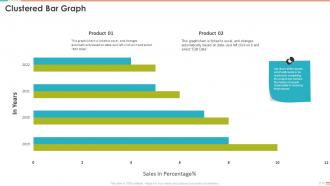
Slide 73: This slide provides Clustered bar chart with two products comparison.
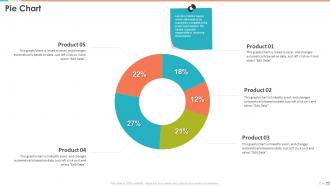
Slide 74: This slide shows Pie Chart with data in percentage.
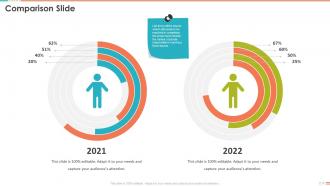
Slide 75: This is a Comparison slide to state comparison between commodities, entities etc.
Slide 76: This is a Financial slide. Show your finance related stuff here.
Slide 77: This slide shows Post It Notes. Post your important notes here.
Slide 78: This is an Idea Generation slide to state a new idea or highlight information, specifications etc.
Slide 79: This is an Idea Generation slide to state a new idea or highlight information, specifications etc.
Slide 80: This slide presents Spokes with related icons and text.
Slide 81: This slide displays Flow Chart with additional textboxes.
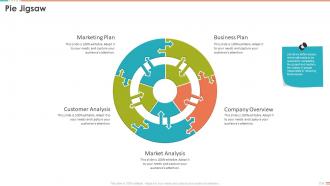
Slide 82: This slide represents Pie Jigsaw with related imagery.
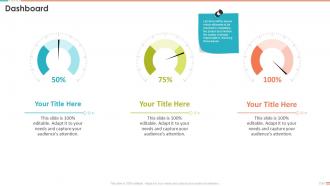
Slide 83: This slide represents Dashboard with additional text boxes to show information.
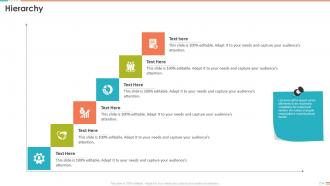
Slide 84: This slide displays Hierarchy with related imagery.
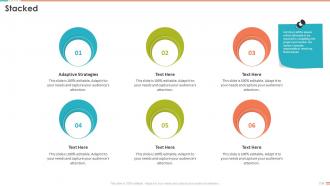
Slide 85: This slide shows Stacked with text boxes.
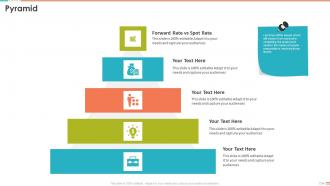
Slide 86: This slide showcases Pyramid with additional textboxes.
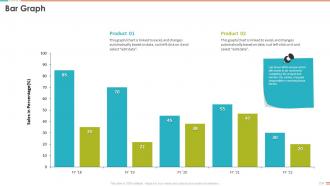
Slide 87: This slide presents Bar chart with two products comparison.
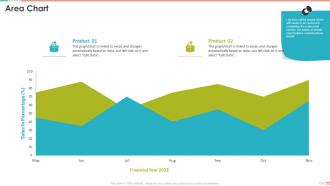
Slide 88: This slide depicts Area chart with two products comparison.
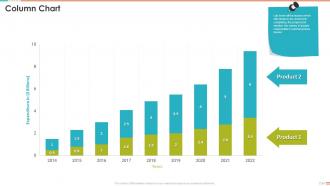
Slide 89: This slide displays Column chart with two products comparison.
Slide 90: This is a Thank You slide with address, contact numbers and email address.
Project Management Bundle Powerpoint Presentation Slides with all 95 slides:
Use our Project Management Bundle Powerpoint Presentation Slides to effectively help you save your valuable time. They are readymade to fit into any presentation structure.



















FAQs for Project Management Bundle
Okay so there's five main phases but honestly they're messier than they sound. Initiation is where you figure out what you're actually doing and who cares about it. Planning comes next - that's your timelines, resources, all that stuff. Then execution happens (this is where everything breaks, just saying). Monitoring runs alongside everything to catch problems before they explode. Finally there's closing to wrap it up. Here's the thing though - they're not linear at all. You'll constantly jump back from monitoring to replanning when stuff goes wrong. Don't get stuck thinking they're rigid steps.
Honestly, skip obsessing over timelines and focus on whether people are actually happy with what you delivered. Quick surveys after big milestones? Game changer. Stakeholders will tell you the real story way better than any fancy chart. Track stuff like how many people actually USE what you built - because finishing on time means nothing if it just sits there collecting dust. Quality matters too: defect rates, user adoption, whether you hit the original business goals. Oh, and don't forget post-launch metrics like ROI and customer satisfaction. Keep it simple though - maybe 3-4 key things on a dashboard you'll actually check weekly.
So you've got three big ones: Waterfall, Agile, and Scrum. Waterfall's pretty straightforward - finish one thing, move to the next. Works well when requirements won't change much. Agile's all about short bursts of work with tons of feedback, which is why devs love it. Scrum? That's just Agile with more structure and meetings (ugh). Here's the thing though - most teams I've seen just mix whatever works for them. Pick Waterfall if your project's pretty set in stone, go Agile/Scrum if you're expecting changes and need to pivot fast.
Don't wait until stuff goes wrong - build risk planning into everything from the start. During your initial scoping, map out what could tank the project: budget blowouts, team conflicts, tech issues, you name it. Build your mitigation plans right into the timeline and budget. Honestly, I learned this the hard way on a project that went sideways fast. Set up contingency buffers for the riskier stuff and assign someone to actually watch each threat. Oh, and make risk check-ins a regular thing in meetings - way better than scrambling to put out fires later.
Honestly, stakeholder engagement can make or break your whole project. Figure out who matters early on and what they actually want - not what you assume they want. I've watched projects crash just because someone felt ignored. Map everyone by how much influence they have and how interested they are, then build your communication around that. Daily updates work for some people, monthly summaries for others. Oh, and always reach out first - don't wait for them to bug you. Trust me, being proactive saves so much drama later.
So agile basically chops your project into these 2-4 week chunks where you're constantly getting feedback. Traditional methods? You plan everything out first, then execute step by step. Took me ages to get used to agile when I made the switch - felt so chaotic at first! Use agile when requirements will probably change or you're building something totally new. Go traditional if you know exactly what you want from day one. Quick test: can you describe your final product right now, or will you figure it out as you build?
Try Asana, Monday.com, or Trello for task stuff - they're solid. Microsoft Project's great for Gantt charts but honestly feels like overkill half the time. Slack works fine for messaging, Teams too if you're already stuck with Microsoft everything. Google Workspace is clutch for sharing docs. But here's the thing - doesn't really matter which one you pick if nobody actually uses it. I'd mess around with free trials of maybe 2 or 3 before spending money. See what your team doesn't hate using.
You've gotta way over-communicate - like, almost annoyingly so. Regular check-ins help but not just boring status stuff. Do virtual coffee chats or quick daily huddles where people actually connect. Also, please use tools everyone likes instead of whatever garbage IT forces on you. Your documentation needs to be bulletproof since you can't just walk over anymore. Building trust is huge - share screens constantly, record meetings, always follow up in writing. Oh and try async work patterns too. Honestly, cramming everyone into identical schedules just tanks productivity anyway.
Check in with them regularly, but actually listen - half the time "motivation problems" are just people feeling unheard. Break those massive goals into smaller chunks so they can see real progress happening. Weekly wins meetings work surprisingly well too, where everyone shares what they got done that week. Give people actual ownership over their stuff and let them figure out their own approach. Celebrating the small victories keeps momentum going way better than waiting for the big milestones. Oh, and don't underestimate how much autonomy motivates people - micromanaging kills energy fast.
Honestly, data analytics just shows you what's *really* going on with your projects instead of you guessing. You'll catch problems before they blow up and actually predict which tasks are gonna run over. The resource thing is huge too - like, you finally see where everyone's time actually goes (spoiler: probably not where you think). I'd rather make decisions off real data than those crappy status updates we all pretend to read. Oh and the patterns you spot across projects? Total game changer for planning ahead. Just pick a couple metrics to start with though - don't go crazy right away.
Oh man, cultural stuff will totally mess up your international projects if you're not careful. Some cultures are brutally direct while others dance around issues - drives me nuts sometimes. Time management? Forget everything you think you know because deadlines mean completely different things everywhere. Your team might expect strict hierarchy when you're trying to keep things casual and flat. Honestly, the best thing is researching cultural norms beforehand and padding your timeline for inevitable miscommunications. Right at the start, just openly talk through everyone's working styles and how decisions get made. Trust me on this one.
So first thing - figure out what your people actually do well, not just what their job description says. Trust me, there's usually a big difference. Keep everyone around 80% capacity because nobody performs well when they're slammed. I'd map out which tasks matter most for the project, then use some kind of tool to see everyone's workload visually. Makes it way easier to spot problems before they happen. Always pad your timeline too - stuff goes wrong. And honestly? The biggest mistake is not telling people when priorities change. They can't read your mind.
Ugh, workplace drama is the worst. You've gotta jump on conflicts fast though - like within a day or two max before people get all dug in. I always try to hear everyone out first without picking sides, even when someone's being totally ridiculous. Look past what they're actually fighting about and figure out what they really need. Half the time it's just bad communication or people stepping on each other's toes anyway. Get them in a room together, lay down some basic "don't be jerks" rules, and push everyone toward something that'll actually work for the project.
Think of documentation as your project's brain dump - it saves all the decisions, changes, and random lessons so you don't lose track of stuff. Trust me, without it you'll spend forever re-explaining things or figuring out why someone made a weird choice six months ago. Best approach? Build it into your normal routine instead of scrambling to catch up later. Confluence works great, or honestly even Google Docs if that's easier for your team. Just make sure someone's actually updating the important stuff after big meetings. Oh, and don't overcomplicate it - if people can't find it quickly, they won't bother using it.
Don't wait until the end to ask for feedback - that's a rookie mistake I made way too many times. Weekly or bi-weekly retrospectives with your team are clutch, and you gotta write down what people actually say. Clients and stakeholders need simple feedback forms too. Their input can be brutal but it's usually spot-on. Here's the thing though - if you collect all this feedback and then ignore it, people will just stop bothering to help you. Actually use what they tell you! Pick one feedback method this sprint and see how it goes.
-
Top Quality presentations that are easily editable.
-
Innovative and Colorful designs.