


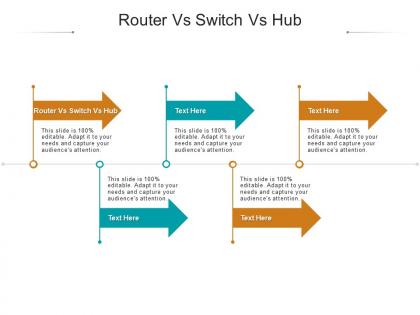
Router vs switch vs hub ppt powerpoint presentation outline show cpb




Try Before you Buy Download Free Sample Product
 Impress Your
 Audience
 100%
100% Editable
 Save Hours
 of Time


Our Router Vs Switch Vs Hub Ppt Powerpoint Presentation Outline Show Cpb are topically designed to provide an attractive backdrop to any subject. Use them to look like a presentation pro.
People who downloaded this PowerPoint presentation also viewed the following :
Router vs switch vs hub ppt powerpoint presentation outline show cpb with all 2 slides:
Use our Router Vs Switch Vs Hub Ppt Powerpoint Presentation Outline Show Cpb to effectively help you save your valuable time. They are readymade to fit into any presentation structure.
FAQs for Router vs switch vs hub ppt powerpoint presentation
Okay so routers are what connect your home network to the internet - they handle all that traffic routing between different networks. Switches are for connecting multiple devices within your network and they're smart enough to only send data where it needs to go. Hubs? Lol don't even bother, they're from like the stone age of networking. They just blast everything to every device which creates a mess. For any setup nowadays you'll want a router for internet access. Then add switches if you need more ethernet ports. My old place had terrible wifi so I ran ethernet everywhere - switches saved my sanity.
So routers are the smart ones - they look at IP addresses and figure out where your data needs to go between different networks. Like from your home to the internet, or connecting office locations. Switches just handle devices within the same network using MAC addresses, which they're actually pretty good at. Hubs are ancient history at this point, they just spam everything to every device (honestly who even uses those anymore?). If you need internet or want to connect separate networks, you'll definitely need a router. Switches work great for linking up devices locally though.
Yeah definitely go with a switch, hubs are pretty much dead at this point. Each device gets its own bandwidth instead of everyone fighting over the same pipe. Way better performance that way. Switches also do full-duplex so you can send and receive at the same time - hubs can't pull that off. The collision domain thing is huge too, each port gets its own instead of everything being one big mess. I think my old college still had some hubs when I was there but that was ages ago lol. Prices aren't crazy different anymore so there's really no reason not to.
Honestly, network size is the biggest factor here. Hubs are basically dead tech - I mean, you might find one in someone's basement but why would you? Switches work great for small to medium setups since each port gets its own collision domain. Once you're dealing with multiple network segments or need internet though, you'll need a router for that Layer 3 stuff. My advice? Think about where you'll be in a year or two. Switches and routers actually scale up nicely, unlike hubs which were always kind of a mess anyway.
Yeah totally, you can swap in a router for a switch. It's just gonna cost more and be kinda overkill since routers do way more than you probably need. Most routers these days have those LAN ports built in anyway, so they'll handle your local connections fine. Honestly, forget about hubs - those things are basically dinosaurs at this point. The annoying part is you'll get fewer ports than a regular switch, and you're paying extra for routing features you might not even use. But if you've got one sitting around already? Just plug your stuff into the LAN ports and call it a day.
Basically switches are way smarter - they actually learn which devices are plugged into which ports by remembering MAC addresses. So when you send data, it goes directly where it needs to go. Hubs are ancient and just spam everything to every port, which is honestly ridiculous. Creates a mess of collisions and security issues too. Think of it like whispering to one person vs yelling across a cafeteria. If you've got any hubs lying around (which hopefully you don't), definitely replace them with switches. Your network will thank you.
Dude, hubs are terrible for security. Everything you send gets blasted to every device on the network - literally anyone can just sit there and read your packets. Think of it like yelling across a room where everyone's listening in. Switches actually send data only where it needs to go, which is way smarter. Routers are even better since they've got firewalls and NAT built in. Honestly, I haven't seen a hub in years, but if you find one somewhere just toss it and get a cheap switch instead.
Yeah switches are gonna be your fastest bet for stuff on the same network - they basically give each device its own dedicated line. Routers are slower because they're doing all that packet inspection and figuring out where to send things, but honestly unless you're running some crazy setup they're still fast enough. Don't even bother with hubs lol, those things are from like 2005 and they split bandwidth between everything connected. Performance gets worse the more devices you plug in. Just use switches for connecting your local devices and let the router handle internet stuff. That's how I'd do it anyway.
So your switch is like the traffic cop for your LAN - it connects all your devices and routes data between them. Pretty different from those old hubs that just spammed everything to everyone (talk about inefficient). Your computer sends something to the printer? The switch only sends it there, not to every device on the network. Makes things way faster and more secure since devices aren't seeing random traffic they don't need. Honestly, it's what makes your whole local network actually work together instead of being a chaotic mess.
So basically your router has this internal table that maps out where different IP addresses should go. It's like a GPS for internet traffic - when a packet comes in, the router checks the destination IP against its table and figures out the next hop. You can set these routes manually or let routing protocols handle it automatically (which is way easier tbh). Unlike switches that just care about MAC addresses, routers work at the network layer with actual IP addresses. You should totally peek at your routing table sometime through the admin interface - shows you how your network actually connects to everything else.
First thing - count up what you actually need to plug in, then add maybe 25% extra ports. VLAN support is pretty much mandatory these days, and QoE features help when things get busy. PoE+ is clutch if you're doing IP phones or access points. Layer 3 switching sounds fancy but honestly? Skip it unless you're doing complex routing between VLANs. Port security and 802.1X are solid for keeping random devices off your network. Oh, and dual power supplies might seem overkill but they're lifesavers during outages. Just make sure you get gigabit ports - anything slower feels ancient now.
So managed switches let you mess with VLANs, control bandwidth, mirror ports - all that advanced stuff. Unmanaged ones? Just plug 'em in and they work. No settings to tweak at all. For a basic home setup, honestly unmanaged is totally fine and way cheaper. But if you need to segment your network or want remote troubleshooting, go managed. I learned this the hard way when our office network got crazy slow and we couldn't figure out why without proper monitoring. You can also set security policies with managed switches, which is pretty clutch for business environments.
Dude, the biggest myth is that hubs are just "simple switches" - they're completely different beasts. Hubs create one massive collision domain where every device fights for bandwidth, which is awful. People think they're more secure because they seem basic, but it's the opposite - every device can see all the traffic flowing through. Also, good luck finding a new hub to buy these days, they're basically dead technology. I had a professor who still talked about them like they were relevant, which was... weird. If someone mentions using a hub, just grab them a cheap unmanaged switch instead. Way better choice.
Oh dude, it's all about what layer they work on. Routers handle Layer 3 stuff so they can actually mess with IP addresses - that's what lets them do the whole NAT thing. Your router basically sits there translating between your private 192.168.x.x network and the public internet. Switches? They only deal with MAC addresses at Layer 2, so no dice there. Hubs are even more useless - just blast everything everywhere like it's 1995 lol. Only routers can keep track of all your devices sharing that one public IP and translate everything back and forth properly.
So VLANs are basically like splitting one physical switch into multiple virtual ones. You can put different ports on separate networks even though they're all connected to the same device. Accounting stays in their lane, engineering in theirs - no cross-contamination of traffic. The switch tags frames with VLAN IDs instead of just looking at MAC addresses. Honestly took me forever to wrap my head around it at first, but once you get it, it's pretty slick. Start with a basic two-VLAN setup and you'll see how the traffic isolation actually works. Way easier to learn hands-on.
-
Very unique, user-friendly presentation interface.
-
Informative presentations that are easily editable.
-
Informative design.
-
Easily Editable.
-
Great quality product.
-
Awesome presentation, really professional and easy to edit.
-
Excellent products for quick understanding.