

Présentation de promotion personnelle




Try Before you Buy Download Free Sample Product
 Impress Your
Audience
 100%
Editable
 Save Hours
of Time


Incorporez cette présentation PowerPoint d'auto-promotion pour faire une première impression dynamique. Vous pouvez mettre en évidence vos objectifs professionnels, votre profil personnel, vos réalisations et vos distinctions, votre parcours éducatif, votre expérience professionnelle et les différents programmes de formation que vous avez suivis pour illustrer vos compétences. En utilisant ce modèle de présentation PowerPoint d'auto-introduction, vous pouvez attirer l'attention sur vos compétences professionnelles, vos études de cas et les projets que vous avez réalisés de manière frappante. De plus, en utilisant cette mise en page de présentation d'auto-promotion, vous pouvez mentionner vos loisirs, vos compétences linguistiques et votre propre analyse SWOT à votre employeur. Cette mise en page de présentation infographique d'aperçu personnel peut être utilisée pour présenter les principaux jalons de votre emploi à votre intervieweur. Votre parcours professionnel, les responsabilités supplémentaires que vous avez occupées et les activités extrascolaires au bureau peuvent être illustrés à votre évaluateur par ce dossier de CV visuel complet. Téléchargez cette présentation PowerPoint d'auto-marketing pour vous démarquer des autres candidats et saisir l'opportunité d'emploi.
People who downloaded this PowerPoint presentation also viewed the following :
Contenu de cette présentation Powerpoint
Diapositive 1 : Cette diapositive présente la présentation de promotion personnelle. Indiquez le nom de votre entreprise et commencez.
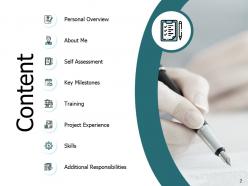
Diapositive 2 : Cette diapositive montre le contenu de la présentation.
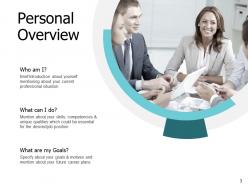
Diapositive 3 : Cette diapositive présente un aperçu personnel décrivant - Quels sont mes objectifs ? Qui suis-je ? Et que puis-je faire ?
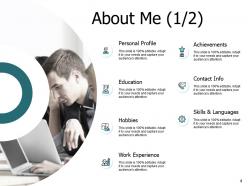
Diapositive 4 : C'est la diapositive À propos de moi incluant - Informations de contact, Profil personnel, Loisirs, Réalisations, Compétences et langues, Éducation, Expérience professionnelle.
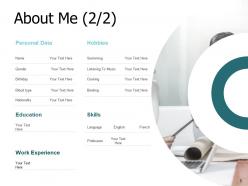
Diapositive 5 : C'est une diapositive À propos de moi optionnelle.
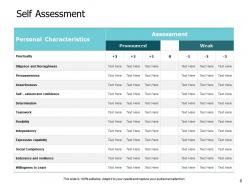
Diapositive 6 : Cette diapositive représente l'auto-évaluation sous forme de tableau incluant diverses caractéristiques personnelles.
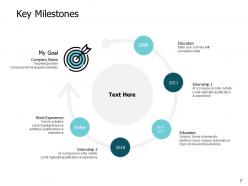
Diapositive 7 : Cette diapositive présente les principales étapes à l'aide d'une chronologie.
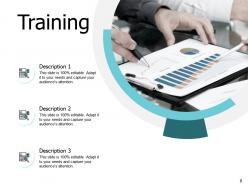
Diapositive 8 : Cette diapositive montre la formation avec des images associées.
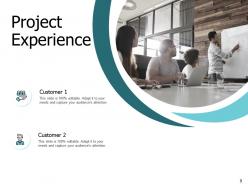
Diapositive 9 : Cette diapositive présente l'expérience de projet. Ajoutez les données selon les besoins.
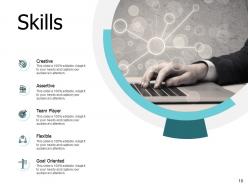
Diapositive 10 : Cette diapositive affiche les compétences telles que - Créatif, Joueur d'équipe, Affirmé, Flexible, Orienté vers les objectifs.
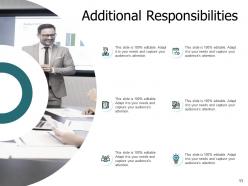
Diapositive 11 : Cette diapositive représente les responsabilités supplémentaires avec des images et des zones de texte associées.
Diapositive 12 : Cette diapositive présente les icônes de la présentation de promotion personnelle.
Diapositive 13 : Cette diapositive est intitulée Diapositives supplémentaires pour aller de l'avant.
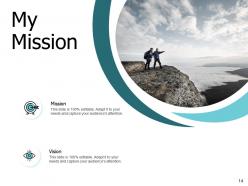
Diapositive 14 : C'est la diapositive Ma mission avec des icônes associées.
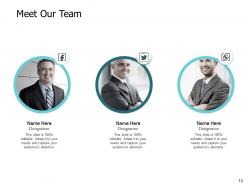
Diapositive 15 : C'est la diapositive Rencontrez notre équipe avec les noms et les désignations.
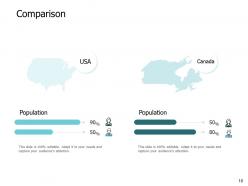
Diapositive 16 : C'est une diapositive de comparaison pour établir une comparaison entre des produits, des entités, etc.
Diapositive 17 : C'est une diapositive Cible. Indiquez vos objectifs ici.
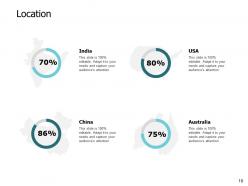
Diapositive 18 : C'est une diapositive Lieu pour montrer des données liées à différents endroits.
Diapositive 19 : C'est une diapositive Lego avec des zones de texte supplémentaires.
Diapositive 20 : C'est une diapositive Venn avec des zones de texte pour afficher les informations.
Diapositive 21 : C'est une diapositive Génération d'idées pour énoncer une nouvelle idée ou mettre en évidence des informations, des spécifications, etc.
Diapositive 22 : C'est une diapositive de remerciement avec l'adresse, les numéros de contact et l'adresse e-mail.
Voici la présentation PowerPoint de 22 diapositives pour l'auto-promotion : 1. Titre de la présentation 2. Qui suis-je ? 3. Mes compétences clés 4. Mes réalisations 5. Mon expérience professionnelle 6. Mes formations et certifications 7. Mes domaines d'expertise 8. Mes projets réussis 9. Mes références 10. Mes objectifs de carrière 11. Mes valeurs 12. Mes récompenses et distinctions 13. Mes publications et présentations 14. Mes affiliations professionnelles 15. Mes compétences techniques 16. Mes compétences interpersonnelles 17. Mes réalisations remarquables 18. Mes contributions à l'entreprise 19. Mes qualités personnelles 20. Mes réalisations en équipe 21. Mes objectifs de développement 22. Conclusion et coordonnées
Utilisez nos diapositives de présentation de l'autopromotion pour vous aider à gagner un temps précieux. Elles sont prêtes à s'intégrer dans n'importe quelle structure de présentation.
FAQs for Self promotion presentation
Honestly, share your messy work-in-progress stuff way more than polished pieces. People eat up behind-the-scenes content and sketches - they want to see how you actually make things. Try collaborating with other creatives too since you'll both get exposure to each other's audiences. I used to hate the idea of networking events, but even hopping into virtual ones sometimes pays off. Authentically commenting on 5-10 other artists' posts daily works better than constantly promoting yourself. Sounds tedious but it actually builds real connections. Those genuine relationships are worth way more than random followers anyway.
Templates are honestly a lifesaver for self-promotion stuff. They make everything look way more professional without you having to be some design genius. I used to waste hours messing with fonts and getting frustrated! You can whip up pitch decks, social media posts, portfolio pieces - all that looks actually decent instead of thrown together. The consistency thing is huge too since people remember brands that look cohesive. I'd grab 2-3 templates that vibe with your style, then just swap in your colors and content. Oh and they save you so much time, which is probably the best part.
When you tell stories about your wins, people actually remember them. Just rattling off accomplishments? Boring. But when you explain the mess you walked into, what you did about it, and how things turned out - that sticks. Templates save your butt when you're put on the spot. CAR works great: Challenge, Action, Result. STAR's another solid one - Situation, Task, Action, Result. I swear these frameworks make such a difference because they give your brain something to grab onto instead of just... freezing up. The whole point is making your stories feel real, not like you're reading from a resume.
Honestly, visual data beats boring bullet points every time. Instead of just saying "I boosted sales," show that revenue spike with a clean chart - way more convincing. People actually remember visuals, unlike walls of text that make everyone's eyes glaze over. You can map out project timelines, track skill growth, whatever metrics matter for your role. It proves you think analytically and can break down complex stuff clearly. Employers eat that up. I'd start with something simple like Canva or Google Charts to visualize your biggest wins first.
Honestly, your presentation template matters way more than you'd think. First impressions and all that - people notice when you look put-together vs. just slapping content into default PowerPoint. Pick 2-3 colors that match your other stuff and stick with clean fonts. Consistency makes you way more memorable to clients or whoever you're presenting to. I learned this the hard way after using Comic Sans in a client pitch once (don't ask). The whole thing just screams "I actually care about details" instead of "I threw this together last minute."
Ugh, the worst thing you can do is just copy-paste those generic templates everyone uses. You'll sound like every other person sliding into their DMs. Don't be super salesy right away either - that's an instant turnoff. Actually bring something useful to the table instead of just asking for favors. I learned this the hard way lol. Space out your messages too, don't spam everyone at 2pm on a Tuesday. Each message should feel like you actually looked at their profile for more than 5 seconds. Make it sound like you, not some LinkedIn bro.
Honestly, social media integration in templates is a game changer. You get clickable icons and share buttons built right in, plus QR codes that link to your profiles. No more awkward "find me on LinkedIn" moments at the end of presentations. Your audience can just click and follow you instantly instead of trying to remember your handle later (let's be real, they won't). I'd definitely start with LinkedIn and Twitter integration first. Oh, and the follower boost is actually pretty noticeable once people start using those buttons.
Honestly, consistent design is like a cheat code for getting noticed. Pick the same colors and fonts across all your platforms - LinkedIn, Twitter, your website, whatever. People's brains start recognizing your stuff instantly, even in crazy busy feeds. It's wild how that works. You'll look way more professional than someone just throwing random designs everywhere (which, let's be real, most people do). I'd say grab 2-3 signature elements and stick with them no matter what. Start with colors first - that's usually the easiest win.
Honestly, presentation feedback is pure gold for figuring out how to sell yourself better. Pay attention to what people consistently praise - like if they always mention your storytelling or how you break down data. Those are your superpowers! I used to totally dismiss the "soft" comments until I realized they were showing me what actually makes me stand out. Notice which questions come up over and over too. That tells you what really clicks with people. Oh, and track which examples get the biggest reactions - those are money. Then work all that good stuff into your LinkedIn, elevator pitch, whatever. You're basically letting your audience tell you exactly what makes you awesome.
Honestly, I'd drop testimonials right after you mention specific skills or wins - it backs up what you just said. Keep them super short though, like 1-2 sentences max because people zone out reading long quotes. Always include the person's name, title, and company underneath for credibility. Oh and make them pop visually with bigger fonts or pull-quote styling. Mix up the types too - some about your work, others about how you collaborate. Just make sure you get permission first! I usually swap them out depending on who I'm presenting to. Keeps things feeling relevant instead of stale.
So here's the thing - niche markets are perfect for presentation templates because you can get super specific. Build templates using your industry's exact language and hit those pain points everyone's dealing with. Honestly, it's like speaking their language from day one. Your audience will immediately know you understand their world. Templates keep your branding consistent while you customize for different segments. Oh, and focus on the 3-4 biggest problems your niche faces - create slide themes around those you can swap in and out. Way more efficient than starting from scratch every time.
Honestly, Canva's your best bet to start - they've got templates made specifically for self-promo stuff. Beautiful.AI is cool because it fixes your design automatically as you go. If you're feeling creative, Figma gives you way more control but it's kinda tricky to learn. Loom's great for quick video recordings you can share right away. Gamma makes those interactive presentations that do really well on LinkedIn. Just remember different platforms need different sizes - like Instagram Stories vs LinkedIn carousels are totally different dimensions. I'd probably just stick with Canva unless you need something super specific.
Honestly, interactive stuff is a game changer because it stops feeling like you're just talking *at* people. Ask quick questions like "raise your hand if you've dealt with this problem" or throw in a poll. Gets them involved instead of zoned out. I actually love doing brief breakout discussions too - people share their own experiences and suddenly you're not the only one talking (which is honestly a relief). Even simple demos where they participate work great. The whole point is making it feel like a conversation, not some boring presentation where you're bragging about yourself for 20 minutes straight.
Honestly, templates are just starting points - you've gotta make them totally your own. I see people just filling in blanks and getting crickets back, which makes sense! Swap out all that generic fluff for actual examples from your work. Real numbers hit different than vague statements. The structure can stay, but I'd rewrite like 70% with your own voice and experiences. Also, match the vibe to whatever industry you're targeting - what works for tech startups won't fly in finance. Templates work when they don't feel like templates, you know?
Oh man, cultural stuff makes such a difference when you're presenting yourself! Like in the US you can totally brag about your achievements directly, but try that in Japan and you'll come off as arrogant. I bombed a presentation there once because I didn't get this. Collectivist cultures want you emphasizing team wins and staying humble. Visual design matters too - some places expect formal layouts while others are more casual. Even how much personal info you share changes. Honestly just google communication norms for wherever you're presenting beforehand.
-
The content is very helpful from business point of view.
-
Very well designed and informative templates.
-
Design layout is very impressive.
-
Professional and unique presentations.
-
Excellent design and quick turnaround.
-
Innovative and Colorful designs.