

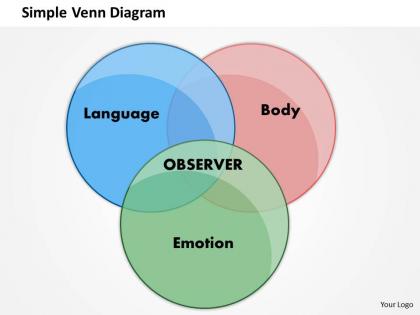
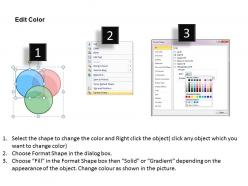
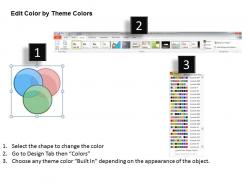
Simple venn diagram powerpoint template slide




Try Before you Buy Download Free Sample Product
 Impress Your
 Audience
 100%
100% Editable
 Save Hours
 of Time


Encash your brilliance with our Simple Venn Diagram Powerpoint Template Slide. The coffers will continue to fill.
People who downloaded this PowerPoint presentation also viewed the following :
Simple venn diagram powerpoint template slide with all 6 slides:
Under pressure to perform? We've got the Simple Venn Diagram Powerpoint Template Slide to have your next presentation go off without a hitch.

FAQs for Simple venn diagram
For your Venn diagram, definitely make the circles big enough that you can actually read what's inside them. Nothing worse than squinting at tiny text, trust me. You want them overlapping in a way that makes sense, with clear labels for each section. Leave some breathing room around everything - cramped diagrams look awful. Color coding helps a ton for telling the sets apart. Oh, and throw a title up top obviously. Keep it simple though, like don't go crazy with fancy designs because your content should be the star. Two or three circles work best to start with, then you can get fancier later if needed.
Honestly, Venn diagrams are a game changer for presentations. People instantly get the overlaps instead of trying to follow your bullet points - which let's be real, nobody wants to sit through anyway. I've watched audiences completely zone out during comparison slides, but throw up two circles and suddenly everyone's nodding along. They work great for product comparisons or showing how different teams work together. Though I guess they're not revolutionary or anything, just way more effective than those boring tables everyone defaults to. Your brain just processes the visual connections faster than text.
Canva's probably your best bet - super easy drag and drop stuff and you can customize everything. Lucidchart's solid too if you want something a bit more professional looking. Google Drawings is free and gets the job done, though it's pretty bare bones. Oh, and don't laugh, but PowerPoint's SmartArt actually has some decent Venn diagram options (I was surprised too). For anything fancier, check out Creately or draw.io. But honestly? Unless you're doing something crazy complicated, just stick with Canva. You can save your design as a template which is clutch if you'll need more later.
So for colors, pick ones that actually contrast - don't use blue and purple together or you'll hate yourself later. Make your font big enough to read (and yeah, maybe skip Comic Sans lol). If one circle represents something way bigger than the other, size them differently. Thick borders help but don't go crazy. Labels are huge - put them where they won't disappear in the messy overlap parts. Oh, and leave some breathing room around the whole thing. Trust me, cramped diagrams look awful even when the content's good.
Oh absolutely! Most people think they're just for math class, but honestly they're super useful for random stuff. I use them for project planning all the time - sounds dorky but whatever. Great for seeing where responsibilities overlap or figuring out what skills your team's missing. You can brainstorm with them, sort through survey data, organize research. Actually helped me map out feature requirements once when we had multiple user groups wanting different things. Next time you're stuck with competing priorities or need to find common ground between different people's needs, just draw some circles and see what happens.
Ugh, don't cram too much text into those circles - I see people do this all the time and it's unreadable. Also keep your sets to 3 or 4 max, otherwise it turns into a hot mess. Make sure the overlapping parts are actually big enough for whatever you're putting there. Colors matter too - avoid anything too light or washed out. Nobody's got time to squint at that. Short labels work way better than long ones, and honestly? Always do a quick readability check before you send it out. Oh and leave some breathing room around everything so it doesn't look cramped.
Honestly, color choice can totally make or break your Venn diagram. I've seen so many where everything just mushes together - super frustrating. You need good contrast between the overlapping parts and your background. Also, don't forget about colorblind people (like 8% of everyone). Pick colors that look different even in grayscale. Here's what I always do: convert your diagram to black and white first. Can you still read it clearly? Then you're good to go. It's such a simple test but saves you from creating something nobody can actually use.
Oh man, they're everywhere once you start noticing! Marketing folks use them to spot overlapping customer groups - super useful for finding new segments. Doctors actually use them too for comparing symptoms and ruling stuff out, which is kinda brilliant if you think about it. HR teams map out skills when they're putting together project groups. Product managers are obsessed with them for competitive analysis. Even restaurants do this weird thing where they use Venn diagrams to create fusion menus by finding common ingredients between different cuisines. You should totally try one next time you're planning a project - great for spotting where resources might clash.
Honestly, I think more people should use Venn diagrams - they're perfect for showing what overlaps between different things. Way better than boring bullet points when you're comparing stuff. Bar charts just show numbers, flowcharts show steps, but Venn diagrams? They actually highlight what's shared vs. what's different. Great for comparing products or explaining strategy overlaps. Just don't go crazy with like 5 circles - gets messy fast. Stick to 2-3 max. Next time you're presenting anything where you need to show "what do these have in common," skip the basic list and try a Venn diagram instead.
You'll want circles that are clear and distinct with good overlap space for comparisons. Don't forget editable text boxes inside AND outside the circles - I always mess this up and have to go back and add them later. A title area at the top is clutch too. Keep fonts readable with good contrast, and maybe throw in some subtle grid lines to help with alignment. Honestly, simple is better here. Students should be thinking about the actual content, not wrestling with a confusing template design. Oh, and use contractions in your labels - makes it feel less formal and intimidating for kids.
Honestly, Venn diagrams are a game-changer for this stuff. When you're stuck between options, just draw two circles and list what's unique about each choice, then see what overlaps in the middle. That overlap? Usually where your answer is hiding. I started doing this after being indecisive about literally everything for like a month straight lol. The visual thing just clicks better than making pros/cons lists. Plus if you need to explain your decision to someone else later, you can just show them the diagram instead of rambling for ten minutes.
Labels are literally the difference between a useful diagram and random circles on a page. You'll want to clearly mark what each circle represents, then drop specific examples in every section. The overlapping parts especially need good annotations so people actually get the connections you're trying to show. I cannot tell you how many blank Venn diagrams I've stared at wondering what the person was even thinking! Your labels should be detailed enough that someone else could follow your logic. Otherwise you're just making abstract art, which... probably wasn't the goal here.
Dude, you should totally try interactive Venn diagrams! People can drag stuff around, click to see overlapping data, or vote on where things go. Way better than staring at boring static circles. Your audience actually gets involved instead of zoning out (which let's be real, happens way too often in presentations). When people physically mess around with the concepts, they remember it better. Plus they'll understand how ideas connect more naturally. Mentimeter's pretty solid for this, or you could try Padlet. Trust me, it makes presentations so much more engaging.
So for marketing stuff, I'd go with templates that compare customer segments or check out what competitors are doing. Three circles work awesome for brand vs competitor analysis - just map out what's unique and what overlaps. Two circles are clutch for audience studies, like seeing how your social followers cross over between platforms. Campaign analysis too - reach, engagement, conversions, all that. PowerPoint's basic circles are fine honestly, or just grab something free online. People way overthink the design part when really you just need clear labels and insights that actually matter. Oh and don't get too fancy with colors - I learned that the hard way lol.
So basically you just match the Venn diagram to whoever's looking at it. Kids love bright colors and simple stuff - like comparing pets to wild animals (though honestly that example works for adults too lol). With professionals, keep it clean and data-focused. Academic people want the complicated overlaps and lots of detail. Regular audiences? Clear labels are your friend. Don't go crazy with five circles for elementary kids - they'll get lost. But also don't dumb things down for experts or they'll think you're an idiot. Figure out how much they already know about your topic first, then build from there.
-
Presentation Design is very nice, good work with the content as well.
-
Nice and innovative design.