


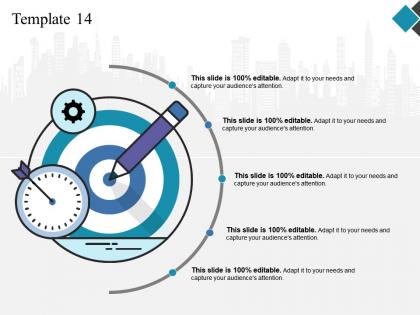
Template 14 ppt design




Try Before you Buy Download Free Sample Product
 Impress Your
 Audience
 100%
100% Editable
 Save Hours
 of Time


Generate that feel good effect with our Template 14 Ppt Design. Get your brand to epitomize enjoyment.
People who downloaded this PowerPoint presentation also viewed the following :
Template 14 ppt design with all 5 slides:
Our Template 14 Ppt Design have a faithful character. Be assured of their full backing.
FAQs for Template
Honestly, Template 14 is pretty solid - it's got actual interactive stuff like clickable hotspots and polls that work during your presentation. The parallax scrolling thing makes it feel way smoother than regular slide transitions too. Most templates are just pretty colors with zero functionality, you know? This one lets people actually participate instead of zoning out. Works great on mobile if you've got remote folks joining. Only thing - definitely test those interactive features beforehand so you don't look like an idiot if something glitches mid-presentation.
Yeah Template 14's pretty solid for branding stuff. Colors, fonts, logos - you can swap most of that out no problem. Header and footer areas are where you'll want to focus since that's your main branding real estate anyway. I've watched people completely flip the whole vibe while keeping the bones intact. Spacing and sections can move around too if you need it. Only weird thing is some of the interactive bits won't budge style-wise, but honestly? Most people don't even notice that. Oh and definitely tackle colors first, then move into fonts and images - way easier that way.
Oh, Template 14 is perfect for visual stuff - infographics, charts, product shots, that kind of thing. The layout gives your images tons of space to breathe, which honestly looks way cleaner than cramming everything together. I'd stick to one strong visual per section, then maybe 2-3 bullet points underneath. Don't overload it with text though - I've seen people do that and it gets messy fast. Data visualizations work really well too, especially comparison tables. Your audience will actually read it if you keep things scannable instead of walls of text.
Use Template 14 when you're presenting to executives - like C-suite people, board members, those types. They want the big picture stuff, not all the nitty-gritty details. It's super clean and minimal, which honestly felt weird to me at first, but that's what works for these audiences. The whole thing focuses on key metrics and business outcomes. Oh, and they definitely care more about "what does this mean for our bottom line" than hearing about your entire process. Perfect for when you need to keep things strategic and high-level without losing their attention.
Yeah, Template 14 works great across different platforms! I've used it in PowerPoint and Google Slides with no major issues. The fonts and shapes are pretty basic, so they transfer well. Actually tried it in Canva last week too - worked perfectly, though I had to adjust the spacing a bit. Keynote handles it fine as well. Honestly, it's way better than starting from scratch every time. You might need to tweak font sizes depending on where you're using it, but nothing major. Just download it in whatever format you need and you're set!
So Template 14 is perfect if you're in consulting, project management, or client services - basically anywhere you need to make complex stuff make sense. Marketing people are obsessed with it because campaign data actually looks readable for once. Finance teams (and trust me, they're picky) love how it handles layered analysis without looking like a mess. Oh, and healthcare/legal folks use it constantly for compliance reports and case summaries. If you're always translating confusing information for stakeholders who don't have time for BS, you'll probably want to try this one.
Yeah Template 14 is actually pretty sweet for storytelling! Those layered image overlays give you real depth - I'm kind of obsessed with that effect tbh. The animated text reveals flow super naturally through your story beats. Plus you get split-screen sections that work amazing for before/after stuff or showing contrasts. Oh and the color gradients between sections keep everything smooth. One thing though - definitely plan your story first, then figure out how to use these features. Don't just cram your content into whatever the template wants, you know?
Honestly, Template 14 is pretty solid - way better than those messy spreadsheet dumps everyone seems to love. The layout actually makes sense with good spacing and colors that help you spot patterns fast. Charts automatically resize for mobile too, which is clutch since half your audience is probably scrolling on their phones anyway. What I really like are the hover effects that let people dig into details without cluttering everything up. Oh, and definitely test it with their sample data first. Saves you from realizing later that it doesn't play nice with whatever format you're using.
Ok so Template 14 is tricky but here's what works. Don't cram too much stuff in - the clean look is literally the whole point. Pick 2-3 colors tops because nobody wants their eyes bleeding. Your fonts need to be huge enough that even Karen in the back can read them (learned this the hard way). The template has these natural transition spots that actually flow really well if you practice the timing first. Oh and definitely have a backup ready because tech always crashes at the worst moments. Keep your content balanced between sections and you'll be golden.
Yeah, Template 14's got you covered on accessibility stuff. The color contrast options follow WCAG standards, and there's this contrast checker that'll actually yell at you if your colors suck for accessibility. Font sizes go from small to extra-large, which is nice. High-contrast mode is there too if you need it, plus you can mess with line spacing. Honestly the defaults work pretty well for most people, but if you can test it with your actual users, that's always better. Oh, and the line spacing thing - didn't expect that to make such a difference but it really does.
Honestly, Template 14's been getting really good feedback. People are obsessed with how clean it looks - super modern vibe. What I hear most is that customizing it doesn't break everything (thank god, right?). Loading speed is way better than our older templates too. Only complaint I keep seeing is people wanting more color options, but whatever - nobody's actually ditched it over that. Mobile looks great from what users say. If you're stuck picking something for a client, this one's pretty foolproof. Perfect for anyone who wants polished without all the bells and whistles.
Template 14's great for multimedia stuff. You can just drag and drop videos or audio files right into your content blocks - no coding required. Paste YouTube or Vimeo links and they'll embed automatically. The responsive design resizes everything for mobile, which is pretty nice honestly. Audio gets a clean player that matches your theme. One heads up though - uploading huge video files directly will tank your loading speed. Stick with embedded players from YouTube/Vimeo instead of hosting files yourself. I learned that the hard way lol. Definitely test your page speed after adding media to make sure it's not crawling.
Yeah, Template 14 works really well for complex data stuff and multi-step workflows. TechCorp cut their processing time by 40% on customer onboarding - pretty solid results. Where it really gets good though is integration projects with consistent error handling across systems. Healthcare companies love it for compliance reporting too. Oh, and definitely check the case studies in the docs portal (assuming you have access?) - they show exactly which configurations worked best. Saves you from trial-and-error hell.
For Template 14, stick to 3-4 main points max. Don't try cramming everything in there - I learned this the hard way when I wrote what basically turned into a mini-book that nobody finished reading. Each section needs enough meat to actually help people, but not so much they'll bounce halfway through. Short paragraphs work better. Maybe 4-5 sentences tops? Honestly, the best test is reading it out loud to yourself. If you're getting bored by your own writing, that's a red flag. Your readers should walk away with stuff they can actually use, not just feel like they read something.
Template 14 is honestly perfect for what you need. Clean layout with lots of white space - audiences eat that stuff up. The typography's super bold and modern, plus those gradient overlays are having such a comeback right now (though I swear if I see one more gradient I might lose it lol). Geometric shapes and icons keep everything looking put-together. Color palette's minimal too, which works. Short sentences hit different sometimes. You should totally use this for client presentations since it'll make your stuff look current without being all flashy and distracting.
-
Great product with highly impressive and engaging designs.
-
Amazing product with appealing content and design.