

Software Testing Powerpoint Ppt Template Bundles




Try Before you Buy Download Free Sample Product
 Impress Your
 Audience
 100%
100% Editable
 Save Hours
 of Time


Our Software Testing Powerpoint Ppt Template Bundles are topically designed to provide an attractive backdrop to any subject. Use them to look like a presentation pro.
People who downloaded this PowerPoint presentation also viewed the following :
Software Testing Powerpoint Ppt Template Bundles with all 15 slides:
Use our Software Testing Powerpoint Ppt Template Bundles to effectively help you save your valuable time. They are readymade to fit into any presentation structure.

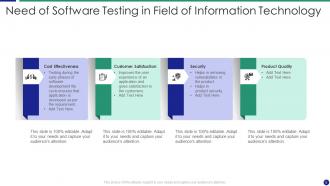

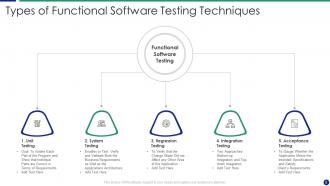
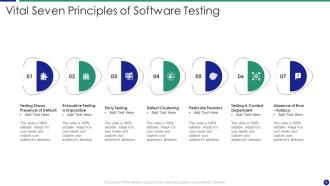






FAQs for Software Testing Powerpoint
So manual testing is literally just you clicking around looking for bugs. Automated testing? Scripts do the work for you. Use manual when you need actual human eyes - like does this button placement feel weird, or are these colors totally off? For the boring repetitive stuff though, automation is clutch. Regression tests, CI builds, all that. I swear there's nothing better than waking up to find your automated tests already caught some random bug overnight. Best approach is mixing both - automate the tedious crap, then manually test the UX stuff where you actually need to think.
So with agile, testing isn't this separate thing you do at the end anymore - it's happening constantly during each sprint. Pretty overwhelming at first, not gonna lie. But you adapt fast. Instead of these huge test plans, you're breaking everything down into smaller pieces that match what the devs are building. The cool part is working way closer with developers and product managers, so you catch problems super early. Oh and definitely get familiar with automation tools because manual testing alone will kill you with how fast everything moves. Short sprints mean you need that automated backup.
So CI just runs your tests automatically every time you push code. Way better than finding out everything's busted at the end of a sprint - trust me on that one. It'll catch bugs literally minutes after you write them instead of days later. Start with unit tests first, then work your way up to integration and UI stuff. Honestly, it's kind of addictive once you get used to always having a working codebase. The whole thing runs in the background while you're coding other features, so you're not sitting around waiting for test results.
Ugh, the worst thing teams do is wait until the end to start testing - by then you're screwed. Also, nobody writes down their test cases which is honestly just asking for trouble. Everyone assumes someone else will catch the weird edge cases, but spoiler: they never do. Don't just test the happy path either because users are creative little chaos agents who'll break your app in ways you didn't think possible. Oh, and actually get real users to test it! Your team's been looking at this thing forever so you're basically blind to obvious problems. Test early, document stuff, get outside eyes on it.
Honestly, it's all about balancing what matters most with what you can actually pull off. Payment stuff, login flows, core business features? Yeah, aim for 90-100% there because bugs in those areas will ruin your day. Everything else can sit around 70-80% and you'll be fine. Legacy code that barely gets touched? Don't waste time chasing perfect numbers there. Start with maybe 80% overall and see how it goes. Your team size matters too - ambitious goals are pointless if you can't keep up with them. I learned this the hard way on my last project. Just adjust based on where real bugs actually show up in production.
Honestly, it depends on what you're working with. Selenium's the classic for web testing, but Cypress is way nicer to work with if you want something modern. Playwright's great for testing across different browsers. For APIs, I'd go with Postman or REST Assured - both solid choices. Unit testing varies by language - Jest for JavaScript, JUnit for Java, pytest for Python. TestNG's decent too if you're stuck in Java land. Real talk though? Pick whatever plays nice with your current setup and CI pipeline. You can always add more tools later, but starting with something that actually fits your workflow means you'll use it consistently.
Basically you want to break your app before real users do it for you. Run load tests that mimic actual traffic - start small, then crank up the volume until things fall apart. I've watched perfectly fine apps turn into dumpster fires on launch day because nobody tested them properly. Load testing catches the nasty stuff like memory leaks and slow database queries that only show up when you're getting hammered. Stress tests, endurance runs - do whatever it takes. Your infrastructure might look solid but you won't actually know until you push it hard.
Honestly, just focus on the stuff that breaks all the time first - core functionality and high-risk areas. Automate whatever you can, especially those boring smoke tests that drive you insane. Build out test coverage for your main user flows, then actually run them after every code change (I know, obvious but people skip this). Minor updates? Maybe just selective testing. Big releases need the full treatment though. Oh and start automating now, even if it's just like 3 tests. Trust me on this one - you'll hate yourself later if you don't.
UAT is different because actual end users test your stuff, not just your dev team or QA people. Unit tests check individual code bits, integration tests make sure systems talk to each other - but UAT? That's when you find out if real people can actually use what you built. Honestly, I've seen so many projects that worked perfectly in theory but totally confused actual users. You run it near the end when everything's basically done. Oh and don't cheat by having your coworkers pretend to be users - get the real deal or you'll regret it later.
Start with super clear descriptions of what you're testing - write them like you're explaining to another person, not a robot. One thing per test case, seriously. I used to jam everything together and it was a nightmare to debug later. Be crazy specific about expected results, none of that vague "should work" stuff. Make sure they can run independently too, which honestly took me forever to learn. Don't skip the negative cases where things break! Oh, and here's my go-to check: if you can't hand your test to a coworker and have them run it without bugging you with questions, you're not done yet.
So exploratory testing is basically when you ditch the script and just mess around with the software like a regular person would. You'll catch weird edge cases and usability issues that your formal tests totally miss. Honestly, it's way more fun than running the same boring automated stuff constantly - though I probably shouldn't admit that lol. The trick is writing down what you discover as you go. Those random findings usually end up being super valuable for planning future tests. Think of it like being a detective poking around for clues instead of just following a checklist.
Dude, mobile testing is way more complex than web stuff. You've got to worry about all these different devices - screen sizes, Android vs iOS versions, older hardware. Battery drain will kill your app reviews fast, trust me on that one. Network testing is crucial too - WiFi drops, slow 3G, airplane mode toggles. Test what happens when someone gets a call mid-app or switches to Instagram and back. Don't skip the basics like swipe gestures and rotating the screen. Start with whatever phones your actual users have, not just the latest iPhone.
Dude, version control is a lifesaver for testing. When your tests suddenly break, you can pinpoint exactly which code change caused it. Rolling back to the last working version? Takes like two seconds. I've probably saved myself hours of debugging this way. Branch your test code with your features so everything stays synced up. The coolest part is seeing test history linked to specific commits - makes tracking down bugs way easier. Oh, and definitely tag your releases and connect them to test runs. Trust me on this one, future you will be grateful when production inevitably breaks at 2am.
So you wanna see if your testing's actually doing anything? Start with test coverage - that's just what percent of your code gets tested. Also track your defect detection rate, which is bugs you catch before shipping vs ones users find (embarrassing). Mean time to detection and resolution are super useful too - basically how quick you spot problems and squash them. Oh, and defect density tells you bugs per line of code. Test execution time matters since nobody wants to wait forever for tests to run, but honestly I'd focus on coverage and defect rates first. Add the fancy stuff later.
Honestly, getting your devs and testers talking from day one is a game changer. Bugs get caught super early instead of that awful "here, you deal with this mess" handoff we've all experienced. Your developers start understanding what could actually break - and trust me, they know weird edge cases you haven't even thought of. Have them join test planning sessions if you can. The back-and-forth drama basically disappears because everyone's on the same page. Plus developers end up writing code that's way easier to test when they know what's coming. It's one of those things that seems obvious but most teams still don't do it.
-
Amazing product with appealing content and design.
-
Much better than the original! Thanks for the quick turnaround.