

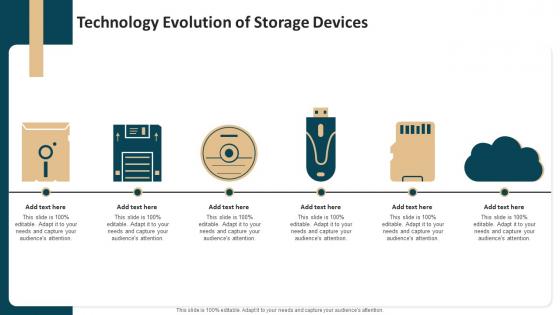
Technology Evolution Of Storage Devices




Try Before you Buy Download Free Sample Product
 Impress Your
 Audience
 100%
100% Editable
 Save Hours
 of Time


Our Technology Evolution Of Storage Devices are topically designed to provide an attractive backdrop to any subject. Use them to look like a presentation pro.
People who downloaded this PowerPoint presentation also viewed the following :
Technology Evolution Of Storage Devices with all 6 slides:
Use our Technology Evolution Of Storage Devices to effectively help you save your valuable time. They are readymade to fit into any presentation structure.





FAQs for Technology Evolution
Honestly, edge computing is where it's at right now - your data sits way closer to users so everything loads faster. Serverless storage is solid too, scales automatically without destroying your wallet. Multi-cloud setups mean you're not stuck with one vendor anymore, which is huge for disaster recovery. The AI stuff can optimize storage costs on autopilot, though I'm still figuring out how much to trust it. Your customer apps will feel snappier with lower latency. First step? Check what you're paying for old data that just sits there collecting digital dust.
Honestly, cloud storage is amazing for scaling up instantly - no new hardware needed. But man, those costs pile up quick if you're storing tons of stuff. On-premises has that brutal upfront hit, though it pays off long-term if you've got heavy, predictable needs. SSDs cost way more per GB than HDDs, but the speed difference? Total game changer. Most people end up doing a mix - fast storage for stuff you access all the time, then dump the rest on cheaper drives. I'd track how you actually use your storage for a month or two before committing to anything major.
So it's basically like having a storage nerd monitoring your stuff around the clock. The AI learns how you actually use your storage and starts making smart moves - shifting old files to cheaper tiers, predicting when you'll run out of space, even catching hardware that's about to crap out. Honestly, the predictive stuff is pretty impressive once it gets going. You end up spending less money and dealing with way fewer random crashes. Plus you don't have to constantly check on everything yourself, which is nice because who has time for that?
So 3D NAND stacks memory cells vertically instead of just spreading them out flat. Way more storage in the same space. The cells don't interfere with each other as much when they're stacked like this, so data sticks around better. Plus you get faster speeds since the workload spreads across more cells - honestly makes a huge difference for endurance. I was surprised how much better it handles heavy writes compared to the old flat stuff. Your projects will definitely benefit from more reliable storage that actually lasts.
Look, hybrid storage is a real pain because you're dealing with two completely different attack surfaces. Your on-prem systems are one thing, but then you've also got cloud stuff to worry about. Data bounces between both environments, so if hackers get into one side, they might mess up everything. The network connections become these vulnerable points that need watching 24/7. It's honestly like securing two houses with a tunnel between them - sounds exhausting, right? Your best move is getting solid encryption going end-to-end, plus access controls that actually work the same way everywhere.
Set up RAID first - gives you real-time protection if a drive craps out. But don't stop there! You need offsite backups too. I follow the 3-2-1 thing: three copies total, two different types of storage, one somewhere else. Cloud makes this so much simpler than burning DVDs like we used to (ugh). Run checksums regularly to catch corruption before it spreads. The trick is layering everything - RAID alone won't save you from ransomware or fire. Start by figuring out what you've got now, then focus on your most important stuff first.
Dude, data centers are absolutely brutal for the environment. They eat up about 1% of all electricity worldwide - crazy right? All those servers running nonstop generate insane amounts of heat, so the cooling systems are working overtime 24/7. Then you've got water usage from cooling towers, plus all the e-waste when they swap out hardware every few years. Manufacturing costs are huge too. Honestly, if you're doing anything large-scale, you'll want to look at energy efficiency numbers and try finding places that actually run on renewables.
So basically, put your storage closer to where the data actually gets created - like local data centers or even servers right on-site. Way faster than sending everything to some distant cloud first. Real-time stuff like IoT sensors absolutely need this kind of speed. Video analytics too. You'll save on bandwidth costs since less data has to travel around. Honestly, the difference is pretty noticeable once you set it up right. Start by figuring out which workloads can't handle delays, then maybe do a hybrid thing where you cache the important stuff locally but keep your archives centralized.
Honestly, start with your budget and see how much data you're actually moving around. Cloud's cheap to get going but those transfer fees add up fast - learned that the hard way. On-prem gives you total control though, which is clutch if you're paranoid about security like I am. Local storage is way faster for day-to-day stuff. But cloud scales like crazy when you suddenly need more space. Are you in a regulated industry? Because healthcare and finance have all these weird rules about where data can live. Just map out what you actually need first, then crunch the numbers.
So compression can save you like 50-90% of your storage space, which is pretty sweet. Text files compress amazingly well, but don't expect miracles with videos or photos since they're already squished down. Here's the thing though - your CPU gets hammered doing all that compressing and decompressing work. Read/write speeds take a hit. Honestly, it's perfect for backup stuff or archives where speed doesn't matter much. But if you're running databases or anything real-time? Test it first. You might hate the slowdown more than you love the extra space.
So the basic rule is 3-2-1: three copies of your important stuff, two different storage types, one copy somewhere else. But here's what really matters - test those backups! I've watched so many people think their system's working perfectly while it's been broken for months. Set up alerts so you know right away when something goes wrong. Oh, and actually practice your recovery process with your team beforehand. Don't just cross your fingers and hope it works during an actual emergency. Also document realistic recovery times so everyone knows what to expect.
So basically, you've gotta match your storage to whatever regulations hit your industry. Healthcare and finance get slammed with HIPAA and SOX stuff - it's honestly a nightmare. Can't just dump everything in regular cloud storage and hope for the best. Look for platforms with compliance features already built in: immutable backups, geo controls, detailed logging, all that jazz. Most decent storage solutions have this stuff nowadays anyway. Here's what I'd do - figure out which regulations actually matter for your business first, then shop around based on those requirements. Way easier than trying to retrofit compliance later.
Honestly, you'll want to focus on edge computing - basically storing data right next to your IoT devices instead of sending everything to the cloud. Makes way more sense for latency issues. Ultra-low power memory is huge right now, and NVMe is becoming essential for real-time stuff. AI-optimized storage is another big one. Oh, and the compression tech they're rolling out now is pretty insane - handles all that data overflow way better. If you're thinking IoT deployments, definitely start researching edge storage solutions. Trust me on this one.
So basically, deduplication finds all your duplicate files and keeps just one copy, then points everything else to that single version. Instead of storing the same document 50 times across different folders, you've got one file with a bunch of shortcuts. Most companies see 50-80% less storage needed - which is honestly pretty crazy when you think about it. I'd start with your backup systems since that's where the duplicate mess usually lives anyway. The money you save scales up fast, especially if you're dealing with tons of data. Works best on stuff that gets copied around a lot.
So basically blockchain creates this tamper-proof record of all your data transactions. Each block links to the previous one with cryptography, so if someone messes with your files, the whole chain breaks and you'll spot it right away. Think of it as a permanent audit trail that can't be faked. The decentralized setup is pretty smart too - there's no single weak point for hackers to attack. Honestly, if you're handling really sensitive stuff that needs rock-solid integrity checks, blockchain storage is worth checking out. It's not just hype.
-
SlideTeam is my go-to resource for professional PPT templates. They have an exhaustive library, giving you the option to download the best slide!
-
Wow! The design and quality of templates on SlideTeam are simply the best.