


Timeline Roadmap Presentation Powerpoint Presentation Slides




Try Before you Buy Download Free Sample Product
 Impress Your
 Audience
 100%
100% Editable
 Save Hours
 of Time


Use this timeline roadmap PowerPoint presentation to design a plan in steps for your business model or project to go through from the beginning to the end. This linear process roadmap presentation helps you to plan weeks or months in advance to help you sail smoothly through the process without any hassle. This presentation can be interpreted as a building block for a process to be carried out with the help of the various layouts to choose from in this PPT. The steps can be described as a path to be journeyed from the first day to the final day by organizing the steps in this form of layout. This gives a very professional look to your business project PPT to be displayed in a meeting. This timeline linear process presentation is very important for setting up and scheduling some important business project to be followed through as it helps to keep all the work organized and away from mismanagement. Business capacity mainly relies on its proficiency of objective accomplishments and which directly depends upon the business timeline. Therefore, to explain the relationship between business success and goals achievement, use our Timeline Roadmap Presentation PowerPoint Presentation Slides. Showcase the business achievements and timeline with these presentation image. You should use this PowerPoint template to explain various elements which contributes towards your business achievements as per the different timelines which are set by the business manager to achieve the set objectives. This PPT design helps in monitoring the better utilization and allocation of available business resources and more. Apart from this, use this exceptional PPT slide design to specify the important features of goal setting such as its should be very specific and clear, realistic, challenging etc. This PPT layout will likewise help you in communicating your concept expertise in an exceptionally remarkable way with such timeline roadmap PPT design. Acquire eloquence with our Timeline Roadmap Presentation Powerpoint Presentation Slides. Fluent expression will be your forte.
People who downloaded this PowerPoint presentation also viewed the following :
Content of this Powerpoint Presentation
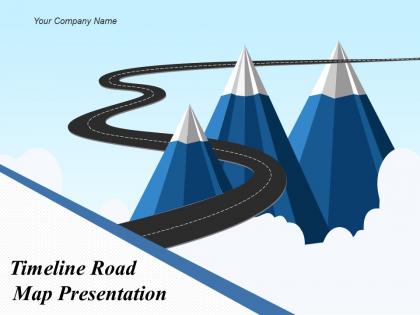
Slide 1: This slide introduces Timeline Road Map Presentation. State Your Company Name and begin.
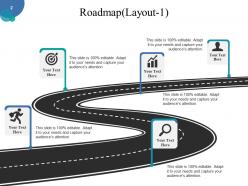
Slide 2: This is the first slide on Roadmap with icon imagery.
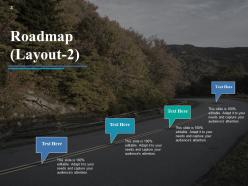
Slide 3: This is the second slide on Roadmap with imagery.
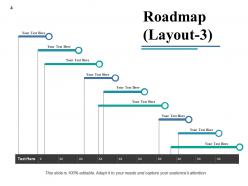
Slide 4: This is the third slide presenting a Roadmap.
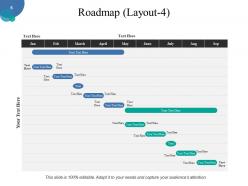
Slide 5: This is the fourth slide on Roadmap in gantt chart form.
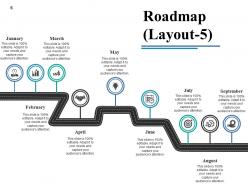
Slide 6: This is the fifth slide on Roadmap with icon imagery.
Slide 7: This is a Coffee Break slide to halt. You may change it as per requirement.
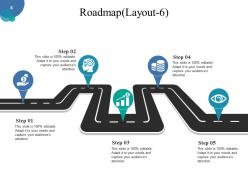
Slide 8: This is the sixth slide on Roadmap with icon imagery.
Slide 9: This is the seventh slide presenting a Roadmap.
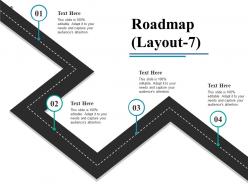
Slide 10: This is the eighth slide on Roadmap with icon imagery.
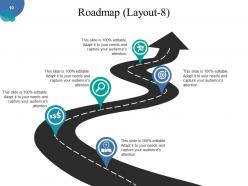
Slide 11: This is the ninth slide on Roadmap with imagery.
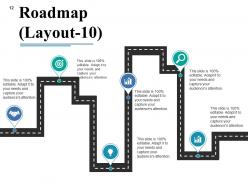
Slide 12: This is the tenth slide on Roadmap with icon imagery.
Slide 13: This is a Thank You slide with Address# street number, city, state, Contact Numbers, Email Address.
Timeline Roadmap Presentation Powerpoint Presentation Slides with all 13 slides:
Our Timeline Roadmap Presentation Powerpoint Presentation Slides enable correct alignment of forces. Enhance focus on the assignment at hand.


FAQs for Timeline Roadmap Presentation
You'll want clear milestones and realistic timeframes first. Define what you're actually delivering at each phase - this saves so much confusion later. Don't forget buffer time! I learned this the hard way when everything went sideways because I planned too tight. Map out which tasks depend on others and figure out your critical path stuff upfront. Resource allocation matters too, obviously. Build in regular check-ins so you can pivot when things inevitably change. Honestly, I'd start with your big milestones and work backwards from there - way easier than trying to build forward.
Timeline roadmaps are honestly game-changers for projects. Map out your big milestones first, then fill in the gaps. You'll catch bottlenecks early instead of scrambling later. Everyone stays on the same page about deadlines too. The visual aspect is clutch - way better than those soul-crushing status meetings where nobody knows what's happening. Your team can actually see how their work connects to everything else. I swear it makes coordination so much smoother. Plus there's something weirdly satisfying about seeing the whole thing laid out, even if that's just me being a visual person.
Honestly, I'd focus on clean milestone markers and stick to consistent colors throughout. Use different shapes for different stuff - circles for deadlines, diamonds for decisions, whatever makes sense. Color-code by workstream or status (green = done, yellow = working on it, red = we're screwed). Don't overcrowd the thing with too much detail. White space is your friend here. If you need to show dependencies, simple arrows work great. I always start basic then add complexity only if it actually helps - learned that the hard way after making some ridiculously busy timelines nobody could read.
So timeline roadmaps are basically the big picture view - think major milestones and key deliverables over months, not daily task lists. Project plans get super detailed with every little dependency and task. Roadmaps just show how things connect to your bigger goals. It's like the difference between a street map with every turn versus just marking the major highways between cities (terrible analogy but you get it). Perfect for getting executives on board since they don't want to hear about every tiny detail. Use them when you need cross-team buy-in or stakeholder alignment.
Try Roadmunk or ProductPlan first - both let people actually click through your timeline instead of just staring at a static image. Airtable's timeline view works surprisingly well if you're already using it (plus it's cheaper). Notion has gotten way better with their database timelines lately, though it still feels a bit clunky compared to the real deal. Miro and Lucidchart give you more creative control but aren't great for data stuff. Honestly, I'd just grab Roadmunk's free trial - took me like 20 minutes to build something that actually looked professional. Way easier than I expected.
Honestly, timeline roadmaps are a game changer - they stop all those "wait, when's this happening again?" questions that drive you insane. Everyone can see the same visual story instead of guessing. Dependencies become super obvious too, like how you can't start Feature B until A is done. Stakeholders actually get more patient when they understand why things take time. Oh, and definitely make it a shared doc that updates automatically. I learned that the hard way after manually recreating timelines in every single meeting for months. Just point people to the roadmap and you're golden.
Oh man, biggest mistake is definitely being way too optimistic with timelines. Stuff ALWAYS takes longer than you think - I've learned this the hard way too many times. Don't cram every little detail in there either, just hit the major milestones. Mark your dependencies clearly or you'll be scrambling later. Honestly, committing to hard dates more than like 3 months out is pretty much pointless since priorities change constantly. Build in buffer time everywhere. Keep it flexible because - and I can't stress this enough - things will shift and you'll need room to adapt.
Honestly, the trick is baking flexibility right into your timeline from day one. I always add buffer time between big milestones because scope creep happens on literally every project I've ever worked on. Break things into phases so you can shuffle priorities around without everything falling apart. Stay high-level with your roadmap instead of diving into daily task weeds - makes pivoting way easier. Monthly check-ins with stakeholders are clutch for staying aligned. Oh, and treat it like a living doc that you'll actually update, not something you create once and forget about.
Honestly, getting user feedback regularly is a total game-changer for your roadmap. Users always surprise you with stuff you never thought of - like those "wait, what about this scenario?" moments that can totally mess up your timeline if you don't catch them early. I learned this the hard way on my last project, actually. Build feedback checkpoints into your major milestones instead of waiting until the end. Way cheaper to pivot early than rebuild later. Plus users help you figure out what's actually worth prioritizing versus what just sounds cool in theory.
Yeah totally doable, just gotta keep things loose. Don't lock yourself into specific features by exact dates - that's where teams usually mess up. Focus on quarterly themes instead and treat dates more like ranges. Your roadmap should be a living thing that shifts after sprint reviews. I learned this the hard way watching other teams try to force traditional roadmaps into agile... it gets ugly fast. Map out bigger goals and value milestones rather than getting granular. Always tell stakeholders upfront that timelines will move as you learn new stuff. Honestly, starting with themes over sprint breakdowns saves so much headache later.
Timeline roadmaps are honestly lifesavers for catching problems early. You'll see bottlenecks and resource conflicts weeks before they hit - way better than scrambling last minute. Look for stuff like three big tasks crammed into one week or dependencies on teams that always run late. Build in buffer time too because something always goes wrong (Murphy's law, right?). The visual layout makes it super obvious when things look off. I'd check yours weekly and call out anything sketchy ASAP. Trust me, future you will thank present you for this.
Milestones are like checkpoint markers showing when big deliverables or phases wrap up in your roadmap. Super helpful for tracking progress and spotting delays before they bite you. Everyone stays on the same page about what "done" looks like at each stage too. Without them? Your roadmap just becomes this wishy-washy timeline with zero accountability - which honestly drives me nuts. I'd set milestones for anything other teams are waiting on, or stuff that'd be a real pain if it gets delayed. They're basically your "oh crap, we're behind" early warning system.
Oh man, cultural stuff is huge for timeline roadmaps! Some cultures are totally rigid about deadlines while others care more about relationships than hitting exact dates. You've gotta think about reading direction too - not everyone goes left to right. Colors mean different things everywhere (red = danger vs luck, depending where you are). I learned this the hard way when a roadmap bombed because we didn't consider local expectations. Communication styles vary wildly too. Test your visual hierarchy and how you show milestones with local people first. Trust me, don't roll anything out globally without that feedback loop.
Track your milestone completion rates and budget vs actual spend - those are non-negotiables. Resource utilization matters too, plus keep an eye on scope creep because honestly, that stuff will kill your timeline faster than anything else. Velocity metrics show if you're hitting your task estimates or way off. Risk indicators give you a heads up before things explode. Don't go crazy tracking every little thing though - pick maybe 3-5 metrics that actually make sense for your project. Set up a basic dashboard and do weekly check-ins with the team.
Timeline roadmaps are honestly a game-changer for getting everyone aligned. Plot your major initiatives on a shared timeline so teams can see how their work connects - marketing knows product launch dates, engineering sees when sales needs stuff ready, etc. The best part? You'll catch conflicts early, like when two departments want the same resources. I'd set up quarterly check-ins where department heads can reality-check the plan together. Things never go exactly as planned anyway, so having those regular touch-points keeps everyone from going off in different directions.
-
Awesomely designed templates, Easy to understand.
-
Top Quality presentations that are easily editable.