

Virtual reality and augmented reality powerpoint presentation slides




Try Before you Buy Download Free Sample Product
 Impress Your
 Audience
 100%
100% Editable
 Save Hours
 of Time


Virtual Reality is a technology that creates almost realistic and convincing interactions in a synthetic or virtual environment. In contrast, Augmented Reality improves the real world by projecting computer-generated objects on top of it. Check out our competently designed Virtual Reality and Augmented Reality template that gives a brief idea about the companys current situation by focusing on the business problems like traditional methods of learning and designing. It also incorporates a slide consisting of bar graphs that shows the market size of virtual and augmented realities. Furthermore, it includes slides covering software architecture, different types of augmented reality, technologies, and components used in augmented reality. In addition, this VR and AR PPT showcase skills required for AR app developers such as networking skills, graphic designing skills, command over UI and UX, etc. Furthermore, this template includes a checklist to implement AR and VR technology in the company and a budget for implementation. Lastly, this VR and AR deck comprises a roadmap for virtual and augmented reality, impacts of AR and VR implementation on business, mixed Reality, extended Reality, and the difference between AR, VR, and MR. Download it now.
People who downloaded this PowerPoint presentation also viewed the following :
Content of this Powerpoint Presentation
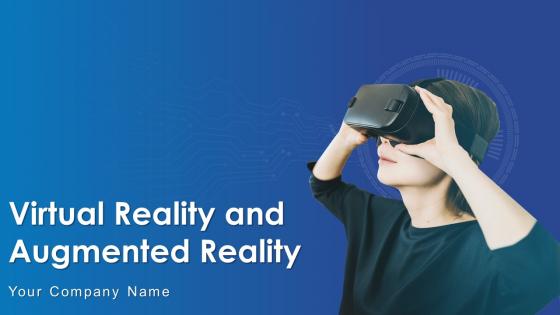
Slide 1: This slide introduces Virtual Reality and Augmented Reality. State Your Company Name and begin.
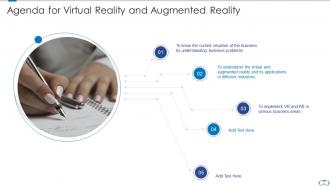
Slide 2: This slide shows Agenda for Virtual Reality and Augmented Reality.
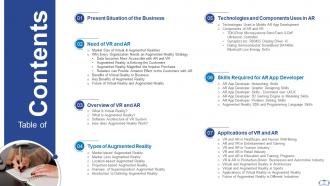
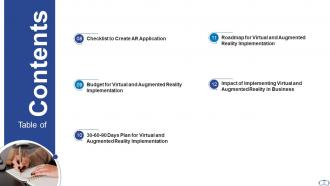
Slide 3: This slide presents Table of Content for the presentation.
Slide 4: This is another slide continuing Table of Content for the presentation.
Slide 5: This slide shows title for topics that are to be covered next in the template.
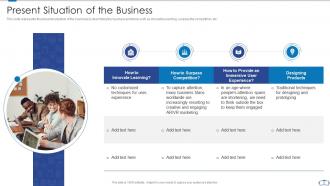
Slide 6: This slide displays presents situation of the business by describing the business problems.
Slide 7: This slide shows Table of Contents for Virtual & Augmented Reality.
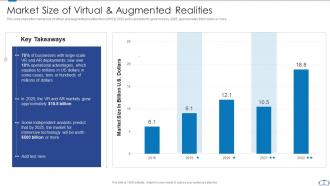
Slide 8: This slide presents the market size of virtual and augmented realities from 2016 to 2020.
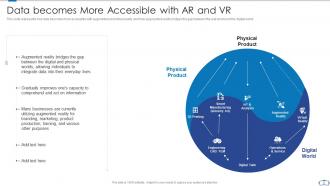
Slide 9: This slide represents how data becomes more accessible with augmented and virtual reality.
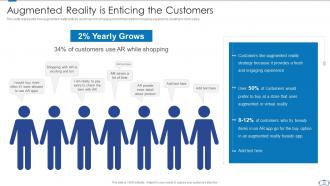
Slide 10: This slide shows Augmented Reality is Enticing the Customers.
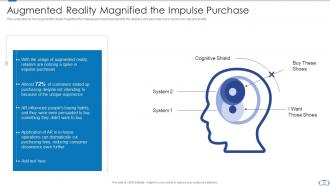
Slide 11: This slide displays Augmented Reality Magnified the Impulse Purchase.
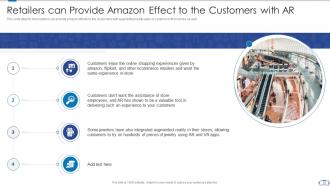
Slide 12: This slide shows Retailers can Provide Amazon Effect to the Customers with AR.
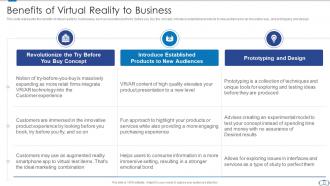
Slide 13: This slide presents benefits of virtual reality to businesses, such as revolutionize the try before you buy the concept.
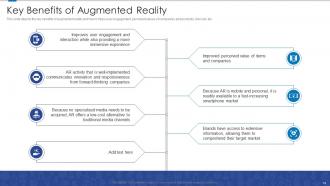
Slide 14: This slide depicts the key benefits of augmented reality and how it helps user engagement.
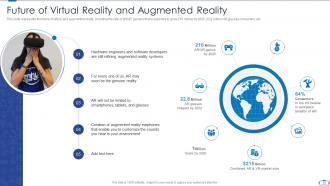
Slide 15: This slide represents the future of virtual and augmented reality, including the rate of AR/VR gamers.
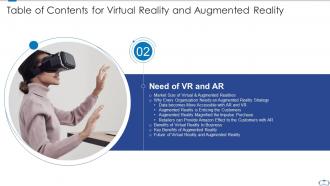
Slide 16: This slide displays Table of Contents for Virtual & Augmented Reality.
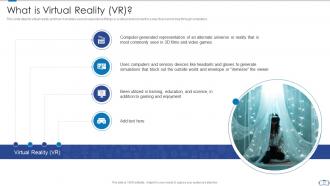
Slide 17: This slide depicts virtual reality and how it enables users to experience things or a virtual environment.
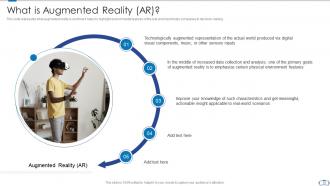
Slide 18: This slide presents what augmented reality is and how it helps to highlight environmental features of the real world.
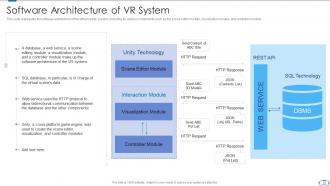
Slide 19: This slide represents the software architecture of the virtual reality system, including its various components.
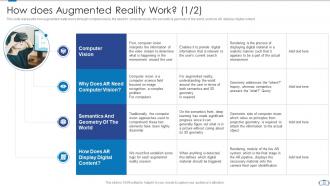
Slide 20: This slide represents how augmented reality works through computer vision, the need for computer vision, etc.
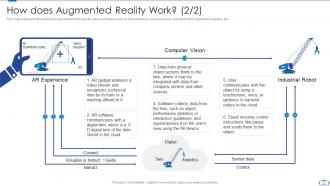
Slide 21: This slide displays the working of augmented reality and its various elements.
Slide 22: This slide shows Table of Contents for Virtual & Augmented Reality.
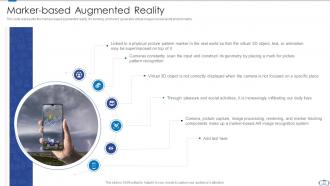
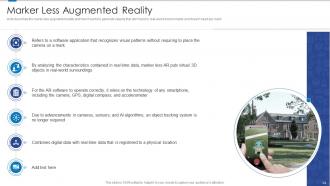
Slide 23: This slide represents the marked-based augmented reality, it's working, and how it generates virtual images.
Slide 24: This slide describes the maker-less augmented reality and how it works to generate objects that don’t exist.
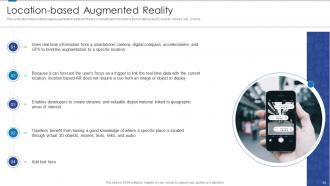
Slide 25: This slide describes location-based augmented reality and how it is beneficial for tourists to find locations.
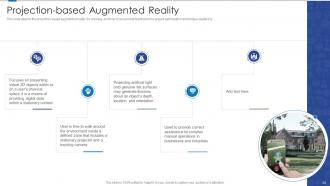
Slide 26: This slide depicts the projection-based augmented reality, it's working, and how it can provide feedbacks for project optimization.
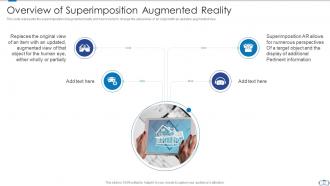
Slide 27: This slide represents the superimposition of augmented reality and how it works to change the actual view of an object.
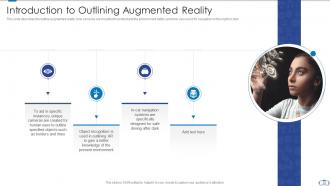
Slide 28: This slide describes the outline augmented reality, how cameras are mounted to understand the environment better.
Slide 29: This slide shows Table of Contents for Virtual & Augmented Reality.
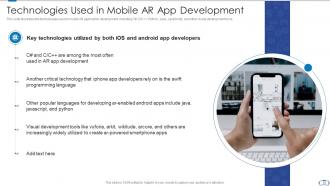
Slide 30: This slide illustrates the technologies used in mobile AR application development, including C#, C/C++, Python, etc.
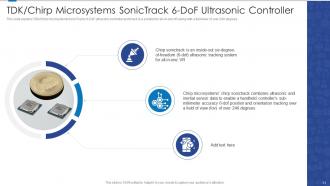
Slide 31: This slide explains TDK/Chirp microsystems SonicTracks 6-DoF ultrasonic controller and how it is a solution for all-in-one VR.
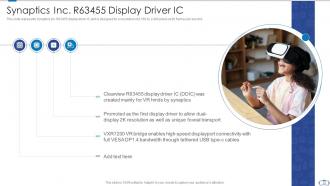
Slide 32: This slide represents Synaptics inc. R63455 display driver IC and is designed for a resolution of 2,160 by 2,400 pixels.
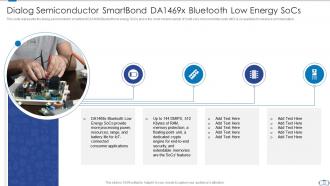
Slide 33: This slide presents the dialog semiconductor smartbond DA1469x Bluetooth low energy SoCs.
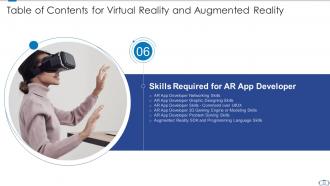
Slide 34: This slide shows Table of Contents for Virtual & Augmented Reality.
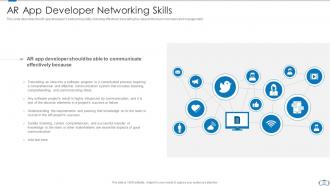
Slide 35: This slide describes the AR app developer’s networking skills, including effectively translating his ideas to the team members.
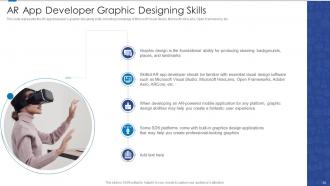
Slide 36: This slide represents the AR app developer’s graphic designing skills, including knowledge of Microsoft Visual Studio, Microsoft HoloLens, OpenFrameworks, etc.
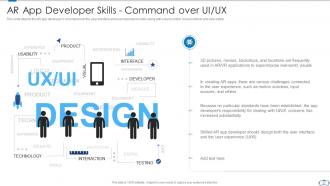
Slide 37: This slide depicts the AR app developer’s command over the user interface and user experience skills.
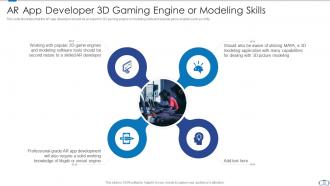
Slide 38: This slide illustrates that the AR app developer should be an expert in 3D gaming engine or modeling skills.
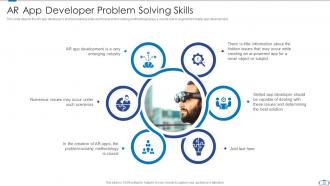
Slide 39: This slide depicts the AR app developer’s problem-solving skills and how problem-solving methodology plays a crucial role in augmented reality app development.
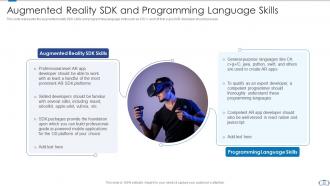
Slide 40: This slide shows Augmented Reality SDK and Programming Language Skills.
Slide 41: This slide displays Table of Contents for Virtual & Augmented Reality.
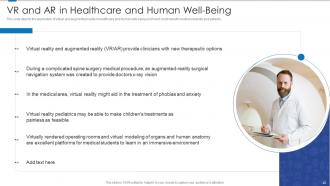
Slide 42: This slide depicts the application of virtual and augmented reality in healthcare and human well-being.
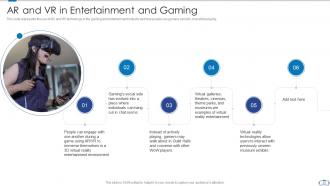
Slide 43: This slide represents the use of AR and VR technology in the gaming and entertainment industry.
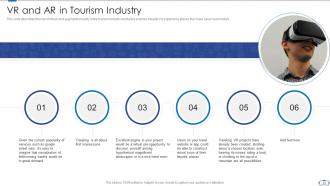
Slide 44: This slide describes the role of virtual and augmented reality in the tourism industry.
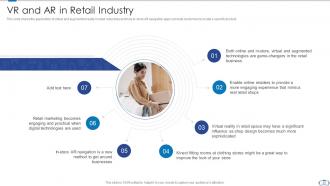
Slide 45: This slide shows the application of virtual and augmented reality in retail industries and how in-store AR navigation apps can help customers.
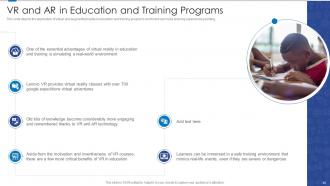
Slide 46: This slide depicts the application of virtual and augmented reality in education and training programs.
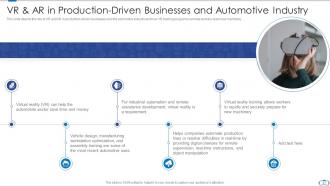
Slide 47: This slide shows VR & AR in Production-Driven Businesses and Automotive Industry.
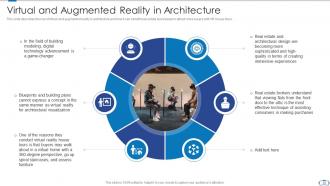
Slide 48: This slide presents Virtual and Augmented Reality in Architecture.
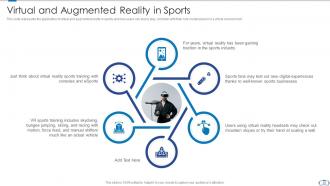
Slide 49: This slide represents the application of virtual and augmented reality in sports and how users can stand, play, and train.
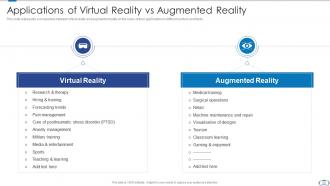
Slide 50: This slide represents a comparison between virtual reality and augmented reality on the basis of their applications in different sectors and fields.
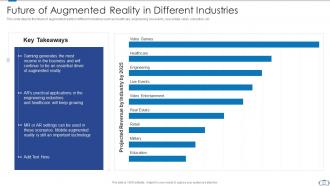
Slide 51: This slide depicts the future of augmented reality in different industries such as healthcare, engineering, etc.
Slide 52: This slide shows Table of Contents for Virtual & Augmented Reality.
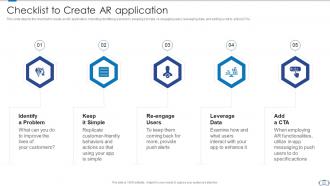
Slide 53: This slide depicts the checklist to create an AR application, including identifying a problem, keeping it simple, re-engaging users, etc.
Slide 54: This slide shows Table of Contents for Virtual & Augmented Reality.
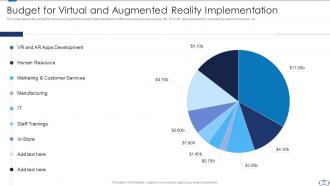
Slide 55: This slide depicts the budget for virtual and augmented reality implementation in different business areas.
Slide 56: This slide shows Table of Contents for Virtual & Augmented Reality.
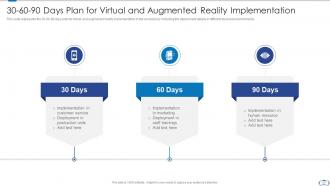
Slide 57: This slide represents the 30-60-90 days plan for virtual and augmented reality implementation in the company.
Slide 58: This slide shows Table of Contents for Virtual & Augmented Reality.
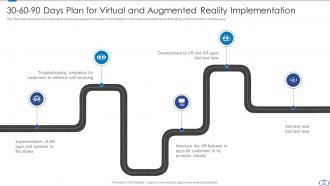
Slide 59: This slide describes the roadmap for virtual and augmented reality implementation in the company.
Slide 60: This slide shows Table of Contents for Virtual & Augmented Reality.
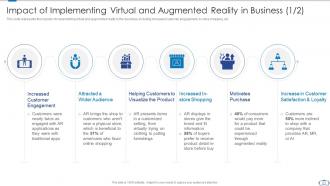
Slide 61: This slide represents the impacts of implementing virtual and augmented reality in the business, including increased customer engagement, in-store shopping, etc.
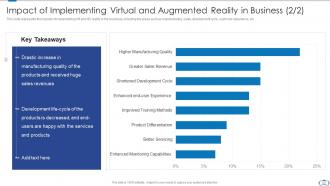
Slide 62: This slide shows Impact of Implementing Virtual and Augmented Reality on Business.
Slide 63: This slide is titled as Additional Slides for moving forward.
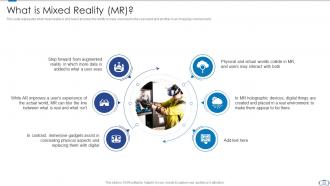
Slide 64: This slide represents what mixed reality is and how it provides the ability to have one hand in the real world and another in an imaginary environment.
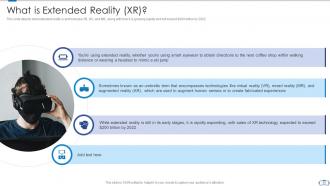
Slide 65: This slide depicts what extended reality is and includes VR, AR, and MR.
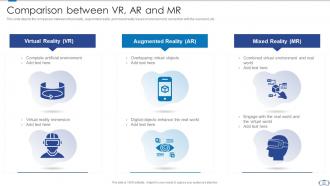
Slide 66: This slide depicts the comparison between virtual reality, augmented reality, and mixed reality based on environment.
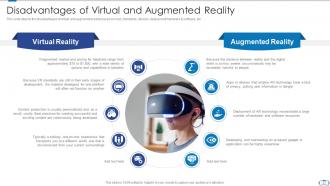
Slide 67: This slide showcases disadvantages of virtual and augmented reality based on cost.
Slide 68: This slide displays Icons for Virtual Reality and Augmented Reality.
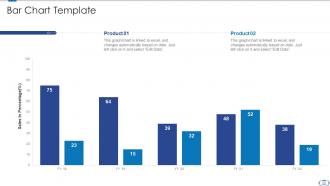
Slide 69: This slide presents Bar chart with two products comparison.
Slide 70: This slide displays Mind Map with related imagery.
Slide 71: This slide shows Post It Notes. Post your important notes here.
Slide 72: This is an Idea Generation slide to state a new idea or highlight information, specifications etc.
Slide 73: This slide depicts Venn diagram with text boxes.
Slide 74: This is Our Goal slide. State your firm's goals here.
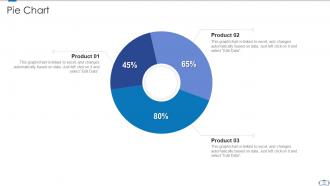
Slide 75: This slide shows Pie Chart with data in percentage.
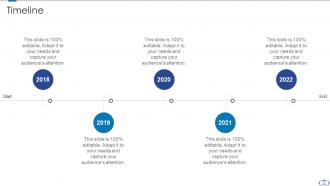
Slide 76: This is a Timeline slide. Show data related to time intervals here.
Slide 77: This is a Thank You slide with address, contact numbers and email address.
Virtual reality and augmented reality powerpoint presentation slides with all 82 slides:
Use our Virtual Reality And Augmented Reality Powerpoint Presentation Slides to effectively help you save your valuable time. They are readymade to fit into any presentation structure.






FAQs for Virtual reality and augmented reality
So VR basically throws you into a completely different world - you slap on a headset and boom, you're somewhere else entirely. AR is more like... it just adds stuff on top of what you're already seeing. Think Pokemon GO or those weird Instagram filters. VR's great for gaming and virtual meetings, but you need actual VR gear. AR works fine through your phone camera, which is honestly way more convenient. If you're picking one for whatever you're working on, just think about whether people need to still see their real surroundings or not. That'll tell you which way to go.
Honestly, VR and AR are pretty game-changing for education right now. Students can literally walk through ancient Rome or mess around with 3D molecules instead of just reading about them. Field trips become way more exciting when you can visit places that don't even exist anymore. Medical students get to practice surgery without, you know, accidentally hurting anyone. It's perfect for hands-on learners who zone out during regular lectures. Engineering programs love the simulations too. Oh, and if you're thinking about this for work training - definitely test some existing VR apps first before spending big money on custom stuff.
VR/AR makes remote work feel way more human, honestly. Instead of those awful tiny video windows, you get shared virtual spaces where everyone actually feels present. Your team can mess around with 3D models together, brainstorm on virtual whiteboards - it's wild how natural the conversations feel. AR's cool too since it overlays digital stuff onto your real workspace, so you're not completely disconnected from reality. The spatial awareness thing is huge compared to regular calls. I'd try Spatial or Horizon Workrooms first - see what your team vibes with. Way better than another Zoom meeting.
Healthcare's crushing it with VR right now - surgeons rehearsing tricky operations, which honestly makes me feel way better about going under the knife. Education's also huge, like kids virtually walking through ancient Rome instead of just reading about it. Retail jumped in fast too. You can try on clothes or see how furniture looks in your actual room. Gaming's obvious, but manufacturing surprised me - they're training workers without the safety risks. Real estate's doing virtual tours now. If you're thinking investment or career switch, those sectors are throwing serious money at this stuff.
Dude, VR and AR are game-changers for engagement - like, your brain literally thinks you're there instead of staring at a flat screen. I've caught myself trying to lean on tables that don't exist! It's wild how much more connected you feel to everything. AR brings cool interactive stuff into your actual space, while VR just teleports you somewhere completely different. People stay hooked way longer than with regular games. Oh, and the engagement numbers blow traditional stuff out of the water. If you're building anything entertainment-wise, seriously consider how these could make users feel like they're actually part of it.
Dude, the frame rate thing will kill you - anything under 90fps and people get sick instantly. Each headset works totally different too, so cross-platform stuff is a pain. UI design? Throw out everything you know because spatial interfaces are weird as hell. You'll constantly hit hardware walls that force you to make graphics look worse than you want. Oh, and testing sessions are brutal - my neck hurts just thinking about putting headsets on all day. Honestly though, keep your first project super basic. Get the core interactions working smooth before you even think about the flashy stuff.
Honestly, VR and AR could totally change how people shop. Think AR mirrors where customers try on clothes without actually putting them on. For furniture, VR lets them see how pieces look in their actual living room - way better than guessing from a tiny website photo. You could also do AR apps that show product details when people scan items with their phones. Maybe start with something simple like virtual try-ons? See how customers react first. Oh, and virtual store tours are pretty cool for online shoppers who miss browsing in person. The furniture visualization thing really is a game-changer though.
Oh man, UX is everything in VR/AR. Seriously - bad design will have people ripping headsets off in 5 minutes. You're working with totally new stuff like spatial interfaces and gesture controls that nobody really knows how to use yet. I've definitely thrown controllers after dealing with terrible menu systems lol. The thing is, motion sickness happens fast if viewing angles are weird or navigation feels off. Good design makes interactions feel natural instead of like you're fighting the technology. Test with real people constantly though - what makes sense to you as the designer usually doesn't click for actual users.
So basically healthcare workers are doing two cool things with VR/AR right now. Training is huge - med students can mess up virtual surgeries without killing anyone, which seems pretty smart honestly. They're also using AR to overlay 3D anatomy stuff on real patients during procedures. Treatment-wise, it's wild how much VR helps with pain management and PTSD therapy. Patients get so immersed they literally forget they're hurting. Physical rehab too - you can relearn motor skills in these virtual worlds. My cousin's a nurse and says their hospital just got some VR training modules. You should totally ask around at your place!
So basically there's three big issues with VR/AR stuff. Privacy is huge - they're tracking your eye movements, how you walk around, even emotional reactions. That's honestly pretty creepy when you think about it. Then there's the addiction thing, which makes sense since people already can't put their phones down. Reality distortion is the third one - people getting too lost in virtual worlds. Oh, and there's accessibility problems plus it'll probably make the digital divide worse between rich and poor. If you're working on this tech, just be upfront about what data you're collecting and build in some usage limits so people don't go completely overboard.
VR/AR privacy is basically a mess right now - companies are figuring it out as they go. These platforms grab insane amounts of personal data though. Eye tracking, how you move, biometric stuff. Way more invasive than regular apps. Some companies are getting better about letting you opt in/out and keeping data on your device instead of uploading everything. The EU's cracking down hard with GDPR too, which helps. Honestly, I'd dig through those privacy settings before jumping into any platform. See what you can actually turn off - might surprise you how much control you don't have.
Honestly, the big thing to watch is haptic feedback getting crazy good - like you'll actually feel textures and stuff. Standalone headsets are pretty much taking over, which makes sense since nobody wants cables everywhere. AR glasses are finally starting to look normal instead of those weird bulky things. Mixed reality is kinda blending everything together now, and AI's making the whole experience way more personalized. The metaverse buzz thankfully died down, but companies are actually using this stuff for training employees and remote meetings. Apple's Vision Pro really lit a fire under everyone else. I'd definitely keep tabs on what Meta's doing with Quest and see who's partnering up next.
VR and AR are changing travel in crazy ways. Hotels now let you walk through rooms virtually before booking - honestly, it beats scrolling through those generic photos. Museums offer remote tours, and you can basically "visit" destinations from your couch. The AR navigation stuff is actually super useful - point your phone at signs in Tokyo and boom, instant translation. Historical sites are doing AR overlays too, which is pretty cool. Oh, and apparently booking rates jump way up when people try VR previews first. Makes sense though, right? If you can actually see what you're getting into, you're way more likely to book it.
Honestly, it's mostly weight, battery life, and cost holding things back. Current headsets are way too clunky and pricey for regular people. Better displays and more powerful chips in smaller packages would help, but battery tech is the real killer - especially for AR glasses you'd actually want to wear all day. Field of view still sucks too, and we're figuring out motion tracking without those annoying external sensors. Though once someone nails the lightweight + affordable + all-day battery combo, I think adoption will take off pretty fast.
Honestly, measuring VR/AR ROI is kinda tricky but totally doable. Track the obvious stuff first - cost savings, faster training times, better sales numbers. But don't ignore the softer wins like happier employees or customers who actually finish tasks now. Here's the thing though: some benefits won't show up for months. Get your baseline numbers before you launch anything, then check monthly for at least six months. I'd focus on whatever actually moves the needle for your business - maybe it's less travel costs from VR meetings or people not bailing on AR training halfway through. Start small and track everything you can think of.
-
Designs have enough space to add content.
-
Top Quality presentations that are easily editable.