

VR And AR Powerpoint Presentation Slides




Try Before you Buy Download Free Sample Product
 Impress Your
 Audience
 100%
100% Editable
 Save Hours
 of Time


Virtual Reality is a technology that creates almost realistic and convincing interactions in a synthetic or virtual environment. In contrast, Augmented Reality improves the real world by projecting computer generated objects on top of it. Here is an efficiently designed template on VR and AR that gives a brief idea about the companys current situation by focusing on the business problems like traditional methods of learning and designing. It also incorporates a slide consisting of bar graphs that shows the market size of virtual and augmented realities. Furthermore, it includes slides that cover software architecture, different types of augmented reality, technologies, and components used in augmented reality. In addition, this VR and AR PPT showcase skills required for AR app developers such as networking skills, graphic designing skills, command over UI and UX, etc. Furthermore, this template includes a checklist to implement AR and VR technology in the company and a budget for implementation. Lastly, this VR and AR deck comprises a roadmap for virtual and augmented reality, impacts of AR and VR implementation on business, mixed Reality, extended Reality, and the difference between AR, VR, and MR. Get access now.
People who downloaded this PowerPoint presentation also viewed the following :
Content of this Powerpoint Presentation
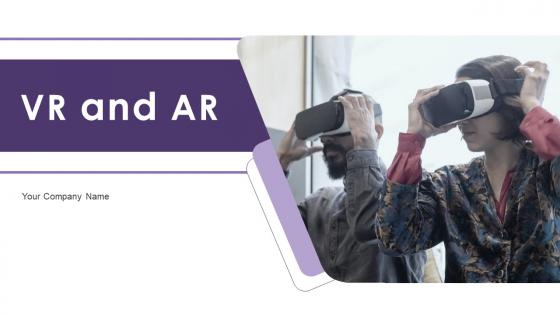
Slide 1: This slide introduces VR and AR. State Your Company Name and begin.
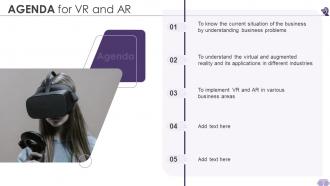
Slide 2: This slide states Agenda of the presentation.
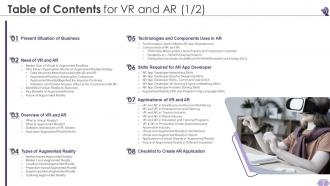
Slide 3: This slide presents Table of Content for the presentation.
Slide 4: This is another slide continuing Table of Content for the presentation.
Slide 5: This slide highlights title for topics that are to be covered next in the template.
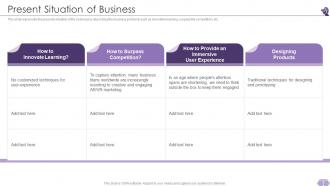
Slide 6: This slide displays presents situation of the business by describing the business problems.
Slide 7: This slide highlights title for topics that are to be covered next in the template.
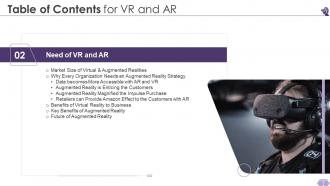
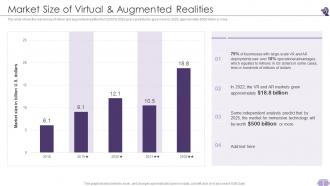
Slide 8: This slide presents the market size of virtual and augmented realities from 2016 to 2020.
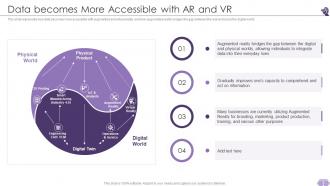
Slide 9: This slide represents how data becomes more accessible with augmented and virtual reality.
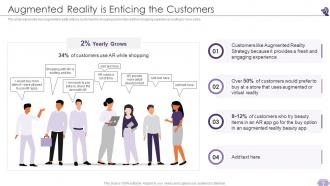
Slide 10: This slide shows Augmented Reality is Enticing the Customers.
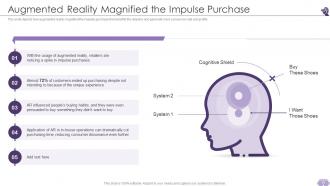
Slide 11: This slide displays Augmented Reality Magnified the Impulse Purchase.
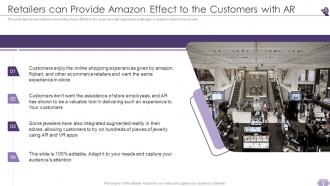
Slide 12: This slide shows Retailers can Provide Amazon Effect to the Customers with AR.
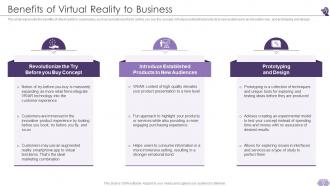
Slide 13: This slide presents benefits of virtual reality to businesses, such as revolutionize the try before you buy the concept.
Slide 14: This slide depicts the key benefits of augmented reality and how it helps user engagement.
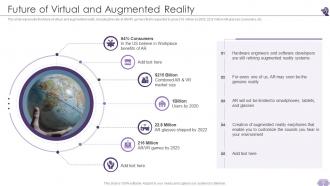
Slide 15: This slide represents the future of virtual and augmented reality, including the rate of AR/VR gamers.
Slide 16: This slide highlights title for topics that are to be covered next in the template.
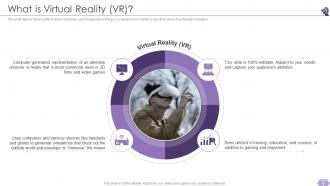
Slide 17: This slide depicts virtual reality and how it enables users to experience things or a virtual environment.
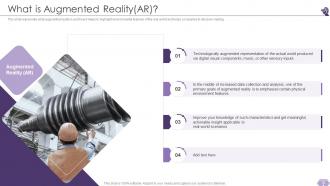
Slide 18: This slide presents what augmented reality is and how it helps to highlight environmental features of the real world.
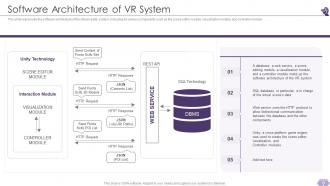
Slide 19: This slide represents the software architecture of the virtual reality system, including its various components.
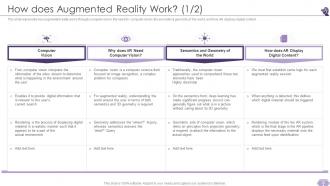
Slide 20: This slide represents how augmented reality works through computer vision, the need for computer vision, etc.
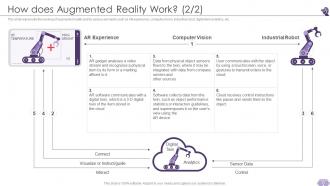
Slide 21: This slide displays the working of augmented reality and its various elements.
Slide 22: This slide highlights title for topics that are to be covered next in the template.
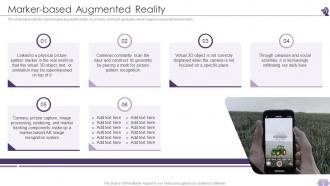
Slide 23: This slide represents the marked-based augmented reality, it's working, and how it generates virtual images.
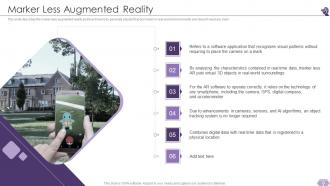
Slide 24: This slide describes the maker-less augmented reality and how it works to generate objects that don’t exist.
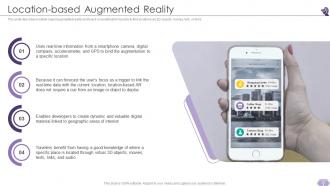
Slide 25: This slide describes location-based augmented reality and how it is beneficial for tourists to find locations.
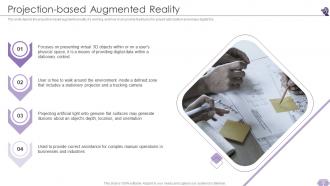
Slide 26: This slide depicts the projection-based augmented reality, it's working, and how it can provide feedbacks for project optimization.
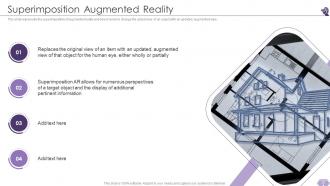
Slide 27: This slide represents the superimposition of augmented reality and how it works to change the actual view of an object.
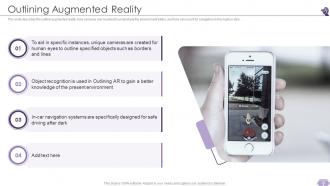
Slide 28: This slide describes the outline augmented reality, how cameras are mounted to understand the environment better.
Slide 29: This slide highlights title for topics that are to be covered next in the template.
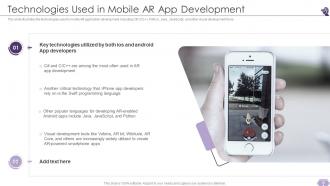
Slide 30: This slide illustrates the technologies used in mobile AR application development, including C#, C/C++, Python, etc.
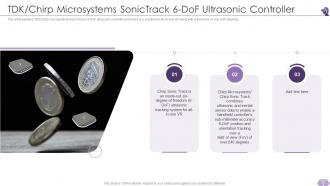
Slide 31: This slide explains TDK/Chirp microsystems SonicTracks 6-DoF ultrasonic controller and how it is a solution for all-in-one VR.
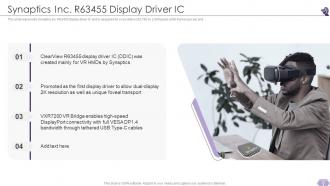
Slide 32: This slide represents Synaptics inc. R63455 display driver IC and is designed for a resolution of 2,160 by 2,400 pixels.
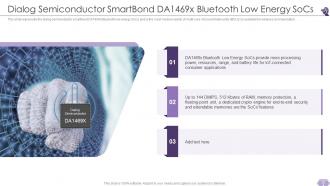
Slide 33: This slide presents the dialog semiconductor smartbond DA1469x Bluetooth low energy SoCs.
Slide 34: This slide highlights title for topics that are to be covered next in the template.
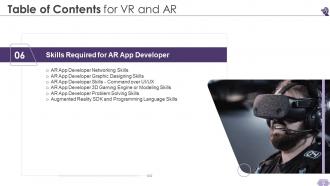
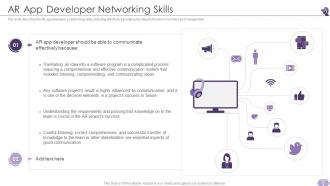
Slide 35: This slide describes the AR app developer’s networking skills, including effectively translating his ideas to the team members.
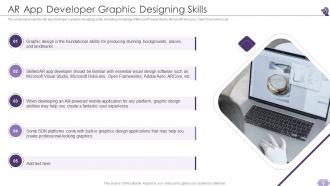
Slide 36: This slide represents the AR app developer’s graphic designing skills, including knowledge of Microsoft Visual Studio, Microsoft HoloLens, OpenFrameworks, etc.
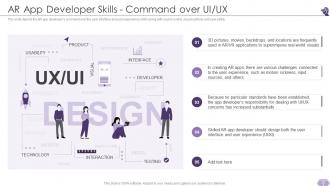
Slide 37: This slide depicts the AR app developer’s command over the user interface and user experience skills.
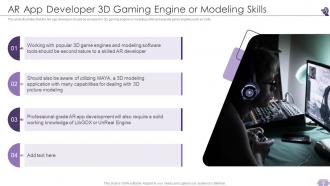
Slide 38: This slide illustrates that the AR app developer should be an expert in 3D gaming engine or modeling skills.
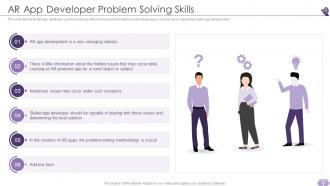
Slide 39: This slide depicts the AR app developer’s problem-solving skills and how problem-solving methodology plays a crucial role in augmented reality app development.
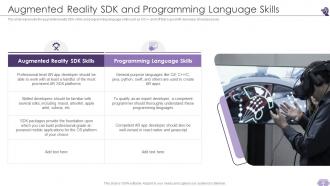
Slide 40: This slide shows Augmented Reality SDK and Programming Language Skills.
Slide 41: This slide highlights title for topics that are to be covered next in the template.
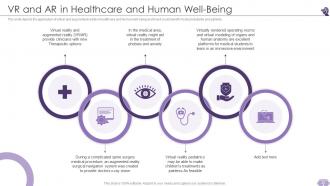
Slide 42: This slide depicts the application of virtual and augmented reality in healthcare and human well-being.
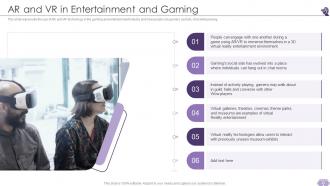
Slide 43: This slide represents the use of AR and VR technology in the gaming and entertainment industry.
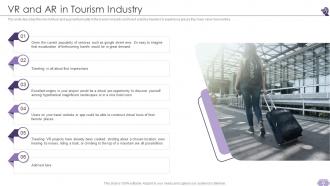
Slide 44: This slide describes the role of virtual and augmented reality in the tourism industry.
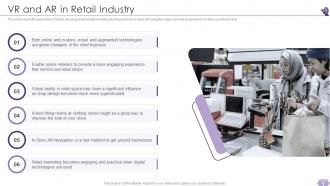
Slide 45: This slide shows the application of virtual and augmented reality in retail industries and how in-store AR navigation apps can help customers.
Slide 46: This slide depicts the application of virtual and augmented reality in education and training programs.
Slide 47: This slide shows VR & AR in Production-Driven Businesses and Automotive Industry.
Slide 48: This slide presents Virtual and Augmented Reality in Architecture.
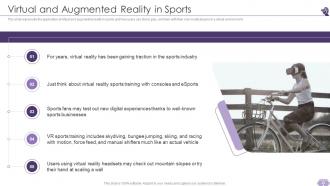
Slide 49: This slide represents the application of virtual and augmented reality in sports and how users can stand, play, and train.
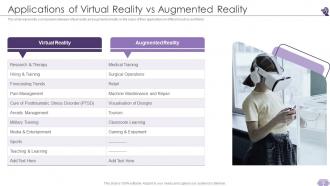
Slide 50: This slide represents a comparison between virtual reality and augmented reality on the basis of their applications in different sectors and fields.
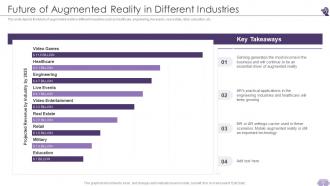
Slide 51: This slide depicts the future of augmented reality in different industries such as healthcare, engineering, etc.
Slide 52: This slide highlights title for topics that are to be covered next in the template.
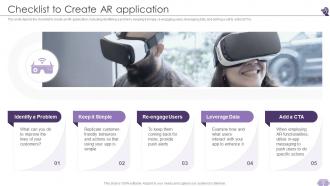
Slide 53: This slide depicts the checklist to create an AR application, including identifying a problem, keeping it simple, re-engaging users, etc.
Slide 54: This slide highlights title for topics that are to be covered next in the template.
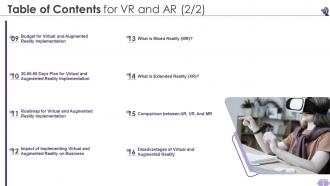
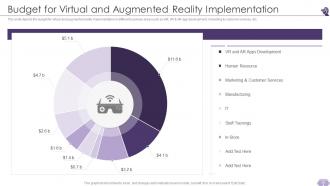
Slide 55: This slide depicts the budget for virtual and augmented reality implementation in different business areas.
Slide 56: This slide highlights title for topics that are to be covered next in the template.
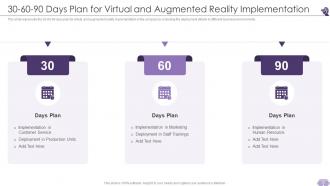
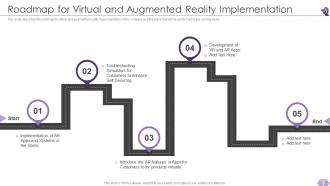
Slide 57: This slide represents the 30-60-90 days plan for virtual and augmented reality implementation in the company.
Slide 58: This slide highlights title for topics that are to be covered next in the template.
Slide 59: This slide describes the roadmap for virtual and augmented reality implementation in the company.
Slide 60: This slide highlights title for topics that are to be covered next in the template.
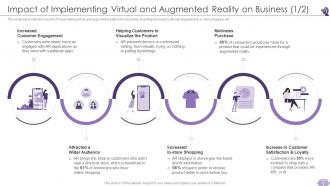
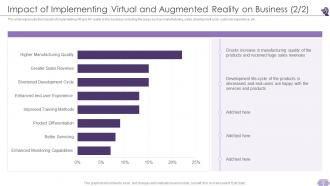
Slide 61: This slide shows Impact of Implementing Virtual and Augmented Reality on Business.
Slide 62: This is another slide continuing Impact of Implementing Virtual and Augmented Reality on Business.
Slide 63: This slide highlights title for topics that are to be covered next in the template.
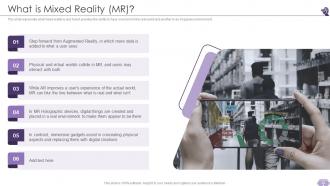
Slide 64: This slide displays what mixed reality is and how it provides the ability to have one hand in the real world and another in an imaginary environment.
Slide 65: This slide highlights title for topics that are to be covered next in the template.
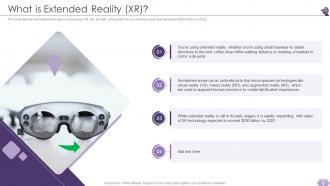
Slide 66: This slide explains What is Extended Reality (XR)?
Slide 67: This slide highlights title for topics that are to be covered next in the template.
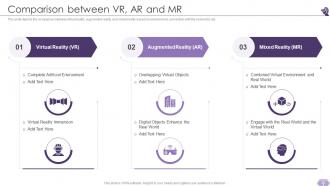
Slide 68: This slide showcases Comparison between VR, AR and MR.
Slide 69: This slide highlights title for topics that are to be covered next in the template.
Slide 70: This slide shows Disadvantages of Virtual and Augmented Reality.
Slide 71: This slide displays Icons for VR and AR.
Slide 72: This slide is titled as Additional Slides for moving forward.
Slide 73: This is Our Mission slide with related imagery and text.
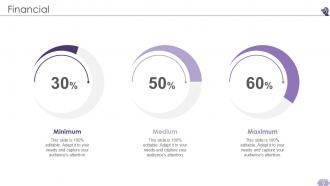
Slide 74: This is a Financial slide. Show your finance related stuff here.
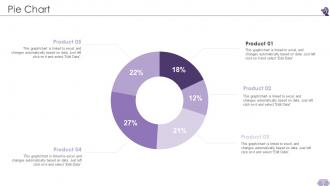
Slide 75: This slide shows Pie Chart with data in percentage.
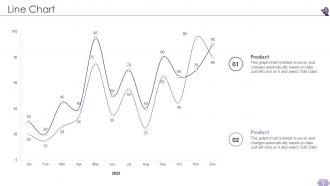
Slide 76: This slide describes Line chart with two products comparison.
Slide 77: This slide contains Puzzle with related icons and text.
Slide 78: This slide presents Roadmap with additional textboxes.
Slide 79: This slide displays Mind Map with related imagery.
Slide 80: This is a Thank You slide with address, contact numbers and email address.
VR And AR Powerpoint Presentation Slides with all 85 slides:
Use our VR And AR Powerpoint Presentation Slides to effectively help you save your valuable time. They are readymade to fit into any presentation structure.











FAQs for VR And AR
So basically, VR puts your audience in headsets where they're totally immersed in a fake world - you can teleport them anywhere or create crazy scenarios. AR is different - people stay in the real room but see digital stuff overlaid through their phones or tablets. Honestly, VR has that huge wow factor, but everyone's kinda isolated in their own little bubble. With AR, you keep that social vibe going while still showing cool interactive 3D models and data. I'd go VR if you want mind-blowing storytelling, AR if you need people actually collaborating together.
VR basically puts your audience inside your content instead of just staring at slides. People can walk around 3D models, visit different places, or grab data with their hands and move it around. It's honestly crazy to watch someone's face when they try it for the first time. Instead of zoning out like usual, they're actually doing stuff and staying engaged. Plus you remember experiences way better than boring presentations - there's probably some psychology reason for that but whatever. Don't go overboard though. Just add one VR piece to test it out first.
Honestly, just pick 2-3 moments where AR actually adds something meaningful - don't go overboard. Test everything twice because AR is super finicky and you don't want to look like an idiot when it breaks mid-presentation. Always have regular slides ready as backup! Make sure people in the back can see your AR stuff clearly. Practice those transitions until they're smooth - nobody should be thinking "wow, cool tech" instead of listening to what you're saying. Oh, and start simple. I've seen too many people try to make their whole presentation this AR spectacle when really they just needed one solid moment that drove their point home better than a regular slide could.
Real estate's huge for this - agents can show houses without dragging clients around town. Healthcare's another big one, using VR for surgery training and teaching patients about procedures. Schools are doing some really creative stuff with immersive lessons that don't put kids to sleep. Oh, and manufacturing companies love it for product demos. The sweet spot is anywhere where showing up in person costs a fortune or isn't safe. Honestly, just think about which client meetings would be way better if people could "visit" something without the travel hassle.
Dude, VR and AR are game-changers for getting people to actually remember your stuff. Your brain makes way stronger connections when you're doing something instead of just staring at slides. People retain so much more when they can interact with content in 3D or see digital stuff overlaid on real objects. Plus you control their whole environment, so no getting distracted by phones or whatever. I've seen presentations where someone added basic AR elements - even simple ones - and the difference was crazy obvious. If you're dealing with complex data or anything spatial, seriously consider it. The "doing" versus "seeing" thing is honestly night and day.
Okay so Unity and Unreal are gonna be your best bet for VR stuff - there's a reason everyone uses them. AR's a bit different though. Try Spark AR Studio or Adobe Aero if you want something less intimidating. Not gonna lie, the learning curve kinda sucks at first. CoSpaces Edu is decent for beginners, and Mozilla Hubs too if you just need basic VR. Oh, and for 360° videos? Insta360 cameras are solid - their editing software doesn't make you want to throw your computer out the window. Start with one tool first. Get comfortable with it, then branch out based on what you actually need.
So most VR/AR platforms give you solid analytics - like how long people interact with stuff, where they're looking, what they click. That data's actually pretty cool to go through! But surveys after your presentation are clutch too. Ask people if the VR actually helped them get the concepts better or remember things. Quick polls during the presentation work great as well. Oh, and definitely start tracking this from your very first VR presentation - you'll want that baseline data to see if you're improving. The engagement metrics are nice, but honestly the human feedback tells you way more about what's working.
Oh man, hardware compatibility will drive you crazy - headsets and venue setups never want to cooperate. Motion sickness hits people hard during longer demos too. Half your audience will spend ages just learning the controls instead of actually listening to you, which is honestly super frustrating. AR apps are finicky as hell on different devices. Costs pile up quick. Also random thought but the tech rehearsal thing is clutch - seriously do a full run-through beforehand. Always bring a backup plan because something will go wrong, guaranteed.
Dude, AR is pretty sick for presentations - you can basically throw 3D charts right into the room. Your audience walks around floating bar graphs instead of staring at boring slides. Hand gestures control everything, which feels weird at first but super cool once you get it. Multiple people can mess with the same data from different spots too. I went nuts with effects my first time and it was a disaster, so definitely start with just one interactive thing. Oh and zooming into specific parts of your data? Game changer. Trust me on this one.
Look, without a good story, people just wander around your VR space like "huh, neat floating cube" and totally miss your point. You've gotta guide them - set up the problem, show your solution, demonstrate impact. The immersive tech makes everything feel more intense, so emotional moments really hit and complex stuff clicks better. Honestly, I've seen so many cool VR demos that went nowhere because they had zero narrative structure. Start with your main message first, then figure out how the tech supports it. Don't let the shiny VR features drive the story.
VR and AR presentations are pretty incredible for hitting different learning styles. Visual people get those immersive 3D worlds they can actually walk through and explore. Kinesthetic learners can grab objects and move around - which honestly feels way cooler than it sounds. You've still got narration and audio for people who learn better by listening. The pacing thing is huge too since everyone can dig into details or step back for the bigger picture. I'd definitely think about what types of learners you're presenting to when you're planning it out. Makes a real difference in how you structure everything.
Honestly, just give people a heads up first - some get super nauseous with VR or freak out a bit. Make sure you're not accidentally excluding anyone who can't do the VR stuff because of disabilities or whatever. Data privacy is huge too, so mention if the headsets are collecting info. I'd definitely have backup plans ready since not everyone can handle immersive tech (learned that the hard way once). The whole thing comes down to being upfront about what you're planning and having alternatives ready.
Keep it simple - tap to reveal info, hand gestures for rotating 3D stuff, maybe voice commands. Put interactive spots at eye level so people aren't craning their necks. Visual cues help tons - like glowing outlines or little floating icons. Honestly, the worst AR experiences make you feel like you're doing some weird dance nobody taught you. Test it with someone who's never seen your content before. They'll spot the confusing bits right away. Also definitely have a backup ready because AR tech can be finicky during presentations.
Dude, the presentation world is about to get wild. AI assistants will read your audience's faces and whisper "speed up, they're bored" in your ear. VR collaboration is exploding - your team can mess around with 3D models together even if Jim's in Tokyo (way better than staring at tiny Zoom squares). Those clunky AR headsets? They're becoming sleek glasses that'll project slides onto any surface. Oh, and haptic feedback is coming - people will actually *feel* your product demos. Weird but cool, right? My advice? Start playing with basic VR tools now. The learning curve isn't as brutal as you'd think.
Honestly, decent VR headsets are like $300 now, and AR stuff works with phones you already own. Cost used to be the killer for small businesses, but not anymore. Start basic - maybe do a 360 product demo or virtual tour of your space. Even that coffee place down the street could probably afford this setup! Download some AR apps first to mess around before buying anything. Your presentations will look way cooler, and employee training gets more interesting too. It's wild how accessible this tech has gotten.
-
Great designs, Easily Editable.
-
Fantastic collection of visually appealing PowerPoint templates. They certainly uplift the look of the presentation.