


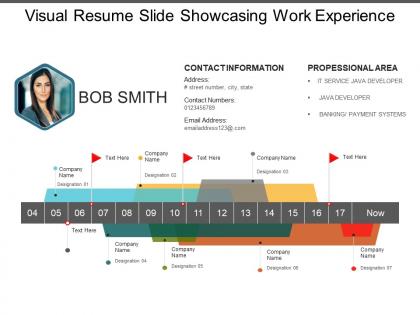
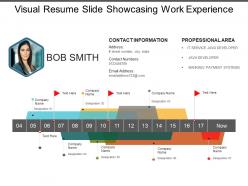
Visual resume slide showcasing work experience




Try Before you Buy Download Free Sample Product
 Impress Your
 Audience
 100%
100% Editable
 Save Hours
 of Time


Answer critics confidently with our Visual Resume Slide Showcasing Work Experience. Convince them that their conclusions are flawed.
People who downloaded this PowerPoint presentation also viewed the following :
Visual resume slide showcasing work experience with all 5 slides:
Our Visual Resume Slide Showcasing Work Experience don't let handicaps effect you. For them no gap is too big to cross.
FAQs for Visual resume slide
Visual resumes stand out through infographic layouts, color-coded skill charts, interactive design elements, portfolio integration, and strategic use of icons and graphics. These elements streamline information presentation by creating immediate visual hierarchy, enhancing readability through data visualization, and showcasing creativity alongside qualifications, with many employers in creative industries finding that visual formats deliver faster candidate assessment and memorable first impressions.
Visuals enhance career storytelling by creating timeline progressions, skill evolution charts, achievement infographics, project showcases, and competency visualizations that map a candidate's professional growth. Through strategic design elements like progress bars, icons, and visual hierarchies, recruiters can quickly grasp career trajectories, key milestones, and skill development patterns, ultimately transforming traditional text-heavy narratives into compelling, memorable professional stories.
Effective visual resume elements include clean infographics for skills, timeline graphics for career progression, icons for contact information, strategic color schemes, and professional typography combinations. These design elements enhance readability and engagement by highlighting key achievements, creating visual hierarchy, and streamlining information flow, with many recruiters finding that well-designed visual resumes significantly improve candidate memorability and interview callbacks.
Color choice significantly influences visual resume perception by affecting readability, conveying professionalism, and reflecting personal branding through strategic palette selection. While conservative blues and grays enhance credibility for corporate roles, creative industries often embrace bolder colors, with many hiring managers finding that thoughtful color coordination demonstrates attention to detail and visual communication skills, ultimately strengthening candidate memorability.
Infographics can represent achievements through progress bars showing skill proficiency levels, timeline graphics displaying career milestones, pie charts illustrating project distributions, and icon-based systems highlighting core competencies and certifications. These visual elements streamline information processing for recruiters while enabling professionals to differentiate themselves in competitive markets, ultimately delivering clearer communication of value propositions and measurable accomplishments.
Visual resume best practices include maintaining clear hierarchy, using consistent color schemes, balancing white space effectively, organizing content in logical sections, and ensuring readability across different formats. These design principles streamline information delivery while highlighting key achievements, with many creative professionals and marketers finding that strategic visual organization enhances recruiter engagement and ultimately delivers stronger interview conversion rates.
Job seekers can tailor visual resumes by adjusting design aesthetics, color schemes, layout complexity, and content emphasis to match industry expectations and role requirements. Creative sectors like marketing, design, and media benefit from bold, innovative presentations, while traditional industries such as finance, healthcare, and consulting favor clean, professional layouts that emphasize data visualization and structured information hierarchy.
**INPUT**: What tools or software are recommended for creating professional visual resumes? **OUTPUT**: Recommended visual resume tools include Canva, Adobe Creative Suite, Visme, Piktochart, and Resume.io, each offering templates, design elements, and customization features. These platforms streamline the design process by providing industry-specific layouts, infographic components, and brand consistency tools, with many professionals finding that strategic visual presentation ultimately delivers enhanced interview opportunities and competitive advantage.
Visual resumes can help bypass ATS limitations by incorporating keyword-rich content, strategic formatting, and scannable design elements that align with job descriptions. While many applicants rely solely on text-based approaches, visual resumes enable candidates to stand out in recruiter reviews after initial ATS screening, ultimately delivering enhanced personal branding and memorable first impressions.
Common mistakes include overcrowding with excessive graphics, using unprofessional fonts, prioritizing design over content clarity, and neglecting ATS compatibility. These design pitfalls often result in reduced readability and screening failures, with many hiring managers finding that balanced visual resumes combining clean aesthetics with substantive content ultimately deliver stronger candidate impressions and interview opportunities.
Balance between creativity and professionalism in visual resumes is crucial, as excessive creativity can undermine credibility while too much conservatism fails to differentiate candidates. Strategic visual elements like infographics, color schemes, and clean layouts enhance readability and memorability, with industries like marketing, design, and tech increasingly favoring candidates who demonstrate both creative thinking and professional judgment.
Fonts significantly influence visual resume readability through hierarchy, consistency, and professional appearance, with typography choices affecting scanning ease, brand perception, and overall visual flow. Strategic font selection enhances comprehension by guiding recruiters through information seamlessly, while maintaining aesthetic balance between creativity and professionalism, ultimately delivering stronger first impressions and improved candidate positioning.
Personal branding integrates into visual resumes through consistent color schemes, professional typography, strategic logo placement, cohesive design elements, and aligned messaging that reflects your unique value proposition. This approach enables professionals to differentiate themselves in competitive markets, with many hiring managers finding that branded visual resumes enhance memorability, demonstrate attention to detail, and ultimately create stronger candidate recognition throughout the selection process.
Digital visual resumes offer enhanced interactivity, multimedia integration, easy distribution, real-time updates, and cost-effective sharing across multiple platforms simultaneously. Unlike printed versions, digital formats enable clickable links, embedded videos, instant delivery to global recruiters, and seamless integration with applicant tracking systems, ultimately delivering broader reach and dynamic presentation capabilities that significantly enhance candidate visibility.
Candidates can ensure inclusive visual resumes by incorporating high contrast colors, readable fonts, alt text for images, screen reader compatibility, and logical content flow. By avoiding color-dependent information, providing text alternatives for visual elements, and maintaining clear hierarchies, professionals create accessible designs that reach diverse audiences while demonstrating their commitment to inclusive practices, ultimately expanding their appeal to forward-thinking employers.
-
Excellent work done on template design and graphics.
-
Great designs, Easily Editable.