

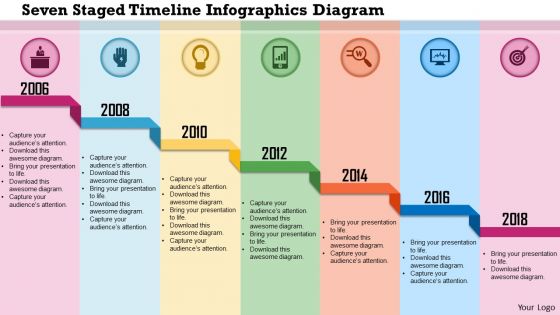
0115 seven staged timeline infographics diagram powerpoint template




Try Before you Buy Download Free Sample Product
 Impress Your
 Audience
 100%
100% Editable
 Save Hours
 of Time


Have the gumption to take a chance with our 0115 Seven Staged Timeline Infographics Diagram Powerpoint Template. They are ever ready for any gamble.
People who downloaded this PowerPoint presentation also viewed the following :
0115 seven staged timeline infographics diagram powerpoint template with all 5 slides:
Get your customers abreast with our 0115 Seven Staged Timeline Infographics Diagram Powerpoint Template. Brief them on any fresh applications.
FAQs for 0115 seven staged timeline infographics
Honestly, seven stages work great because people can actually follow along without their brains shutting off. You're breaking down complicated stuff into chunks that make sense. Not too simple like a 3-step thing, but not overwhelming either - nobody wants to sit through 12 stages of anything, right? Your audience stays engaged visually and can remember the main phases later. I'd definitely use icons or different colors for each stage. Oh, and the best part? If someone gets confused, you can easily jump back to a specific step without losing everyone else. Way better than those endless bullet-point lists.
Honestly, seven stages work so well because people's brains just can't handle too much at once. You're basically giving them a roadmap instead of dumping everything on them at once. The visual format is huge too - way better than making people read through paragraphs (I mean, who actually does that anymore?). Each stage gives them a natural stopping point to process before moving on. Oh, and definitely throw in some icons or colors for each step. Makes it stick in their heads better and looks way more professional than plain text.
Okay so seven stages is honestly a lot - people get overwhelmed fast. Pick a color scheme that flows nicely, maybe a gradient or colors that actually work together. Icons or numbers are your best friend for each stage so people can scan quickly. Give yourself tons of space between each one, and maybe try alternating the layout (like left-right positioning) so it's not boring to look at. Keep your fonts consistent but make the stage headers pop somehow. Oh and definitely test it on someone first - can they follow it without getting confused? That's the real test right there.
Dude, colors can totally make or break your timeline. I'd stick with like 2-3 main colors and just play with different shades - trust me, I've seen some that look like a kindergarten art project gone wrong. Bright contrasting colors help separate each stage, but keep the overall palette cohesive so it doesn't look crazy. Think about who's gonna see this too. Corporate people usually want boring muted tones, but creative teams can handle the fun bold stuff. Oh, and definitely test it on someone first! What looks clear to you might be confusing to them.
Oh man, don't cram too much text into each stage - honestly that's like mistake
-
Perfect template with attractive color combination.
-
Out of the box and creative design.