

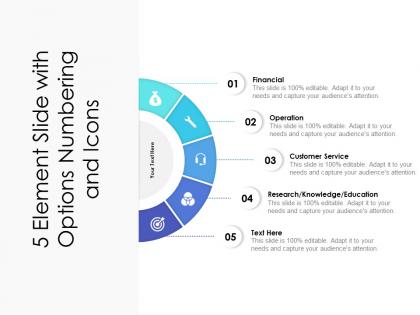
5 element slide with options numbering




Try Before you Buy Download Free Sample Product
 Impress Your
 Audience
 100%
100% Editable
 Save Hours
 of Time


Identify fraudulent claims with our 5 Element Slide With Options Numbering. Expose any attempt to cheat.
People who downloaded this PowerPoint presentation also viewed the following :
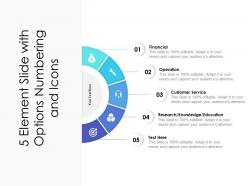
5 element slide with options numbering with all 2 slides:
Expose any attempt to cheat with our 5 Element Slide With Options Numbering. Identify fraudulent claims.
FAQs for 5 element slide
Here's the thing about 5 element slides - you need a solid headline that nails your main point, plus some data to back it up. Throw in a chart or visual (seriously, don't skip this part). Then comes your "aha" moment - the insight that makes people actually care. Oh, and always end with what you want them to do next. Most people mess this up by cramming everything onto one slide. Draft it first, then cut ruthlessly. If it doesn't directly support your argument, it's gone. Let your visual tell the story while you keep text super tight. Each piece should flow logically to your conclusion.
So basically, you want people to know where to look first on your slides. Make your main point bigger or use a bold color - whatever grabs attention. I literally always screw this up and make everything the same size, which looks terrible. Different font weights help too. Your audience should instantly get the flow: look here first, then here, then here. Oh and spacing matters more than you'd think. Pick your most important element and make it pop, then build everything else around that. Trust me, it'll look way cleaner than cramming everything together.
Keep it simple with consistent visual hierarchy - that's your foundation. Each element needs similar visual weight, so use comparable text sizes, icons, or boxes. People always cram way too much text in and it becomes a mess. One key point per element with minimal extra text. Give each element breathing room with white space so they don't look cramped. Color-coding or icons help people scan faster. Here's what I always do - try the "squint test." If you can't quickly spot all five elements while squinting, you've gotta simplify more. Works every time.
Think of your 5 elements like chapters in a story, not random bullet points. Start with a hook - what's the problem you're solving? Then each piece should build naturally from there. I swear, half the presentations I sit through just dump features without connecting anything! Your audience needs to follow along like they're watching a character's journey unfold. Throw in examples they actually care about. Each element should feel like the obvious next step, you know? Otherwise people zone out trying to figure out how everything fits together.
I love using the 5 elements thing when I'm dealing with complex stuff that has natural chunks - like marketing pillars, product phases, company values, whatever. Each piece should carry equal weight but still connect to the whole thing. Works best when you've got 4-6 main parts that can stand alone. Perfect for presenting strategy to stakeholders or breaking down methodologies. Actually saved my butt last week when I was drowning in bullet points. Forces you to figure out what really matters instead of just listing everything. Try it next time you're cramming too much info together.
Colors totally mess with people's heads in ways they don't even realize. Blue makes you look trustworthy, red gets hearts pumping, green screams "stable and growing." So match your palette to whatever you're trying to say with each element. Trust me, don't slap hot pink on financial projections unless you're going for shock value (been there). Your audience's brain processes those colors before they even read a single word. I learned this the hard way after using orange for a serious budget presentation - yikes. Pick colors that actually back up your story instead of fighting against it.
Honestly, visuals are a total game-changer for those 5-element slides. People's brains just process images way faster than text - like, nobody wants to read through a bunch of bullet points during a presentation. You can help your audience grasp each point instantly with the right icons. Just make sure they actually relate to your content though, not some random pretty graphics you found online (I've definitely been guilty of that before). Simple, consistent icons work best. Your audience will remember the points way better afterwards, plus you'll probably notice people staying more engaged instead of zoning out.
Try staggered animations so everything doesn't slam your audience at once. Simple fade-ins work great - maybe 0.5 seconds between each point. Honestly, spinning text died with MySpace so stick to clean transitions. You could add hover effects too, but don't go overboard. The real trick is timing each element to appear right when you're about to talk about it. Makes the whole thing feel way more natural. Oh, and consistent timing between reveals really helps people follow along without their brains scrambling to process everything.
Ugh, the worst thing you can do is cram way too much text on there - people's eyes just glaze over. Stick to one clear idea per point, maybe a few bullets max. Don't make everything look identical either or it becomes this visual blob. Mix up colors, throw in some icons, make certain parts bigger. That creates actual hierarchy. And please don't just read off the slide word for word (instant snooze fest). Your five elements should spark conversation, then you elaborate from there. I always practice the flow beforehand - sometimes what seems logical in your head feels clunky when you're actually presenting.
Honestly, I just make different versions of the same slide because trying to please everyone with one version is impossible. Execs want the business impact upfront - they're impatient and need the "so what" immediately. Technical people are the opposite - they want all the implementation details and specifics. Mixed audiences are trickier, but I start broad then get into the weeds for whoever needs it. Really depends on what each group actually cares about. I'd prep 2-3 versions if you have time - saves you from that awkward moment when half the room looks confused while the other half is bored.
Honestly, just stick with PowerPoint or Google Slides - they're boring but they work. Canva's where it's at though if you want something that doesn't look like every corporate presentation ever made. Their icons don't suck, which is a huge win. Figma's overkill unless you're really into design stuff. Whatever you use, keep your colors consistent and don't go crazy with fonts. Oh, and make sure people can actually read your five points without squinting - that's literally the whole point. The software doesn't matter as much as just keeping things clean and readable.
Definitely test that 5-element slide with a few people first. Ask if your points make sense and flow well together - sometimes what's obvious to you is confusing to everyone else. Also check the visual stuff because honestly, people judge slides super fast (like 3 seconds, which is kind of brutal). Have them look at whether your text is readable and if those icons actually help or just clutter things up. You're probably too close to it right now to catch obvious problems. Take their feedback seriously and make changes. Then do one last quick pass before you present.
Tell your audience upfront what you're doing - like "I'm gonna cover five main things here." People need that roadmap or they'll zone out. Use clear transitions between each point. "First thing..." then "Next up..." - whatever sounds natural to you. I'd probably reveal all five at the start so people know what they're in for, but honestly it depends on how complex your stuff is. Give each point some space to land before jumping to the next one. That's where most people mess up. Then tie it all back together at the end so it doesn't feel like you just rattled off a grocery list.
Honestly, bullet points are your best friend here - ditch the paragraph format completely. I stick to like 5-7 words max per point, though I'll admit I sometimes break my own rule when something's complicated. Your audience should grasp everything in about 3 seconds of looking at it. Use punchy, active words and cut out any filler that's just taking up space. Make your most important point pop with bigger text or a bold color. Quick test: glance at your slide super fast - if you can't catch all five elements immediately, you've got too much going on.
Oh definitely! Ditch the boring linear thing and try a circular flow instead. Interactive clicks for each section work great too. I've seen some really creative stuff - overlapping circles, puzzle pieces that build up, even starting with your conclusion first then working backwards. Each element could be a different visual metaphor... gears, building blocks, recipe steps, whatever fits your vibe. Actually, the recipe one sounds kind of fun now that I think about it. Just don't lose the logical structure while you're getting creative. Your audience will love something that feels fresh instead of the same old format everyone uses.
No Reviews