About our company ppt sample

Rating:
90%
About our company ppt sample
Slide 1 of 5
Favourites Favourites

Try Before you Buy Download Free Sample Product

Audience Impress Your
Audience
Editable 100%
Editable
Time Save Hours
of Time
The Biggest Sale is ending soon in
0
0
:
0
0
:
0
0
Rating:
90%
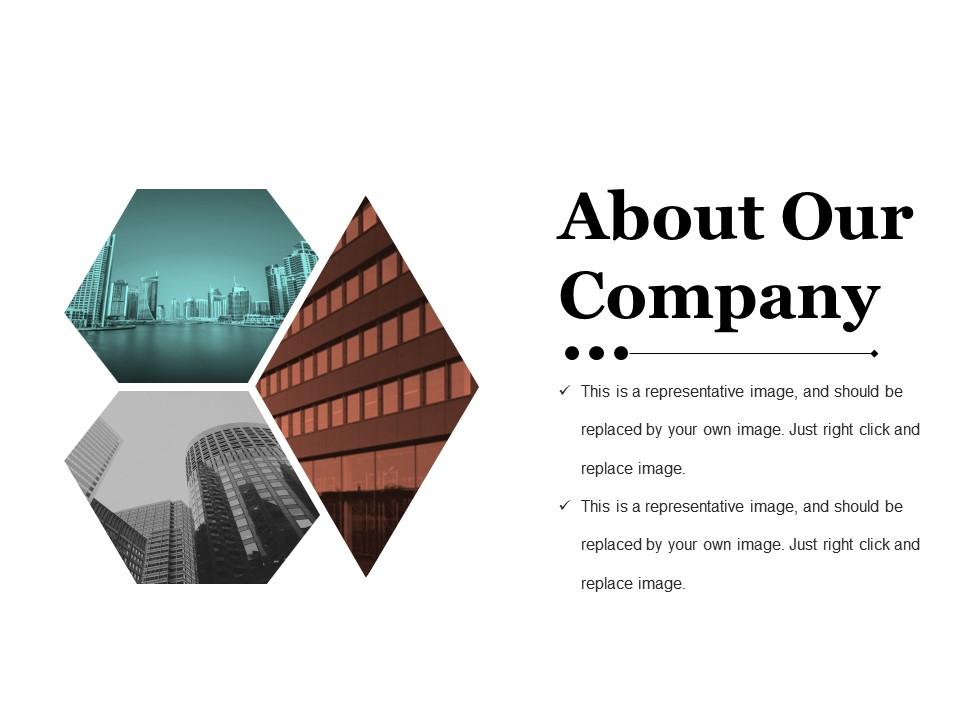
Presenting this set of slides with name - About Our Company Ppt Sample. This is a three stage process. The stages in this process are About Our Company, Business, Management, Marketing, Success.

FAQs for About our

Honestly, we got tired of watching teams start from zero every damn time. Your designers would burn hours making slides that looked okay but didn't really tell a story well. Plus the layouts were always a mess. We thought there had to be something better than constantly reinventing everything. Our templates do the boring visual stuff and give you solid structure upfront. That way you can actually focus on your message instead of fighting with formatting. Just pick whatever fits your presentation type and tweak it from there.

So we get our template ideas from three spots - customer requests, what's trending in different industries, and honestly just our team's random expertise. Like when everyone was suddenly asking about remote work stuff, we jumped on that immediately. Some weeks it's wild how the same question pops up everywhere - that's when we know we need to build something. Our team comes from all over the place so we're always thinking of weird use cases. But real talk, just keep sending us what you need because that's literally how our best templates happen. Way better than us just guessing.

So we built our templates around three things: keeping them simple, making them flexible, and ensuring they're accessible to everyone. Clean layouts are huge - nobody wants to feel overwhelmed when they land on your site. You can easily swap out colors, fonts, and sections to match your brand too. I swear, half the templates out there look gorgeous but are a nightmare to actually customize! All our designs meet WCAG standards so your content works for everyone. Plus each template comes with detailed guides. Trust me, you won't be sitting there at 2am wondering how to change something.

Basically, we dig into what each industry actually struggles with and build templates around that stuff. Healthcare gets compliance-heavy language and patient-focused messaging. Tech templates are all about innovation and scaling up. The real game-changer though? We test everything with actual people from those fields - their input beats our guesses every single time. Different style guides for different audiences too (talking to a CEO vs. a developer requires totally different vibes). Oh, and you can tweak anything further if your specific crowd has weird preferences or whatever.

So basically you just go to the brand settings panel and upload your logo, pick your colors, fonts - all that stuff. The system does the heavy lifting and applies everything automatically to whatever templates you pick. Super easy once you figure it out. Oh, and you can mess with spacing, swap images, change the text to sound more like you. There's this preview thing that shows changes right away which is clutch. I'd start with their popular templates first - they're way more flexible. Honestly took me like 10 minutes to get my first one looking decent.

Honestly, user feedback drives pretty much everything we do with templates. People send us feature requests and bug reports constantly - that's how we figure out what to build next. We also do these user testing sessions where we just watch people get confused by our designs (awkward but super helpful). Even after we launch stuff, we're still tweaking based on support tickets and usage data. The whole process never really ends, which is kind of exhausting but whatever. When you see feedback patterns coming in, definitely flag them - those usually turn into our biggest priorities.

Honestly, we're pretty obsessive about staying current. Our design team scrolls through Dribbble and Behance constantly - probably too much, but whatever works! Customer downloads tell us a lot too. Sometimes users spot trends way before we do, which is kinda humbling. We also dig into competitor stuff quarterly and follow design blogs religiously. The real trick? We push out new trend collections monthly instead of doing those massive annual drops. Oh, and our trend newsletter gives people early access if you're into that sort of thing!

Honestly, the main problems are templates that look super generic and content that just won't fit right. Plus customization is a nightmare - you've probably been there, spending hours trying to jam your stuff into some rigid layout that fights you the whole way. What works better is starting with whichever template feels closest to what you need, then tweaking from there instead of doing a total overhaul. Look for ones with flexible text boxes and image spots that actually adapt. Multiple layout options help too, and decent placeholder content makes a huge difference - way better than those weird Lorem ipsum blocks that tell you nothing.

So they drop new templates around the 15th each month, plus bigger updates every quarter. You'll get emails when stuff gets added to your dashboard. Their design team's been killing it lately - like 40+ new ones in just two months, which is honestly pretty impressive. They also clear out the old junk periodically so it doesn't get cluttered. Major overhauls happen quarterly too. If there's something specific you need that's not there, just use their feedback thing and it might actually show up in the next round.

Honestly, their templates are way better because they actually listen to user feedback instead of just guessing what looks nice. The drag-and-drop editor is smooth too - I've used so many janky ones that barely work. They also throw in industry-specific stuff that others skip, like compliance sections for healthcare or finance sites. Everything's mobile-friendly from the start and loads super fast. Oh, and they have a free version you can try first, which is perfect if you're already annoyed with other platforms. Definitely worth testing it out before committing to anything else.

Oh totally! There's actually a ton of stuff in their resource hub - video tutorials, guides, template tips, all that. The videos are surprisingly good too, not like the usual corporate garbage. I'd probably start with the "Template Basics" series first, then check out whatever matches your industry. They've also got these downloadable cheat sheets which are pretty handy, plus the blog has more advanced techniques if you get into it. Oh and industry-specific examples too - forgot about those. Should definitely get you sorted though!

Yeah, we've got you covered on the accessibility stuff! High contrast colors, readable fonts, proper headings that work with screen readers. Alt text spots for images too. Honestly took us forever to get serious about this - kind of embarrassing looking back. But we're making up for lost time now. The templates include diverse imagery and there are inclusive language suggestions in the speaker notes (which I actually find pretty helpful). Follow the setup and you'll hit WCAG guidelines automatically. Oh, and check the "Accessibility" section in each template guide for extra tips to make your content more inclusive.

Yeah they work with pretty much everything - PowerPoint, Google Slides, Keynote. You get multiple file formats so no headaches there. Most people use PowerPoint so that version gets the most attention, but honestly? The Google Slides ones look just as good. If you're on Mac, Keynote has some really nice animations that aren't in the others. Oh and my coworker swears by Google Slides now because it's easier to share with clients. Just grab whatever format matches what you normally use and you're set.

Honestly, completion rates are where I'd start - if people bail halfway through your templates, that's a huge red flag. We do the usual stuff like NPS surveys and download tracking, but the real insights come from actually talking to users. Support tickets are gold too, you'd be surprised what people complain about. User interviews take forever to set up but they're worth it. Oh, and feature requests - those tell you what's missing. It's really a mix of numbers and just listening to what people actually say about your stuff.

Dude, AI is totally changing how we do presentations right now. You've got automated design suggestions everywhere, plus way better collaboration tools. Interactive stuff is blowing up - especially since everyone's doing hybrid meetings and expects polls, clickable elements, all that jazz. Static slides are basically dead at this point (thank god). Data viz is getting crazy sophisticated too. Oh, and there's this huge accessibility push happening with better alt text and color contrast. I'd mess around with some smart template tools if I were you. Focus more on making your content actually engaging instead of just... informative, you know?

Ratings and Reviews

90% of 100
Review Form
Write a review
Most Relevant Reviews
  1. 80%

    by George Miller

    Perfect template with attractive color combination.
  2. 100%

    by Charles Nguyen

    Great product with highly impressive and engaging designs.

2 Item(s)

per page: